編輯:關於Android編程
在B站或者其他視頻網站看視頻時,常常會打開彈幕效果,邊看節目邊看大家的吐槽。彈幕看起來很有意思,今天我們就來實現一個簡單的彈幕效果。
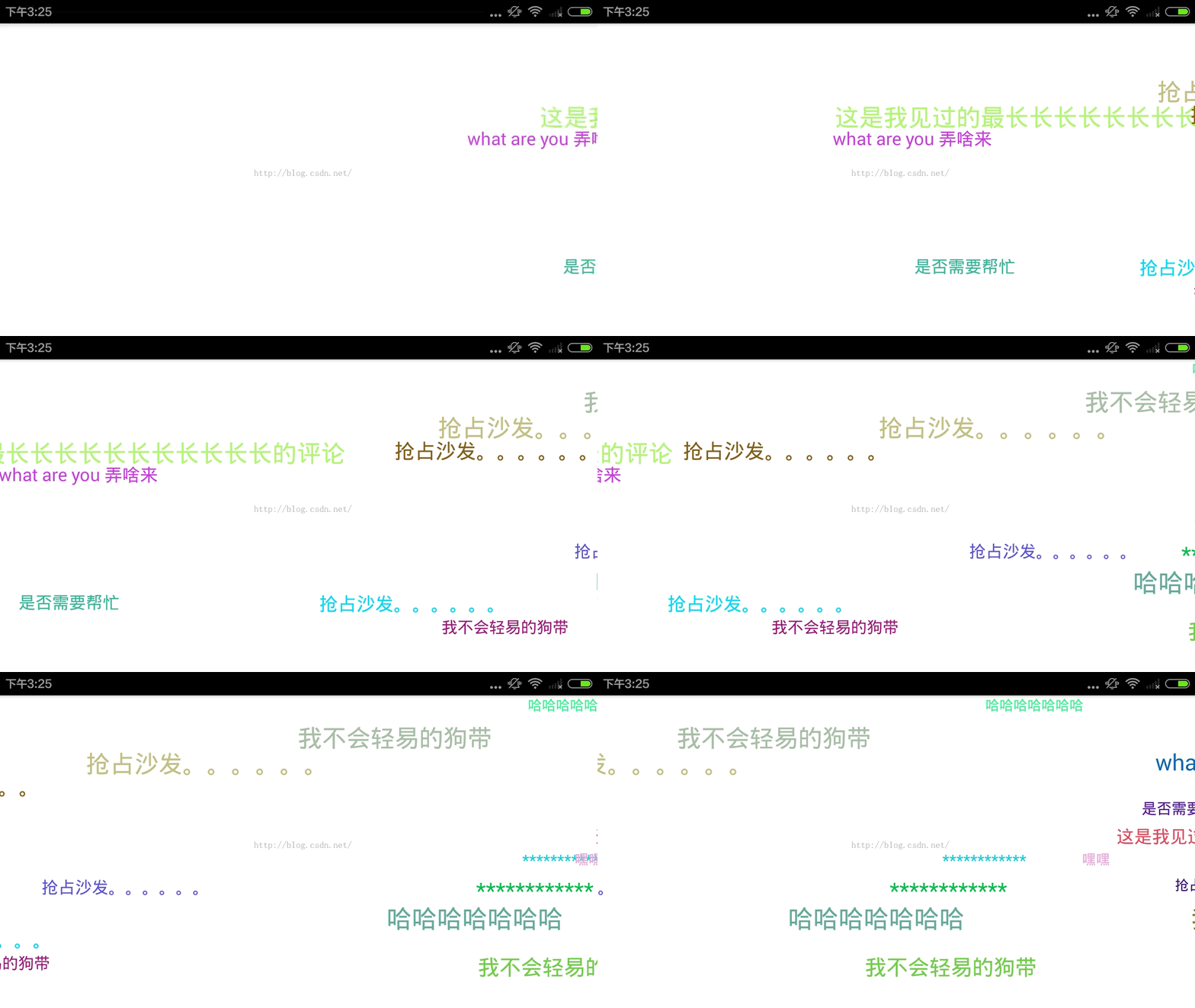
從直觀上,彈幕效果就是在一個ViewGroup上增加一些View,然後讓這些View移動起來。所以,整體的實現思路大概是這樣的:
1、定義一個RelativeLayout,在裡面動態添加TextView。
2、這些TextView的字體大小、顏色、移動速度、初始位置都是隨機的。
3、將TextView添加到RelativeLayout的右邊緣,每隔一段時間添加一個。
4、對每個TextView做平移動畫,使得TextView從右向左移動。
5、當TextView從左邊移動出屏幕,將TextView從RelativeLayout中移除。
有了思路下面就來看具體的代碼。
首先定義BarrageItem,用來存儲每一個彈幕項的相關信息,包括字體內容、字體大小顏色、移動速度、垂直方向的位置、字體占據的寬度等。
public class BarrageItem {
  public TextView textView;
  public int textColor;
  public String text;
  public int textSize;
  public int moveSpeed;//移動速度
  public int verticalPos;//垂直方向顯示的位置
  public int textMeasuredWidth;//字體顯示占據的寬度
}
然後定義BarrageView,由於彈幕的字體顏色大小和移動速度都是隨機的,需要定義最大最小值來限定它們的范圍,然後通過產生隨機數來設置它們在這個范圍內的值。另外還需要定義彈幕的文本內容,這裡是直接寫死的一些固定值。
  private Context mContext;
  private BarrageHandler mHandler = new BarrageHandler();
  private Random random = new Random(System.currentTimeMillis());
  private static final long BARRAGE_GAP_MIN_DURATION = 1000;//兩個彈幕的最小間隔時間
  private static final long BARRAGE_GAP_MAX_DURATION = 2000;//兩個彈幕的最大間隔時間
  private int maxSpeed = 10000;//速度,ms
  private int minSpeed = 5000;//速度,ms
  private int maxSize = 30;//文字大小,dp
  private int minSize = 15;//文字大小,dp

  private int totalHeight = 0;
  private int lineHeight = 0;//每一行彈幕的高度
  private int totalLine = 0;//彈幕的行數
  private String[] itemText = {"是否需要幫忙", "what are you 弄啥來", "哈哈哈哈哈哈哈", "搶占沙發。。。。。。", "************", "是否需要幫忙","我不會輕易的狗帶", "嘿嘿", "這是我見過的最長長長長長長長長長長長的評論"};
  private int textCount;
//  private List<BarrageItem> itemList = new ArrayList<BarrageItem>();

  public BarrageView(Context context) {
    this(context, null);
  }

  public BarrageView(Context context, AttributeSet attrs) {
    this(context, attrs, 0);
  }

  public BarrageView(Context context, AttributeSet attrs, int defStyleAttr) {
    super(context, attrs, defStyleAttr);
    mContext = context;
    init();
  }
如果彈幕顯示的垂直位置是隨機的,就會出現垂直方向上彈幕重疊的情況,所以需要根據高度對垂直方向按照彈幕高度的最大值等分,然後讓彈幕在這些指定的垂直位置隨機分布。這個值在onWindowFocusChanged裡計算,因為在這個方法中通過View的getMeasuredHeight()得到的高度不為空。
@Override
public void onWindowFocusChanged(boolean hasWindowFocus) {
  super.onWindowFocusChanged(hasWindowFocus);
  totalHeight = getMeasuredHeight();
  lineHeight = getLineHeight();
  totalLine = totalHeight / lineHeight;
}
    通過Handler的sendEmptyMessageDelayed每隔隨機的時間產生一個彈幕項。下面的代碼設置彈幕項的屬性。

class BarrageHandler extends Handler {
  @Override
  public void handleMessage(Message msg) {
    super.handleMessage(msg);
    generateItem();
    //每個彈幕產生的間隔時間隨機
    int duration = (int) ((BARRAGE_GAP_MAX_DURATION - BARRAGE_GAP_MIN_DURATION) * Math.random());
    this.sendEmptyMessageDelayed(0, duration);
  }
}

private void generateItem() {
  BarrageItem item = new BarrageItem();
  String tx = itemText[(int) (Math.random() * textCount)];
  int sz = (int) (minSize + (maxSize - minSize) * Math.random());
  item.textView = new TextView(mContext);
  item.textView.setText(tx);
  item.textView.setTextSize(sz);
  item.textView.setTextColor(Color.rgb(random.nextInt(256), random.nextInt(256), random.nextInt(256)));
  item.textMeasuredWidth = (int) getTextWidth(item, tx, sz);
  item.moveSpeed = (int) (minSpeed + (maxSpeed - minSpeed) * Math.random());
  if (totalLine == 0) {
    totalHeight = getMeasuredHeight();
    lineHeight = getLineHeight();
    totalLine = totalHeight / lineHeight;
  }
  item.verticalPos = random.nextInt(totalLine) * lineHeight;
  showBarrageItem(item);
}
將每一個彈幕項添加到視圖上,並給View添加一個TranslateAnimation動畫,當動畫結束時,將View從視圖上移除。
private void showBarrageItem(final BarrageItem item) {

    int leftMargin = this.getRight() - this.getLeft() - this.getPaddingLeft();

    LayoutParams params = new LayoutParams(LayoutParams.WRAP_CONTENT, LayoutParams.WRAP_CONTENT);
    params.addRule(RelativeLayout.ALIGN_PARENT_TOP);
    params.topMargin = item.verticalPos;
    this.addView(item.textView, params);
    Animation anim = generateTranslateAnim(item, leftMargin);
    anim.setAnimationListener(new Animation.AnimationListener() {
      @Override
      public void onAnimationStart(Animation animation) {

      }

      @Override
      public void onAnimationEnd(Animation animation) {
        item.textView.clearAnimation();
        BarrageView.this.removeView(item.textView);
      }

      @Override
      public void onAnimationRepeat(Animation animation) {

      }
    });
    item.textView.startAnimation(anim);
  }

  private TranslateAnimation generateTranslateAnim(BarrageItem item, int leftMargin) {
    TranslateAnimation anim = new TranslateAnimation(leftMargin, -item.textMeasuredWidth, 0, 0);
    anim.setDuration(item.moveSpeed);
    anim.setInterpolator(new AccelerateDecelerateInterpolator());
    anim.setFillAfter(true);
    return anim;
  }
這樣就完成了彈幕的功能,實現原理並不復雜。可以根據具體的需求來增加更多的控制,如控制每一行彈幕不重復,控制彈幕移動的Interpolator產生不同的滑動效果等等。
 Android圖片緩存處理
LruCache以鍵-值對的形式存儲(內部定義了一個LinkedHashMap)數據,通過new LruCache(int size)實例化,參數使指定分配給LruCac
 Android系統開發(2)——GDB調試工具
調試的過程我們在eclipse中來看一下一般調試的過程:1、debug模式編譯2、打上斷點3、運行調試4、單步調試step into:跳到函數體內部step over:不
 Android藍牙開發,報BluetoothAdapter﹕ Can't create handler inside thread that has not called Looper.prepare
這個錯誤翻譯的意思是:不能在沒有Looper.prepare的線程裡面創建handler。起初我很疑惑,我根本沒有用到工作線程,也沒有創建handler。報錯的代碼如下:
 Android7(N)開發者應該知道的一切(最全)
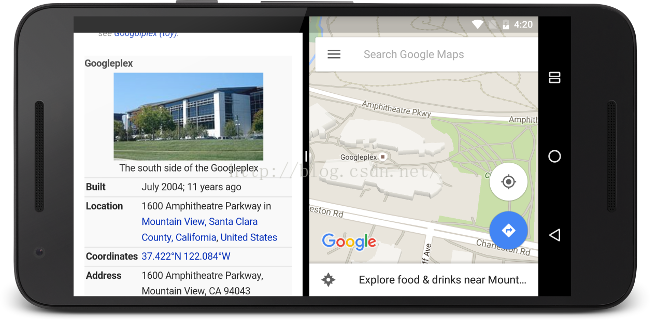
1.多窗口支持Android N 添加了對同時顯示多個應用窗口的支持。 在手持設備上,兩個應用可以在“分屏”模式中左右並排或上下並排顯示。在電視設