編輯:關於Android編程
廢話不多說了,直接給大家貼代碼了,具體代碼如下
<?xml version="1.0" encoding="utf-8"?>
<LinearLayout
xmlns:android="http://schemas.android.com/apk/res/android"
android:layout_width="match_parent"
android:layout_height="match_parent"
android:orientation="vertical" >
<Button
android:id="@+id/save"
android:layout_width="wrap_content"
android:layout_height="wrap_content"
android:text="保存數據(File)" />
<Button
android:id="@+id/read"
android:layout_width="wrap_content"
android:layout_height="wrap_content"
android:text="讀取數據(File)" />
</LinearLayout>

package com.example.yanlei.wifi;
import android.os.Bundle;
import android.os.Environment;
import android.support.v7.app.AppCompatActivity;
import android.view.View;
import android.view.View.OnClickListener;
import android.widget.Button;
import android.widget.Toast;
import java.io.File;
import java.io.FileInputStream;
import java.io.FileNotFoundException;
import java.io.FileOutputStream;
import java.io.PrintStream;
import java.util.Scanner;
public class MainActivity extends AppCompatActivity {
private Button btnSave=null;
private Button btnRead=null;
private File file=null;
private static final String FILENAME="data.txt";
@Override
protected void onCreate(Bundle savedInstanceState) {
super.onCreate(savedInstanceState);
setContentView(R.layout.activity_main);
btnSave=(Button)super.findViewById(R.id.save);
btnRead=(Button)super.findViewById(R.id.read);

btnSave.setOnClickListener(new OnClickListener(){
public void onClick(View v)
{
PrintStream ps=null;

//判斷外部存儲卡是否存在
if(!Environment.getExternalStorageState().equals(Environment.MEDIA_MOUNTED)){
Toast.makeText(getApplicationContext(), "讀取失敗,SD存儲卡不存在!", Toast.LENGTH_LONG).show();
return;
}
//初始化File
String path=Environment.getExternalStorageDirectory().toString()
+File.separator
+"genwoxue"
+File.separator
+FILENAME;
file=new File(path);

//如果當前文件的父文件夾不存在,則創建genwoxue文件夾
if(!file.getParentFile().exists())
file.getParentFile().mkdirs();
//寫文件
try {
ps = new PrintStream(new FileOutputStream(file));
ps.println("跟我學網址:www.genwoxue.com");
ps.println("");
ps.println("電子郵件:hello@genwoxue.com");
} catch (FileNotFoundException e) {
e.printStackTrace();
}finally{
ps.close();
}
Toast.makeText(getApplicationContext(), "保存成功!", Toast.LENGTH_LONG).show();
}
});
btnRead.setOnClickListener(new OnClickListener(){
public void onClick(View v)
{
StringBuffer info=new StringBuffer();

//判斷外部存儲卡是否存在
if(!Environment.getExternalStorageState().equals(Environment.MEDIA_MOUNTED)){
Toast.makeText(getApplicationContext(), "讀取失敗,SD存儲卡不存在!", Toast.LENGTH_LONG).show();
return;
}
//初始化File
String path=Environment.getExternalStorageDirectory().toString()
+File.separator
+"genwoxue"
+File.separator
+FILENAME;
file=new File(path);

if(!file.exists()){
Toast.makeText(getApplicationContext(), "文件不存在!", Toast.LENGTH_LONG).show();
return;
}
//讀取文件內容
Scanner scan=null;
try {
scan=new Scanner(new FileInputStream(file));
while(scan.hasNext()){
info.append(scan.next()).append("☆☆☆\n");
}
Toast.makeText(getApplicationContext(), info.toString(), Toast.LENGTH_LONG).show();
} catch (FileNotFoundException e) {
e.printStackTrace();
}finally{
scan.close();
}
}
});
}
}
權限
<?xml version="1.0" encoding="utf-8"?>
<manifest xmlns:android="http://schemas.android.com/apk/res/android"
package="com.example.yanlei.wifi" >
<!-- 在SDCard中創建與刪除文件權限 -->
<uses-permission android:name="android.permission.MOUNT_UNMOUNT_FILESYSTEMS"/>
<!-- 往SDCard寫入數據權限 -->
<uses-permission android:name="android.permission.READ_EXTERNAL_STORAGE"/>
<uses-permission android:name="android.permission.WRITE_EXTERNAL_STORAGE" />
<application
android:allowBackup="true"
android:icon="@mipmap/ic_launcher"
android:label="@string/app_name"
android:theme="@style/AppTheme" >
<activity
android:name=".MainActivity"
android:label="@string/app_name" >
<intent-filter>
<action android:name="android.intent.action.MAIN" />
<category android:name="android.intent.category.LAUNCHER" />
</intent-filter>
</activity>
</application>
</manifest>
<uses-permission android:name="android.permission.READ_EXTERNAL_STORAGE"/>
<uses-permission android:name="android.permission.WRITE_EXTERNAL_STORAGE" />
以上所述是小編給大家介紹的Android 數據庫文件存取至儲存卡的方法,希望對大家有所幫助,本文寫的不好還請各位大俠見諒!
 Android開發進階自定義控件之滑動開關實現方法【附demo源碼下載】
本文實例講述了Android開發進階自定義控件之滑動開關實現方法。分享給大家供大家參考,具體如下:自定義開關控件Android自定義控件一般有三種方式1、繼承Androi
 【uGUI】基本布局_Unity3d 開發技術
本節我們來學習如何相對 Canvas 和其他元素來布局我們的 UI。我們可以先創建一個 Image 用來測試,在 GameObject 菜單中選擇 UI -> Im
 Android fragment(片段)構建靈活的UI
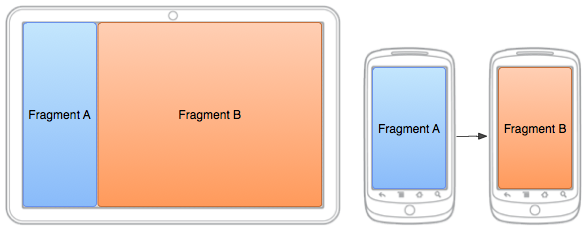
在以支持多種屏幕尺寸為目標設計應用時,您可以在不同的布局配置中重復使用您的fragment從而根據可用的屏幕空間優化用戶體驗。例如,在手機設備上,由於采用單窗格用戶界面,
 android如何取得本地通訊錄的頭像的原圖
上幾篇講contact的時候,取得的頭像都是存在數據庫中,通過: cursor = context.getContentResolver().query(