編輯:關於Android編程
本文實例講述了Android編程使用內容提供者方式進行存儲的方法。分享給大家供大家參考,具體如下:
內容提供者(ContentProvider)主要作用是對外共享數據,如果數據通過內容提供者對外共享了,那麼其他應用就可以從內容提供者中查詢到數據,並且可更新數據、刪除數據、添加數據,如果采用文件的操作模式對外共享數據,數據的訪問方式會因為存儲方式的不同導致數據的訪問方式無法得到統一,不同存儲方式文件對外進行共享其訪問的ApI是不一樣的,如果采用內容提供者對外共享數據就會統一了數據的訪問方式。采用統一的API訪問共享的數據。
創建內容提供者步驟
1.創建內容提供者需要繼承android.content.ContentProvider
2.清單文件中進行配置:
<!--android:name:指定內容提供者的類名,android:authorities:調用內容..名稱,隨意取 -->
<provider android:name=".PersonProvider" android:authorities="cn.test.providers.personprovider"/>
ContentProvider類主要方法
復制代碼 代碼如下:public boolean onCreate()
該方法在ContentProvider創建後就會被調用, Android開機後, ContentProvider在其它應用第一次訪問它時才會被創建。
復制代碼 代碼如下:public Uriinsert(Uri uri, ContentValues values)
該方法用於供外部應用往ContentProvider添加數據。
復制代碼 代碼如下:public int delete(Uri uri, String selection,String[] selectionArgs)
該方法用於供外部應用從ContentProvider刪除數據。
復制代碼 代碼如下:public int update(Uri uri, ContentValues values, Stringselection, String[] selectionArgs)
該方法用於供外部應用更新ContentProvider中的數據。
復制代碼 代碼如下:public Cursorquery(Uri uri, String[]projection, String selection, String[] selectionArgs, String sortOrder)
該方法用於供外部應用從ContentProvider中獲取數據。
示例:
內容提供者類,實現數據的增刪改查
public class PersonProvider extends ContentProvider {
  //創建工具類實現Uri匹配
  private static final UriMatcher MATCHER = new UriMatcher(UriMatcher.NO_MATCH);
  private static final int PERSONS = 1;
  private static final int PERSON = 2;
  static{
    MATCHER.addURI("cn.test.providers.personprovider", "person", PERSONS);
    MATCHER.addURI("cn.test.providers.personprovider", "person/#", PERSON);
  }
  private DBOpenHelper dbOpenHelper = null;
  @Override
  public boolean onCreate() {
    dbOpenHelper = new DBOpenHelper(getContext());
    return true;
  }
  @Override
  public Cursor query(Uri uri, String[] projection, String selection,
      String[] selectionArgs, String sortOrder) {
    SQLiteDatabase db = dbOpenHelper.getReadableDatabase();
    switch (MATCHER.match(uri)) {
    case PERSONS: // 獲取person表中的所有數據  /person
      return db.query("person", projection, selection, selectionArgs, null, null, sortOrder);
    case PERSON: // 獲取person表中的指定id的數據 /person/20
      long id = ContentUris.parseId(uri);
      String where = "personid="+ id;
      if(selection!=null && !"".equals(selection.trim())){
        where += " and "+ selection;
      }
      return db.query("person", projection, where, selectionArgs, null, null, sortOrder);
    default:
      throw new IllegalArgumentException("Unknown Uri:"+ uri);
    }
  }
  @Override
  public String getType(Uri uri) {
    // TODO Auto-generated method stub
    return null;
  }
  @Override
  public Uri insert(Uri uri, ContentValues values) {
    //取得數據庫操作實例
    SQLiteDatabase db = dbOpenHelper.getWritableDatabase();
    switch (MATCHER.match(uri)) {
    case PERSONS:
      //執行添加,返回行號,如果主健字段是自增長的,那麼行號會等於主鍵id
      long rowid = db.insert("person", "name", values);
      //得到拼好的uri
      Uri insertUri = ContentUris.withAppendedId(uri, rowid);
      //發出數據變化通知(person表的數據發生變化)
      getContext().getContentResolver().notifyChange(uri, null);
      return insertUri;
    default:
      //不能識別uri
      throw new IllegalArgumentException("Unknown Uri:"+ uri);
    }
  }
  @Override
  public int delete(Uri uri, String selection, String[] selectionArgs) {
    SQLiteDatabase db = dbOpenHelper.getWritableDatabase();
    //受影響的行數
    int num = 0;
    switch (MATCHER.match(uri)) {
    case PERSONS: // 刪除person表中的所有數據  /person
      num = db.delete("person", selection, selectionArgs);
      break;
    case PERSON: // 刪除person表中的指定id的數據 /person/20
      long id = ContentUris.parseId(uri);
      String where = "personid="+ id;
      if(selection!=null && !"".equals(selection.trim())){
        where += " and "+ selection;
      }
      num = db.delete("person", where, selectionArgs);
      break;
    default:
      throw new IllegalArgumentException("Unknown Uri:"+ uri);
    }
    return num;
  }
  @Override
  public int update(Uri uri, ContentValues values, String selection, String[] selectionArgs) {
    SQLiteDatabase db = dbOpenHelper.getWritableDatabase();
    int num = 0;
    switch (MATCHER.match(uri)) {
    case PERSONS: // 更新person表中的所有數據  /person
      num = db.update("person", values, selection, selectionArgs);
      break;
    case PERSON: // 更新person表中的指定id的數據 /person/20
      long id = ContentUris.parseId(uri);
      String where = "personid="+ id;
      if(selection!=null && !"".equals(selection.trim())){
        where += " and "+ selection;
      }
      num = db.update("person", values, where, selectionArgs);
      break;
    default:
      throw new IllegalArgumentException("Unknown Uri:"+ uri);
    }
    return num;
  }
}
其他工程中訪問:
public class AccessContentProiderTest extends AndroidTestCase {
  public void testInsert() throws Throwable{
    ContentResolver resolver = getContext().getContentResolver();
    Uri uri = Uri.parse("content://cn.test.providers.personprovider/person");
    ContentValues values = new ContentValues();
    values.put("name", "lili");
    values.put("phone", "110");
    values.put("amount", "3000000000");
    resolver.insert(uri, values);
  }
  public void testDelete() throws Throwable{
    ContentResolver resolver = getContext().getContentResolver();
    Uri uri = Uri.parse("content://cn.test.providers.personprovider/person");
    int num =resolver.delete(uri, null, null);
  }
  public void testUpdate() throws Throwable{
    ContentResolver resolver = getContext().getContentResolver();
    Uri uri = Uri.parse("content://cn.test.providers.personprovider/person/65");
    ContentValues values = new ContentValues();
    values.put("amount", 500);
    resolver.update(uri, values, null, null);
  }
  public void testQuery() throws Throwable{
    ContentResolver resolver = getContext().getContentResolver();
    Uri uri = Uri.parse("content://cn.test.providers.personprovider/person/65");
    Cursor cursor = resolver.query(uri, null, null, null, "personid asc");
    while(cursor.moveToNext()){
      String name = cursor.getString(cursor.getColumnIndex("name"));
      Log.i("AccessContentProviderTest", name);
    }
  }
}
希望本文所述對大家Android程序設計有所幫助。
 android app版本更新升級
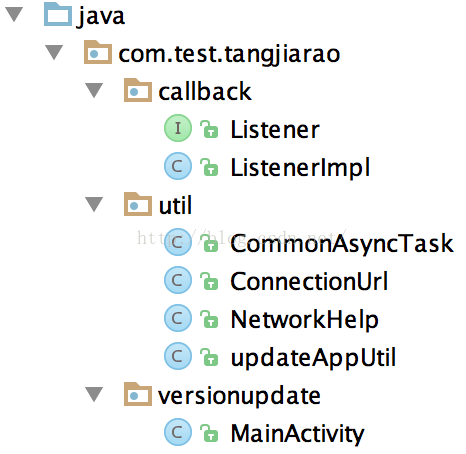
demo的邏輯過程:1.進入程序2.檢查是否有版本更新,如果有則詢問用戶是否更新,否則維持原狀3.檢測當前網絡狀態並且詢問用戶是否進行版本更新,如果是則進行更新,否則維持
 Android中ViewPager實現滑動條及與Fragment結合的實例教程
自主實現滑動指示條先上一個基本效果圖:1.XML布局布局代碼如下:<LinearLayout xmlns:android=http://schemas.androi
 Android Studio JNI開發基礎篇
前言開發過程中,為了數據交互安全,決定對數據進行des加密,然後進行前後交互;但是,如果密鑰放置在android代碼裡面,就算是混淆,反編譯也很容易讓人拿到密鑰,數據加密
 android視頻播放心得體會
android視頻播放主要是兩種方式1、系統封裝好的videoplayer,有前進、後退、暫停/播放、拉動最基本的功能,夠一般使用,操作辦法也很簡單,如果需要自定義程度高