編輯:關於Android編程
本文實例講述了Android精靈動畫用法。分享給大家供大家參考。具體如下:
ElaineAnimated.java文件如下:
package net.obviam.walking.model;
import android.graphics.Bitmap;
import android.graphics.Canvas;
import android.graphics.Paint;
import android.graphics.Rect;
public class ElaineAnimated {
  private static final String TAG = ElaineAnimated.class.getSimpleName();
  private Bitmap bitmap;
  // the animation sequence
  private Rect sourceRect;
  // the rectangle to be drawn from the animation bitmap
  private int frameNr;
  // number of frames in animation
  private int currentFrame;
  // the current frame
  private long frameTicker;
  // the time of the last frame update
  private int framePeriod;
  // milliseconds between each frame (1000/fps)
  private int spriteWidth;
  // the width of the sprite to calculate the cut out rectangle
  private int spriteHeight;
  // the height of the sprite
  private int x;
  // the X coordinate of the object (top left of the image)
  private int y;
  // the Y coordinate of the object (top left of the image)
  public ElaineAnimated(Bitmap bitmap, int x, int y, int width, int height, int fps, int frameCount) {
    this.bitmap = bitmap;
    this.x = x;
    this.y = y;
    currentFrame = 0;
    frameNr = frameCount;
    spriteWidth = bitmap.getWidth() / frameCount;
    spriteHeight = bitmap.getHeight();
    sourceRect = new Rect(0, 0, spriteWidth, spriteHeight);
    framePeriod = 1000 / fps;
    frameTicker = 0l;
  }
  public Bitmap getBitmap() {
    return bitmap;
  }
  public void setBitmap(Bitmap bitmap) {
    this.bitmap = bitmap;
  }
  public Rect getSourceRect() {
    return sourceRect;
  }
  public void setSourceRect(Rect sourceRect) {
    this.sourceRect = sourceRect;
  }
  public int getFrameNr() {
    return frameNr;
  }
  public void setFrameNr(int frameNr) {
    this.frameNr = frameNr;
  }
  public int getCurrentFrame() {
    return currentFrame;
  }
  public void setCurrentFrame(int currentFrame) {
    this.currentFrame = currentFrame;
  }
  public int getFramePeriod() {
    return framePeriod;
  }
  public void setFramePeriod(int framePeriod) {
    this.framePeriod = framePeriod;
  }
  public int getSpriteWidth() {
    return spriteWidth;
  }
  public void setSpriteWidth(int spriteWidth) {
    this.spriteWidth = spriteWidth;
  }
  public int getSpriteHeight() {
    return spriteHeight;
  }
  public void setSpriteHeight(int spriteHeight) {
    this.spriteHeight = spriteHeight;
  }
  public int getX() {
    return x;
  }
  public void setX(int x) {
    this.x = x;
  }
  public int getY() {
    return y;
  }
  public void setY(int y) {
    this.y = y;
  }
  // the update method for Elaine
  public void update(long gameTime) {
    if (gameTime > frameTicker + framePeriod) {
      frameTicker = gameTime;
      // increment the frame
      currentFrame++;
      if (currentFrame >= frameNr) {
        currentFrame = 0;
      }
    }
    // define the rectangle to cut out sprite
    this.sourceRect.left = currentFrame * spriteWidth;
    this.sourceRect.right = this.sourceRect.left + spriteWidth;
  }
  // the draw method which draws the corresponding frame
  public void draw(Canvas canvas) {
    // where to draw the sprite
    Rect destRect = new Rect(getX(), getY(), getX() + spriteWidth, getY() + spriteHeight);
    canvas.drawBitmap(bitmap, sourceRect, destRect, null);
    canvas.drawBitmap(bitmap, 20, 150, null);
    Paint paint = new Paint();
    paint.setARGB(50, 0, 255, 0);
    canvas.drawRect(20 + (currentFrame * destRect.width()), 150, 20 + (currentFrame * destRect.width()) + destRect.width(), 150 + destRect.height(), paint);
  }
}
希望本文所述對大家的Android程序設計有所幫助。
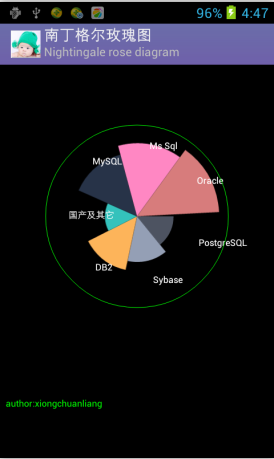 Android中使用Canvas繪制南丁格爾玫瑰圖(Nightingale rose diagram)
南丁格爾玫瑰圖 在常規圖表中實在很驚艷,但我初看沒看懂,一查原來南丁格爾這麼偉大,確實值得尊敬。再仔細研究了下這種圖的構成,發現原來就是把柱形圖的柱形換成了扇形圖的半徑來
 Android官方文檔之App Resources(下)
本文將介紹Android中Resource Types的drawable、menu、layout。如需訪問官方原文,您可以點擊這些鏈接:《Drawable Resourc
 Android 各個版本WebView
轉載請注明出處 http://blog.csdn.net/typename/ powered by miechal zhao : miechalzhao@gmail.
 用Canvas和屬性動畫造一只萌蠢的“小鬼”
最近沒事的時候想自己寫一個支持下拉刷新,上拉加載的自定義View。寫著寫著,就覺得最常見的“一個圈轉啊轉”的進度條太普通了。於是,就想看看有沒有更