編輯:關於Android編程
今天遇到了在Android中的標題欄不顯示的問題,最終解決了該問題。現對該問題總結以下。
我使用的開發工具是Android Studio。標題欄不顯示的原因是自定義Activity是繼承自類庫中Activity。而在res/styles.xml文件中的AppTheme如下:
其中使用的是AppCompat的主題。因此解決辦法法是改為繼承自AppCompatActivity。但是我使用的繼承自FragmentActivity。查了下AppCompatActivity現在也可以代替FragmentActivity。
<style name="AppTheme" parent="Theme.AppCompat.Light.DarkActionBar">
</pre>
<p>其中使用的是AppCompat的主題。因此解決辦法法是改為繼承自AppCompatActivity。但是我使用的繼承自FragmentActivity。查了下AppCompatActivity現在也可以代替FragmentActivity。</p>
</dd></dl>
<script type="text/javascript">
<!--
$(function(){
$('#Article img').LoadImage(true, 630, 560,'http://statics.2cto.com/images/s_nopic.gif');
})
//-->
</script>
<div id="pages" class="box_body" id="fontzoom"> </div>
<div class="cont_ibox">
<!-- 廣告位:2cto_左二 -->
<script>
(function() {
var s = "_" + Math.random().toString(36).slice(2);
document.write('<div id="' + s + '"></div>');
(window.slotbydup=window.slotbydup || []).push({
id: '2467125',
container: s,
size: '1000,90',
display: 'inlay-fix'
});
})();
</script>
</div>
<dl class="box_Nsc">
<dd class="lcopy">點擊復制鏈接 與好友分享!回本站首頁</dd>
<script>
function copyToClipBoard(){
var clipBoardContent=document.title + '\r\n' + document.location;
clipBoardContent+='\r\n';
window.clipboardData.setData("Text",clipBoardContent);
alert("恭喜您!復制成功");
}
</script>
<div class="Article-Tool">
<div class="bdsharebuttonbox"></div>
<script>
window._bd_share_config={"common":{"bdSnsKey":{},"bdText":"","bdMini":"2","bdMiniList":false,"bdPic":"","bdStyle":"0","bdSize":"24"},"share":{}};with(document)0[(getElementsByTagName('head')[0]||body).appendChild(createElement('script')).src='http://bdimg.share.baidu.com/static/api/js/share.js?v=89860593.js?cdnversion='+~(-new Date()/36e5)];
</script>
</div>
</dd>
</dl>
<div class="more_tags"><span>相關TAG標簽</span>
標題
問題
</div>
<dl class="box_NPre">
<dd class="TLineX"><strong>上一篇:</strong></dd>
<dd><strong>下一篇:</strong></dd>
</dl>
<dl class="linetb"></dl>
<dl class="about"><dd>相關文章</dd></dl>
<div class="alistline">android關於手機和3.0版本以上平板去標</div>
<div class="alistline">Android隱藏狀態欄和標題欄,相當於全</div>
<div class="alistline">去標題欄和通知欄</div>
<div class="alistline">Android中全屏無標題設置(Android學習</div>
<div class="alistline">Android獲取屏幕大小和設置無標題【安</div>
<div class="alistline">自定義WebView顯示網頁標題和加載進度</div>
<div class="alistline">android - 自定義標題欄(在標題欄中</div>
<div class="alistline">Android新手入門教程(三):理解Acti</div>
<div class="alistline"><a href="/kf/201205/130926.html" target=blank>android中如何自定義標題欄</a></div>
<div class="alistline"><a href="/kf/201205/132308.html" target=blank>Android中獲取屏幕相關信息(屏幕大小</a></div>
<div class="more_tags" style="padding: 10px 20px 10px 20px;width: 95%;"><span style="background: url(http://statics.2cto.com/images/icons.png) 0 -240px no-repeat;">熱門專題推薦</span>
<a href="/special/pjc/" target="_blank"> python</a>
<a href="/special/dsjc/" target="_blank"> div+css</a>
<a href="/special/css/" target="_blank"> css教程</a>
<a href="/special/html5/" target="_blank"> html5</a>
<a href="/special/html/" target="_blank"> html教程</a>
<a href="/special/jquery_ajax/" target="_blank"> jquery</a>
<a href="/special/Android_AndroidSDK/" target="_blank"> Android SDK</a>
<a href="/special/phphuanjingdajian/" target="_blank"> php</a>
<a href="/special/mysql/" target="_blank"> mysql</a>
<a href="/special/oracle/" target="_blank"> oracle</a>
</div>
<dl class="linetb"></dl>
<div class="cont_ibox h70">
<!-- 廣告位:2cto_左三 -->
<script>
(function() {
var s = "_" + Math.random().toString(36).slice(2);
document.write('<div id="' + s + '"></div>');
(window.slotbydup=window.slotbydup || []).push({
id: '2467127',
container: s,
size: '1000,90',
display: 'inlay-fix'
});
})();
</script>
</div>
<dl class="linetb"></dl>
<dl class="about"><dd>圖文推薦</dd></dl>
<div class="cont_ibox">
<!-- 廣告位:2cto_左四 -->
<script>
(function() {
var s = "_" + Math.random().toString(36).slice(2);
document.write('<div id="' + s + '"></div>');
(window.slotbydup=window.slotbydup || []).push({
id: '2467132',
container: s,
size: '1000,90',
display: 'inlay-fix'
});
})();
</script>
</div>
<div class="picbox">
<dl class="wbox">
<dd class="npicbox"><a class="imgbox" href="/kf/201702/594068.html"><img src="/uploadfile/Collfiles/20170128/20170128222241701.jpg" /></a></dd>
<dd class="npictext"><a href="/kf/201702/594068.html">android stuido關於</a></dd>
</dl>
<dl class="wbox">
<dd class="npicbox"><a class="imgbox" href="/kf/201701/594036.html"><img src="/uploadfile/Collfiles/20170128/20170128222235644.png" /></a></dd>
<dd class="npictext"><a href="/kf/201701/594036.html">Android 6.0 運行時</a></dd>
</dl>
<dl class="wbox">
<dd class="npicbox"><a class="imgbox" href="/kf/201702/594013.html"><img src="/uploadfile/Collfiles/20170128/20170128222339919.jpg" /></a></dd>
<dd class="npictext"><a href="/kf/201702/594013.html">Android快速生成通用</a></dd>
</dl>
<dl class="wbox">
<dd class="npicbox"><a class="imgbox" href="/kf/201702/594011.html"><img src="/uploadfile/Collfiles/20170128/20170128222340923.png" /></a></dd>
<dd class="npictext"><a href="/kf/201702/594011.html">Android Monkey 壓</a></dd>
</dl>
</div>
<!--高速版,加載速度快,使用前需測試頁面的兼容性-->
<div id="SOHUCS"></div>
<script>
(function(){
var appid = 'cyrBEfE7C',
conf = 'prod_830794cf494da8b808afb2994cfe0fee';
var doc = document,
s = doc.createElement('script'),
h = doc.getElementsByTagName('head')[0] || doc.head || doc.documentElement;
s.type = 'text/javascript';
s.charset = 'utf-8';
s.src = 'http://assets.changyan.sohu.com/upload/changyan.js?conf='+ conf +'&appid=' + appid;
h.insertBefore(s,h.firstChild);
window.SCS_NO_IFRAME = true;
})()
</script>
</div>
<div class="box_right">
<div class="side-ibox h250">
<!-- 廣告位:2cto_右一 -->
<script>
(function() {
var s = "_" + Math.random().toString(36).slice(2);
document.write('<div id="' + s + '"></div>');
(window.slotbydup=window.slotbydup || []).push({
id: '2467140',
container: s,
size: '1000,90',
display: 'inlay-fix'
});
})();
</script>
</div>
<div class="box_right_line"><div class="xline"></div></div>
<div class="box_right_box">
<dl class="bTitle">
<dd onmousemove="m_tabs(1)" id="ArticlesW" class="tablinkschecked">文章</dd>
<dd onmousemove="m_tabs(3)" id="BookW" class="tablinkscheck">推薦</dd>
</dl>
</div>
<div class="box_right_box">
<div class="paddingbox">
<dl class="index" id="Articles">
<dd class="picline"></dd>
<dd class="list">· <a href="/kf/201701/592756.html">android EditText 的校驗問題</a></dd>
<dd class="list">· <a href="/kf/201701/592760.html">Android中進程間通信 (一)</a></dd>
<dd class="list">· <a href="/kf/201701/592761.html">Android 實現控件懸浮效果</a></dd>
<dd class="list">· <a href="/kf/201701/592769.html">Android苦手的App之旅(4)</a></dd>
<dd class="list">· <a href="/kf/201701/592781.html">android 一些屬性的意思</a></dd>
<dd class="list">· <a href="/kf/201701/592783.html">android studio快捷鍵大全</a></dd>
<dd class="list">· <a href="/kf/201701/592792.html">Android Studio 快捷鍵整理分享</a></dd>
<dd class="list">· <a href="/kf/201701/592794.html">Android BLE低功耗藍牙開發</a></dd>
</dl>
<dl class="index" id="Book" style="display:none">
<dd class="picline"></dd>
<dd class="list">· <a href="/special/win7jh/">win7激活工具</a></dd>
<dd class="list">· <a href="/os/201607/522176.html">win10激活工具</a></dd>
<dd class="list">· <a href="/special/win7jh/">win7激活工具旗艦版</a></dd>
<dd class="list">· <a href="/os/201602/489186.html">office2010激活密鑰</a></dd>
<dd class="list">· <a href="/os/201601/456235.html">windows7激活密鑰</a></dd>
<dd class="list">· <a href="/os/201601/488006.html">office2010激活工具</a></dd>
<dd class="list">· <a href="/os/201601/456247.html">小馬激活工具</a></dd>
<dd class="list">· <a href="/os/201607/524552.html">win10激活工具</a></dd>
</dl>
</div>
</div>
<script type="text/javascript">
<!--
function m_tab(index)
{
if (index == 1){
document.getElementById("indexW").className = "tablinkschecked";
document.getElementById("hotW").className = "tablinkscheck";
document.getElementById("index").style.display = "block";
document.getElementById("hot").style.display = "none";
}
else{
document.getElementById("hotW").className = "tablinkschecked";
document.getElementById("indexW").className = "tablinkscheck";
document.getElementById("index").style.display = "none";
document.getElementById("hot").style.display = "block";
}
}
//-->
</script>
<div class="rightlineT"><div class="rxline"></div></div>
<div class="side-ibox h250">
<!-- 廣告位:2cto_右二 -->
<script>
(function() {
var s = "_" + Math.random().toString(36).slice(2);
document.write('<div id="' + s + '"></div>');
(window.slotbydup=window.slotbydup || []).push({
id: '2467141',
container: s,
size: '1000,90',
display: 'inlay-fix'
});
})();
</script>
</div>
<div class="rightlineNo"></div>
<div class="box_right_box">
<dl class="bTitle border">
<dd onmousemove="m_tabs(1)" id="ArticlesW" class="tablinkschecked">點擊排行</dd>
</dl>
</div>
<div class="box_right_box">
<div class="paddingbox">
<dl class="index" id="Articles">
<dd class="picline"></dd>
<dd class="list">· <a href="/kf/201612/581837.html">Android開發之從OOP設計角度分析MVP架</a></dd>
<dd class="list">· <a href="/kf/201701/583616.html">Android 6.0 運行時在Fragment中申請</a></dd>
<dd class="list">· <a href="/kf/201701/583622.html">Android Toast 總結(五種用法)</a></dd>
<dd class="list">· <a href="/kf/201612/581831.html">android6.0以上不能讀取外部存儲權限問</a></dd>
<dd class="list">· <a href="/kf/201701/584726.html">如何獲取Android唯一標識(唯一序列號</a></dd>
<dd class="list">· <a href="/kf/201612/579234.html">Android Recyclerview嵌套 列表裡面</a></dd>
<dd class="list">· <a href="/kf/201701/586652.html">Android Crash框架Recovery</a></dd>
<dd class="list">· <a href="/kf/201612/583225.html">Android之Listview(一)</a></dd>
</dl>
</div>
</div>
<div class="rightlineT"><div class="rxline"></div></div>
<div class="side-ibox h250">
<!-- 廣告位:2cto_右三 -->
<script>
(function() {
var s = "_" + Math.random().toString(36).slice(2);
document.write('<div id="' + s + '"></div>');
(window.slotbydup=window.slotbydup || []).push({
id: '2467142',
container: s,
size: '1000,90',
display: 'inlay-fix'
});
})();
</script>
</div>
<div class="box_right_line"><div class="xline"></div></div>
<script type="text/javascript">
<!--
function m_tabs(index)
{
if (index == 1){
document.getElementById("ArticlesW").className = "tablinkschecked";
document.getElementById("BookW").className = "tablinkscheck";
document.getElementById("Articles").style.display = "block";
document.getElementById("Book").style.display = "none";
}
else if (index == 2){
document.getElementById("ArticlesW").className = "tablinkscheck";
document.getElementById("BookW").className = "tablinkscheck";
document.getElementById("Articles").style.display = "none";
document.getElementById("Book").style.display = "none";
}
else{
document.getElementById("ArticlesW").className = "tablinkscheck";
document.getElementById("BookW").className = "tablinkschecked";
document.getElementById("Articles").style.display = "none";
document.getElementById("Book").style.display = "block";
}
}
//-->
</script>
<div class="box_right_box">
<div class="paddingbox">
<dl class="index" id="Articles">
<dd class="picline">
</dd>
<!-- 代碼1:放在頁面需要展示的位置 -->
<!-- 如果您配置過sourceid,建議在div標簽中配置sourceid、cid(分類id),沒有請忽略 -->
<div id="cyHotnews" role="cylabs" data-use="hotnews"></div>
<!-- 代碼2:用來讀取評論框配置,此代碼需放置在代碼1之後。 -->
<!-- 如果當前頁面有評論框,代碼2請勿放置在評論框代碼之前。 -->
<!-- 如果頁面同時使用多個實驗室項目,以下代碼只需要引入一次,只配置上面的div標簽即可 -->
<script type="text/javascript" charset="utf-8" src="http://changyan.itc.cn/js/??lib/jquery.js,changyan.labs.js?appid=cyrBEfE7C"></script>
</dl>
</div>
</div>
<div class="box_right_line"></div>
<div class="side-ibox h250">
<!-- 廣告位:2cto_右四 -->
<script>
(function() {
var s = "_" + Math.random().toString(36).slice(2);
document.write('<div id="' + s + '"></div>');
(window.slotbydup=window.slotbydup || []).push({
id: '2467143',
container: s,
size: '1000,90',
display: 'inlay-fix'
});
})();
</script>
</div>
</div><!--box_right end-->
</div>
<script type="text/javascript">
<!--
function showLogin(){
window.art.dialog({id:'Login',iframe:'/index.php?m=member&c=index&a=login&tupe=mini', title:'快捷登陸', width:'450', height:'310', lock:true}, function(){var d = window.art.dialog({id:'Login'}).data.iframe;var form = d.document.getElementById('dosubmit');form.click();return false;}, function(){window.art.dialog({id:'Login'}).close()});void(0);
}
function add_favorite(title) {
$.getJSON('/api.php?op=add_favorite&title='+encodeURIComponent(title)+'&url='+encodeURIComponent(location.href)+'&'+Math.random()+'&callback=?', function(data){
if(data.status==1) {
$("#favorite").html('收藏成功');
} else {
alert('請登陸');
window.location.href='http://home.2cto.com/?forward='+encodeURIComponent(location.href);
}
});
}
//-->
</script>
<script language="JavaScript" src="/api.php?op=count&id=593990&modelid=1"></script>
<!-- 廣告位:右側漂浮 -->
<div class="ibox p8">
<!-- 廣告位:2cto_通欄2 -->
<script>
(function() {
var s = "_" + Math.random().toString(36).slice(2);
document.write('<div id="' + s + '"></div>');
(window.slotbydup=window.slotbydup || []).push({
id: '2471021',
container: s,
size: '1000,90',
display: 'inlay-fix'
});
})();
</script>
</div>
<div class="ibox p8">
<!-- 廣告位:2cto_通欄3 -->
<script>
(function() {
var s = "_" + Math.random().toString(36).slice(2);
document.write('<div id="' + s + '"></div>');
(window.slotbydup=window.slotbydup || []).push({
id: '2471250',
container: s,
size: '1000,90',
display: 'inlay-fix'
});
})();
</script>
</div>
</div>
<div class="foot">
<p>
<a href="/about">關於我們</a> |
<a href="/about/contact.html">聯系我們</a> |
<a href="/about/ads.html">廣告服務</a> |
<a href="/about/touzi.html">投資合作</a> |
<a href="/about/Copyright.html">版權申明</a> |
<a href="/about/faq.html">在線幫助</a> |
<a href="/about/map.html">網站地圖</a> |
<a href="/about/tg.html">作品發布</a> |
<a target="_blank" href="http://vip.2cto.com/"><span class="c-red">Vip技術培訓</span></a>
<br />
<span class="style4">版權所有: <a href="/" >紅黑聯盟</a>--致力於做實用的IT技術學習網站<script type="text/javascript">var cnzz_protocol = (("https:" == document.location.protocol) ? " https://" : " http://");document.write(unescape("%3Cspan id='cnzz_stat_icon_1258398875'%3E%3C/span%3E%3Cscript src='" + cnzz_protocol + "w.cnzz.com/c.php%3Fid%3D1258398875' type='text/javascript'%3E%3C/script%3E"));</script><script type="text/javascript">var cnzz_protocol = (("https:" == document.location.protocol) ? " https://" : " http://");document.write(unescape("%3Cspan id='cnzz_stat_icon_1260439972'%3E%3C/span%3E%3Cscript src='" + cnzz_protocol + "w.cnzz.com/c.php%3Fid%3D1260439972' type='text/javascript'%3E%3C/script%3E"));</script>
</span>
<span style="display:none;"><script type="text/javascript" src="http://statics.2cto.com/js/tj.js"></script></span>
<script type="text/javascript">usertongji("自動化編輯")</script>
<!-- 廣告位:2cto_圖加 -->
<script>
(function() {
var s = "_" + Math.random().toString(36).slice(2);
document.write('<div id="' + s + '"></div>');
(window.slotbydup=window.slotbydup || []).push({
id: '2467148',
container: s,
size: '1000,90',
display: 'inlay-fix'
});
})();
</script>
<!-- 廣告位:2cto_視窗 -->
<script>
(function() {
var s = "_" + Math.random().toString(36).slice(2);
document.write('<div id="' + s + '"></div>');
(window.slotbydup=window.slotbydup || []).push({
id: '2467147',
container: s,
size: '1000,90',
display: 'inlay-fix'
});
})();
</script>
<!-- 廣告位:2cto_對聯 -->
<script>
(function() {
var s = "_" + Math.random().toString(36).slice(2);
document.write('<div id="' + s + '"></div>');
(window.slotbydup=window.slotbydup || []).push({
id: '2467144',
container: s,
size: '1000,90',
display: 'inlay-fix'
});
})();
</script>
</div></body>
</html>
<link href="http://statics.2cto.com/css/dialog_simp.css" rel="stylesheet" type="text/css" />
<script language="javascript" type="text/javascript" src="http://statics.2cto.com/js/dialog.js"></script>
<script type="text/javascript">art.dialog({lock:false,title:'管理操作',mouse:true, id:'content_m', content:'<span id=cloading ><a href=\'javascript:ajax_manage(1)\'>通過審核</a> | <a href=\'javascript:ajax_manage(2)\'>退稿</a> | <a href=\'javascript:ajax_manage(3)\'>刪除</a></span>',left:'100%',top:'100%',width:200,height:50,drag:true, fixed:true});
function ajax_manage(type) {
if(type==1) {
$.get('?m=content&c=content&a=pass&ajax_preview=1&catid=90&steps=1&id=593990&pc_hash=DG6LtT',
function(result){
$('#cloading').html(result);
}
);
} else if(type==2) {
$.get('?m=content&c=content&a=pass&ajax_preview=1&reject=1&catid=90&steps=1&id=593990&pc_hash=DG6LtT');
} else if(type==3) {
$.get('?m=content&c=content&a=delete&ajax_preview=1&dosubmit=1&catid=90&steps=1&id=593990&pc_hash=DG6LtT');
}
$('#cloading').html('<font color=red>操作成功!<span id="secondid">2</span>秒後自動離開...</font>');
setInterval('set_time()', 1000);
setInterval('window.close()', 3000);
}
function set_time() {
$('#secondid').html(1);
}
</script></style>
 修改Android Studio的Android SDK Path
為什麼要修改路徑呢……因為我之前裝過Eclipse,也裝過Android SDK,但是昨天裝Android Studio的時候不小心又裝了一個
 Android ListView 默認選中某一項實現代碼
這裡是使用 TOC 生成的目錄:•Layout文件定義◦ListView定義◦item 模板定義 •代碼a
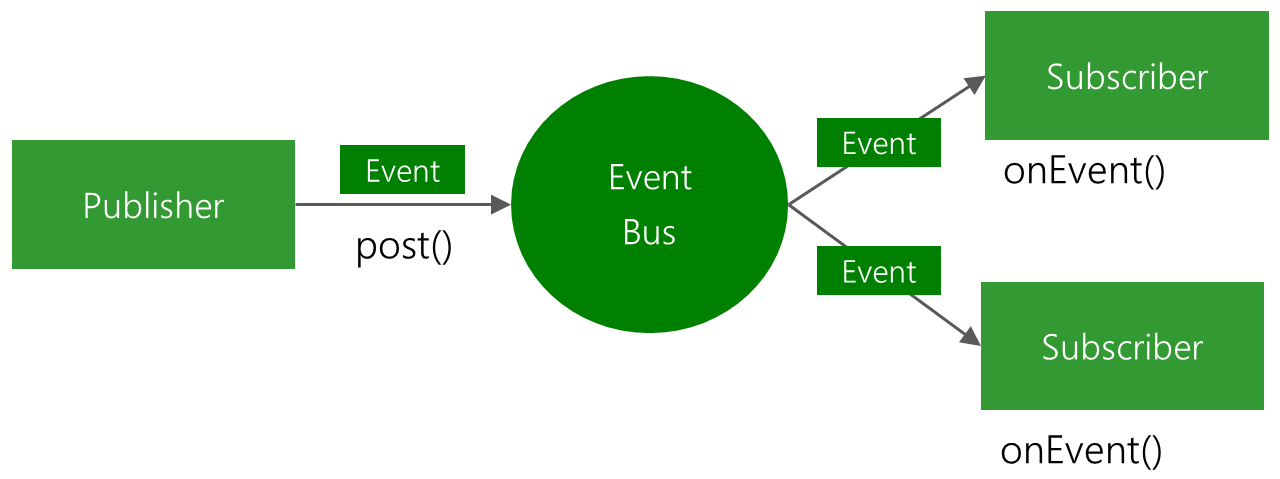 Android事件總線分發庫EventBus3.0的簡單講解與實踐
導語,EventBus大家應該不陌生,EventBus是一款針對Android優化的發布/訂閱事件總線。主要功能是替代Intent,Handler,Broa
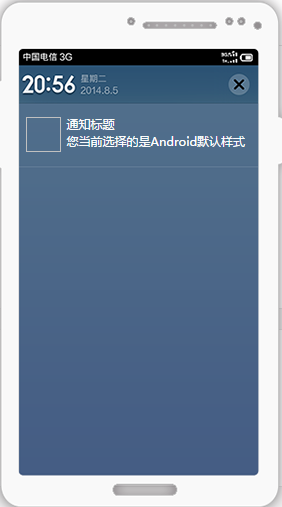 Android使用個推實現三方應用的推送功能
PS:用了一下個推.感覺實現第三方應用的推送功能還是比較簡單的.官方文檔寫的也非常的明確.學習內容:1.使用個推實現第三方應用的推送.所有的配置我最後會給一個源代碼,內部