編輯:關於Android編程
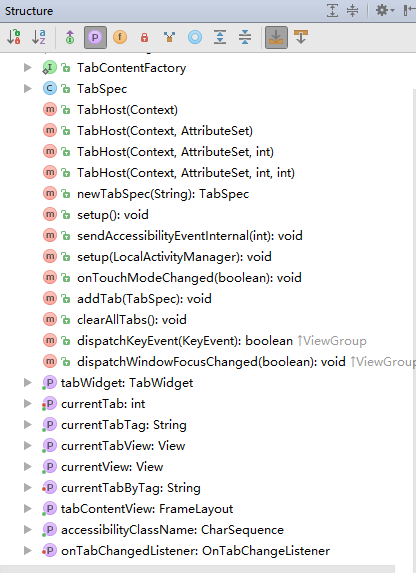
Container for a tabbed window view. This object holds two children: a set of tab labels that the
user clicks to select a specific tab, and a FrameLayout object that displays the contents of that
page. The individual elements are typically controlled using this container object, rather than
setting values on the child elements themselves.
TabHost ,標簽視圖的容器。容器包含兩個孩子節點,一個用來存放一系列的標簽,點擊來選擇對應的窗口;一個是FrameLayout用來存放頁面具體內容。這些獨立的元素通常用TabHost來控制,而不是在視圖內部通過設置值來實現
1. 布局文件(content_fragment.xml)
            <framelayout android:id="@android:id/tabcontent" android:layout_height="0dp" android:layout_weight="9" android:layout_width="match_parent">


            </framelayout>
2. 自定義底部標簽布局(myindicator.xml)
底部一個圖標下面一段文字
3. 代碼使用(MainActivity.java),不使用TabActivity
public class MainActivity extends AppCompatActivity {
    float initx = 0.0f, currentx = 0.0f;
    TabHost tabHost = null;
    Toolbar toolbar = null;

    @Override
    protected void onCreate(Bundle savedInstanceState) {
        super.onCreate(savedInstanceState);
        setContentView(R.layout.content_fragment);
        toolbar = (Toolbar) findViewById(R.id.toolbar);
        setSupportActionBar(toolbar);//設置ActionBar
        toolbar.setTitleTextColor(getResources().getColor(R.color.colorWhite));//設置背景色
        tabHost = (TabHost) findViewById(R.id.tabhost);
        tabHost.setup();//初始化TabHost
        /*添加tab*/
        for (int i = 0; i < 4; i++) {
            View view = LayoutInflater.from(this).inflate(R.layout.myindicator, null, false);
            TextView textView = (TextView) view.findViewById(R.id.tv_indicator);
            ImageView imageView = (ImageView) view.findViewById(R.id.iv_indicator);

            switch (i) {
                case 0:
                    textView.setText("微信");
                    imageView.setImageResource(R.drawable.weixin);
                    tabHost.addTab(tabHost.newTabSpec("1").setIndicator(view).setContent(R.id.tv_one));
                    break;
                case 1:
                    textView.setText("通訊錄");
                    imageView.setImageResource(R.drawable.contact);
                    tabHost.addTab(tabHost.newTabSpec("2").setIndicator(view).setContent(R.id.tv_two));
                    break;
                case 2:
                    textView.setText("發現");
                    imageView.setImageResource(R.drawable.find);
                    tabHost.addTab(tabHost.newTabSpec("3").setIndicator(view).setContent(R.id.tv_three));
                    break;
                case 3:
                    textView.setText("我");
                    imageView.setImageResource(R.drawable.profile);
                    tabHost.addTab(tabHost.newTabSpec("4").setIndicator(view).setContent(R.id.tv_four));
                    break;
            }

        }
        /*設置標簽切換監聽器*/
        tabHost.setOnTabChangedListener(new TabHost.OnTabChangeListener() {
            @Override
            public void onTabChanged(String tabId) {
                for (int i = 0; i < 4; i++) {//顏色全部重置
                    ((TextView) tabHost.getTabWidget().getChildTabViewAt(i).findViewById(R.id.tv_indicator)).setTextColor(getResources().getColor(R.color.colorBlack));
                }
                if (tabHost.getCurrentTabTag() == tabId) {
                    ((TextView) tabHost.getCurrentTabView().findViewById(R.id.tv_indicator)).setTextColor(getResources().getColor(R.color.colorSelected));
                }//選中的那個Tab文字顏色修改
            }
        });
        ((TextView) tabHost.getCurrentTabView().findViewById(R.id.tv_indicator)).setTextColor(getResources().getColor(R.color.colorSelected));//第一次進入的時候講選中的Tab修改文字顏色

    }

    @Override
    public boolean onTouchEvent(MotionEvent event) {
        switch (event.getAction()) {
            case MotionEvent.ACTION_DOWN:
                initx = event.getX();
                break;
            case MotionEvent.ACTION_MOVE:
                currentx = event.getX();
                break;
            case MotionEvent.ACTION_UP:
                /*左右滑動事件處理*/
                if ((currentx - initx) > 25) {
                    if (tabHost.getCurrentTab() != 0) {                      tabHost.setCurrentTab(tabHost.getCurrentTab() - 1);
                    }
                } else if ((currentx - initx) < -25) {
                    if (tabHost.getCurrentTab() != tabHost.getTabContentView().getChildCount()) {
                        tabHost.setCurrentTab(tabHost.getCurrentTab() + 1);
                    }
                }
                break;

        }

        return true;
    }

   /*菜單創建*/
    @Override
    public boolean onCreateOptionsMenu(Menu menu) {
        getMenuInflater().inflate(R.menu.toolbar, menu);
        return true;
    }
}
4. 代碼使用(MainActivity.java),繼承TabActivity
TabActivity已經被廢棄很久了,但是還是可以使用,在布局中將TabHost的id改成android:id=”@android:id/tabhost”,然後在繼承了TabActivity的MainActivity.java中使用
tabHost = getTabHost();
然後基本使用方法就和上面一樣了
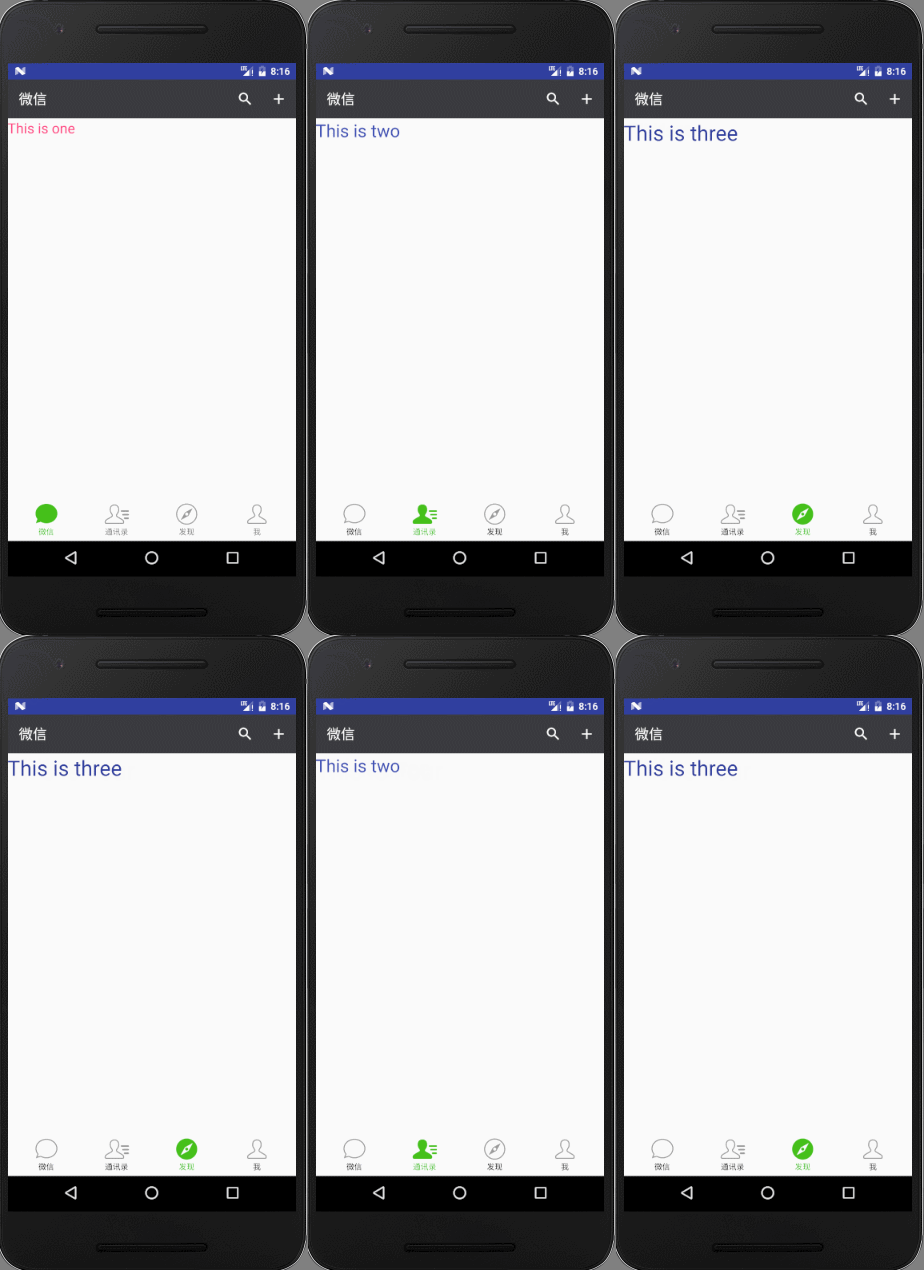
TabHost在TabActivity中的使用現在開發過程中使用的不多,推薦使用ViewPager和Fragment的方式
 android之View和LinearLayout的重寫(實現背景氣泡和波紋效果)
前兩天看了仿android L裡面水波紋效果的兩篇博客 Android L中水波紋點擊效果的實現 Android自定義組件系列【14】—&mda
 Android進階(二十七)Android原生擾人煩的布局
在開發Android應用時,UI布局是一件令人煩惱的事情。下面主要講解一下Android中的界面布局。一、線性布局(LinearLayout)線性布局分為:(1)垂直線性
 Android學習筆記:Home Screen Widgets(1):關於Widget
何為Home Screen Widgets Home screen Widget即稱為小工具或者中文小工具,是顯示在主頁上的views,通過後台進程更新view的數據
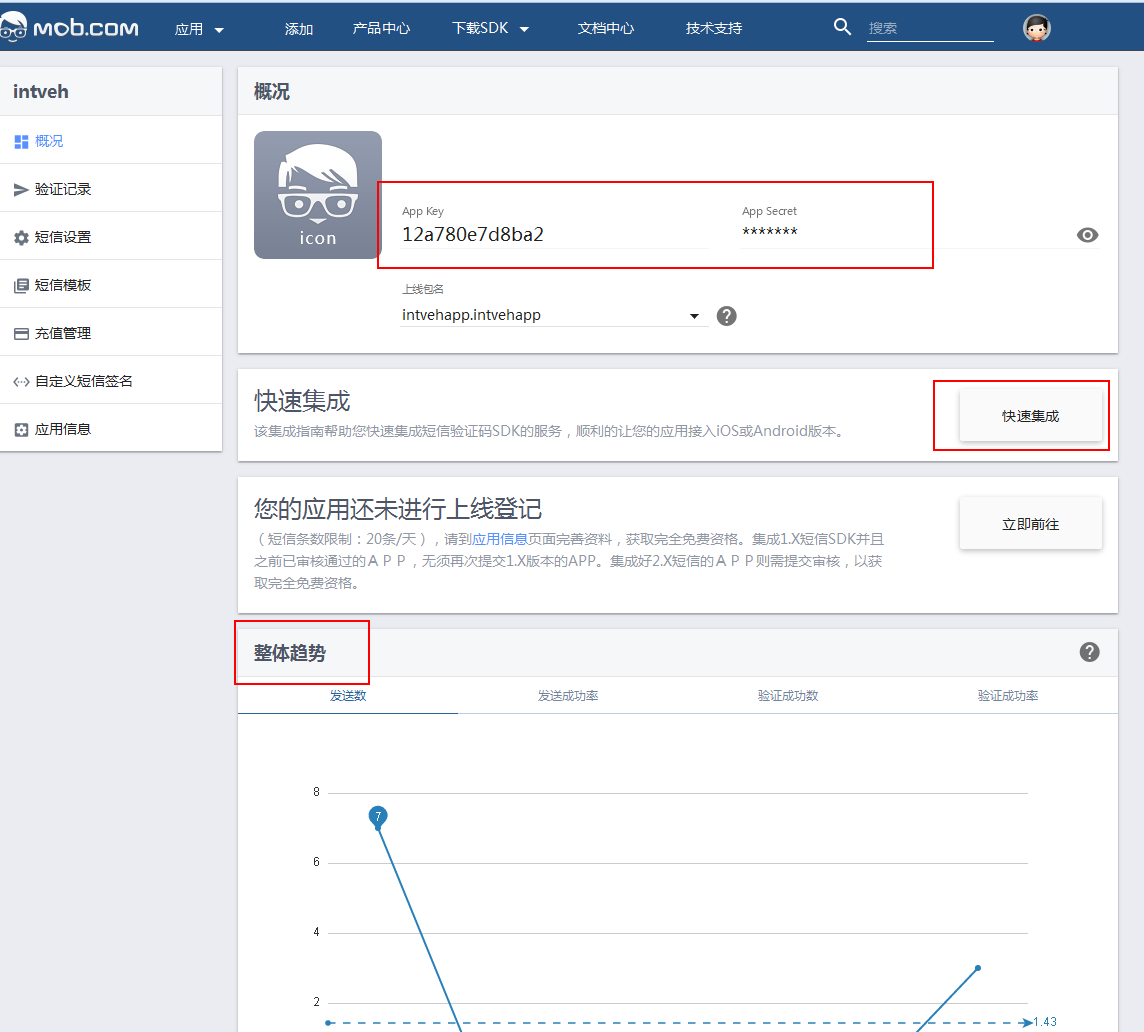 Android開發:app工程集成mob短信驗證碼功能
一.前言現在的app基本上都需要用到短信功能,注冊時或者有消息通知時需要給用戶發送一條短信,但是對於個人開發者來說,去買第三方的短信服務實在是有點奢侈,很好的是mob為我