編輯:關於Android編程
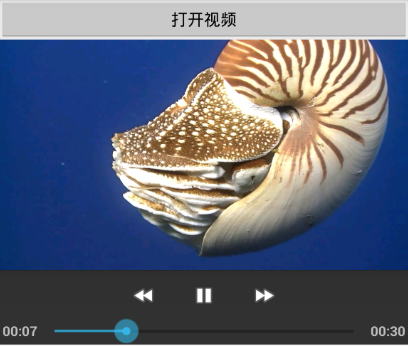
import java.util.Map;

import com.aqi00.lib.dialog.FileSelectFragment;
import com.aqi00.lib.dialog.FileSelectFragment.FileSelectCallbacks;

import android.app.Activity;
import android.os.Bundle;
import android.util.Log;
import android.view.View;
import android.view.Window;
import android.view.View.OnClickListener;
import android.widget.Button;
import android.widget.MediaController;
import android.widget.Toast;
import android.widget.VideoView;

public class VideoPlayActivity extends Activity implements OnClickListener, FileSelectCallbacks {
	private static final String TAG = "VideoPlayActivity";

    private Button btn_open;
	private VideoView vv_play;

    @Override
    protected void onCreate(Bundle savedInstanceState) {
        super.onCreate(savedInstanceState);
        requestWindowFeature(Window.FEATURE_NO_TITLE);
        setContentView(R.layout.activity_video_play);

        btn_open = (Button) findViewById(R.id.btn_open);
        btn_open.setOnClickListener(this);
        vv_play = (VideoView) findViewById(R.id.vv_play);
    }

	@Override
	public void onClick(View v) {
		if (v.getId() == R.id.btn_open) {
			FileSelectFragment.show(this, new String[]{"mp4"}, null);
		}
	}

	@Override
	public void onConfirmSelect(String absolutePath, String fileName, Map map_param) {
		Log.d(TAG, "onConfirmSelect absolutePath=" + absolutePath + ". fileName=" + fileName);
		String file_path = "";
		if (absolutePath != null && fileName != null) {
			file_path = absolutePath + "/" + fileName;
		}
		Toast.makeText(this, "已打開視頻", Toast.LENGTH_SHORT).show();
		vv_play.setVideoPath(file_path);
		vv_play.requestFocus();

		MediaController mc_play = new MediaController(this);
		vv_play.setMediaController(mc_play);
		mc_play.setMediaPlayer(vv_play);

		vv_play.start();
	}

	@Override
	public boolean isFileValid(String absolutePath, String fileName, Map map_param) {
		return true;
	}

}
import java.util.Map;

import android.app.Activity;
import android.os.Bundle;
import android.util.Log;
import android.view.View;
import android.view.Window;
import android.view.View.OnClickListener;
import android.widget.Button;
import android.widget.LinearLayout;
import android.widget.MediaController;
import android.widget.Toast;
import android.widget.VideoView;

import com.aqi00.lib.dialog.FileSelectFragment;
import com.aqi00.lib.dialog.FileSelectFragment.FileSelectCallbacks;

public class VideoControllerActivity extends Activity implements OnClickListener, FileSelectCallbacks {
	private static final String TAG = "VideoControllerActivity";

    private Button btn_open;
    private LinearLayout ll_play;

    @Override
    protected void onCreate(Bundle savedInstanceState) {
        super.onCreate(savedInstanceState);
        requestWindowFeature(Window.FEATURE_NO_TITLE);
        setContentView(R.layout.activity_video_controller);

        btn_open = (Button) findViewById(R.id.btn_open);
        btn_open.setOnClickListener(this);
        ll_play = (LinearLayout) findViewById(R.id.ll_play);
    }

	@Override
	public void onClick(View v) {
		if (v.getId() == R.id.btn_open) {
			FileSelectFragment.show(this, new String[]{"mp4"}, null);
		}
	}

	@Override
	public void onConfirmSelect(String absolutePath, String fileName, Map map_param) {
		Log.d(TAG, "onConfirmSelect absolutePath=" + absolutePath + ". fileName=" + fileName);
		String file_path = "";
		if (absolutePath != null && fileName != null) {
			file_path = absolutePath + "/" + fileName;
		}
		Toast.makeText(this, "已打開視頻", Toast.LENGTH_SHORT).show();
		VideoView vv_play = new VideoView(this);
		vv_play.setVideoPath(file_path);
		vv_play.requestFocus();

		MediaController mc_play = new MediaController(this);
		mc_play.setAnchorView(vv_play);
		mc_play.setKeepScreenOn(true);

		vv_play.setMediaController(mc_play);
		ll_play.addView(vv_play);
		vv_play.start();
	}

	@Override
	public boolean isFileValid(String absolutePath, String fileName, Map map_param) {
		return true;
	}

}
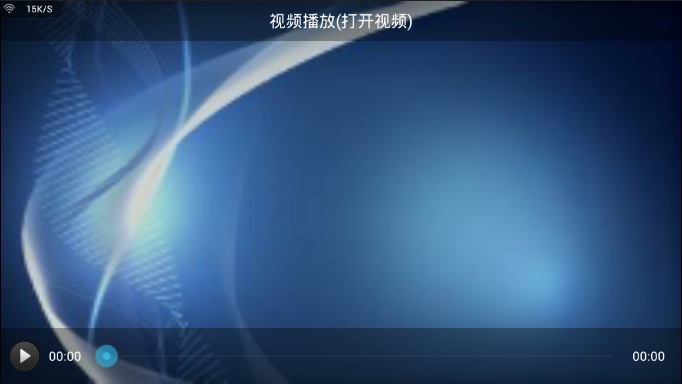
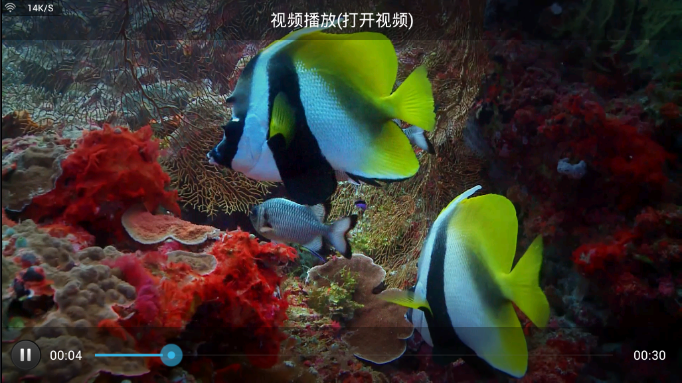
import com.example.exmvideo.R;
import com.example.exmvideo.util.Utils;
import com.example.exmvideo.util.VolumnManager;

import android.annotation.TargetApi;
import android.content.Context;
import android.media.AudioManager;
import android.media.MediaPlayer;
import android.os.Build;
import android.os.Handler;
import android.util.AttributeSet;
import android.view.MotionEvent;
import android.view.View;
import android.view.View.OnTouchListener;
import android.view.animation.Animation;
import android.view.animation.AnimationUtils;
import android.view.animation.Animation.AnimationListener;
import android.widget.VideoView;

//支持以下功能:自動全屏、調節音量、收縮控制欄、設置背景
@TargetApi(Build.VERSION_CODES.JELLY_BEAN)  //setBackground需要
public class CustomVideoView extends VideoView implements OnTouchListener {

	private Context mContext;
	private AudioManager mAudioManager;
	private VolumnManager mVolumnManager;

	private int screenWidth;
	private int screenHeight;
	private int videoWidth;
	private int videoHeight;
	private int realWidth;
	private int realHeight;

	private float mLastMotionX;
	private float mLastMotionY;
	private int startX;
	private int startY;
	private int threshold;
	private boolean isClick = true;
	// 自動隱藏頂部和底部View的時間
	public static final int HIDE_TIME = 5000;

	private View mTopView;
	private View mBottomView;
	private Handler mHandler = new Handler();

	public CustomVideoView(Context context) {
		this(context, null);
	}

	public CustomVideoView(Context context, AttributeSet attrs) {
		this(context, attrs, 0);
	}

	public CustomVideoView(Context context, AttributeSet attrs, int defStyle) {
		super(context, attrs, defStyle);
		mContext = context;
		mAudioManager = (AudioManager) mContext.getSystemService(Context.AUDIO_SERVICE);
		mVolumnManager = new VolumnManager(mContext);
		screenWidth = Utils.getWidthInPx(mContext);
		screenHeight = Utils.getHeightInPx(mContext);
		threshold = Utils.dip2px(mContext, 18);
	}

	private void volumeDown(float delatY) {
		int max = mAudioManager.getStreamMaxVolume(AudioManager.STREAM_MUSIC);
		int current = mAudioManager.getStreamVolume(AudioManager.STREAM_MUSIC);
		int down = (int) (delatY / screenHeight * max * 3);
		int volume = Math.max(current - down, 0);
		mAudioManager.setStreamVolume(AudioManager.STREAM_MUSIC, volume, 0);
		int transformatVolume = volume * 100 / max;
		mVolumnManager.show(transformatVolume);
	}

	private void volumeUp(float delatY) {
		int max = mAudioManager.getStreamMaxVolume(AudioManager.STREAM_MUSIC);
		int current = mAudioManager.getStreamVolume(AudioManager.STREAM_MUSIC);
		int up = (int) ((delatY / screenHeight) * max * 3);
		int volume = Math.min(current + up, max);
		mAudioManager.setStreamVolume(AudioManager.STREAM_MUSIC, volume, 0);
		int transformatVolume = volume * 100 / max;
		mVolumnManager.show(transformatVolume);
	}

	@Override
	protected void onMeasure(int widthMeasureSpec, int heightMeasureSpec) {
		int width = getDefaultSize(realWidth, widthMeasureSpec);
		int height = getDefaultSize(realHeight, heightMeasureSpec);
		if (realWidth > 0 && realHeight > 0) {
			if (realWidth * height > width * realHeight) {
				height = width * realHeight / realWidth;
			} else if (realWidth * height < width * realHeight) {
				width = height * realWidth / realHeight;
			}
		}
		setMeasuredDimension(width, height);
	}

	@Override
	public boolean onTouch(View v, MotionEvent event) {
		final float x = event.getX();
		final float y = event.getY();
		switch (event.getAction()) {
		case MotionEvent.ACTION_DOWN:
			mLastMotionX = x;
			mLastMotionY = y;
			startX = (int) x;
			startY = (int) y;
			break;
		case MotionEvent.ACTION_MOVE:
			float deltaX = x - mLastMotionX;
			float deltaY = y - mLastMotionY;
			float absDeltaX = Math.abs(deltaX);
			float absDeltaY = Math.abs(deltaY);
			// 聲音調節標識
			boolean isAdjustAudio = false;
			if (absDeltaX > threshold && absDeltaY > threshold) {
				if (absDeltaX < absDeltaY) {
					isAdjustAudio = true;
				} else {
					isAdjustAudio = false;
				}
			} else if (absDeltaX < threshold && absDeltaY > threshold) {
				isAdjustAudio = true;
			} else if (absDeltaX > threshold && absDeltaY < threshold) {
				isAdjustAudio = false;
			} else {
				return true;
			}
			if (isAdjustAudio) {
				if (deltaY > 0) {
					volumeDown(absDeltaY);
				} else if (deltaY < 0) {
					volumeUp(absDeltaY);
				}
			}
			mLastMotionX = x;
			mLastMotionY = y;
			break;
		case MotionEvent.ACTION_UP:
			if (Math.abs(x - startX) > threshold || Math.abs(y - startY) > threshold) {
				isClick = false;
			}
			mLastMotionX = 0;
			mLastMotionY = 0;
			startX = (int) 0;
			if (isClick) {
				showOrHide();
			}
			isClick = true;
			break;
		default:
			break;
		}
		return true;
	}

	public void prepare(View topTiew, View bottomView) {
		mTopView = topTiew;
		mBottomView = bottomView;
		setBackgroundResource(R.drawable.video_bg1);
	}

	public void begin(MediaPlayer mp) {
		setBackground(null);
		if (mp != null) {
			videoWidth = mp.getVideoWidth();
			videoHeight = mp.getVideoHeight();
		}
		realWidth = videoWidth;
		realHeight = videoHeight;
		start();
	}

	public void end(MediaPlayer mp) {
		setBackgroundResource(R.drawable.video_bg3);
		realWidth = screenWidth;
		realHeight = screenHeight;
	}

	public void showOrHide() {
		if (mTopView==null || mBottomView==null) {
			return;
		}
		if (mTopView.getVisibility() == View.VISIBLE) {
			mTopView.clearAnimation();
			Animation animTop = AnimationUtils.loadAnimation(mContext, R.anim.leave_from_top);
			animTop.setAnimationListener(new AnimationImp() {
				@Override
				public void onAnimationEnd(Animation animation) {
					mTopView.setVisibility(View.GONE);
				}
			});
			mTopView.startAnimation(animTop);

			mBottomView.clearAnimation();
			Animation animBottom = AnimationUtils.loadAnimation(mContext, R.anim.leave_from_bottom);
			animBottom.setAnimationListener(new AnimationImp() {
				@Override
				public void onAnimationEnd(Animation animation) {
					mBottomView.setVisibility(View.GONE);
				}
			});
			mBottomView.startAnimation(animBottom);
		} else {
			mTopView.setVisibility(View.VISIBLE);
			mTopView.clearAnimation();
			Animation animTop = AnimationUtils.loadAnimation(mContext, R.anim.entry_from_top);
			mTopView.startAnimation(animTop);

			mBottomView.setVisibility(View.VISIBLE);
			mBottomView.clearAnimation();
			Animation animBottom = AnimationUtils.loadAnimation(mContext, R.anim.entry_from_bottom);
			mBottomView.startAnimation(animBottom);
			mHandler.removeCallbacks(hideRunnable);
			mHandler.postDelayed(hideRunnable, HIDE_TIME);
		}
	}

	private Runnable hideRunnable = new Runnable() {
		@Override
		public void run() {
			showOrHide();
		}
	};

	private class AnimationImp implements AnimationListener {

		@Override
		public void onAnimationEnd(Animation animation) {
		}

		@Override
		public void onAnimationRepeat(Animation animation) {
		}

		@Override
		public void onAnimationStart(Animation animation) {
		}

	}

}
import com.example.exmvideo.R;
import com.example.exmvideo.util.Utils;

import android.content.Context;
import android.graphics.Color;
import android.util.AttributeSet;
import android.util.TypedValue;
import android.view.Gravity;
import android.view.View;
import android.view.View.OnClickListener;
import android.widget.ImageView;
import android.widget.RelativeLayout;
import android.widget.SeekBar;
import android.widget.SeekBar.OnSeekBarChangeListener;
import android.widget.TextView;

public class VideoController extends RelativeLayout implements OnClickListener, OnSeekBarChangeListener {
	private static final String TAG = "VideoController";

	private Context mContext;
	private ImageView mImagePlay;
	private TextView mCurrentTime;
	private TextView mTotalTime;
	private SeekBar mSeekBar;
	private int mBeginViewId = 0x7F24FFF0;
	private int dip_10, dip_40;

	private CustomVideoView mVideoView;
	private int mCurrent = 0;
	private int mBuffer = 0;
	private int mDuration = 0;
	private boolean bPause = false;

	public VideoController(Context context) {
		this(context, null);
	}

	public VideoController(Context context, AttributeSet attrs) {
		super(context, attrs);
		mContext = context;
		dip_10 = Utils.dip2px(mContext, 10);
		dip_40 = Utils.dip2px(mContext, 40);
		initView();
	}

	private TextView newTextView(Context context, int id) {
		TextView tv = new TextView(context);
		tv.setId(id);
		tv.setGravity(Gravity.CENTER);
		tv.setTextColor(Color.WHITE);
		tv.setTextSize(TypedValue.COMPLEX_UNIT_SP, 14);
		RelativeLayout.LayoutParams params = new RelativeLayout.LayoutParams(
				LayoutParams.WRAP_CONTENT, LayoutParams.MATCH_PARENT);
		params.addRule(RelativeLayout.CENTER_VERTICAL);
		tv.setLayoutParams(params);
		return tv;
	}

	private void initView() {
		mImagePlay = new ImageView(mContext);
		RelativeLayout.LayoutParams imageParams = new RelativeLayout.LayoutParams(dip_40, dip_40);
		imageParams.addRule(RelativeLayout.CENTER_VERTICAL);
		mImagePlay.setLayoutParams(imageParams);
		mImagePlay.setId(mBeginViewId);
		mImagePlay.setOnClickListener(this);

		mCurrentTime = newTextView(mContext, mBeginViewId+1);
		RelativeLayout.LayoutParams currentParams = (LayoutParams) mCurrentTime.getLayoutParams();
		currentParams.setMargins(dip_10, 0, 0, 0);
		currentParams.addRule(RelativeLayout.RIGHT_OF, mImagePlay.getId());
		mCurrentTime.setLayoutParams(currentParams);

		mTotalTime = newTextView(mContext, mBeginViewId+2);
		RelativeLayout.LayoutParams totalParams = (LayoutParams) mTotalTime.getLayoutParams();
		totalParams.addRule(RelativeLayout.ALIGN_PARENT_RIGHT);
		mTotalTime.setLayoutParams(totalParams);

		mSeekBar = new SeekBar(mContext);
		RelativeLayout.LayoutParams seekParams = new RelativeLayout.LayoutParams(
				LayoutParams.MATCH_PARENT, LayoutParams.WRAP_CONTENT);
		totalParams.setMargins(dip_10, 0, dip_10, 0);
		seekParams.addRule(RelativeLayout.CENTER_IN_PARENT);
		seekParams.addRule(RelativeLayout.RIGHT_OF, mCurrentTime.getId());
		seekParams.addRule(RelativeLayout.LEFT_OF, mTotalTime.getId());
		mSeekBar.setLayoutParams(seekParams);
		mSeekBar.setMax(100);
		mSeekBar.setMinimumHeight(100);
		mSeekBar.setThumbOffset(0);
		mSeekBar.setId(mBeginViewId+3);
		mSeekBar.setOnSeekBarChangeListener(this);
	}

	private void reset() {
		if (mCurrent == 0 || bPause) {
			mImagePlay.setImageResource(R.drawable.video_btn_down);
		} else {
			mImagePlay.setImageResource(R.drawable.video_btn_on);
		}
		mCurrentTime.setText(Utils.formatTime(mCurrent));
		mTotalTime.setText(Utils.formatTime(mDuration));
		mSeekBar.setProgress((mCurrent==0)?0:(mCurrent*100/mDuration));
		mSeekBar.setSecondaryProgress(mBuffer);
	}

	private void refresh() {
		invalidate();
		requestLayout();
	}

	@Override
	protected void onLayout(boolean changed, int l, int t, int r, int b) {
		super.onLayout(changed, l, t, r, b);
		removeAllViews();
		reset();
		addView(mImagePlay);
		addView(mCurrentTime);
		addView(mTotalTime);
		addView(mSeekBar);
	}

	@Override
	public void onProgressChanged(SeekBar seekBar, int progress, boolean fromUser) {
		if (fromUser) {
			int time = progress * mDuration / 100;
			mVideoView.seekTo(time);
		}
	}

	@Override
	public void onStartTrackingTouch(SeekBar seekBar) {
		mSeekListener.onStartSeek();
	}

	@Override
	public void onStopTrackingTouch(SeekBar seekBar) {
		mSeekListener.onStopSeek();
	}

	private onSeekChangeListener mSeekListener;
	public static interface onSeekChangeListener {
		public void onStartSeek();
		public void onStopSeek();
	}
	public void setonSeekChangeListener(onSeekChangeListener listener) {
		mSeekListener = listener;
	}

	@Override
	public void onClick(View v) {
		if (v.getId() == mImagePlay.getId()) {
			if (mVideoView.isPlaying()) {
				mVideoView.pause();
				bPause = true;
			} else {
				if (mCurrent == 0) {
					mVideoView.begin(null);
				}
				mVideoView.start();
				bPause = false;
			}
		}
		refresh();
	}

	public void setVideoView(CustomVideoView view) {
		mVideoView = view;
		mDuration = mVideoView.getDuration();
	}

	public void setCurrentTime(int current_time, int buffer_time) {
		mCurrent = current_time;
		mBuffer = buffer_time;
		refresh();
	}

}
import java.util.Map;

import com.aqi00.lib.dialog.FileSelectFragment;
import com.aqi00.lib.dialog.FileSelectFragment.FileSelectCallbacks;
import com.example.exmvideo.widget.CustomVideoView;
import com.example.exmvideo.widget.VideoController;
import com.example.exmvideo.widget.VideoController.onSeekChangeListener;

import android.app.Activity;
import android.media.MediaPlayer;
import android.media.MediaPlayer.OnCompletionListener;
import android.media.MediaPlayer.OnPreparedListener;
import android.os.Bundle;
import android.os.Handler;
import android.util.Log;
import android.view.View;
import android.view.View.OnClickListener;
import android.widget.RelativeLayout;
import android.widget.TextView;
import android.widget.Toast;

public class VideoCustomActivity extends Activity implements
		OnClickListener, FileSelectCallbacks, onSeekChangeListener {
	private static final String TAG = "VideoCustomActivity";

	private CustomVideoView fsvv_content;
	private TextView tv_open;
	private RelativeLayout rl_top;
	private VideoController mb_play;
	private Handler mHandler = new Handler();

	@Override
	protected void onCreate(Bundle savedInstanceState) {
		super.onCreate(savedInstanceState);
		setContentView(R.layout.activity_video_custom);
		fsvv_content = (CustomVideoView) findViewById(R.id.fsvv_content);
		mb_play = (VideoController) findViewById(R.id.mb_play);
		tv_open = (TextView) findViewById(R.id.tv_open);
		rl_top = (RelativeLayout) findViewById(R.id.rl_top);

		fsvv_content.prepare(rl_top, mb_play);
		tv_open.setOnClickListener(this);
		mb_play.setonSeekChangeListener(this);
	}

	@Override
	protected void onDestroy() {
		super.onDestroy();
		mHandler.removeCallbacksAndMessages(null);
	}

	private void playVideo(String video_path) {
		fsvv_content.setVideoPath(video_path);
		fsvv_content.requestFocus();
		fsvv_content.setOnPreparedListener(new OnPreparedListener() {
			@Override
			public void onPrepared(MediaPlayer mp) {
				fsvv_content.begin(mp);
				mb_play.setVideoView(fsvv_content);

				mHandler.removeCallbacks(hideRunnable);
				mHandler.postDelayed(hideRunnable, CustomVideoView.HIDE_TIME);
				mHandler.post(refreshRunnable);
			}
		});
		fsvv_content.setOnCompletionListener(new OnCompletionListener() {
			@Override
			public void onCompletion(MediaPlayer mp) {
				fsvv_content.end(mp);
				mb_play.setCurrentTime(0, 0);
			}
		});
		fsvv_content.setOnTouchListener(fsvv_content);
	}

	private Runnable hideRunnable = new Runnable() {
		@Override
		public void run() {
			fsvv_content.showOrHide();
		}
	};

	private Runnable refreshRunnable = new Runnable() {
		@Override
		public void run() {
			if (fsvv_content.isPlaying()) {
				mb_play.setCurrentTime(fsvv_content.getCurrentPosition(), fsvv_content.getBufferPercentage());
			}
			mHandler.postDelayed(this, 500);
		}
	};

	@Override
	public void onClick(View v) {
		int resid = v.getId();
		if (resid == R.id.tv_open) {
			FileSelectFragment.show(this, new String[]{"mp4"}, null);
		}
	}

	@Override
	public void onConfirmSelect(String absolutePath, String fileName, Map map_param) {
		Log.d(TAG, "onConfirmSelect absolutePath=" + absolutePath + ". fileName=" + fileName);
		String file_path = "";
		if (absolutePath != null && fileName != null) {
			file_path = absolutePath + "/" + fileName;
		}
		Toast.makeText(this, "已打開視頻", Toast.LENGTH_SHORT).show();
		playVideo(file_path);
	}

	@Override
	public boolean isFileValid(String absolutePath, String fileName, Map map_param) {
		return true;
	}

	@Override
	public void onStartSeek() {
		mHandler.removeCallbacks(hideRunnable);
	}

	@Override
	public void onStopSeek() {
		mHandler.postDelayed(hideRunnable, CustomVideoView.HIDE_TIME);
	}

}
 Android學習系列(二)布局管理器之線性布局及其自定義實現
LinearLayout是Android控件中的線性布局控件,它包含的子控件將以橫向(HORIZONTAL)或豎向(VERTICAL)的方式排
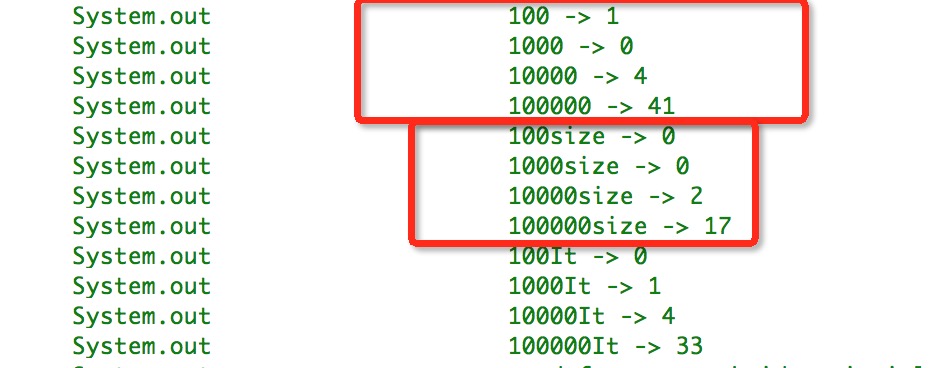 Android中List循環遍歷性能對比
在android開發中只要是列表式風格界面我們幾乎都需要用到List來存放數據,在數量很少的List的話幾乎任何一種循環遍歷方式整體性能都無差別,但是當我們遇到數據量稍大
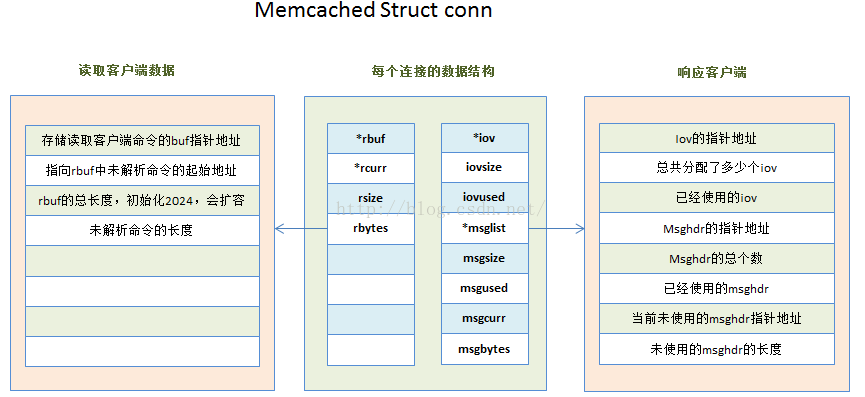 Memcached 源碼分析--命令流程分析
一、執行命令首先是啟動memcached 自帶參數如下: -p 設置TCP端口號(默認設置為: 11211)-U UDP監聽端口(默認:
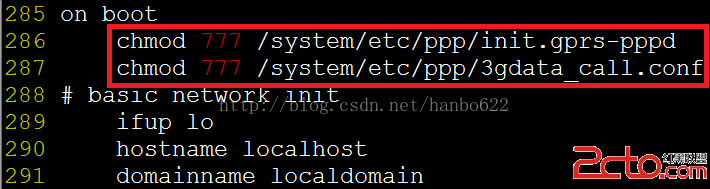 android下調試3G之自動撥號
本章簡單講述下android實現自動撥號的功能,該功能利用了系統啟動的rild的服務來實現,因為rild的服務是殺不死的,所以利用這一點,可以使撥號失敗或網絡斷掉後自動重