編輯:關於Android編程
1. 安裝JDK,SDK
JDK http://www.oracle.com/technetwork/java/javase/downloads/index.html
Android SDK http://developer.android.com/sdk/index.html
https://dl.google.com/android/android-sdk_r24.4.1-windows.zip (No installer)
https://dl.google.com/android/installer_r24.4.1-windows.exe
Ant tool http://ant.apache.org/bindownload.cgi
2. 設置環境變量:
將下面兩個加入系統環境變量表 Path鍵值中:
\Android\sdk\platform-tools
\Android\sdk\tools
設置Ant
ANT_HOME:指的是apache-ant-1.8.4-bin.zip的解壓文件(apache-ant-1.8.4)所在的位置;
我把這個文件放在D盤,所以我這裡設置的ant_home就是 ant_home=D:\apache-ant-1.8.2;
path路徑設置為:PATH = %ANT_HOME%/bin; %ANT_HOME%/lib即可
3. 使用命令行創建Android應用:
1) 進入需要創建Android應用的文件夾:
cd D:\Android Development
2)在當前路徑下,創建Android 項目
android create project -n MySecApp -p android_Sec -a MyActivitySec-k Com.test.mysecapp -t 2
命令行說明:
-n 表示 name 跟項目名稱
-p 表示 path 跟工作空間
-a 表示 創建的Activity的名稱
-k 表示 package 跟包名稱
-t 表示 target 跟target id
(*target id * 可以通過 android list targets 查看,系統將列出所有的下載好的可用的 android 版本號)
3)使用命令給APK打包
ant debug 的過程:
D:\Android Development>ant -version
Apache Ant(TM) version 1.9.7 compiled on April 9 2016

D:\Android Development>cd android_Sec

D:\Android Development\android_Sec>ant debug
Buildfile: D:\Android Development\android_Sec\build.xml

-set-mode-check:

-set-debug-files:

-check-env:
 [checkenv] Android SDK Tools Revision 25.1.2
 [checkenv] Installed at C:\Users\SDSC\AppData\Local\Android\sdk

-setup:
     [echo] Project Name: MySecApp
  [gettype] Project Type: Application

-set-debug-mode:

-debug-obfuscation-check:

-pre-build:

-build-setup:
[getbuildtools] Using latest Build Tools: 23.0.2
     [echo] Resolving Build Target for MySecApp...
[gettarget] Project Target:   Google APIs
[gettarget] Vendor:           Google Inc.
[gettarget] Platform Version: 6.0
[gettarget] API level:        23
[gettarget] WARNING: No minSdkVersion value set. Application will install on all
 Android versions.
     [echo] ----------
     [echo] Creating output directories if needed...
    [mkdir] Created dir: D:\Android Development\android_Sec\bin\res
    [mkdir] Created dir: D:\Android Development\android_Sec\bin\rsObj
    [mkdir] Created dir: D:\Android Development\android_Sec\bin\rsLibs
    [mkdir] Created dir: D:\Android Development\android_Sec\gen
    [mkdir] Created dir: D:\Android Development\android_Sec\bin\classes
    [mkdir] Created dir: D:\Android Development\android_Sec\bin\dexedLibs
     [echo] ----------
     [echo] Resolving Dependencies for MySecApp...
[dependency] Library dependencies:
[dependency] No Libraries
[dependency]
[dependency] ------------------
     [echo] ----------
     [echo] Building Libraries with 'debug'...
   [subant] No sub-builds to iterate on

-code-gen:
[mergemanifest] Merging AndroidManifest files into one.
[mergemanifest] Manifest merger disabled. Using project manifest only.
     [echo] Handling aidl files...
     [aidl] No AIDL files to compile.
     [echo] ----------
     [echo] Handling RenderScript files...
     [echo] ----------
     [echo] Handling Resources...
     [aapt] Generating resource IDs...
     [echo] ----------
     [echo] Handling BuildConfig class...
[buildconfig] Generating BuildConfig class.

-pre-compile:

-compile:
    [javac] Compiling 3 source files to D:\Android Development\android_Sec\bin\c
lasses
    [javac] 警告: [options] 源值1.5已過時, 將在未來所有發行版中刪除
    [javac] 警告: [options] 目標值1.5已過時, 將在未來所有發行版中刪除
    [javac] 警告: [options] 要隱藏有關已過時選項的警告, 請使用 -Xlint:-options。

    [javac] 3 個警告

-post-compile:

-obfuscate:

-dex:
      [dex] input: D:\Android Development\android_Sec\bin\classes
      [dex] Converting compiled files and external libraries into D:\Android Dev
elopment\android_Sec\bin\classes.dex...

-crunch:
   [crunch] Crunching PNG Files in source dir: D:\Android Development\android_Se
c\res
   [crunch] To destination dir: D:\Android Development\android_Sec\bin\res
   [crunch] Processing image to cache: D:\Android Development\android_Sec\res\dr
awable-hdpi\ic_launcher.png => D:\Android Development\android_Sec\bin\res\drawab
le-hdpi\ic_launcher.png
   [crunch]   (processed image to cache entry D:\Android Development\android_Sec
\bin\res\drawable-hdpi\ic_launcher.png: 87% size of source)
   [crunch] Processing image to cache: D:\Android Development\android_Sec\res\dr
awable-ldpi\ic_launcher.png => D:\Android Development\android_Sec\bin\res\drawab
le-ldpi\ic_launcher.png
   [crunch]   (processed image to cache entry D:\Android Development\android_Sec
\bin\res\drawable-ldpi\ic_launcher.png: 0% size of source)
   [crunch] Processing image to cache: D:\Android Development\android_Sec\res\dr
awable-mdpi\ic_launcher.png => D:\Android Development\android_Sec\bin\res\drawab
le-mdpi\ic_launcher.png
   [crunch]   (processed image to cache entry D:\Android Development\android_Sec
\bin\res\drawable-mdpi\ic_launcher.png: 78% size of source)
   [crunch] Processing image to cache: D:\Android Development\android_Sec\res\dr
awable-xhdpi\ic_launcher.png => D:\Android Development\android_Sec\bin\res\drawa
ble-xhdpi\ic_launcher.png
   [crunch]   (processed image to cache entry D:\Android Development\android_Sec
\bin\res\drawable-xhdpi\ic_launcher.png: 85% size of source)
   [crunch] Crunched 4 PNG files to update cache

-package-resources:
     [aapt] Creating full resource package...

-package:
[apkbuilder] Current build type is different than previous build: forced apkbuil
der run.
[apkbuilder] Creating MySecApp-debug-unaligned.apk and signing it with a debug k
ey...

-post-package:

-do-debug:
 [zipalign] Running zip align on final apk...
     [echo] Debug Package: D:\Android Development\android_Sec\bin\MySecApp-debug
.apk
[propertyfile] Creating new property file: D:\Android Development\android_Sec\bi
n\build.prop
[propertyfile] Updating property file: D:\Android Development\android_Sec\bin\bu
ild.prop
[propertyfile] Updating property file: D:\Android Development\android_Sec\bin\bu
ild.prop
[propertyfile] Updating property file: D:\Android Development\android_Sec\bin\bu
ild.prop

-post-build:

debug:

BUILD SUCCESSFUL
Total time: 12 seconds

D:\Android Development\android_Sec>
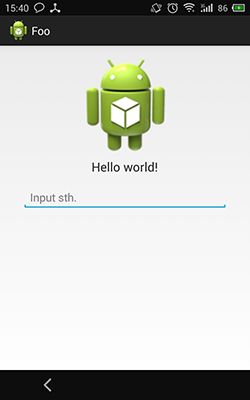
4)生成的Apk
 Android 動態改變布局實例詳解
Android 動態改變布局
 從 鎖屏服務AIDL線程通信案例看Android 底層啟動
從 鎖屏服務AIDL線程通信案例看Android 底層啟動請確保 你已經閱讀過 我的 Android Window、PhoneWindow、WindowManager、A
 Android BottomNavigationBar底部導航控制器使用方法詳解
最近Google在自己推出的Material design中增加了Bottom Navigation導航控制。Android一直沒有官方的導航控制器,自己實現確實是五花八
 Android快速生成通用Adapter
源碼與示例apkhttps://github.com/dengyuhan/android-adapters 快速開始Android Studio - 在buil