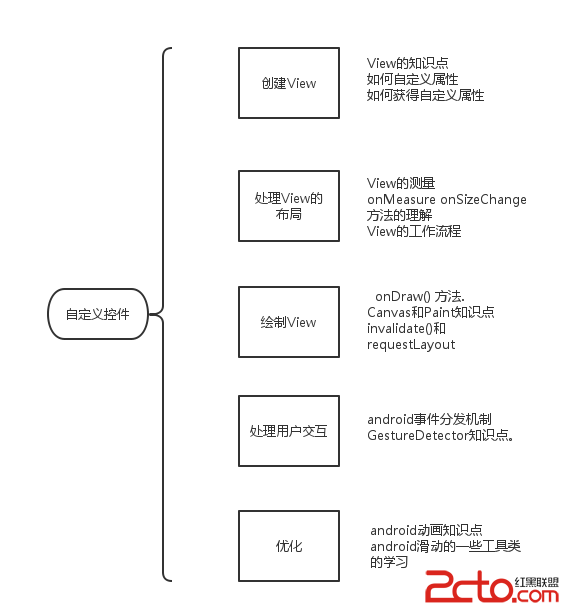
編輯:關於Android編程
先上效果圖
實現思路:核心其實就是圓柱的繪制,上下兩個橢圓中間用線起來就行了。
直接上代碼
/**
* Created by catos on 2016/7/21.
* 銷售漏斗
*/

public class CylinderView extends View {
Context context;
Paint paint;
Path path;
int sub_line = 2, sub_cicle = 24, distance = 120; //兩個橢圓的縮進、兩個圓柱的縮進、兩個圓柱的距離
int width, height; //屏幕寬高
float left, right, top, bottom, left2, right2, top2, bottom2, start, middle, temp_top, temp_left,
c_height1,c_height2,c_height3,c_height4,c_height5,c_height6; //構成圓柱的上下兩個橢圓的位置坐標,每個圓柱背景高度
RectF rel; //橢圓

ArrayList planList = new ArrayList<>();
ArrayList logList = new ArrayList<>();
ArrayList titleList = new ArrayList<>();

public CylinderView(Context context, AttributeSet attrs) {
    super(context, attrs);
    this.context = context;
}

public void renewCylinderView(ArrayList planList, ArrayList logList, ArrayList titleList) {
    this.planList = planList;
    this.logList = logList;
    this.titleList = titleList;
    invalidate();
}

@Override
protected void onDraw(Canvas canvas) {
    super.onDraw(canvas);
    canvas.drawColor(Color.WHITE);
    //屏幕寬度
    Resources resources = context.getResources();
    DisplayMetrics dm = resources.getDisplayMetrics();
    width = dm.widthPixels;
    height = dm.heightPixels;

    rel = new RectF();

    sub_line = ScreenUtil.dp2px(context, 1);
    sub_cicle = ScreenUtil.dp2px(context, 8);
    distance = ScreenUtil.dp2px(context, 40);

    //畫筆2
    paint = new Paint();
    paint.setStyle(Paint.Style.FILL);
    paint.setAntiAlias(true); //去鋸齒
    paint.setTextSize(ScreenUtil.dp2px(context, 16));
    paint.setColor(ContextCompat.getColor(context, R.color.cricle_purplebac));

    if (planList.size() == 4 || logList.size() == 4) {
        draw1stMipsBac(canvas);
        drawSecMipsBac(canvas);
        drawThrMipsBac(canvas);
        draw4stMipsBac(canvas);

        draw4stMips(canvas);
        drawThrMips(canvas);
        drawSecMips(canvas);
        draw1stMips(canvas);
    } else if (planList.size() == 6 || logList.size() == 6) {
        draw1stMipsBac(canvas);
        drawSecMipsBac(canvas);
        drawThrMipsBac(canvas);
        draw4stMipsBac(canvas);
        draw5stMipsBac(canvas);
        draw6stMipsBac(canvas);

        draw6stMips(canvas);
        draw5stMips(canvas);
        draw4stMips(canvas);
        drawThrMips(canvas);
        drawSecMips(canvas);
        draw1stMips(canvas);
    }
}

//第1個圓柱
private void draw1stMips(Canvas canvas) {
    float f;
    paint.setColor(ContextCompat.getColor(context, R.color.common_btn_nomal));
    canvas.drawText(Integer.valueOf(logList.get(0).toString().replace(".0", "")) + "/" + Integer.valueOf(planList.get(0).toString().replace(".0", "")),
            width / 5 * 4, height / 24 + ScreenUtil.dp2px(context, 36), paint);
    canvas.drawText(titleList.get(0), width / 12, height / 24 + ScreenUtil.dp2px(context, 36), paint);
    if (planList.get(0) == 0 && logList.get(0) > 0) {
        f = 1;
    } else if (planList.get(0) == 0 && logList.get(0) == 0) {
        return;
    } else {
        f = logList.get(0) / planList.get(0);
    }
    if (f > 1) {
        f = 1;
    }
    f = 1 - f;

    left = width / 4;
    right = 3 * width / 4;
    temp_left = left;
    left = temp_left + (right - temp_left) * f / 2;
    right = right - (right - temp_left) * f / 2;

    top = height / 24;
    bottom = top + (right - left) / 5;
    temp_top = top;
    top = top + (c_height1) * f;
    bottom = bottom + (c_height1) * f;

    left2 = left + sub_line;
    right2 = right - sub_line;
    top2 = top + (right - left) / 8;
    bottom2 = top2 + (right - left) / 6;

    start = bottom - (bottom - top) / 2;  //第一個橢圓的y坐標
    middle = bottom2 - (bottom2 - top2) / 2;  //第二個橢圓的y坐標

    //繪制橢圓2
    rel.set(left2, top2, right2, bottom2);
    canvas.drawOval(rel, paint);

    //繪制線
    Path path = new Path();
    path.moveTo(right, start);
    path.lineTo(right2, middle);
    path.lineTo(left2, middle);
    path.lineTo(left, start);
    path.close();
    canvas.drawPath(path, paint);

    //繪制橢圓1
    rel.set(left, top, right, bottom);
    paint.setColor(ContextCompat.getColor(context, R.color.common_btn_pressed));
    canvas.drawOval(rel, paint);


}

//第2個圓柱
private void drawSecMips(Canvas canvas) {
    float f;

    paint.setColor(ContextCompat.getColor(context, R.color.cricle_blue2));
    canvas.drawText(Integer.valueOf(logList.get(1).toString().replace(".0", "")) + "/" + Integer.valueOf(planList.get(1)
            .toString().replace(".0", "")), width / 5 * 4, height / 24 + ScreenUtil.dp2px(context, 32) + distance, paint);
    canvas.drawText(titleList.get(1), width / 12, height / 24 + ScreenUtil.dp2px(context, 32) + distance, paint);
    if (planList.get(1) == 0 && logList.get(1) > 0) {
        f = 1;
    } else if (planList.get(1) == 0 && logList.get(1) == 0) {
        return;
    } else {
        f = logList.get(1) / planList.get(1);
    }

    if (f > 1) {
        f = 1;
    }
    f = 1 - f;

    left = width / 4 + sub_cicle;
    right = 3 * width / 4 - sub_cicle;
    temp_left = left;
    left = temp_left + (right - temp_left) * f / 2;
    right = right - (right - temp_left) * f / 2;

    top = height / 24 + distance;
    bottom = top + (right - left) / 5;
    temp_top = top;
    top = top + (c_height2) * f;
    bottom = bottom + (c_height2) * f;

    left2 = left + sub_line;
    right2 = right - sub_line;
    top2 = top + (right - left) / 8;
    bottom2 = top2 + (right - left) / 6;

    start = bottom - (bottom - top) / 2;  //第一個橢圓的y坐標
    middle = bottom2 - (bottom2 - top2) / 2;  //第二個橢圓的y坐標

    //繪制橢圓2
    rel.set(left2, top2, right2, bottom2);
    canvas.drawOval(rel, paint);

    //繪制線
    Path path = new Path();
    path.moveTo(right, start);
    path.lineTo(right2, middle);
    path.lineTo(left2, middle);
    path.lineTo(left, start);
    path.close();
    canvas.drawPath(path, paint);

    //繪制橢圓1
    rel.set(left, top, right, bottom);
    paint.setColor(ContextCompat.getColor(context, R.color.cricle_blue1));
    canvas.drawOval(rel, paint);


}

//第3個圓柱
private void drawThrMips(Canvas canvas) {
    float f;

    paint.setColor(ContextCompat.getColor(context, R.color.cricle_orange2));
    canvas.drawText(Integer.valueOf(logList.get(2).toString().replace(".0", "")) + "/" + Integer.valueOf(planList.get(2)
            .toString().replace(".0", "")), width / 5 * 4, height / 24 + ScreenUtil.dp2px(context, 26) + distance * 2, paint);
    canvas.drawText(titleList.get(2), width / 12, height / 24 + ScreenUtil.dp2px(context, 26) + distance * 2, paint);

    if (planList.get(2) == 0 && logList.get(2) > 0) {
        f = 1;
    } else if (planList.get(2) == 0 && logList.get(2) == 0) {
        return;
    } else {
        f = logList.get(2) / planList.get(2);
    }

    if (f > 1) {
        f = 1;
    }
    f = 1 - f;

    left = width / 4 + sub_cicle * 2;
    right = 3 * width / 4 - sub_cicle * 2;
    temp_left = left;
    left = temp_left + (right - temp_left) * f / 2;
    right = right - (right - temp_left) * f / 2;

    top = height / 24 + distance * 2 - ScreenUtil.dp2px(context, 2);
    bottom = top + (right - left) / 5;
    temp_top = top;
    top = top + (c_height3) * f;
    bottom = bottom + (c_height3) * f;

    left2 = left + sub_line;
    right2 = right - sub_line;
    top2 = top + (right - left) / 8;
    bottom2 = top2 + (right - left) / 6;

    start = bottom - (bottom - top) / 2;  //第一個橢圓的y坐標
    middle = bottom2 - (bottom2 - top2) / 2;  //第二個橢圓的y坐標

    //繪制橢圓2
    rel.set(left2, top2, right2, bottom2);
    canvas.drawOval(rel, paint);

    //繪制線
    Path path = new Path();
    path.moveTo(right, start);
    path.lineTo(right2, middle);
    path.lineTo(left2, middle);
    path.lineTo(left, start);
    path.close();
    canvas.drawPath(path, paint);

    //繪制橢圓1
    rel.set(left, top, right, bottom);
    paint.setColor(ContextCompat.getColor(context, R.color.cricle_orange1));
    canvas.drawOval(rel, paint);

}

//第4個圓柱
private void draw4stMips(Canvas canvas) {
    float f;

    paint.setColor(ContextCompat.getColor(context, R.color.cricle_red1));
    canvas.drawText(Integer.valueOf(logList.get(3).toString().replace(".0", "")) + "/" + Integer.valueOf(planList.get(3)
            .toString().replace(".0", "")), width / 5 * 4, height / 24 + ScreenUtil.dp2px(context, 16) + distance * 3, paint);
    canvas.drawText(titleList.get(3), width / 12, height / 24 + ScreenUtil.dp2px(context, 16) + distance * 3, paint);

    if (planList.get(3) == 0 && logList.get(3) > 0) {
        f = 1;
    } else if (planList.get(3) == 0 && logList.get(3) == 0) {
        return;
    } else {
        f = logList.get(3) / planList.get(3);
    }

    if (f > 1) {
        f = 1;
    }
    f = 1 - f;

    left = width / 4 + sub_cicle * 3;
    right = 3 * width / 4 - sub_cicle * 3;
    temp_left = left;
    left = temp_left + (right - temp_left) * f / 2;
    right = right - (right - temp_left) * f / 2;

    top = height / 24 + distance * 3 - ScreenUtil.dp2px(context, 10);
    bottom = top + (right - left) / 5;
    temp_top = top;
    top = top + (c_height4) * f;
    bottom = bottom + (c_height4) * f;

    left2 = left + sub_line;
    right2 = right - sub_line;
    top2 = top + (right - left) / 8;
    bottom2 = top2 + (right - left) / 6;

    start = bottom - (bottom - top) / 2;  //第一個橢圓的y坐標
    middle = bottom2 - (bottom2 - top2) / 2;  //第二個橢圓的y坐標

    //繪制橢圓2
    rel.set(left2, top2, right2, bottom2);
    canvas.drawOval(rel, paint);

    //繪制線
    Path path = new Path();
    path.moveTo(right, start);
    path.lineTo(right2, middle);
    path.lineTo(left2, middle);
    path.lineTo(left, start);
    path.close();
    canvas.drawPath(path, paint);

    //繪制橢圓1
    rel.set(left, top, right, bottom);
    paint.setColor(ContextCompat.getColor(context, R.color.cricle_red2));
    canvas.drawOval(rel, paint);

}

//第5個圓柱
private void draw5stMips(Canvas canvas) {
    float f;

    paint.setColor(ContextCompat.getColor(context, R.color.cricle_yellow1));
    canvas.drawText(Integer.valueOf(logList.get(4).toString().replace(".0", "")) + "/" + Integer.valueOf(planList.get(4)
            .toString().replace(".0", "")), width / 5 * 4, height / 24 + ScreenUtil.dp2px(context, 4)+distance * 4, paint);
    canvas.drawText(titleList.get(4), width / 12, height / 24 + ScreenUtil.dp2px(context, 4)+ distance * 4, paint);

    if (planList.get(4) == 0 && logList.get(4) > 0) {
        f = 1;
    } else if (planList.get(4) == 0 && logList.get(4) == 0) {
        return;
    } else {
        f = logList.get(4) / planList.get(4);
    }

    if (f > 1) {
        f = 1;
    }
    f = 1 - f;

    left = width / 4 + sub_cicle * 4;
    right = 3 * width / 4 - sub_cicle * 4;
    temp_left = left;
    left = temp_left + (right - temp_left) * f / 2;
    right = right - (right - temp_left) * f / 2;

    top = height / 24 + distance * 4 - ScreenUtil.dp2px(context, 20);
    bottom = top + (right - left) / 6;
    temp_top = top;
    top = top + (c_height5) * f;
    bottom = bottom + (c_height5) * f;

    left2 = left + sub_line;
    right2 = right - sub_line;
    top2 = top + (right - left) / 8;
    bottom2 = top2 + (right - left) / 5;

    start = bottom - (bottom - top) / 2;  //第一個橢圓的y坐標
    middle = bottom2 - (bottom2 - top2) / 2;  //第二個橢圓的y坐標

    //繪制橢圓2
    rel.set(left2, top2, right2, bottom2);
    canvas.drawOval(rel, paint);

    //繪制線
    Path path = new Path();
    path.moveTo(right, start);
    path.lineTo(right2, middle);
    path.lineTo(left2, middle);
    path.lineTo(left, start);
    path.close();
    canvas.drawPath(path, paint);

    //繪制橢圓1
    rel.set(left, top, right, bottom);
    paint.setColor(ContextCompat.getColor(context, R.color.cricle_yellow2));
    canvas.drawOval(rel, paint);

}

//第6個圓柱
private void draw6stMips(Canvas canvas) {
    float f;

    paint.setColor(ContextCompat.getColor(context, R.color.cricle_green1));
    canvas.drawText(Integer.valueOf(logList.get(5).toString().replace(".0", "")) + "/" + Integer.valueOf(planList.get(5)
            .toString().replace(".0", "")), width / 5 * 4, height / 24 + ScreenUtil.dp2px(context, 22) + distance * 5 - ScreenUtil.dp2px(context, 30), paint);
    canvas.drawText(titleList.get(5), width / 12, height / 24 + ScreenUtil.dp2px(context, 22) + distance * 5 - ScreenUtil.dp2px(context, 30), paint);

    if (planList.get(5) == 0 && logList.get(5) > 0) {
        f = 1;
    } else if (planList.get(5) == 0 && logList.get(5) == 0) {
        return;
    } else {
        f = logList.get(5) / planList.get(5);
    }

    if (f > 1) {
        f = 1;
    }
    f = 1 - f;

    left = width / 4 + sub_cicle * 5;
    right = 3 * width / 4 - sub_cicle * 5;
    temp_left = left;
    left = temp_left + (right - temp_left) * f / 2;
    right = right - (right - temp_left) * f / 2;

    top = height / 24 + distance * 5 - ScreenUtil.dp2px(context, 30);
    bottom = top + (right - left) / 5;
    temp_top = top;
    top = top + (c_height6) * f;
    bottom = bottom + (c_height6) * f;

    left2 = left + sub_line;
    right2 = right - sub_line;
    top2 = top + (right - left) / 8;
    bottom2 = top2 + (right - left) / 6;

    start = bottom - (bottom - top) / 2;  //第一個橢圓的y坐標
    middle = bottom2 - (bottom2 - top2) / 2;  //第二個橢圓的y坐標

    //繪制橢圓2
    rel.set(left2, top2, right2, bottom2);
    canvas.drawOval(rel, paint);

    //繪制線
    Path path = new Path();
    path.moveTo(right, start);
    path.lineTo(right2, middle);
    path.lineTo(left2, middle);
    path.lineTo(left, start);
    path.close();
    canvas.drawPath(path, paint);

    //繪制橢圓1
    rel.set(left, top, right, bottom);
    paint.setColor(ContextCompat.getColor(context, R.color.cricle_green2));
    canvas.drawOval(rel, paint);

}

//第1個圓柱背景
private void draw1stMipsBac(Canvas canvas) {
    //最上方第一個圓柱的尺寸
    left = width / 4;
    right = 3 * width / 4;
    top = height / 24;
    bottom = top + (right - left) / 5;

    left2 = left + sub_line;
    right2 = right - sub_line;
    top2 = top + (right - left) / 8;
    bottom2 = top2 + (right - left) / 6;

    c_height1 = bottom-top;

    start = bottom - (bottom - top) / 2;  //第一個橢圓的y坐標
    middle = bottom2 - (bottom2 - top2) / 2;  //第二個橢圓的y坐標

    //繪制橢圓2
    rel.set(left2, top2, right2, bottom2);
    canvas.drawOval(rel, paint);

    //繪制線
    Path path = new Path();
    path.moveTo(right, start);
    path.lineTo(right2, middle);
    path.lineTo(left2, middle);
    path.lineTo(left, start);
    path.close();
    canvas.drawPath(path, paint);

    //繪制橢圓1
    rel.set(left, top, right, bottom);
    canvas.drawOval(rel, paint);

}

//第2個圓柱背景
private void drawSecMipsBac(Canvas canvas) {
    //最上方第一個圓柱的尺寸
    left = width / 4 + sub_cicle;
    right = 3 * width / 4 - sub_cicle;
    top = height / 24 + distance;
    bottom = top + (right - left) / 5;

    left2 = left + sub_line;
    right2 = right - sub_line;
    top2 = top + (right - left) / 8;
    bottom2 = top2 + (right - left) / 6;

    c_height2 = bottom-top;
    start = bottom - (bottom - top) / 2;  //第一個橢圓的y坐標
    middle = bottom2 - (bottom2 - top2) / 2;  //第二個橢圓的y坐標

    //繪制橢圓2
    rel.set(left2, top2, right2, bottom2);
    canvas.drawOval(rel, paint);

    //繪制線
    Path path = new Path();
    path.moveTo(right, start);
    path.lineTo(right2, middle);
    path.lineTo(left2, middle);
    path.lineTo(left, start);
    path.close();
    canvas.drawPath(path, paint);

    //繪制橢圓1
    rel.set(left, top, right, bottom);
    canvas.drawOval(rel, paint);

}

//第3個圓柱背景
private void drawThrMipsBac(Canvas canvas) {
    //最上方第一個圓柱的尺寸
    left = width / 4 + sub_cicle * 2;
    right = 3 * width / 4 - sub_cicle * 2;
    top = height / 24 + distance * 2 - ScreenUtil.dp2px(context, 3);
    bottom = top + (right - left) / 5;

    left2 = left + sub_line;
    right2 = right - sub_line;
    top2 = top + (right - left) / 8;
    bottom2 = top2 + (right - left) / 6;

    c_height3 = bottom-top;

    start = bottom - (bottom - top) / 2;  //第一個橢圓的y坐標
    middle = bottom2 - (bottom2 - top2) / 2;  //第二個橢圓的y坐標

    //繪制橢圓2
    rel.set(left2, top2, right2, bottom2);
    canvas.drawOval(rel, paint);

    //繪制線
    Path path = new Path();
    path.moveTo(right, start);
    path.lineTo(right2, middle);
    path.lineTo(left2, middle);
    path.lineTo(left, start);
    path.close();
    canvas.drawPath(path, paint);

    //繪制橢圓1
    rel.set(left, top, right, bottom);
    canvas.drawOval(rel, paint);

}

//第4個圓柱背景
private void draw4stMipsBac(Canvas canvas) {
    //最上方第一個圓柱的尺寸
    left = width / 4 + sub_cicle * 3;
    right = 3 * width / 4 - sub_cicle * 3;
    top = height / 24 + distance * 3 - ScreenUtil.dp2px(context, 10);
    bottom = top + (right - left) / 5;

    left2 = left + sub_line;
    right2 = right - sub_line;
    top2 = top + (right - left) / 8;
    bottom2 = top2 + (right - left) / 6;

    c_height4 = bottom-top;

    start = bottom - (bottom - top) / 2;  //第一個橢圓的y坐標
    middle = bottom2 - (bottom2 - top2) / 2;  //第二個橢圓的y坐標

    //繪制橢圓2
    rel.set(left2, top2, right2, bottom2);
    canvas.drawOval(rel, paint);

    //繪制線
    Path path = new Path();
    path.moveTo(right, start);
    path.lineTo(right2, middle);
    path.lineTo(left2, middle);
    path.lineTo(left, start);
    path.close();
    canvas.drawPath(path, paint);

    //繪制橢圓1
    rel.set(left, top, right, bottom);
    canvas.drawOval(rel, paint);

}

//第5個圓柱背景
private void draw5stMipsBac(Canvas canvas) {
    //最上方第一個圓柱的尺寸
    left = width / 4 + sub_cicle * 4;
    right = 3 * width / 4 - sub_cicle * 4;
    top = height / 24 + distance * 4 - ScreenUtil.dp2px(context, 20);
    bottom = top + (right - left) / 5;

    left2 = left + sub_line;
    right2 = right - sub_line;
    top2 = top + (right - left) / 8;
    bottom2 = top2 + (right - left) / 6;

    c_height5 = bottom-top;

    start = bottom - (bottom - top) / 2;  //第一個橢圓的y坐標
    middle = bottom2 - (bottom2 - top2) / 2;  //第二個橢圓的y坐標

    //繪制橢圓2
    rel.set(left2, top2, right2, bottom2);
    canvas.drawOval(rel, paint);

    //繪制線
    Path path = new Path();
    path.moveTo(right, start);
    path.lineTo(right2, middle);
    path.lineTo(left2, middle);
    path.lineTo(left, start);
    path.close();
    canvas.drawPath(path, paint);

    //繪制橢圓1
    rel.set(left, top, right, bottom);
    canvas.drawOval(rel, paint);

}

//第6個圓柱背景
private void draw6stMipsBac(Canvas canvas) {
    //最上方第一個圓柱的尺寸
    left = width / 4 + sub_cicle * 5;
    right = 3 * width / 4 - sub_cicle * 5;
    top = height / 24 + distance * 5 - ScreenUtil.dp2px(context, 30);
    bottom = top + (right - left) / 5;

    left2 = left + sub_line;
    right2 = right - sub_line;
    top2 = top + (right - left) / 8;
    bottom2 = top2 + (right - left) / 6;

    c_height6 = bottom-top;

    start = bottom - (bottom - top) / 2;  //第一個橢圓的y坐標
    middle = bottom2 - (bottom2 - top2) / 2;  //第二個橢圓的y坐標

    //繪制橢圓2
    rel.set(left2, top2, right2, bottom2);
    canvas.drawOval(rel, paint);

    //繪制線
    Path path = new Path();
    path.moveTo(right, start);
    path.lineTo(right2, middle);
    path.lineTo(left2, middle);
    path.lineTo(left, start);
    path.close();
    canvas.drawPath(path, paint);

    //繪制橢圓1
    rel.set(left, top, right, bottom);
    canvas.drawOval(rel, paint);

}
 Android通過ksoap2這個框架調用webservice大講堂
昨天有人問我Android怎麼連接mysql數據庫,和對數據庫的操作呀,我想把,給他說說json通信,可是他並不知道怎麼弄,哎算了吧,直接叫他用ksoap吧,給他說了大半
 Android Studio 中快速提取方法
Android Studio快速提取方法 在開發過程中,有時在一個方法內部寫了過多的代碼,然後想要把一些代碼提取出來封裝下,分離開放在一個單獨的方法裡,可能你的
 Android實現的仿淘寶購物車demo示例
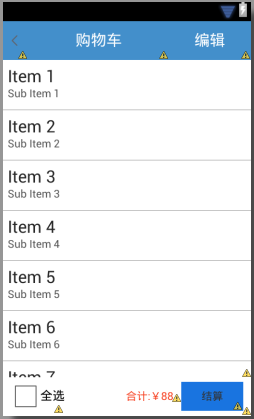
本文實例講述了Android實現的仿淘寶購物車。分享給大家供大家參考,具體如下:夏的熱情漸漸退去,秋如期而至,豐收的季節,小編繼續著實習之路,走著走著,就走到了購物車,逛
 volley學習筆記
前言這個是第一次寫源碼分析的文章(僅僅是給自己做個也給自己兩天對volley學習的一個交代吧)。以前的老大經常強調一種代碼閱讀能力(如何通過源碼的閱讀了解框架、流程、及使