編輯:關於Android編程
項目下載地址:https://github.com/Aiushtha/android-PictureSelector
最早使用android調用系統拍照然後遇到很多空指針等問題以及各種android 不同版本Intent取data有時候會空指針之類的api兼容問題,像使用紅米note在開了很多應用後,再啟動拍照系統,會發生拍照崩潰圖片丟失等問題,用微信控件有時拍照有極小概率拍照無效等等奇怪的問題,其原因是因為Activity被回收了,變量變成null,
還有三星手機可能會遇到變量空針
需要在AndroidManifest.xml的Activity裡加入
android:configChanges="mcc|mnc|keyboard|keyboardHidden|navigation|orientation|screenSize|fontScale"
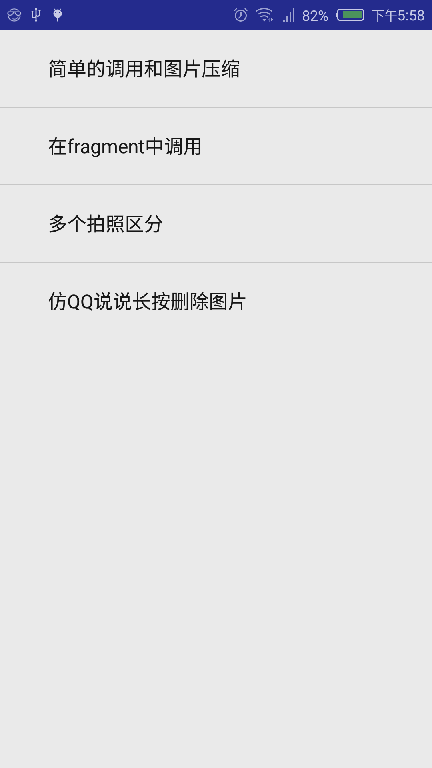
如何在Fragment上調用拍照,圖片如何壓縮
經過一段時間優化,修復了一些坑。我覺得目前的代碼比較可靠,總結一下封裝後分享出來。
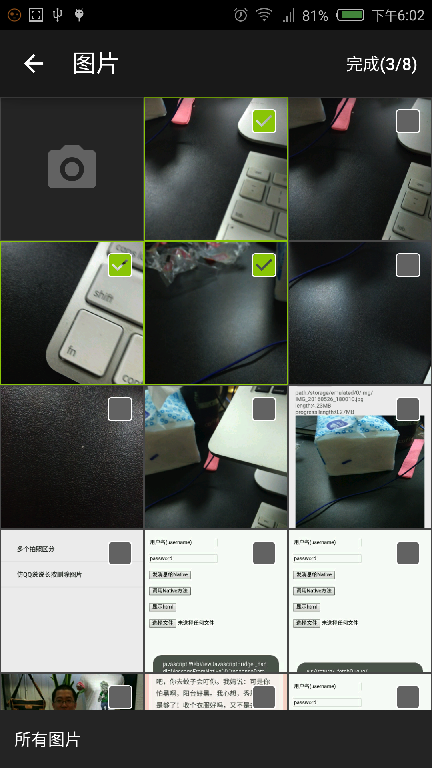
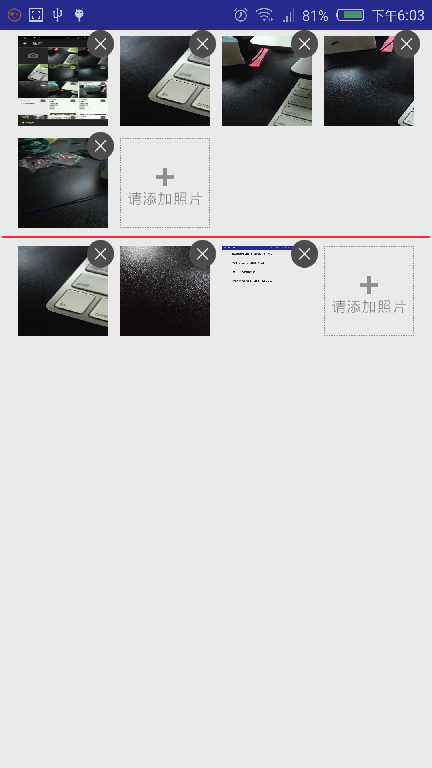
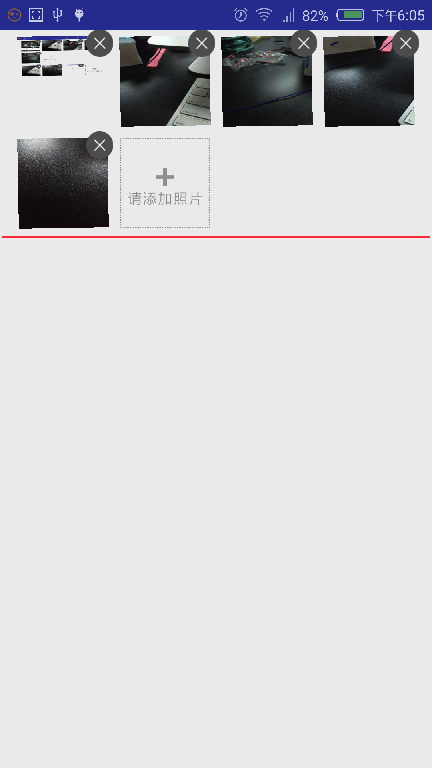
package com.cn.demo.takephoto;

import android.content.Intent;
import android.os.Bundle;
import android.support.v7.app.AppCompatActivity;
import android.view.View;
import android.widget.ImageView;
import android.widget.TextView;
import android.widget.Toast;

import java.io.File;
import java.text.DecimalFormat;
import java.util.List;

import me.lxz.photopicker.camera.PhotoPickManger;
import me.lxz.photopicker.tools.SimpleImageLoader;

public class SimpleDemoActivity extends AppCompatActivity {

    PhotoPickManger pickManger;
    private View btn;
    private ImageView img;
    private TextView tv;

    @Override
    protected void onCreate(Bundle savedInstanceState) {
        super.onCreate(savedInstanceState);
        setContentView(R.layout.activity_main);

        /**圖片加載器*/
        SimpleImageLoader.init(this.getApplicationContext());


        btn = findViewById(R.id.btn);
        img = (ImageView) findViewById(R.id.img);
        tv=(TextView)findViewById(R.id.tv);

        pickManger = new PhotoPickManger("pick",this, savedInstanceState,new PhotoPickManger.OnPhotoPickFinsh() {
            @Override
            public void onPhotoPick(List list) {
                tv.setText("");
                Toast.makeText(getApplicationContext(), "path:" + list.get(0).getPath() + " length:" + list.get(0).length(), Toast.LENGTH_SHORT).show();
                tv.append("path:" + list.get(0).getPath());
                tv.append("\nlength:" + new DecimalFormat("#.##").format((1.0d*list.get(0).length()/1024/1024))+"MB");
                /**是否圖片壓縮*/
                processImg();

            }
        });
        /**是否在*/
        pickManger.setCut(false);
        pickManger.flushBundle();

        btn.setOnClickListener(new View.OnClickListener() {
            @Override
            public void onClick(View v) {
                pickManger.clearCache();
                pickManger.start(PhotoPickManger.Mode.SYSTEM_CAMERA);
            }
        });


    }
    /**圖片壓縮*/
    private void processImg() {
        pickManger.doProcessedPhotos(new PhotoPickManger.OnProcessedPhotos() {
            @Override
            public void onProcessed(List list) {
                SimpleImageLoader.displayImage(list.get(0), img);
                tv.append("\nprogress length:" + new DecimalFormat("#.##").format((1.0d*list.get(0).length()/1024/1024))+"MB");
           }
        });
    }


    @Override
    protected void onActivityResult(int requestCode, int resultCode, Intent data) {
        super.onActivityResult(requestCode, resultCode, data);
        pickManger.onActivityResult(requestCode, resultCode, data);
    }

    @Override
    public void onSaveInstanceState(Bundle savedInstanceState) {
        super.onSaveInstanceState(savedInstanceState);
        pickManger.onSaveInstanceState(savedInstanceState);
    }
}
package me.lxz.photopicker.camera;
import android.app.Activity;
import android.content.Intent;
import android.database.Cursor;
import android.graphics.Bitmap;
import android.graphics.BitmapFactory;
import android.graphics.Canvas;
import android.graphics.Matrix;
import android.graphics.Paint;
import android.net.Uri;
import android.os.Bundle;
import android.os.Environment;
import android.os.Handler;
import android.provider.MediaStore;
import android.util.Log;
import android.widget.Toast;
import java.io.File;
import java.io.FileInputStream;
import java.io.FileNotFoundException;
import java.io.FileOutputStream;
import java.io.InputStream;
import java.text.SimpleDateFormat;
import java.util.ArrayList;
import java.util.Date;
import java.util.Iterator;
import java.util.List;
import me.iwf.photopicker.PhotoPickerActivity;
import me.iwf.photopicker.utils.PhotoPickerIntent;
import me.lxz.photopicker.tools.PictureUtil;
/**
* 圖片選擇器
*/
public final class PhotoPickManger {
public interface OnProcessedPhotos {
void onProcessed(List list);
}
public interface OnPhotoPickFinsh {
public void onPhotoPick(List list);
}
/**
* 模式
*/
public enum Mode {
/**
* 系統相機
*/SYSTEM_CAMERA,
/**
* 系統圖庫
*/SYSTEM_IMGCAPTRUE,
/**
* 類似微信圖庫
*/AS_WEIXIN_IMGCAPTRUE
}
/**
* 用於區別哪一個圖片選擇器
*/
private static String currentPickMangerName;
/**
* 測試用
*/
private boolean isDebugToast = true;
/**
* 用於區別其他圖片選擇器
*/
private String name;
public final String SAVE_STATIC_NAME = "save_currentPickMangerName";
/**
* 字段保存所已選擇的圖片
*/
public final String SAVE_SELECTED_PHOTOS = "save_selected_photos";
/**
* 字段保存所拍照已選擇的圖片
*/
public final String SAVE_CACHE_CAMERA = "save_cache_camera";
/**
* 字段保存所拍照是否選擇裁剪
*/
public final String SAVE_CACHE_IS_CUT = "save_cache_is_cut";
/**
* 字段保存待處理圖片
*/
public final String SAVE_CACHE_CUT_QUEUE = "save_cache_cut_queue";
/**
* 是否裁剪 只對系統相機和系統相冊有效
*/
private boolean isCut = false;
/**
* 是否縮略
*/
private boolean isOptimize = false;
/**
* 設置返回最大圖片數 對系統相機和相冊調用無效
* 默認1
*/
private int returnFileCount = 1;
private OnPhotoPickFinsh onPhotoPickFinsh;
private File tempFile;
private Handler handler = new Handler();
/**
* 已經選擇的拍照圖片
*/
public ArrayList selectsPhotos = new ArrayList<>();
private Activity activity;
/**
* 用於緩存
*/
public Bundle bundle;
/**
* 系統拍照標示code
*/
private final int PHOTO_REQUEST_TAKEPHOTO = 1;// 拍照
/**
* 系統相冊標示code
*/
private final int PHOTO_REQUEST_GALLERY = 2;// 從相冊中選擇
/**
* 系統照片返回標示code
*/
private final int PHOTO_REQUEST_CUT = 3;// 結果
/**
* 仿微信相冊返回code
*/
public final static int AS_WEIXIN_REQUEST_CODE = 4;
/**
* 如果多圖待剪切則保存到該隊列裡
*/
public ArrayList willCutOfFileQueue = new ArrayList<>();
/**
* 圖片緩存地址
*/
public String cacheFilePath = "/img/";
/**
* 默認裁剪大小
*/
public int defaultCutSize = 150;
/**
* 至少大於多少的圖片進行處理
*/
public int needProcessFileLength = (int) 0.5 * 1024 * 1024;
/***
* 構造方法
*
* @param name 為圖片選擇器默認一個別名 用來區別那一個選擇器被選擇了
* @param activity
* @param bundle 當系統內存不足時,重建時取出變量
* @param onPhotoPickFinsh 圖片選擇成功時回調
*/
public PhotoPickManger(String name, Activity activity, Bundle bundle, OnPhotoPickFinsh onPhotoPickFinsh) {
this.onPhotoPickFinsh = onPhotoPickFinsh;
this.name = name;
this.activity = activity;
this.bundle = bundle;
if (bundle != null) {
isCut = bundle.getBoolean(SAVE_CACHE_IS_CUT + "_" + name);
currentPickMangerName = bundle.getString(SAVE_STATIC_NAME);
willCutOfFileQueue = (ArrayList) bundle.getSerializable(SAVE_CACHE_CUT_QUEUE + "name");
}
}
/**
* 處理掉重建時的緩存
*/
public void flushBundle() {
if (bundle != null) {
if (isDebugToast) {
Toast.makeText(activity, "bundle is refresh", Toast.LENGTH_LONG).show();
}
selectsPhotos = (ArrayList) bundle.getSerializable(SAVE_SELECTED_PHOTOS + "_" + name);
if (selectsPhotos == null) {
selectsPhotos = new ArrayList<>();
}
tempFile = (File) bundle.getSerializable(SAVE_CACHE_CAMERA + "_" + name);
if (tempFile != null) {
if (tempFile.exists()) {
if (tempFile.length() > 0) {
if (!isCut) {
selectsPhotos.add(tempFile);
} else {
startPhotoZoom(Uri.fromFile(tempFile), defaultCutSize);
}
tempFile = null;
} else {
tempFile.delete();
tempFile = null;
}
}
}
bundle.remove(SAVE_CACHE_CAMERA + "_" + name);
if (!selectsPhotos.isEmpty()) {
if (onPhotoPickFinsh != null) onPhotoPickFinsh.onPhotoPick(selectsPhotos);
}
}
}
/**
* 保存變量
*/
public void onSaveInstanceState(Bundle savedInstanceState) {
this.bundle = savedInstanceState;
if (selectsPhotos != null && !selectsPhotos.isEmpty()) {
savedInstanceState.putSerializable(SAVE_SELECTED_PHOTOS + "_" + name, selectsPhotos);
}
if (tempFile != null) {
savedInstanceState.putSerializable(SAVE_CACHE_CAMERA + "_" + name, tempFile);
}
savedInstanceState.putBoolean(SAVE_CACHE_IS_CUT + "_" + name, isCut);
savedInstanceState.putSerializable(SAVE_CACHE_CUT_QUEUE + "_" + name, willCutOfFileQueue);
savedInstanceState.putSerializable(SAVE_STATIC_NAME, currentPickMangerName);
}
/**
* 如果是單一拍照,在拍照前應該清理緩存
*/
public void clearCache() {
getSelectsPhotos().clear();
tempFile = null;
if (bundle != null) {
bundle.remove(SAVE_SELECTED_PHOTOS + "_" + name);
bundle.remove(SAVE_CACHE_CAMERA + "_" + name);
}
}
/**
* 生成一個臨時的緩存文件
*/
private File getFile() {
File dir = new File(Environment.getExternalStorageDirectory().getPath()
+ cacheFilePath);
if (!dir.exists()) {
dir.mkdirs();
}
File file = new File(Environment.getExternalStorageDirectory()
.getPath() + cacheFilePath, getPhotoFileName());
return file;
}
// 使用系統當前日期加以調整作為照片的名稱
private String getPhotoFileName() {
Date date = new Date(System.currentTimeMillis());
SimpleDateFormat dateFormat = new SimpleDateFormat(
"'IMG'_yyyyMMdd_HHmmss");
return dateFormat.format(date) + ".jpg";
}
/**
* // 調用系統的拍照功能
*/
private void startCamearPicCut() {
tempFile = getFile();
Log.d("test", "start:" + tempFile.exists() + " " + tempFile.length());
// this.isCutOut = b;
// 調用系統的拍照功能
Intent intent = new Intent(MediaStore.ACTION_IMAGE_CAPTURE);
intent.putExtra("camerasensortype", 2);// 調用前置攝像頭
intent.putExtra("autofocus", true);// 自動對焦
intent.putExtra("fullScreen", false);// 全屏
intent.putExtra("showActionIcons", false);
intent.putExtra(MediaStore.EXTRA_OUTPUT, Uri.fromFile(tempFile));
activity.startActivityForResult(intent, PHOTO_REQUEST_TAKEPHOTO);
}
/**
* 調用系統的相冊
*/
private void startImageCaptrue() {
tempFile = getFile();
Intent intent = new Intent(Intent.ACTION_PICK, null);
intent.setDataAndType(MediaStore.Images.Media.EXTERNAL_CONTENT_URI,
"image/*");
activity.startActivityForResult(intent, PHOTO_REQUEST_GALLERY);
}
/**
* 調用仿微信圖庫
*/
private void startAsWeixinImageCaptrue() {
PhotoPickerIntent intent = new PhotoPickerIntent(activity);
intent.setPhotoCount(returnFileCount);
activity.startActivityForResult(intent, AS_WEIXIN_REQUEST_CODE);
}
/**
* 啟動
*/
public void start(Mode mode) {
currentPickMangerName = this.name;
switch (mode) {
case SYSTEM_CAMERA:
startCamearPicCut();
break;
case SYSTEM_IMGCAPTRUE:
startImageCaptrue();
break;
case AS_WEIXIN_IMGCAPTRUE:
startAsWeixinImageCaptrue();
break;
}
}
/**
* 回調onActivityResult事件
*/
@SuppressWarnings("unused")
public void onActivityResult(final int requestCode, final int resultCode, final Intent data) {
if (currentPickMangerName == null) {
if (bundle != null) {
currentPickMangerName = bundle.getString(SAVE_STATIC_NAME);
if (!currentPickMangerName.equals(name)) return;
}
} else {
if (!currentPickMangerName.equals(name)) return;
}
try {
switch (requestCode) {
case PHOTO_REQUEST_TAKEPHOTO:
if (isCut) {
startPhotoZoom(Uri.fromFile(tempFile), defaultCutSize); // 裁剪
} else {
if (tempFile.length() == 0) {
tempFile.delete();
} else {
finish(tempFile);
}
}
return;
case PHOTO_REQUEST_GALLERY:
if (isCut) {
if (data != null) {
startPhotoZoom(data.getData(), defaultCutSize);
}
} else {
File file = null;
try {
String path = getRealPathFromURI(data.getData());
file = new File(path);
if (file == null) return;
if (file.length() == 0) {
file.delete();
return;
}
finish(file);
} catch (Exception e) {
// TODO Auto-generated catch block
e.printStackTrace();
}
}
return;
case PHOTO_REQUEST_CUT:
if (data != null) {
setCutPicToView(data);
} else {
flushCutPhotos();
}
return;
case AS_WEIXIN_REQUEST_CODE:
List photos = null;
try {
if (requestCode == AS_WEIXIN_REQUEST_CODE) {
if (data != null) {
photos = data.getStringArrayListExtra(PhotoPickerActivity.KEY_SELECTED_PHOTOS);
if (!isCut) {
List list = new ArrayList();
if (photos != null && !photos.isEmpty()) {
for (String str : photos) {
list.add(new File(str));
}
} else {
return;
}
finish(list);
} else {
if (photos != null && !photos.isEmpty()) {
/**如果只有一張照片可以直接裁剪 否則*/
if (photos.size() == 1) {
for (String str : photos) {
tempFile = getFile();
copyFile(str, tempFile.getAbsolutePath());
startPhotoZoom(Uri.fromFile(tempFile), defaultCutSize); // 裁剪
}
} else {
for (String str : photos) {
willCutOfFileQueue.add(new File(str));
}
tempFile = getFile();
copyFile(willCutOfFileQueue.get(0).getAbsolutePath(), tempFile.getAbsolutePath());
startPhotoZoom(Uri.fromFile(tempFile), defaultCutSize); // 裁剪
willCutOfFileQueue.remove(0);
}
}
}
}
}
} catch (Exception e) {
e.printStackTrace();
}
return;
}
} catch (Exception e) {
e.printStackTrace();
}
}
/**
* 如果多圖處理裁剪隊列
*/
private void flushCutPhotos() {
if (willCutOfFileQueue != null && !willCutOfFileQueue.isEmpty()) {
tempFile = getFile();
copyFile(willCutOfFileQueue.get(0).getAbsolutePath(), tempFile.getAbsolutePath());
willCutOfFileQueue.remove(0);
startPhotoZoom(Uri.fromFile(tempFile), defaultCutSize); // 裁剪
}
}
/**
* 文件復制
*/
private void copyFile(String oldPath, String newPath) {
try {
int bytesum = 0;
int byteread = 0;
File oldfile = new File(oldPath);
if (oldfile.exists()) { //文件存在時
InputStream inStream = new FileInputStream(oldPath); //讀入原文件
FileOutputStream fs = new FileOutputStream(newPath);
byte[] buffer = new byte[1444];
int length;
while ((byteread = inStream.read(buffer)) != -1) {
bytesum += byteread; //字節數 文件大小
System.out.println(bytesum);
fs.write(buffer, 0, byteread);
}
inStream.close();
}
} catch (Exception e) {
e.printStackTrace();
}
}
/**
* 對當前已選圖片進行壓縮
*/
public void doProcessedPhotos(final OnProcessedPhotos on) {
if (getSelectsPhotos() != null && !getSelectsPhotos().isEmpty()) {
new Thread(new Runnable() {
@Override
public void run() {
for (Iterator it = getSelectsPhotos().iterator(); it.hasNext(); ) {
try {
File file = it.next();
if (file.length() > needProcessFileLength) {
final Bitmap bm = PictureUtil.getSmallBitmap(file.getAbsolutePath(), 720, 1200);
try {
FileOutputStream fos = new FileOutputStream(file);
bm.compress(Bitmap.CompressFormat.JPEG, 95, fos);
} catch (FileNotFoundException e) {
e.printStackTrace();
}
}
} catch (Exception e) {
e.printStackTrace();
}
}
handler.post(new Runnable() {
@Override
public void run() {
on.onProcessed(getSelectsPhotos());
}
});
}
}).start();
}
}
/**
* 圖片選擇完成並回調
*/
private void finish(final File file) {
finish(createFiles(file));
}
/**
* 圖片選擇完成並回調
*/
private void finish(final List files) {
new Thread(new Runnable() {
@Override
public void run() {
for (Iterator it = files.iterator(); it.hasNext(); ) {
File file = it.next();
if (!file.exists() || file.length() == 0) {
it.remove();
} else {
changFile(file.getPath());
}
}
handler.post(new Runnable() {
@Override
public void run() {
selectsPhotos.addAll(files);
if (!files.isEmpty()) {
if (onPhotoPickFinsh != null) onPhotoPickFinsh.onPhotoPick(files);
}
tempFile = null;
flushCutPhotos();
}
});
}
}).start();
}
/**
* 三星手機將橫向圖片轉換為豎向
*/
public void changFile(String file) {
BitmapFactory.Options options = new BitmapFactory.Options();
/**
* 最關鍵在此,把options.inJustDecodeBounds = true;
* 這裡再decodeFile(),返回的bitmap為空,但此時調用options.outHeight時,已經包含了圖片的高了
*/
options.inJustDecodeBounds = true;
BitmapFactory.decodeFile(file, options);
int width = options.outWidth;
int height = options.outHeight;
if (width > height) {
Bitmap bit = bitmapFromFile(file, width, height);
bit = adjustPhotoRotation(bit, 1);
try {
bit.compress(Bitmap.CompressFormat.PNG,100,new FileOutputStream(file));
} catch (FileNotFoundException e) {
e.printStackTrace();
}
}
}
/**
* 旋轉圖片
*/
public Bitmap adjustPhotoRotation(Bitmap bm, int count) {
int orientationDegree = 90;
Matrix m = new Matrix();
for (int i = 0; i < count; i++) {
m.setRotate(orientationDegree, bm.getWidth(),
bm.getHeight());
float targetX, targetY;
if (orientationDegree == 90) {
targetX = bm.getHeight();
targetY = 0;
} else {
targetX = bm.getHeight();
targetY = bm.getWidth();
}
final float[] values = new float[9];
m.getValues(values);
float x1 = values[Matrix.MTRANS_X];
float y1 = values[Matrix.MTRANS_Y];
m.postTranslate(targetX - x1, targetY - y1);
}
Bitmap bm1 = Bitmap.createBitmap(bm.getHeight(), bm.getWidth(),
Bitmap.Config.ARGB_8888);
Paint paint = new Paint();
Canvas canvas = new Canvas(bm1);
canvas.drawBitmap(bm, m, paint);
// ?????bitmap????
bm.recycle();
return bm1;
}
private List createFiles(File file) {
List list = new ArrayList<>();
list.add(file);
return list;
}
/**
* 根據Uri獲得File文件路徑
*/
public String getRealPathFromURI(Uri contentUri) {
String res = null;
String[] proj = {MediaStore.Images.Media.DATA};
Cursor cursor = activity.getContentResolver().query(contentUri, proj,
null, null, null);
if (cursor.moveToFirst()) {
;
int column_index = cursor
.getColumnIndexOrThrow(MediaStore.Images.Media.DATA);
res = cursor.getString(column_index);
}
cursor.close();
return res;
}
/**
* 啟動裁剪
*/
private void startPhotoZoom(Uri uri, int size) {
Log.d("test", uri.toString());
Intent intent = new Intent("com.android.camera.action.CROP");
intent.setDataAndType(uri, "image/*");
// crop為true是設置在開啟的intent中設置顯示的view可以剪裁
intent.putExtra("crop", "true");
// aspectX aspectY 是寬高的比例
intent.putExtra("aspectX", 1);
intent.putExtra("aspectY", 1);
// outputX,outputY 是剪裁圖片的寬高
intent.putExtra("outputX", size);
intent.putExtra("outputY", size);
intent.putExtra("return-data", true);
intent.putExtra("noFaceDetection", true);
activity.startActivityForResult(intent, PHOTO_REQUEST_CUT);
}
// 將進行剪裁後的圖片顯示到UI界面上
private void setCutPicToView(Intent picdata) {
Bundle bundle = picdata.getExtras();
if (bundle != null) {
Bitmap photo = bundle.getParcelable("data");
if (photo != null) {
FileOutputStream fOut = null;
try {
fOut = new FileOutputStream(tempFile);
} catch (FileNotFoundException e) {
e.printStackTrace();
}
photo.compress(Bitmap.CompressFormat.JPEG, 100, fOut);
}
finish(tempFile);
}
}
/**
* 獲取一個指定大小的bitmap
*
* @param reqWidth 目標寬度
* @param reqHeight 目標高度
*/
public Bitmap bitmapFromFile(String pathName, int reqWidth,
int reqHeight) {
if (reqHeight == 0 || reqWidth == 0) {
return BitmapFactory.decodeFile(pathName);
} else {
BitmapFactory.Options options = new BitmapFactory.Options();
options.inJustDecodeBounds = true;
BitmapFactory.decodeFile(pathName, options);
options = calculateInSampleSize(options, reqWidth,
reqHeight);
return BitmapFactory.decodeFile(pathName, options);
}
}
/**
* 圖片壓縮處理(使用Options的方法)
*
*
* 說明 使用方法:
* 首先你要將Options的inJustDecodeBounds屬性設置為true,BitmapFactory.decode一次圖片 。
* 然後將Options連同期望的寬度和高度一起傳遞到到本方法中。
* 之後再使用本方法的返回值做參數調用BitmapFactory.decode創建圖片。
*
*
* 說明 BitmapFactory創建bitmap會嘗試為已經構建的bitmap分配內存
* ,這時就會很容易導致OOM出現。為此每一種創建方法都提供了一個可選的Options參數
* ,將這個參數的inJustDecodeBounds屬性設置為true就可以讓解析方法禁止為bitmap分配內存
* ,返回值也不再是一個Bitmap對象, 而是null。雖然Bitmap是null了,但是Options的outWidth、
* outHeight和outMimeType屬性都會被賦值。
*
* @param reqWidth 目標寬度,這裡的寬高只是閥值,實際顯示的圖片將小於等於這個值
* @param reqHeight 目標高度,這裡的寬高只是閥值,實際顯示的圖片將小於等於這個值
*/
public BitmapFactory.Options calculateInSampleSize(
final BitmapFactory.Options options, final int reqWidth,
final int reqHeight) {
// 源圖片的高度和寬度
final int height = options.outHeight;
final int width = options.outWidth;
int inSampleSize = 1;
if (height > reqHeight || width > reqWidth) {
// 計算出實際寬高和目標寬高的比率
final int heightRatio = Math.round((float) height
/ (float) reqHeight);
final int widthRatio = Math.round((float) width
/ (float) reqWidth);
// 選擇寬和高中最小的比率作為inSampleSize的值,這樣可以保證最終圖片的寬和高
// 一定都會大於等於目標的寬和高。
inSampleSize = heightRatio < widthRatio ? heightRatio
: widthRatio;
}
// 設置壓縮比例
options.inSampleSize = inSampleSize;
options.inJustDecodeBounds = false;
return options;
}
public Activity getActivity() {
return activity;
}
public PhotoPickManger setActivity(Activity activity) {
this.activity = activity;
return this;
}
public boolean isCut() {
return isCut;
}
public PhotoPickManger setIsCut(boolean isCut) {
this.isCut = isCut;
return this;
}
public boolean isOptimize() {
return isOptimize;
}
public PhotoPickManger setIsOptimize(boolean isOptimize) {
this.isOptimize = isOptimize;
return this;
}
public int getReturnFileCount() {
return returnFileCount;
}
public PhotoPickManger setReturnFileCount(int returnFileCount) {
this.returnFileCount = returnFileCount;
return this;
}
public OnPhotoPickFinsh getOnPhotoPickFinsh() {
return onPhotoPickFinsh;
}
public PhotoPickManger setOnPhotoPickFinsh(OnPhotoPickFinsh onPhotoPickFinsh) {
this.onPhotoPickFinsh = onPhotoPickFinsh;
return this;
}
public boolean isDebugToast() {
return isDebugToast;
}
public PhotoPickManger setDebugToast(boolean isDebugToast) {
this.isDebugToast = isDebugToast;
return this;
}
public void setCut(boolean isCut) {
this.isCut = isCut;
}
public Bundle getBundle() {
return bundle;
}
public PhotoPickManger setBundle(Bundle bundle) {
this.bundle = bundle;
return this;
}
public File getTempFile() {
return tempFile;
}
public ArrayList getSelectsPhotos() {
return selectsPhotos;
}
public int getNeedProcessFileLength() {
return needProcessFileLength;
}
public PhotoPickManger setNeedProcessFileLength(int needProcessFileLength) {
this.needProcessFileLength = needProcessFileLength;
return this;
}
public static String getCurrentPickMangerName() {
return currentPickMangerName;
}
public static void setCurrentPickMangerName(String currentPickMangerName) {
PhotoPickManger.currentPickMangerName = currentPickMangerName;
}
public String getCacheFilePath() {
return cacheFilePath;
}
public PhotoPickManger setCacheFilePath(String cacheFilePath) {
this.cacheFilePath = cacheFilePath;
return this;
}
public String getName() {
return name;
}
public PhotoPickManger setName(String name) {
this.name = name;
return this;
}
public PhotoPickManger setTempFile(File tempFile) {
this.tempFile = tempFile;
return this;
}
}
 《Android源碼設計模式解析與實戰》讀書筆記(二十一)
第二十一章、裝飾模式 裝飾模式也稱為包裝模式,是結構型設計模式之一。裝飾模式是一種用於替代繼承技術的一種方案。1.定義動態的給一個對象添加一些額外的職責。就增加功能來說,
 Android中三種注入事件方法比較
方法1:使用內部APIs該方法和其他所有內部沒有向外正式公布的APIs一樣存在它自己的風險。原理是通過獲得WindowManager的一個實例來訪問injectKeyEv
 Android官方開發文檔Training系列課程中文版:OpenGL繪圖之圖形繪制
原文地址:http://android.xsoftlab.net/training/graphics/opengl/draw.html在定義了圖形之後,你接下來需要做的就
 Android中如何修改編譯的資源ID值(默認值是0x7F...可以隨意改成0x02~0x7E)
一、技術准備今天我們來看一下如何修改Android中編譯時的資源Id的值,在講解這內容之前,我們需要先了解一下Android中的資源編譯之後的結構和編譯過程,這裡就不多說