編輯:關於Android編程

Module -> Component -> Application
首先模塊(Module)創建需要提供的類實例, 其次把模塊添加到組件(Component)中並提供需要注入的類, 最後把組件添加到應用(Application)中並提供接口.
// 模塊
@Module
public class TestAppModule {
    private final Context mContext;

    public TestAppModule(Context context) {
        mContext = context.getApplicationContext();
    }

    // 提供類實例
    @AppScope
    @Provides
    public Context provideAppContext() {
        return mContext;
    }

    @Provides
    public WeatherApiClient provideWeatherApiClient() {
        return new MockWeatherApiClient();
    }
}

// 組件
@AppScope
@Component(modules = TestAppModule.class) // 注冊模塊
public interface TestAppComponent extends AppComponent {
    void inject(MainActivityTest test);
}

// 應用
public class TestWeatherApplication extends WeatherApplication {
    private TestAppComponent mTestAppComponent;

    @Override public void onCreate() {
        super.onCreate();
        mTestAppComponent = DaggerTestAppComponent.builder()
                .testAppModule(new TestAppModule(this))
                .build();
    }

    // 提供組件
    @Override
    public TestAppComponent getAppComponent() {
        return mTestAppComponent;
    }
}
Android調試工具, 不用編譯, 就可以刷新一些項目修改. 不過功能已經被Android Studio 2.0 代替, 等待2.0正式發版.
DataBinding實現數據與頁面的分離, 更符合面向對象的編程模式.
布局設置
<code class="hljs haskell">    <data>
        <variable name="weatherData" type="clwang.chunyu.me.wcl_espresso_dagger_demo.data.WeatherData">
    </variable></data>

            <textview android:id="@+id/temperature" android:layout_centerinparent="true" android:layout_height="wrap_content" android:layout_marginbottom="@dimen/margin_large" android:layout_margintop="@dimen/margin_xlarge" android:layout_width="wrap_content" android:text="@{weatherData.temperatureCelsius}" android:textappearance="@style/TextAppearance.AppCompat.Display3" tools:text="10°"></textview></code>
邏輯設置
private ActivityMainBinding mBinding; // 頁面綁定類
mBinding = DataBindingUtil.setContentView(this, R.layout.activity_main); // 綁定頁面
mBinding.weatherLayout.setVisibility(View.VISIBLE); // 使用Id
mBinding.setWeatherData(weatherData); // 綁定數據
查看Apk信息的軟件, 功能非常強大, 省去反編譯的步驟, 主要功能:
(1) 在MultiDex中dex的詳細信息.
(2) 使用NativeLibrary的詳細信息.
(3) 類的詳細信息.
(4) 數量統計.
升級Mac系統, 可能會導致Pod命令消失, 需要重新安裝Pod.
sudo gem install -n /usr/local/bin cocoapods
LaunchMode包含四種模式,
(1) standard, 標准模式, 啟動重新創建示例, 默認.
(2) singleTop, 棧頂復用模式, 位於棧頂, 啟動不會被創建, 調用onNewIntent.
(3) singleTask, 棧內復用模式, 存在不會被創建, 調用onNewIntent.
(4) singleInstance, 單實例模式, 單獨位於一個任務棧內, 復用.
OK, That’s all! Enjoy It
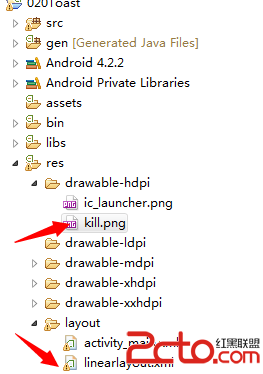 從零開始學android(Toast土司提示組件.二十.)
在系統之中,通過對話框可以對用戶的某些操作進行提示,但是在Android平台之中也提供了另外一套更加友好的提示界面效果,而且這種界面在提示用戶的時候不會打斷用戶的正常操作
 微信電腦版發視頻方法
一起來看看微信電腦版視頻通話圖文教程吧 1、首先,我們需要更新微信電腦版到1.5版 2、微信視頻聊天的方法也有兩種哦,第一種方法是登錄手機微信選擇視頻的
 Android中使用PagerSlidingTabStrip實現導航標題的示例
此開源框架官網地址:https://github.com/astuetz/PagerSlidingTabStrip可以理解為配合ViewPager使用的交互式頁面指示器控
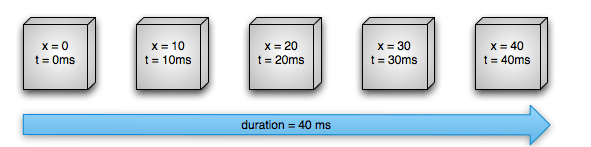 Android動畫之入門篇(二)
本文重點講述屬性動畫,關於逐幀動畫與補間動畫,可查看上一篇文章Android動畫之入門篇(一)。屬性動畫功能非常強大,也是最常用的動畫方法。可自定義如下屬性