編輯:關於Android編程
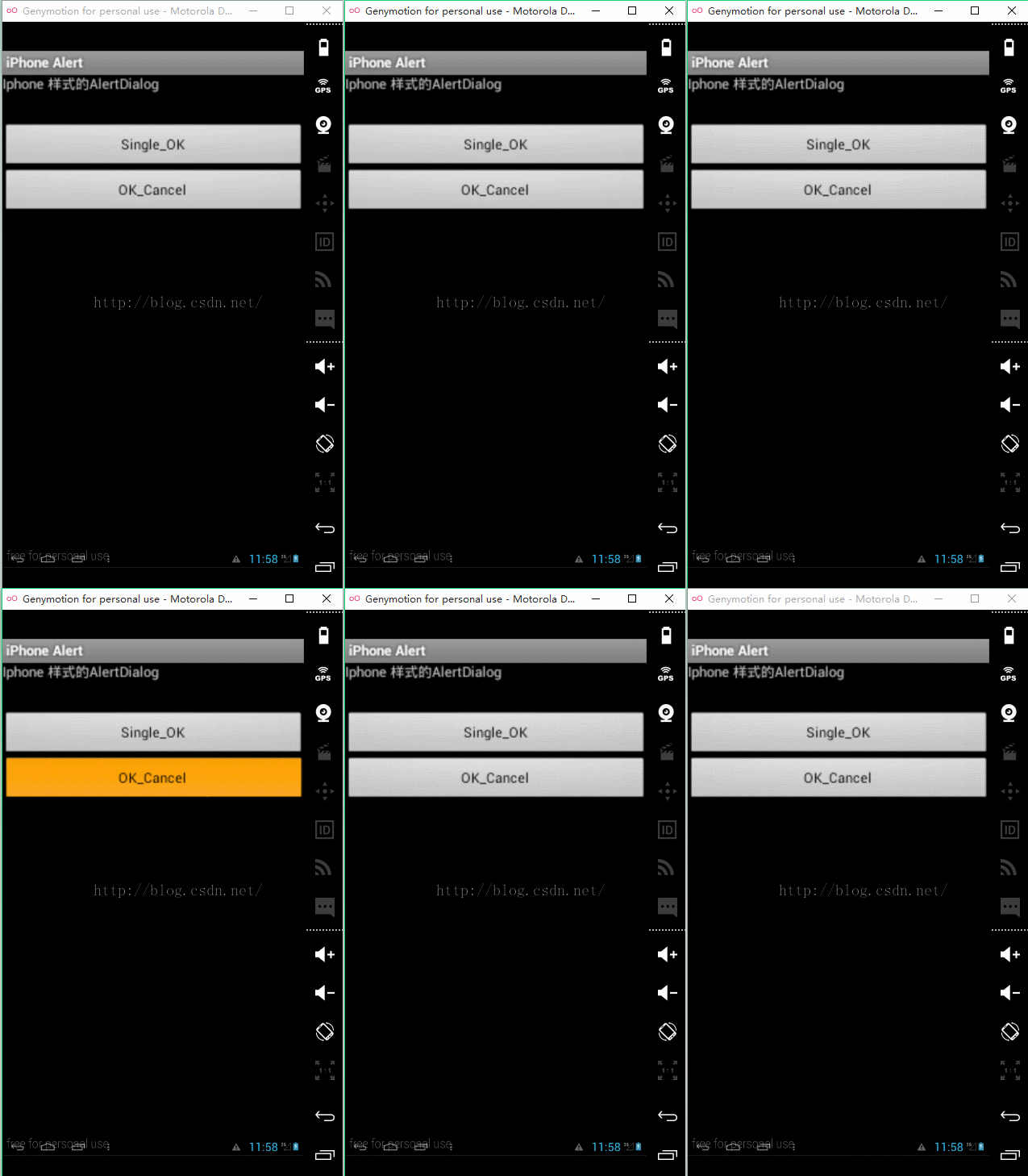
兩個彈出框布局:
package hi.braincol.example.iphoneAlert;


/* No CONSTRAINTS ! Just use the code under your thoughts !
 * mail me at hibraincol@gmail.com
*
* Licensed under the Apache License, Version 2.0 (the License);
* you may not use this file except in compliance with the License.
* You may obtain a copy of the License at
*
*     http://www.apache.org/licenses/LICENSE-2.0
*
* Unless required by applicable law or agreed to in writing, software
* distributed under the License is distributed on an AS IS BASIS,
* WITHOUT WARRANTIES OR CONDITIONS OF ANY KIND, either express or implied.
* See the License for the specific language governing permissions and
* limitations under the License.
*/


import android.app.Activity;
import android.app.Dialog;
import android.os.Bundle;
import android.view.View;
import android.view.Window;
import android.view.View.OnClickListener;
import android.widget.Button;
import android.widget.TextView;

public class MainScreenActivity extends Activity {
    /** Called when the activity is first created. */
	Button buttonOk,buttonOkCancel;
    @Override
    public void onCreate(Bundle savedInstanceState) {
        super.onCreate(savedInstanceState);
        setContentView(R.layout.main);

        buttonOk = (Button)findViewById(R.id.button1);
        buttonOk.setOnClickListener(new Button.OnClickListener() {

			@Override
			public void onClick(View arg0) {
				// TODO Auto-generated method stub
				showCustomMessageOK(Confirmation,Just click OK to continue !);

			}
			});

        buttonOkCancel = (Button)findViewById(R.id.button2);
        buttonOkCancel.setOnClickListener(new Button.OnClickListener() {

			@Override
			public void onClick(View arg0) {
				// TODO Auto-generated method stub
				showCustomMessage(Alert,Are you sure you want continue?);
			}
			});


    }

    /**
	 * it will show the OK/CANCEL dialog like iphone, make sure no keyboard is visible
	 *
	 * @param pTitle
	 *            title for dialog
	 * @param pMsg
	 *            msg for body
	 */
	private void showCustomMessage(String pTitle, final String pMsg) {
		final Dialog lDialog = new Dialog(MainScreenActivity.this,
				android.R.style.Theme_Translucent_NoTitleBar);
		lDialog.requestWindowFeature(Window.FEATURE_NO_TITLE);
		lDialog.setContentView(R.layout.r_okcanceldialogview);
		((TextView) lDialog.findViewById(R.id.dialog_title)).setText(pTitle);
		((TextView) lDialog.findViewById(R.id.dialog_message)).setText(pMsg);
		((Button) lDialog.findViewById(R.id.ok)).setText(Ok);
		((Button) lDialog.findViewById(R.id.cancel))
				.setOnClickListener(new OnClickListener() {

					@Override
					public void onClick(View v) {
						// write your code to do things after users clicks CANCEL
						lDialog.dismiss();
					}
				});
		((Button) lDialog.findViewById(R.id.ok))
				.setOnClickListener(new OnClickListener() {

					@Override
					public void onClick(View v) {
						// write your code to do things after users clicks OK

						lDialog.dismiss();
					}
				});
		lDialog.show();

	}

	 /**
	 * it will show the OK dialog like iphone, make sure no keyboard is visible
	 *
	 * @param pTitle
	 *            title for dialog
	 * @param pMsg
	 *            msg for body
	 */
	private void showCustomMessageOK(String pTitle, final String pMsg) {
		final Dialog lDialog = new Dialog(MainScreenActivity.this,
				android.R.style.Theme_Translucent_NoTitleBar);
		lDialog.requestWindowFeature(Window.FEATURE_NO_TITLE);
		lDialog.setContentView(R.layout.r_okdialogview);
		((TextView) lDialog.findViewById(R.id.dialog_title)).setText(pTitle);
		((TextView) lDialog.findViewById(R.id.dialog_message)).setText(pMsg);
		((Button) lDialog.findViewById(R.id.ok)).setText(Ok);
		((Button) lDialog.findViewById(R.id.ok))
				.setOnClickListener(new OnClickListener() {
					@Override
					public void onClick(View v) {
						// write your code to do things after users clicks OK
						lDialog.dismiss();
					}
				});
 		lDialog.show();

	}


}
 Android通用流行框架大全
1. 緩存 名稱 描述 DiskLruCache Java實現基於LRU的磁盤緩存 2.圖片加載 名稱 描述 Android Un
 Android 關於Dialog彈出框
直接上效果圖: 實現步驟: 1.主界面activity_main.xml很簡單,一個按鈕 2.彈出層樣式actionsheet.xml
 Android實現界面左右滑動切換功能
相信大家一定都使用過手機QQ和微信之類的軟件,當我們使用時不難發現其界面的切換不僅可以通過點擊頁標簽來實現,還可以通過左右滑動來實現的,耗子君剛開始學Android時就覺
 android 單擊 切換圖片 --- 注意圖片大小
public class MixView extends ActionBarActivity { int []images = new int[]