編輯:關於Android編程
對於“斷電續傳”,在任何開發中都顯得很重要。xutils對此封裝的很好了,可以很簡單的實現很多下載功能,其中就包括“斷點續傳”
主要代碼如下:
package com.itydl.xutils;

import java.io.File;

import com.lidroid.xutils.HttpUtils;
import com.lidroid.xutils.exception.HttpException;
import com.lidroid.xutils.http.ResponseInfo;
import com.lidroid.xutils.http.callback.RequestCallBack;

import android.os.Bundle;
import android.app.Activity;
import android.view.Menu;
import android.view.View;
import android.widget.ProgressBar;
import android.widget.TextView;
import android.widget.Toast;

public class MainActivity extends Activity {

	private TextView tv_failure;
	private TextView tv_progress;
	private ProgressBar pb;

	@Override
	protected void onCreate(Bundle savedInstanceState) {
		super.onCreate(savedInstanceState);
		setContentView(R.layout.activity_main);
		tv_failure = (TextView) findViewById(R.id.tv_failure);
		tv_progress = (TextView) findViewById(R.id.tv_progress);
		pb = (ProgressBar) findViewById(R.id.pb);
	}

	public void click(View v){
		HttpUtils utils = new HttpUtils();
		String fileName = "QQPlayer.exe";
		//確定下載地址
		String path = "http://192.168.1.104:8080/" + fileName;
		utils.download(path, //下載地址
				"sdcard/QQPlayer.exe", //文件保存路徑
				true,//是否支持斷點續傳
				true, new RequestCallBack() {

					//下載成功後調用
					@Override
					public void onSuccess(ResponseInfo arg0) {
						Toast.makeText(MainActivity.this, arg0.result.getPath(), 0).show();

					}

					//下載失敗調用
					@Override
					public void onFailure(HttpException arg0, String arg1) {
						// TODO Auto-generated method stub
						tv_failure.setText(arg1);
					}

                                     //進度條顯示下載進度,而且即使斷網,點擊下載按鈕仍然在原來位置下載
					@Override
					public void onLoading(long total, long current,
							boolean isUploading) {
						// TODO Auto-generated method stub
						super.onLoading(total, current, isUploading);
						pb.setMax((int)total);
						pb.setProgress((int)current);
						tv_progress.setText(current * 100 / total + "%");
					}
				});
	}

}
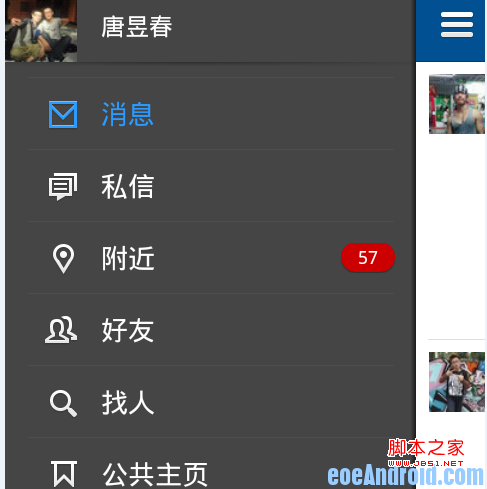 listview 選中高亮顯示實現方法
人人客戶端有一個很好的導航欄,如下圖所示,當點擊左側ListView後,選中的一行就會一直呈高亮狀態顯示,圖中選中行字的顏色顯示為藍色(注意:是選中行後一直高亮,而不是只
 我的Android進階之旅------)解決:Execution failed for task ':app:transformResourcesWithMergeJavaResForDebug'.
錯誤描述 今天在Android Studio項目中加入了jackson的開發包,編譯運行時候,引發了如下的錯誤:Error:Execution failed for ta
 Android實現捕獲TextView超鏈接的方法
本文實例講述了Android實現捕獲TextView超鏈接的方法。分享給大家供大家參考,具體如下:這裡分享一篇捕獲TextView超鏈接的文章,希望對大家有所幫助,我終於
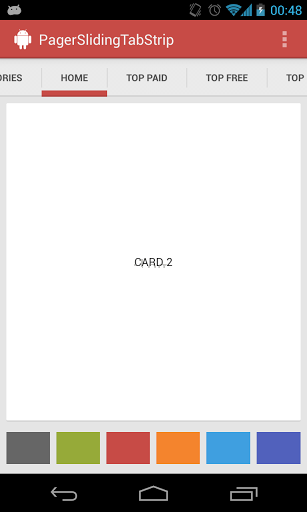 Android仿今日頭條滑動頁面導航效果
最近項目中用到了滑動頁面,也就是和目前市場上很火的今日頭條頁面滑動類似,在網上找了一下,大部分都是用ViewPager來實現的,剛開始我用的是ViewPager+View