編輯:關於Android編程
啥也不說看圖:
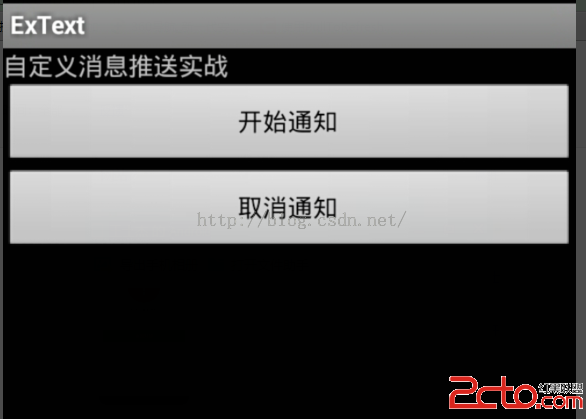
點擊後效果:
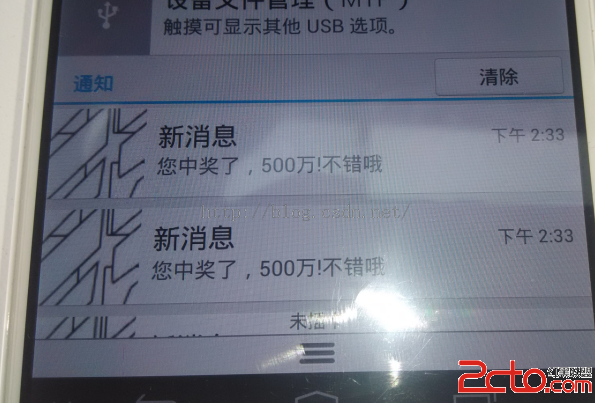
代碼:主方法:
package com.text.ac;

import java.util.Calendar;

import android.app.Activity;
import android.app.AlarmManager;
import android.app.Notification;
import android.app.NotificationManager;
import android.app.PendingIntent;
import android.content.Context;
import android.content.Intent;
import android.os.Bundle;
import android.os.SystemClock;
import android.view.View;
import android.view.View.OnClickListener;
import android.widget.Button;
/**
 *
 * @author Hardi
 *
 */
public class TextActivity extends Activity {
	Button button;
	Button buttonstop;

	@Override
    public void onCreate(Bundle savedInstanceState) {
        super.onCreate(savedInstanceState);
        setContentView(R.layout.main);
    button = (Button)findViewById(R.id.button);
    buttonstop=(Button)findViewById(R.id.titlebutton);
    button.setOnClickListener(new OnClickListener() {

		@Override
		public void onClick(View arg0) {
			  Intent intent = new Intent();
		        // 設置Action屬性
		        intent.setAction(com.text.ac.action.MY_SERVICE);
		        // 啟動該Service
		        startService(intent);
				   //  startService(new Intent(ExTextActivity.this, MessageService.class));


		}
	});
    buttonstop.setOnClickListener(new OnClickListener() {

		@Override
		public void onClick(View arg0) {
			  Intent intent = new Intent();
		        // 設置Action屬性
		        intent.setAction(com.text.ac.action.MY_SERVICE);
		        // 關閉該Service
			stopService(intent);

		}
	});
	}


}
package com.text.ac;

import android.app.Notification;
import android.app.NotificationManager;
import android.app.PendingIntent;
import android.app.Service;
import android.content.Context;
import android.content.Intent;
import android.os.IBinder;
import android.widget.Toast;

public class MessageService extends Service {
	    //獲取消息線程
	    private MessageThread messageThread = null;

	    //點擊查看
	    private Intent messageIntent = null;
	    private PendingIntent messagePendingIntent = null;

	    //通知欄消息
	    private int messageNotificationID = 1000;
	    private Notification messageNotification = null;
	    private NotificationManager messageNotificatioManager = null;

	    public IBinder onBind(Intent intent) {
	        return null;
	    }

	    @Override
		public void onCreate() {
	    	 //初始化
	        messageNotification = new Notification();
	        messageNotification.icon = R.drawable.ic_hehe;
	        messageNotification.tickerText = 新消息;
        messageNotification.defaults = Notification.DEFAULT_SOUND;
	        messageNotificatioManager = (NotificationManager)getSystemService(Context.NOTIFICATION_SERVICE);
	        //點擊跳轉的activity
	        messageIntent = new Intent(this, TextActivity.class);
	        messagePendingIntent = PendingIntent.getActivity(this,0,messageIntent,0);

	        //開啟線程
	        messageThread = new MessageThread();
	        messageThread.isRunning = true;
	        messageThread.start();
	 Toast.makeText(MessageService.this, aaaa, Toast.LENGTH_LONG).show();
			super.onCreate();
		}

		/**
	     * 從服務器端獲取消息
	     *
     */
	    class MessageThread extends Thread{
	        //運行狀態,下一步驟有大用
	        public boolean isRunning = true;
	        public void run() {
	            while(isRunning){
	                try {
	                    //休息10分鐘
	                    Thread.sleep(5000);
	                    //獲取服務器消息
	                    String serverMessage = getServerMessage();

	                    if(serverMessage!=null&&!.equals(serverMessage)){
	                        //更新通知欄
	                        messageNotification.setLatestEventInfo(MessageService.this,新消息,您中獎了,500萬!+serverMessage,messagePendingIntent);
	                        messageNotificatioManager.notify(messageNotificationID, messageNotification);
                        //每次通知完,通知ID遞增一下,避免消息覆蓋掉
                       messageNotificationID++;
                    }
               } catch (InterruptedException e) {
                    e.printStackTrace();
                }
            }
        }
	    }
		@Override
			public void onDestroy() {
			          //  System.exit(0);
			            //或者,二選一,推薦使用System.exit(0),這樣進程退出的更干淨
			            messageThread.isRunning = false;
			            super.onDestroy();
			}
    /**
     * 這裡以此方法為服務器Demo,僅作示例
    * @return 返回服務器要推送的消息,否則如果為空的話,不推送
     */
    public String getServerMessage(){
        return 不錯哦;
    }
}
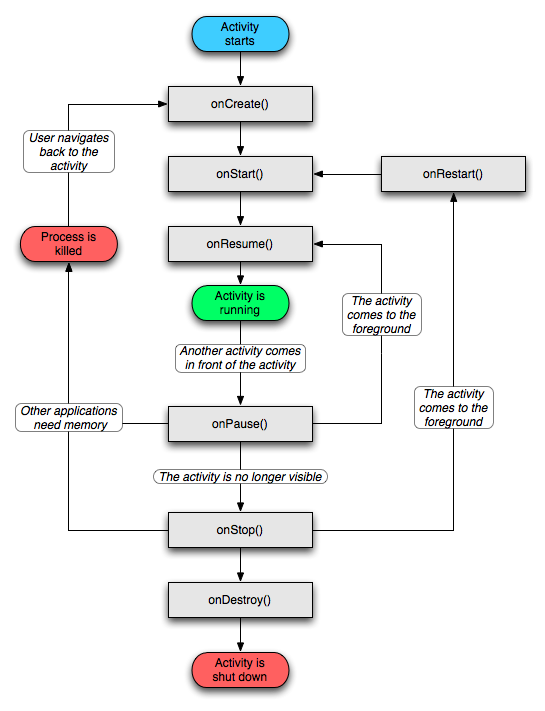 學習整理 — 從安卓源碼上看Activity
安卓開發的四大組件是Activity, service, broadcast receiver, 和content provider。作為業余的開發者,可能不需要太深入理
 Android ViewPager實現Banner循環播放
問題的起源在項目裡,有時候需要實現一個圖片輪播的效果,用來展示Banner。同時,圖片能循環播放,下面還有一排小圓點來指示當前輪播到哪一頁了。如下圖:分析· 圖片的個數是
 Android - ToDoList(fragment) 詳解
ToDoList(fragment) 詳解 版權所有, 禁止轉載, 如有需要, 請站內聯系. Fragment(碎片) 可以靈活
 Android平台Camera實時濾鏡實現方法探討(九)--磨皮算法探討(一)
上一篇開頭提到了一些可用於磨皮的去噪算法,下面我們實現這些算法並且觀察效果,咱不考慮實時性的問題本文首先探討的首先是《基於局部均方差相關信息的圖像去噪及其在實時磨皮美容算