編輯:關於Android編程
Android項目上難免要使用sd卡存儲,前段時間用過之後,現在想起來總結一下,順便以後方便查閱。也寫一個小demo。
下面開始貼代碼,代碼上有注釋。
一、DataManage類
package com.example.storagemanagedemo;

import java.io.File;
import java.io.FileInputStream;
import java.io.FileOutputStream;
import java.io.IOException;
import android.os.Environment;
import android.util.Log;

public class DataManage {

	// 打開txt文件
	public String OpenTxtFile(String strPathFileName) {
		String strTxtData = ;
		// 獲取sd卡存儲路徑根目錄
		File pathFile = Environment.getExternalStorageDirectory();
		// 判斷sd卡是否存在
		boolean sdCardExist = Environment.getExternalStorageState().equals(
				android.os.Environment.MEDIA_MOUNTED);
		if (sdCardExist) {
			String strpathFileName = pathFile.toString() + strPathFileName;
			// 判斷是否存在這個路徑是否存在這個文件
			File absolutPathFileName = new File(strpathFileName);
			if (!absolutPathFileName.exists()) {

			} else {
				strTxtData = ReadTxtDataSDFile(strpathFileName);
			}
		}
		return strTxtData;
	}

	// 保存txt格式文件
	public boolean SaveTxtFile(String strPath, String strFileName,
			String strSaveTxtData) {
		// 判斷sd卡是否存在
		boolean sdCardExist = Environment.getExternalStorageState().equals(
				android.os.Environment.MEDIA_MOUNTED);
		if (sdCardExist) {
			// 獲取sd卡存儲路徑根目錄
			File pathFile = Environment.getExternalStorageDirectory();

			// 按照SD卡指定的路徑創建文件夾
			File absolutPathFile = new File(pathFile.toString() + strPath);
			if (!absolutPathFile.exists()) {
				absolutPathFile.mkdirs();
			}

			// 在指定的文件夾中創建文件
			String strPathFileName = pathFile.toString() + strPath
					+ strFileName;
			File nameFile = new File(strPathFileName);
			if (!nameFile.exists()) {
				try {
					nameFile.createNewFile();
				} catch (IOException e) {
					e.printStackTrace();
					Log.i(Show, e.toString());
				}
			}

			// 調用函數向文件寫入數據
			try {
				WiteTxtDataSDFile(strPathFileName, strSaveTxtData);
			} catch (IOException e) {
				// TODO Auto-generated catch block
				e.printStackTrace();
			}
		}

		return false;
	}

	private String ReadTxtDataSDFile(String strpathFileName) {
		String strTxtData = ;
		try {
			FileInputStream fileInputStream = new FileInputStream(
					strpathFileName);
			int length = fileInputStream.available();
			byte[] buffer = new byte[length];
			fileInputStream.read(buffer);
			strTxtData = new String(buffer);
			fileInputStream.close();
		} catch (Exception e) {
			e.printStackTrace();
		}
		return strTxtData;
	}

	// 向文件寫入數據
	private void WiteTxtDataSDFile(String strPathFileName, String strSaveTxtData)
			throws IOException {
		File writefile = new File(strPathFileName);
		FileOutputStream fileOutputStream = new FileOutputStream(writefile);
		byte[] buffer = strSaveTxtData.getBytes();
		try {
			fileOutputStream.write(buffer);
			fileOutputStream.close();
		} catch (IOException e) {
			e.printStackTrace();
		}
	}

}
二、MainActivity類
package com.example.storagemanagedemo;

import java.io.File;

import android.os.Bundle;
import android.os.Environment;
import android.view.View;
import android.widget.EditText;
import android.widget.TextView;
import android.app.Activity;

public class MainActivity extends Activity {

	private DataManage mDataManage = new DataManage();
	private TextView showTextView;
	private TextView storageTextView;
	private EditText inputEditText;

	@Override
	protected void onCreate(Bundle savedInstanceState) {
		super.onCreate(savedInstanceState);
		setContentView(R.layout.activity_main);

		showTextView = (TextView) findViewById(R.id.textView3);
		storageTextView = (TextView) findViewById(R.id.textView1);
		inputEditText = (EditText) findViewById(R.id.editText1);
		File pathFile = Environment.getExternalStorageDirectory();
		String strpath = 存儲位置以及文件名: + pathFile.toString() + /txt/result.txt;
		storageTextView.setText(strpath);
	}

	// 按鍵保存文件
	public void SavePraseData(View v) {
		mDataManage.SaveTxtFile(/txt, /result.txt, inputEditText.getText()
				.toString());
	}

	// 按鍵打開文件
	public void OpenPraseData(View v) {
		String strShowDataString = ;
		strShowDataString = mDataManage.OpenTxtFile(/txt/result.txt);
		showTextView.setText(strShowDataString);
	}

}
三、xml
四、記得在AndroidManifest加入權限。
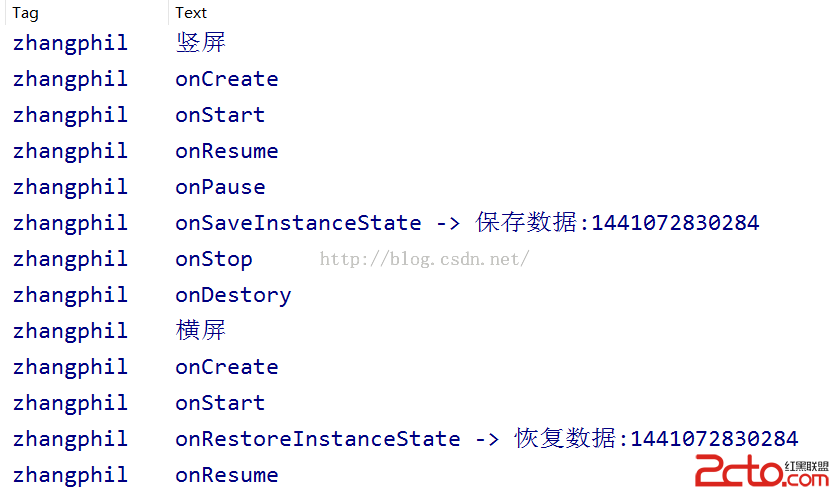 Android Activity生命周期以及onSaveInstanceState、onRestoreInstanceState要點備忘
Android Activity生命周期以及onSaveInstanceState、onRestoreInstanceState要點備忘 一般的,當
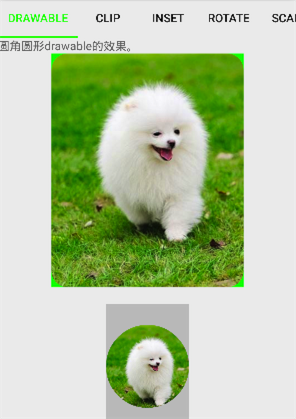 Android開發——Color/Drawable
Android開發中,我們經常會用到Color或Drawable,有時他們是可以混用的,有時卻有嚴格的區別。Drawable體系結構Drawable是可繪制物件的一般抽象
 安卓APK瘦身
之前打包的時候直接就用eclipse或者android studio直接生成簽名文件,並沒有關心大小問題,最近有人問我有沒有對APK進行瘦身,對這方面內容一致沒有關注過,
 Android高仿QQ6.0側滑刪除實例代碼
推薦閱讀:先給大家分享一下,側滑刪除,布局也就是前面一個item,然後有兩個隱藏的按鈕(TextView也可以),然後我們可以向左側滑動,然後顯示出來,然後對delete