編輯:關於Android編程
android 常用代碼片段,前1-10條是從網上摘錄,向原作者致謝。後面為自己整理。
1、設置窗口格式為半透明

getWindow().setFormat(PixelFormat.TRANSLUCENT);

2、Android中在非UI線程裡更新View的不同方法:

* Activity.runOnUiThread( Runnable )

* View.post( Runnable )

* View.postDelayed( Runnable, long )

* Hanlder

3、全屏顯示窗口

requestWindowFeature(Window.FEATURE_NO_TITLE);

getWindow().setFlags(WindowManager.LayoutParams.FLAG_FULLSCREEN, WindowManager.LayoutParams.FLAG_FULLSCREEN);

4、取得屏幕大小

方法A:

WindowManager windowManager = getWindowManager();

Display display = windowManager.getDefaultDisplay();

hAndW[0] = display.getWidth();

hAndW[1] = display.getHeight();

方法B:

DisplayMetrics dm = new DisplayMetrics();

getWindowManager().getDefaultDisplay().getMetrics(dm);

hAndW[0] = dm.widthPixels;

hAndW[1] = dm.heightPixels;

5、調浏覽器 載入網址

Uri uri = Uri.parse("http://www.google.com");

Intent it = new Intent(Intent.ACTION_VIEW, uri);

startActivity(it);

6、取得內存大小

ActivityManager.MemoryInfo outInfo = new ActivityManager.MemoryInfo();

activityManager.getMemoryInfo(outInfo);

//可用內存

outInfo.availMem

//是否在低內存狀態

outInfo.lowMemory

取得ScrollView的實際高度

scrollview.getHeight()

scrollview.getMeasuredHeight()

scrollview.compute()

scrollview.getLayoutParams().height

7、監聽App安裝/卸載事件

A.Define a class derived from class BroadcastReceiver;

B.Register broadcast receiver;

MyBroadcastReceiver myReceiver = new MyBroadcastReceiver();

IntentFilter filter = new IntentFilter(Intent.ACTION_PACKAGE_INSTALL);

filter.addAction(Intent.ACTION_PACKAGE_REMOVED);

filter.addAction(Intent.ACTION_PACKAGE_ADDED);

filter.addAction(Intent.ACTION_PACKAGE_CHANGED);

filter.addAction(Intent.ACTION_PACKAGE_RESTARTED);

...

filter.addDataScheme("package"); //This line is very important. Otherwise, broadcast can't be received.

registerReceiver(myReceiver, filter);

Notes: The package name is Intent.mData. Intent.mData is not available in SDK 1.0, but it can be retrieved by calling Intent.getDataString();

8、取得IP地址

A.

//Connect via WIFI 通過wifi

WifiManager wifiManager = (WifiManager) getSystemService(WIFI_SERVICE);

WifiInfo wifiInfo = wifiManager.getConnectionInfo();

int ipAddress = wifiInfo.getIpAddress();

B.

//Connect via GPRS通過gprs

public String getLocalIpAddress(){

try{

for(Enumeration en = NetworkInterface.getNetworkInterfaces(); en.hasMoreElements();){

NetworkInterface intf = en.nextElement();

for (Enumeration enumIpAddr = intf.getInetAddresses(); enumIpAddr.hasMoreElements();){

InetAddress inetAddress = enumIpAddr.nextElement();

if (!inetAddress.isLoopbackAddress()){

return inetAddress.getHostAddress().toString();

}

}

}

}catch (SocketException ex){

Log.e(S.TAG, ex.toString());

}

return null;

}

9、ListView 後面adapter數據已更改,但是ListView沒有收到Notification

首先,必須將 更新adapter數據的代碼放在:Handler.post(Runnable)方法中執行;

然後,如果Adapter數據的來源如果是cursor(CursorAdapter)的話 可以cursor.requery一下,如果是別的可以強制調用一下notifyChange, notifyChange 會調用 invalidate 進行重繪;

10、模擬HOME鍵

Intent i=new Intent(Intent.ACTION_MAIN);

i.addCategory(Intent.CATEGORY_HOME);

i.addFlags(Intent.FLAG_ACTIVITY_NEW_TASK);

context.startActivity(i);

11、設置焦點

editText.setFocusable(true);

editText.requestFocus();

editText.setFocusableInTouchMode(true);
12:在一個應用中去調用另一個app
例如:
if (Utils.isAvilible(context, "com.netschool.main.ui"))
		{
		    Intent i = new Intent();
		    ComponentName cn = new ComponentName("com.netschool.main.ui",
			    "com.netschool.main.ui.SplashScreenActivity");
		    i.setComponent(cn);
		    startActivity(i);
		}
		else
		{
		    Uri uri = Uri.parse(context.getString(R.string.url_zhuanti_download));
		    Intent it = new Intent(Intent.ACTION_VIEW, uri);
		    it.setData(uri);
		    startActivity(it);
		}

13:andoroid TextView 顯示特殊字符


 String course_jianjie ="xxxxxxxxxx";
//字符串中有 \r\n 需要替換為

	    String temp =course_jianjie.replaceAll("\\r\\n", "
");
//用html 來顯示
	    CharSequence styledText = Html.fromHtml(temp);
//設置要顯示的控件
	    mCourseDescTv.setText(styledText);
14:使用NotificationManager觸發多個Notification,只顯示最後一個的問題
只要每個不同的Intent對應傳遞一個獨立的ID就可以了,以上函數修改如下(增加ID參數):

private Notification genreNotification(Context context, int icon, String tickerText, String title, String content, Intent intent, int id){

	Notification notification = new Notification(icon, tickerText, System.currentTimeMillis());

	// 問題就在這裡的id了
        PendingIntent pendIntent = PendingIntent.getActivity(context, id, intent, PendingIntent.FLAG_UPDATE_CURRENT);

notification.setLatestEventInfo(context, title, content, pendIntent);

	notification.flags |= Notification.FLAG_AUTO_CANCEL;

return notification;
    }


...
mNotificationManager.notify(ID_1,

genreNotification(mContext, ICON_RES,

notifyText1, notifyTitle1, notifyText1, intent_1, ID_1));
...
mNotificationManager.notify(ID_2,

genreNotification(mContext, ICON_RES,

notifyText2, notifyTitle2, notifyText2, intent_2, ID_2));

...
mNotificationManager.notify(ID_3,

genreNotification(mContext, ICON_RES,

notifyText3, notifyTitle3, notifyText3, intent_3, ID_3));


15: adb 命令截圖

adb shell /system/bin/screencap -p /sdcard/screenshot.png(保存到SDCard)
adb pull /sdcard/screenshot.png d:/screenshot.png(保存到電腦)

16:跳出for循環

OK:
 for(int i=0;i<100;i++){
 if(i==10){
 break OK;
 }

 }

17:使用viewPager加載超過3頁
有時會報出 The specified child already has a parent. You must call removeView() on the child's parent first 的錯誤
此時:可以簡單的用
mViewPager.setOffscreenPageLimit(3);解決
備注:單這不是萬能之策,也不是優選之策

18:
	/**
	 * @Description:調節音量大小
	 * @author: jrh
	 * @date: 2014-11-13 下午3:06:46
	 * @return: void
	 * @param percent
	 */
	private void onVolumeSlide(float percent)
	{
	    if (mVolume == -1)
	    {
		mVolume = mAudioManager.getStreamVolume(AudioManager.STREAM_MUSIC);
		if (mVolume < 0)
		{
		    mVolume = 0;
		}
		mOperationBg.setImageResource(R.drawable.video_volumn_bg);
		mVolumeBrightnessLayout.setVisibility(View.VISIBLE);
	    }
	    int index = (int) ((percent * mMaxVolume) + mVolume);
	    if (index > mMaxVolume)
	    {
		index = mMaxVolume;// 最大音量

	    }
	    else if (index < 0)
	    {
		index = 0;// 靜音
	    }

	    // 變更聲音
	    mAudioManager.setStreamVolume(AudioManager.STREAM_MUSIC, index, 0);

	    // 變更進度條
	    ViewGroup.LayoutParams lp = mOperationPercent.getLayoutParams();
	    lp.width = findViewById(R.id.operation_full).getLayoutParams().width * index /
		    mMaxVolume;
	    mOperationPercent.setLayoutParams(lp);

	}

19	/**
	 * @Description:調節屏幕亮度
	 * @author: jrh
	 * @date: 2014-11-13 下午3:17:40
	 * @return: void
	 * @param percent
	 */
	private void onBrightnessSlide(float percent)
	{
	    if (mBrightness < 0)
	    {
		mBrightness = getWindow().getAttributes().screenBrightness;
		if (mBrightness <= 0.00f)
		{
		    mBrightness = 0.50f;
		}
		else if (mBrightness < 0.01f)
		{

		    mBrightness = 0.01f;

		}
		// 顯示
		mOperationBg.setImageResource(R.drawable.video_brightness_bg);
		mVolumeBrightnessLayout.setVisibility(View.VISIBLE);

	    }

	    WindowManager.LayoutParams lpa = getWindow().getAttributes();
	    lpa.screenBrightness = mBrightness + percent;
	    if (lpa.screenBrightness > 1.0f)
	    {
		lpa.screenBrightness = 1.0f;// 最亮
	    }
	    else if (lpa.screenBrightness < 0.01f)
	    {

		lpa.screenBrightness = 0.01f;
	    }
	    getWindow().setAttributes(lpa);

	    ViewGroup.LayoutParams lp = mOperationPercent.getLayoutParams();
	    lp.width = (int) (findViewById(R.id.operation_full).getLayoutParams().width * lpa.screenBrightness);
	    mOperationPercent.setLayoutParams(lp);

	}
20:viewpager + fragment 布局時有時會報下面的錯誤
11-14 13:52:45.266: E/AndroidRuntime(4561): FATAL EXCEPTION: main
11-14 13:52:45.266: E/AndroidRuntime(4561): java.lang.NullPointerException
11-14 13:52:45.266: E/AndroidRuntime(4561): 	at android.support.v4.app.FragmentManagerImpl.saveFragmentBasicState(FragmentManager.java:1576)
解決方法:
在繼承fragment的裡面重寫
    @Override
    public void onSaveInstanceState(Bundle outState)
    {
        // TODO Auto-generated method stub
        super.onSaveInstanceState(outState);
        setUserVisibleHint(true);
    }


21:service 服務並不是另開一個線程 ,處理service 時最好單獨開線程進行處理
22:不要在receiver 裡面處理耗時工作
23:如果布局時: 想要在字中間加空格 可以使用 " ;" html 的空格實體編號添加。注意:一個漢字相當於 兩個空格字符。

24:volatile java 關鍵字 保證了線程可以讀取其他線程的寫入值、
   Thread.join()  方法保證了該線程優先執行 其他線程等待
   Thread.yied() 方法 讓出時間讓其它線程可以執行
   如何停止線程?
   不要隨意調用 Thread.stop()方法 ,該方法不是正確的停止線程方法 會導致一些其他的問題
   使用推出的旗桿標志 :如設置 boolean 值等
   結束時及時清理資源
   使用代碼邏輯來使得線程執行結束 (使thread 線程內部的代碼 任務執行完畢)

25:如何在TextVeiw下加入一條線

TextView tv = new TextView();
tv.getPaint().setFlags(Paint.UNDERLINE_TEXT_FLAG);

26:android 4.4 以上無法在外置SD卡創建文件夾
 解決方法:
  @A   File dirFile = new File(temp.trim());
	if (!dirFile.exists())
	{// 對於4.4以上版本特別重要
	    getApplicationContext().getExternalFilesDir(null);
	    dirFile.mkdirs();
	}
   @B   文件路徑:/android/data/包名/
27:在:
 android:targetSdkVersion="18"

 隨著版本號的改變 界面元素,顯示方式是不一樣的

28:android 獲取所有存儲卡的地址
 	private String[] getSdCard() {
		StorageManager sm = (StorageManager) getSystemService(Context.STORAGE_SERVICE);
		String[] paths = null;
		try {
			paths = (String[]) sm.getClass().getMethod("getVolumePaths", null)
					.invoke(sm, null);
		} catch (IllegalAccessException e) {
			// TODO Auto-generated catch block
			e.printStackTrace();
		} catch (IllegalArgumentException e) {
			// TODO Auto-generated catch block
			e.printStackTrace();
		} catch (InvocationTargetException e) {
			// TODO Auto-generated catch block
			e.printStackTrace();
		} catch (NoSuchMethodException e) {
			// TODO Auto-generated catch block
			e.printStackTrace();
		}
		return paths;
	}


29:百度地圖 出現問題
A:報錯
java.lang.UnsatisfiedLinkError: Couldn't load BaiduMapSDK_v3_2_0_15 from loader dalvik.system.PathClassLoader[dexPath=/data/app/com.znxh.haohao-1.apk,libraryPath=/data/app-lib/com.znxh.haohao-1]: findLibrary returned null

解決方法:
1:現在libs下建armeabi文件夾,然後加入.so庫文件;
2:如果上述方法不行:再在libs下建armeabi-v7a文件夾,再導入相應.so庫文件

3:定位時一定要在mainfest 文件中注冊服務:


30:處理圖片上傳的工具類
    /*
     * 上傳頭像
     *
     * @param urlStr url地址
     *
     * @param userid 用戶id
     *
     * @param urlStr 要上傳的圖片
     */
    public static Runnable upLoadFile(final Handler handler, final String urlString,
        final String userid, final File file)
    {

    Runnable runnable = new Runnable()
    {
        @Override
        public void run()
        {

        int res = 0;
        String result = null;
        String BOUNDARY = UUID.randomUUID().toString(); // 邊界標識 隨機生成
        String PREFIX = "--", LINE_END = "\r\n";
        String CONTENT_TYPE = "multipart/form-data"; // 內容類型

        try
        {
            URL url = new URL(urlString);
            HttpURLConnection conn = (HttpURLConnection) url.openConnection();
            conn.setReadTimeout(2000);
            conn.setConnectTimeout(2000);
            conn.setDoInput(true); // 允許輸入流
            conn.setDoOutput(true); // 允許輸出流
            conn.setUseCaches(false); // 不允許使用緩存
            conn.setRequestMethod("POST"); // 請求方式
            conn.setRequestProperty("Charset", "UTF-8"); // 設置編碼
            conn.setRequestProperty("connection", "keep-alive");
            conn.setRequestProperty("Content-Type", CONTENT_TYPE + ";boundary=" + BOUNDARY);

            if (file != null)
            {
            /**
             * 當文件不為空時執行上傳
             */
            DataOutputStream dos = new DataOutputStream(conn.getOutputStream());
            StringBuffer sb = new StringBuffer();

            sb.append("--" + BOUNDARY + "\r\n");
            sb.append("Content-Disposition: form-data; name=\"userid\"" + "\r\n");
            sb.append("\r\n");
            sb.append(userid + "\r\n");

            sb.append(PREFIX);
            sb.append(BOUNDARY);
            sb.append(LINE_END);
            /**
             * 這裡重點注意: name裡面的值為服務器端需要key 只有這個key 才可以得到對應的文件 filename是文件的名字,包含後綴名
             */

            sb.append("Content-Disposition: form-data; name=\"photo\"; filename=\"" +
                file.getName() + "\"" + LINE_END);
            sb.append("Content-Type: image/pjpeg; charset=" + "UTF-8" + LINE_END);
            sb.append(LINE_END);
            dos.write(sb.toString().getBytes());
            InputStream is = new FileInputStream(file);
            byte[] bytes = new byte[1024];
            int len = 0;
            while ((len = is.read(bytes)) != -1)
            {
                dos.write(bytes, 0, len);
            }
            is.close();
            dos.write(LINE_END.getBytes());
            byte[] end_data = (PREFIX + BOUNDARY + PREFIX + LINE_END).getBytes();
            dos.write(end_data);
            dos.flush();
            /**
             * 獲取響應碼 200=成功 當響應成功,獲取響應的流
             */
            res = conn.getResponseCode();
            Log.i("return code", "response code:" + res);
            Log.i("userid", "" + userid);
            if (res == 200)
            {
                InputStream input = conn.getInputStream();
                StringBuffer sb1 = new StringBuffer();
                int ss;
                while ((ss = input.read()) != -1)
                {
                sb1.append((char) ss);
                }
                result = sb1.toString();
                Log.i("return", "result : " + result);
                Message message = Message.obtain();
                message.what = 666;
                handler.sendMessage(message);
            }
            else
            {
                Log.i("return", "request error");
            }
            }
        }
        catch (MalformedURLException e)
        {
            e.printStackTrace();
        }
        catch (IOException e)
        {
            e.printStackTrace();
        }

        }

    };

    return runnable;
    }
 酷派cool1生態手機和樂視2哪個好 cool1和樂2區別對比
ool1手機的亮點在於雙攝2.0技術的1300萬雙後置鏡頭,系統也進化到樂視EUI。這樣的一款手機很多人很好奇它和年初發布的樂視2超級手機哪個好?那麼到底c
 Android 熱補丁動態修復框架小結
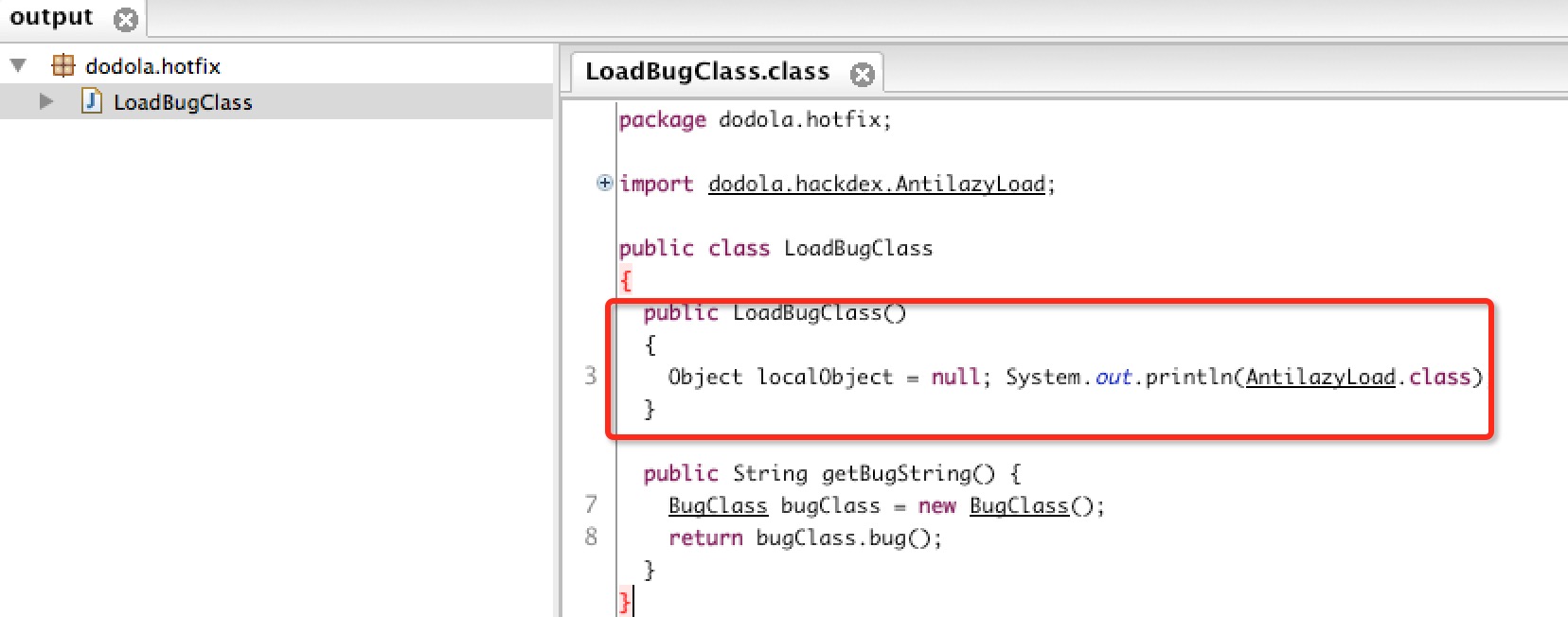
一、概述最新github上開源了很多熱補丁動態修復框架,大致有:上述三個框架呢,根據其描述,原理都來自:安卓App熱補丁動態修復技術介紹,以及Android
 Android中圖案解鎖的設計原理和實現過程
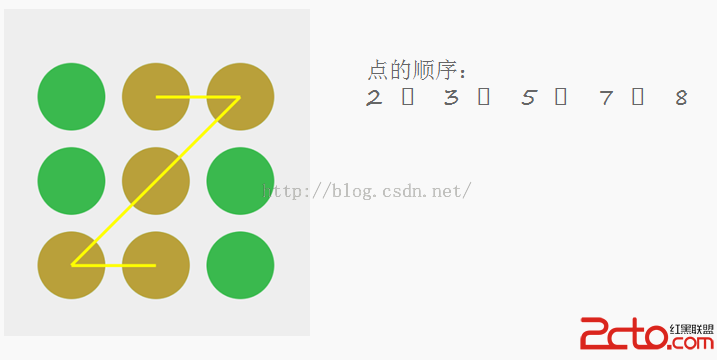
Android中圖案解鎖首先要理解圖案的實現原理,上一張圖: 由上圖,可以看出,圖案中手勢的記錄是1-9或0-8的,保存的順序就是密碼,當然有些是可以重復的,為了安全,
 Android選項卡動態滑動效果
本文會實現一個類似網易新聞(不說網易新聞大家可能不知道大概是什麼樣子)點擊超多選項卡,選項卡動態滑動的效果。首先來看看布局,就是用HorizontalScrollView