編輯:關於Android編程
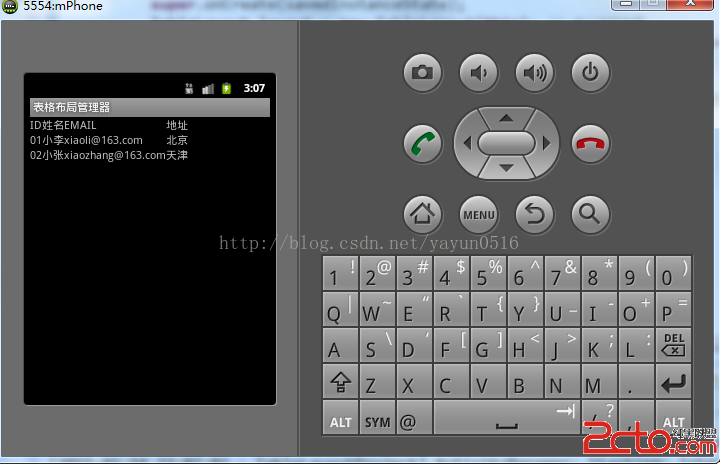
.java代碼如下:
package org.lxh.demo;

import android.app.Activity;
import android.os.Bundle;
import android.view.ViewGroup;
import android.widget.TableLayout;
import android.widget.TableRow;
import android.widget.TextView;

public class MyTableLayoutDemo extends Activity {
	private String titleData[][] = new String[][] {
			{ ID, 姓名, EMAIL, 地址 },
			{ 01, 小李, xiaoli@163.com,
					北京 },
			{ 02, 小張, xiaozhang@163.com, 天津 } }; // 定義要顯示的數據

	@Override
	public void onCreate(Bundle savedInstanceState) {
		super.onCreate(savedInstanceState);
		TableLayout layout = new TableLayout(this); // 定義表格布局
		TableLayout.LayoutParams layoutParam = new TableLayout.LayoutParams(
				ViewGroup.LayoutParams.FILL_PARENT,
				ViewGroup.LayoutParams.FILL_PARENT); // 定義布局管理器的參數
		//layout.setBackgroundResource(R.drawable.mldn_logo); // 定義背景圖片
		for (int x = 0; x < this.titleData.length; x++) { // 循環設置表格行
			TableRow row = new TableRow(this); // 定義表格行
			for (int y = 0; y < this.titleData[x].length; y++) {
				TextView text = new TextView(this);
				text.setText(this.titleData[x][y]); // 設置文本內容
				row.addView(text, y); // 加入一個編號
			}
			layout.addView(row); // 向表格之中增加若干個表格行
		}
		super.setContentView(layout, layoutParam); // 設置顯示
	}
}
 Android 中的小細節
1.EditView的自定義樣式其實這部分大家一定不陌生,通常默認的樣式都與我們的設計樣式有出入,那麼就需要我們自定義,通常我們使用Android:background=
 Android自定義相機實現定時拍照功能
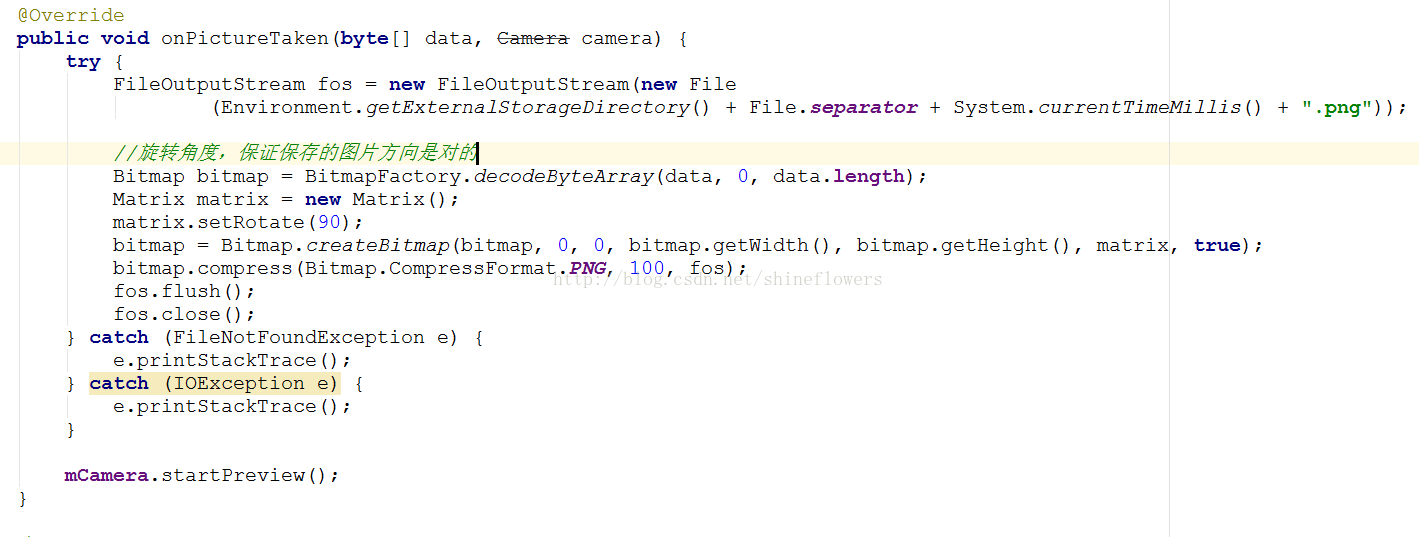
這篇博客為大家介紹Android自定義相機,並且實現倒計時拍照功能。首先自定義拍照會用到SurfaceView控件顯示照片的預覽區域,以下是布局文件:activity_m
 Android doc|Getting Started| Training部分 --翻譯 Working with System Permissions
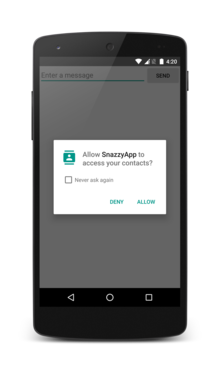
Working with System PermissionsTo protect the system’s integrity and the user&r
 14條Android Studio常用的的配置
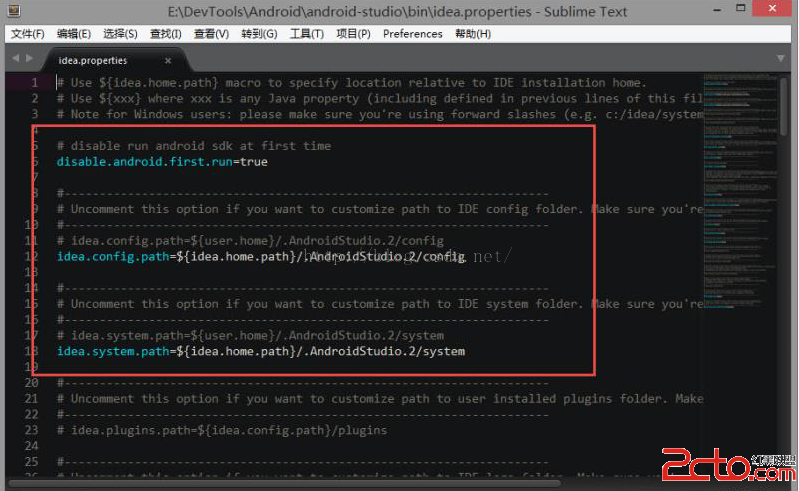
14條Android Studio常用的的配置1,修改idea.properties文件找到\bin\idea.properties文件,打開,改成這樣:#禁止第一次運行