編輯:關於Android編程
/**
     * 分享功能
     *
     * @param context
     *            上下文
     * @param activityTitle
     *            Activity的名字
    * @param msgTitle
     *            消息標題
     * @param msgText
    *            消息內容
     * @param imgPath
     *            圖片路徑,不分享圖片則傳null
     */
    public void shareMsg(String activityTitle, String msgTitle, String msgText,
            String imgPath) {
        Intent intent = new Intent(Intent.ACTION_SEND);
        if (imgPath == null || imgPath.equals("")) {
            intent.setType("text/plain"); // 純文本
        } else {
            File f = new File(imgPath);
            if (f != null && f.exists() && f.isFile()) {
                intent.setType("image/jpg");
              Uri u = Uri.fromFile(f);
                intent.putExtra(Intent.EXTRA_STREAM, u);
            }
        }
        intent.putExtra(Intent.EXTRA_SUBJECT, msgTitle);
        intent.putExtra(Intent.EXTRA_TEXT, msgText);
        intent.setFlags(Intent.FLAG_ACTIVITY_NEW_TASK);
        startActivity(Intent.createChooser(intent, activityTitle));
    }
簡單,直接使用! Android仿微信實現下拉列表
本文要實現微信6.1中點擊頂部菜單欄的“+”號按鈕時,會彈出一個列表框。這裡用的了Activity實現,其實最好的方法可以用ActionBar,不過這貨好像只
 android apk獲取root權限執行相應的操作
在apk中,有時候需要root權限,例如通過apk更新系統庫等system的文件等,避免升級固件,或者在apk中需要直接訪問某些設備等。下面是在apk中獲取root權限的
 Android自定義控件打造閃閃發光字體
介紹在小米的開機動畫和一些歡迎界面中, 我們經常看到這種閃閃發光的流光字體。看起來很炫酷,其實實現原理相當簡單,我們只需要寫自定義控件繼承TextView,然後使用渲染器
 Android Timer使用的實例代碼
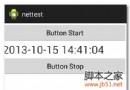
1:服務端使用PHP 復制代碼 代碼如下:<?php echo date(Y-m-d H:i:s);?>2:activit