編輯:關於Android編程
public static byte[] little_intToByte(int i, int len) {
        byte[] abyte = new byte[len];
        if (len == 1) {
            abyte[0] = (byte) (0xff & i);
        } else if (len == 2) {
            abyte[0] = (byte) (0xff & i);
            abyte[1] = (byte) ((0xff00 & i) >> 8);
        } else {
            abyte[0] = (byte) (0xff & i);
            abyte[1] = (byte) ((0xff00 & i) >> 8);
            abyte[2] = (byte) ((0xff0000 & i) >> 16);
            abyte[3] = (byte) ((0xff000000 & i) >> 24);
        }
        return abyte;
    }

    public static int little_bytesToInt(byte[] bytes) {
        int addr = 0;
        if (bytes.length == 1) {
            addr = bytes[0] & 0xFF;
        } else if (bytes.length == 2) {
            addr = bytes[0] & 0xFF;
            addr |= (((int) bytes[1] << 8) & 0xFF00);
        } else {
            addr = bytes[0] & 0xFF;
            addr |= (((int) bytes[1] << 8) & 0xFF00);
            addr |= (((int) bytes[2] << 16) & 0xFF0000);
            addr |= (((int) bytes[3] << 24) & 0xFF000000);
        }
        return addr;
    }

    /**
     * int to byte[] 支持 1或者 4 個字節
     *
     * @param i
     * @param len
     * @return
     */
    public static byte[] big_intToByte(int i, int len) {
        byte[] abyte = new byte[len];
        ;
        if (len == 1) {
            abyte[0] = (byte) (0xff & i);
        } else if (len == 2) {
            abyte[0] = (byte) ((i >>> 8) & 0xff);
            abyte[1] = (byte) (i & 0xff);
        } else {
            abyte[0] = (byte) ((i >>> 24) & 0xff);
            abyte[1] = (byte) ((i >>> 16) & 0xff);
            abyte[2] = (byte) ((i >>> 8) & 0xff);
            abyte[3] = (byte) (i & 0xff);
        }
        return abyte;
    }

    public static int big_bytesToInt(byte[] bytes) {
        int addr = 0;
        if (bytes.length == 1) {
            addr = bytes[0] & 0xFF;
        } else if (bytes.length == 2) {
            addr = bytes[0] & 0xFF;
            addr = (addr << 8) | (bytes[1] & 0xff);
        } else {
            addr = bytes[0] & 0xFF;
            addr = (addr << 8) | (bytes[1] & 0xff);
            addr = (addr << 8) | (bytes[2] & 0xff);
            addr = (addr << 8) | (bytes[3] & 0xff);
        }
        return addr;
    }
這個是看大小端的函數:
// 獲得本機CPU大小端
    public static boolean isBigendian() {
        short i = 0x1;
        boolean bRet = ((i >> 8) == 0x1);
        Log.i(tags, "bRet = " + bRet);
        return bRet;
    }
 Android實現九宮格(GridView中各項平分空間)的方法
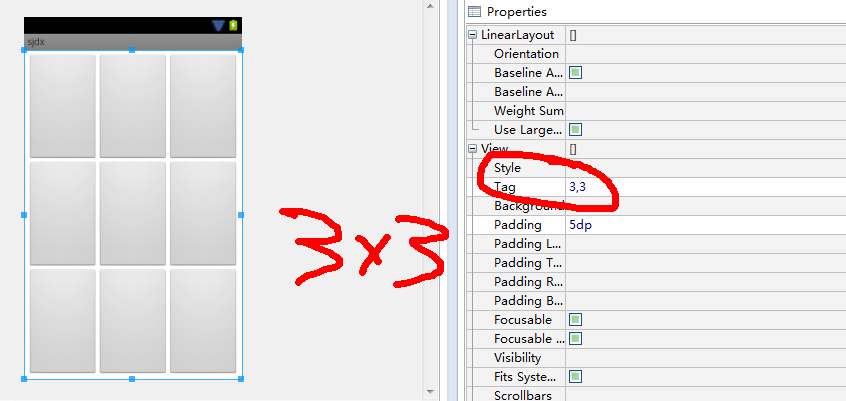
本文實例講述了Android實現九宮格(GridView中各項平分空間)的方法。分享給大家供大家參考。具體如下:項目需要做一個九宮格(也不一定是9的,4宮格、16宮格、4
 (Android review)文件的讀寫(對File的操作)
Android中對操作的文件主要可以分為:File、XML、SharedPreference。這篇博客主要介紹對File的操作:1、MainActivity保存到SD卡中
 Android簽名機制之---簽名驗證過程詳解
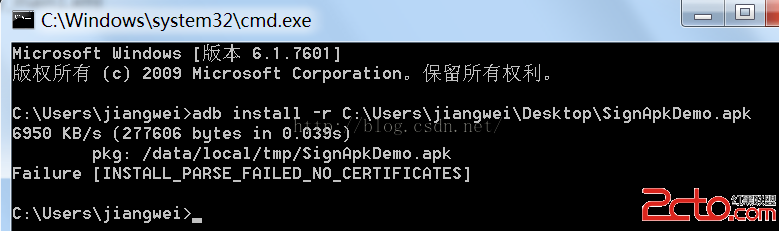
一、前言今天是元旦,也是Single Dog的嚎叫之日,只能寫博客來祛除寂寞了,今天我們繼續來看一下Android中的簽名機制的姊妹篇:Android中是如何驗證一個Ap
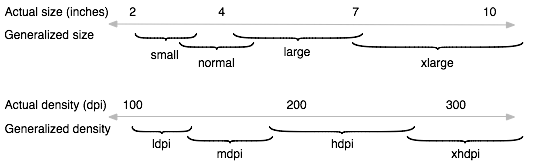 Android Training學習筆記之適配不同的設備
Android是一個開源的開放的操作系統,世界上的任何人都可以基於這個系統進行適合自己的定制活動。Android的這樣一個特點使得android世界的碎片化很嚴重,形形色