編輯:關於Android編程
<RelativeLayout xmlns:android="http://schemas.android.com/apk/res/android"
    xmlns:tools="http://schemas.android.com/tools"
    android:layout_width="fill_parent"
    android:layout_height="fill_parent"
    tools:context=".MainActivity" >

    <TextView
        android:id="@+id/tv"
        android:layout_width="fill_parent"
        android:layout_height="wrap_content"
        android:text="@string/hello_world" />
    <WebView
        android:layout_below="@+id/tv"
        android:id="@+id/webview"
        android:layout_width="fill_parent"
        android:layout_height="fill_parent"
    />
</RelativeLayout>
package com.example.webview_workflowy;

import android.app.Activity;
import android.content.Intent;
import android.net.Uri;
import android.os.Bundle;
import android.webkit.WebView;
import android.widget.Toast;

public class MainActivity extends Activity {

    private WebView webView;

    public void onCreate(Bundle savedInstanceState) {
        super.onCreate(savedInstanceState);
        setContentView(R.layout.activity_main);
        //加載頁面
        webView = (WebView) findViewById(R.id.webview);
        //允許JavaScript執行
        webView.getSettings().setJavaScriptEnabled(true);
        //找到Html文件,也可以用網絡上的文件
        webView.loadUrl("file:///android_asset/index.html");
        // 添加一個對象, 讓JS可以訪問該對象的方法, 該對象中可以調用JS中的方法
        webView.addJavascriptInterface(new Contact(), "contact");
    }

    private final class Contact {
        //JavaScript調用此方法撥打電話
        public void call(String phone) {
//            startActivity(new Intent(Intent.ACTION_CALL, Uri.parse("tel:" + phone)));
            Toast.makeText(MainActivity.this, phone, Toast.LENGTH_LONG).show();
        }

        //Html調用此方法傳遞數據
        public void showcontacts() {
            String json = "[{\"name\":\"zxx\", \"amount\":\"9999999\", \"phone\":\"18600012345\"}]";
            // 調用JS中的方法
            webView.loadUrl("javascript:show('" + json + "')");
        }

        public void toast(String str){
            Toast.makeText(MainActivity.this, "aaaaaaaaaaaa  --- " + str, Toast.LENGTH_LONG).show();
        }
    }

}
html
<!DOCTYPE html PUBLIC "-//W3C//DTD HTML 4.01 Transitional//EN" "http://www.w3.org/TR/html4/loose.dtd">
<html>
    <head>
        <meta http-equiv="Content-Type" content="text/html; charset=UTF-8">
        <title>Insert title here</title>
        <script type="text/javascript">
            function show(jsondata){
                    var jsonobjs = eval(jsondata);
                    var table = document.getElementById("personTable");
                    for(var y=0; y<jsonobjs.length; y++){
                        var tr = table.insertRow(table.rows.length);
                        var td1 = tr.insertCell(0);
                        var td2 = tr.insertCell(1);
                        td2.align = "center";
                        var td3 = tr.insertCell(2);
                        td3.align = "center";
                        td1.innerHTML = jsonobjs[y].name;
                        td2.innerHTML = jsonobjs[y].amount;
                        td3.innerHTML = "<a href='javascript:contact.call(\""+ jsonobjs[y].phone+ "\")'>"+ jsonobjs[y].phone+ "</a>";
                    }
            }
        </script>
    </head>
    <body onload="javascript:contact.showcontacts()">
       <button id="button" onclick = "javascript:contact.toast('123')">haha</button>
       <table border="0" width="100%" id="personTable" cellspacing="0">
            <tr>
                <td width="30%">姓名</td>
                <td width="30%" align="center">存款</td>
                <td align="center">電話</td>
            </tr>
        </table>
    </body>
</html>
 Android_GestureDetector手勢滑動使用
Gesture在 ViewGroup中使用GestureDetector類可以讓我們快速的處理手勢事件,如點擊,滑動等。使用GestureDetector分三步:1. 定
 Android 自定義組件成JAR包的實現方法
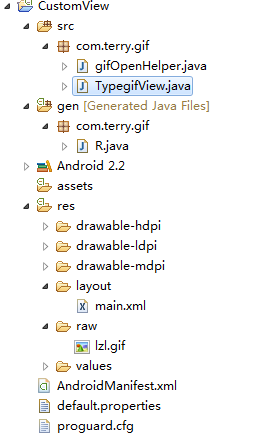
Android 自定義組件成JAR包的實現方法,這裡對自己實現的Android View 組件進行JAR 包的處理。 &nb
 OpenglES2.0 for Android:來畫個矩形吧
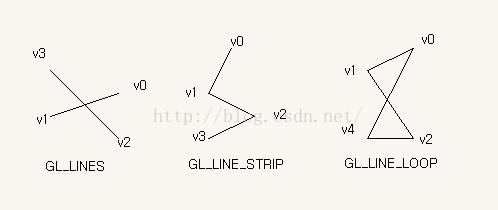
上一節中我們繪制了一個三角形,我們在上一節的基礎上來完成矩形的繪制 。OK,開始動手做吧,首先在上一節的項目中的shape目錄下新建一個類——Sq
 Android:基於百度雲推送的聊天系統
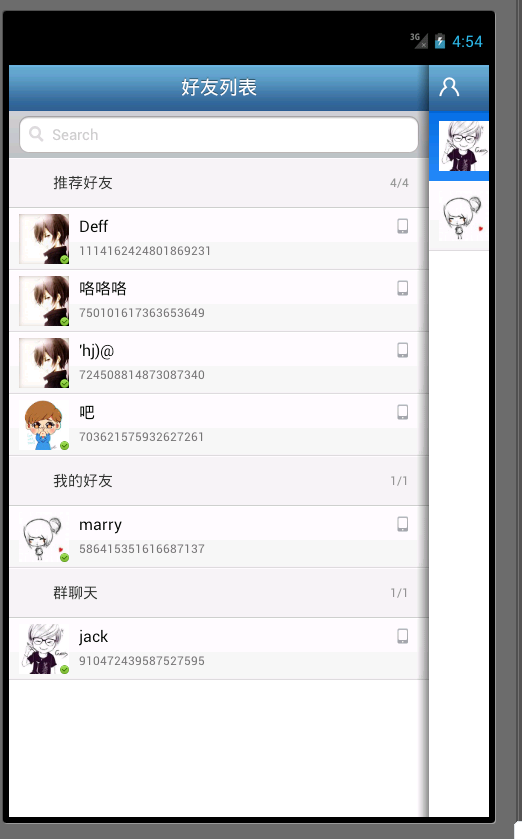
一、系統運行圖 二、原理下面通過幾個問題來說明下實現的原理:1、如何實現給某個用戶發送消息呢?其實就是利用百度雲提供的REST A