編輯:關於Android編程
使用SharedPreference時,數據的保存必須使用commit()方法,否則數據不會保存;
數據會保存在DDMS的包目錄下的shared_prefs下:
Activity代碼
public class ContentProviderActivity extends Activity {
    /** Called when the activity is first created. */
    private static final String FILENAME = "tmacsky";
    private TextView author = null;
    private TextView age = null;

    public void onCreate(Bundle savedInstanceState) {
        super.onCreate(savedInstanceState);
        /*SharedPreferences share = getSharedPreferences(FILENAME,Activity.MODE_PRIVATE);
        SharedPreferences.Editor editor = share.edit();//指定操作的文件名稱
        editor.putString("author", "huanglong");
        editor.putInt("age", 24);
        editor.commit();*///第一段代碼
        setContentView(R.layout.main);
        author = (TextView)findViewById(R.id.author);
        age = (TextView)findViewById(R.id.age);
        SharedPreferences share = getSharedPreferences(FILENAME, Activity.MODE_PRIVATE);
        author.setText("作者: "+share.getString("author", "沒有作者信息"));
        age.setText("年齡: "+share.getInt("age", 0));//第2段代碼
    }
}

public class ContentProviderActivity extends Activity {
    /** Called when the activity is first created. */
    private static final String FILENAME = "tmacsky";
    private TextView author = null;
    private TextView age = null;

    public void onCreate(Bundle savedInstanceState) {
        super.onCreate(savedInstanceState);
        /*SharedPreferences share = getSharedPreferences(FILENAME,Activity.MODE_PRIVATE);
        SharedPreferences.Editor editor = share.edit();//指定操作的文件名稱
        editor.putString("author", "huanglong");
        editor.putInt("age", 24);
        editor.commit();*///第一段代碼
        setContentView(R.layout.main);
        author = (TextView)findViewById(R.id.author);
        age = (TextView)findViewById(R.id.age);
        SharedPreferences share = getSharedPreferences(FILENAME, Activity.MODE_PRIVATE);
        author.setText("作者: "+share.getString("author", "沒有作者信息"));
        age.setText("年齡: "+share.getInt("age", 0));//第2段代碼
    }
}
XML代碼
?<?xml version="1.0" encoding="utf-8"?>
<LinearLayout xmlns:android="http://schemas.android.com/apk/res/android"
    android:layout_width="fill_parent"
    android:layout_height="fill_parent"
    android:orientation="vertical" >
    <TextView
        android:layout_width="fill_parent"
        android:layout_height="wrap_content"
        android:textColor="#FFFFFF"
        android:textSize="22px"
        android:id="@+id/author"/>
    <TextView
        android:layout_width="fill_parent"
        android:layout_height="wrap_content"
        android:textColor="#FFFFFF"
        android:textSize="22px"
        android:id="@+id/age"/>
</LinearLayout>

<?xml version="1.0" encoding="utf-8"?>
<LinearLayout xmlns:android="http://schemas.android.com/apk/res/android"
    android:layout_width="fill_parent"
    android:layout_height="fill_parent"
    android:orientation="vertical" >
    <TextView
        android:layout_width="fill_parent"
        android:layout_height="wrap_content"
        android:textColor="#FFFFFF"
        android:textSize="22px"
        android:id="@+id/author"/>
 <TextView
        android:layout_width="fill_parent"
        android:layout_height="wrap_content"
        android:textColor="#FFFFFF"
        android:textSize="22px"
        android:id="@+id/age"/>
</LinearLayout>
先用第一段代碼裡的內容寫入數據,然後把第一段注釋掉,用下面第2段代碼加上main.xml來讀取數據:
 [Android基礎]Activity的生命周期
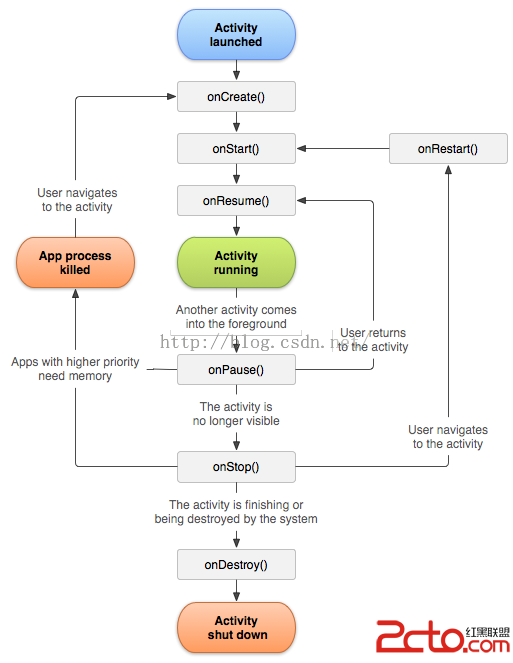
今天面試被問及了一個問題:Activity A、Activity B,Activity A 被B覆蓋的時候,Activity生命周期中哪幾個方法被調用了?Activity
 Android中ViewPager的PagerTabStrip與PagerTitleStrip用法實例
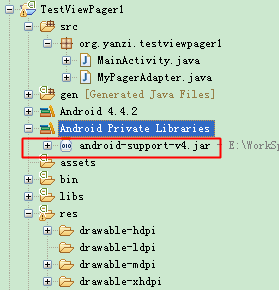
零、概覽1.ViewPager說白了就是個控件,在使用時包名要帶全是Android.support.v4.view.ViewPager。由於我的ADT-Bundle版本比
 如何為RecyclerView添加Header和Footer
過去的兩天,在項目中,拋棄了ListView, 想試一試RecyclerView, 在用的過程中,遇到了一些問題,比如:如何為RecyclerView添加Header和F
 如何用ES文件浏覽器查看wifi密碼
如何用ES文件浏覽器查看wifi密碼。ES文件浏覽器是一個能管理手機本地、局域網共享、FTP和藍牙文件的管理器。其實就是一個電腦和手機網絡文件傳輸軟件。可大