編輯:關於Android編程
1.SharedPrefereces 只能保存一些簡單的數輕量級.XML 存儲文件名,
數據保存在data/data/basepackage/shared_prefs/myopt.xml中
實例-收藏-記住密碼自動登錄
//一種輕量級的數據存儲方式//通過KEY
存入數據——putxxxx(key,value)
取出數據——getxxxx(key default)
2.讀寫SD卡 SD的根目錄 適用於數據流讀寫
實現步驟:加入讀寫SD卡權限
判斷SD卡是否存在
讀寫文件
3.SQLite 輕量級 .dp文件多用於手機裡
4.Content prowvider內容提供者
網路存儲 在網絡後台存儲
1保存文件內存儲
package com.example.jreduch08; import android.os.Bundle; import android.support.v7.app.AppCompatActivity; import android.view.View; import android.widget.Button; import android.widget.EditText; import android.widget.TextView; import android.widget.Toast; import java.io.BufferedReader; import java.io.FileInputStream; import java.io.FileNotFoundException; import java.io.FileOutputStream; import java.io.IOException; import java.io.InputStreamReader; public class InnerIoActivity extends AppCompatActivity { private EditText content; @Override protected void onCreate(Bundle savedInstanceState) { super.onCreate(savedInstanceState); setContentView(R.layout.activity_inner_io); Button save= (Button) findViewById(R.id.save); Button read= (Button) findViewById(R.id.read); Button delete= (Button) findViewById(R.id.delete); final TextView show= (TextView) findViewById(R.id.show); content= (EditText) findViewById(R.id.content); save.setOnClickListener(new View.OnClickListener() { @Override public void onClick(View view) { saveFile(); } }); read.setOnClickListener(new View.OnClickListener() { @Override public void onClick(View view) { show.setText( readFile()); } }); delete.setOnClickListener(new View.OnClickListener() { @Override public void onClick(View view) { removeFile(); } }); } //保存文件內存儲 public void saveFile(){ FileOutputStream fos=null; /*MODE_APPEND 追加 MODE_PRIVATE 覆蓋 //OpenFileoutput返回一個 輸出字節流 //指向的路徑為data/data/包名/file/ //參數1.文件名稱(如果不存在則自動創建) 參數2.模式MODE_APPEND 文件內容追加 MODE_PRIVATE 文件內容被覆蓋 */ try { fos= openFileOutput("text.txt",MODE_APPEND); String str=content.getText().toString(); try { fos.write(str.getBytes()); Toast.makeText(InnerIoActivity.this,"保存成功",Toast.LENGTH_SHORT).show(); } catch (IOException e) { e.printStackTrace(); } } catch (FileNotFoundException e) { e.printStackTrace(); }finally { if (fos!=null){ try { fos.flush(); fos.close(); } catch (IOException e) { e.printStackTrace(); } } } } //從內存讀文件 public String readFile(){ StringBuilder sbd=new StringBuilder(); BufferedReader reader=null; FileInputStream fis=null; try { fis=openFileInput("text.txt"); reader=new BufferedReader(new InputStreamReader(fis)); try { sbd.append(getFilesDir().getCanonicalPath()); } catch (IOException e) { e.printStackTrace(); } String row=""; try { while ((row=reader.readLine())!=null){ sbd.append(row); } } catch (IOException e) { e.printStackTrace(); } } catch (FileNotFoundException e) { Toast.makeText(getBaseContext(),"文件不存在",Toast.LENGTH_SHORT).show(); e.printStackTrace(); }finally { if (reader!=null){ try { reader.close(); } catch (IOException e) { e.printStackTrace(); } } } return sbd.toString(); } //刪除文件 public void removeFile(){ String[] files=fileList(); for (String str:files){ // Log.d("=====",str); if (str.equals("text.txt")){ deleteFile("text.txt");} } } }
2保存文件到SD卡
從SD卡讀取文件
package com.example.jreduch08;

import android.os.Bundle;
import android.os.Environment;
import android.support.v7.app.AppCompatActivity;
import android.util.Log;
import android.view.View;
import android.widget.Button;
import android.widget.EditText;
import android.widget.TextView;
import android.widget.Toast;

import java.io.BufferedReader;
import java.io.File;
import java.io.FileInputStream;
import java.io.FileNotFoundException;
import java.io.FileOutputStream;
import java.io.IOException;
import java.io.InputStreamReader;

public class SaveToSdCarActivity extends AppCompatActivity {
 private Button save,read,delete;
    private EditText content;
    private TextView show;
    @Override
    protected void onCreate(Bundle savedInstanceState) {
        super.onCreate(savedInstanceState);
        setContentView(R.layout.activity_inner_io);
      save= (Button) findViewById(R.id.save);
         read= (Button) findViewById(R.id.read);
      delete= (Button) findViewById(R.id.delete);
        content= (EditText) findViewById(R.id.content);
       show= (TextView) findViewById(R.id.show);
        save.setOnClickListener(new View.OnClickListener() {
            @Override
            public void onClick(View view) {
               saveFile();
            }
        });
        read.setOnClickListener(new View.OnClickListener() {
            @Override
            public void onClick(View view) {
                show.setText(readFile());
            }
        });
        delete.setOnClickListener(new View.OnClickListener() {
            @Override
            public void onClick(View view) {
                removeFile();
            }
        });
    }
    //保存文件到SD卡
    public  void saveFile(){
        FileOutputStream fos=null;


        //獲取SD卡狀態
       String state= Environment.getExternalStorageState();
        //判斷SD卡是否就緒
        if(!state.equals(Environment.MEDIA_MOUNTED)){
            Toast.makeText(this,"請檢查SD卡",Toast.LENGTH_SHORT).show();
            return;
        }
        //取得SD卡根目錄
       File file= Environment.getExternalStorageDirectory();

        try {
            Log.d("=====SD卡根目錄:",file.getCanonicalPath().toString());
//            File myFile=new File(file.getCanonicalPath()+"/sd.txt");
//            fos=new FileOutputStream(myFile);
            //輸出流的構造參數1可以是 File對象  也可以是文件路徑
            //輸出流的構造參數2:默認為False=>覆蓋內容;ture=》追加內容
            //追加  ,ture
            fos=new FileOutputStream(file.getCanonicalPath()+"/sd.txt",true);
            String  str=content.getText().toString();
            fos.write(str.getBytes());
            Toast.makeText(this,"保存成功",Toast.LENGTH_SHORT).show();
        } catch (IOException e) {
            e.printStackTrace();
        }finally {
            if (fos!=null){
                try {
                    fos.close();
                } catch (IOException e) {
                    e.printStackTrace();
                }
            }
        }
    }

    //從SD卡讀取文件
    public String  readFile(){

        BufferedReader  reader=null;

        FileInputStream fis=null;
        StringBuilder sbd=new StringBuilder();

        String statu=Environment.getExternalStorageState();
        if (!statu.equals(Environment.MEDIA_MOUNTED)){

           Toast.makeText(this,"SD卡未就緒",Toast.LENGTH_SHORT).show();
            return  "";
        }
        File root=Environment.getExternalStorageDirectory();
        try {
            fis=new FileInputStream(root+"/sd.txt");
            reader= new BufferedReader(new InputStreamReader(fis));
            String row="";
            try {
                while ((row=reader.readLine())!=null){

                    sbd.append(row);
                }
            } catch (IOException e) {
                e.printStackTrace();
            }

        } catch (FileNotFoundException e) {
            Toast.makeText(this,"文件不存在",Toast.LENGTH_SHORT).show();

            e.printStackTrace();
        }finally {
            if (reader!=null){
                try {
                    reader.close();
                } catch (IOException e) {
                    e.printStackTrace();
                }
            }
        }
        return  sbd.toString();
    }

    //刪除SD卡文件
    public void removeFile(){
        String statu=Environment.getExternalStorageState();

        if (!statu.equals(Environment.MEDIA_MOUNTED)){
            Toast.makeText(this,"SD卡未就緒",Toast.LENGTH_SHORT).show();
            return;
        }
        File root=Environment.getExternalStorageDirectory();
       // File sd=new File(root,"sd.txt");
        File sd=new File(root+"/sd.txt");
         if(sd.exists()){

            sd.delete();
             Toast.makeText(this,"文件刪除成功",Toast.LENGTH_SHORT).show();
        }else{

             Toast.makeText(this,"文件不存在",Toast.LENGTH_SHORT).show();
         }

    }
}
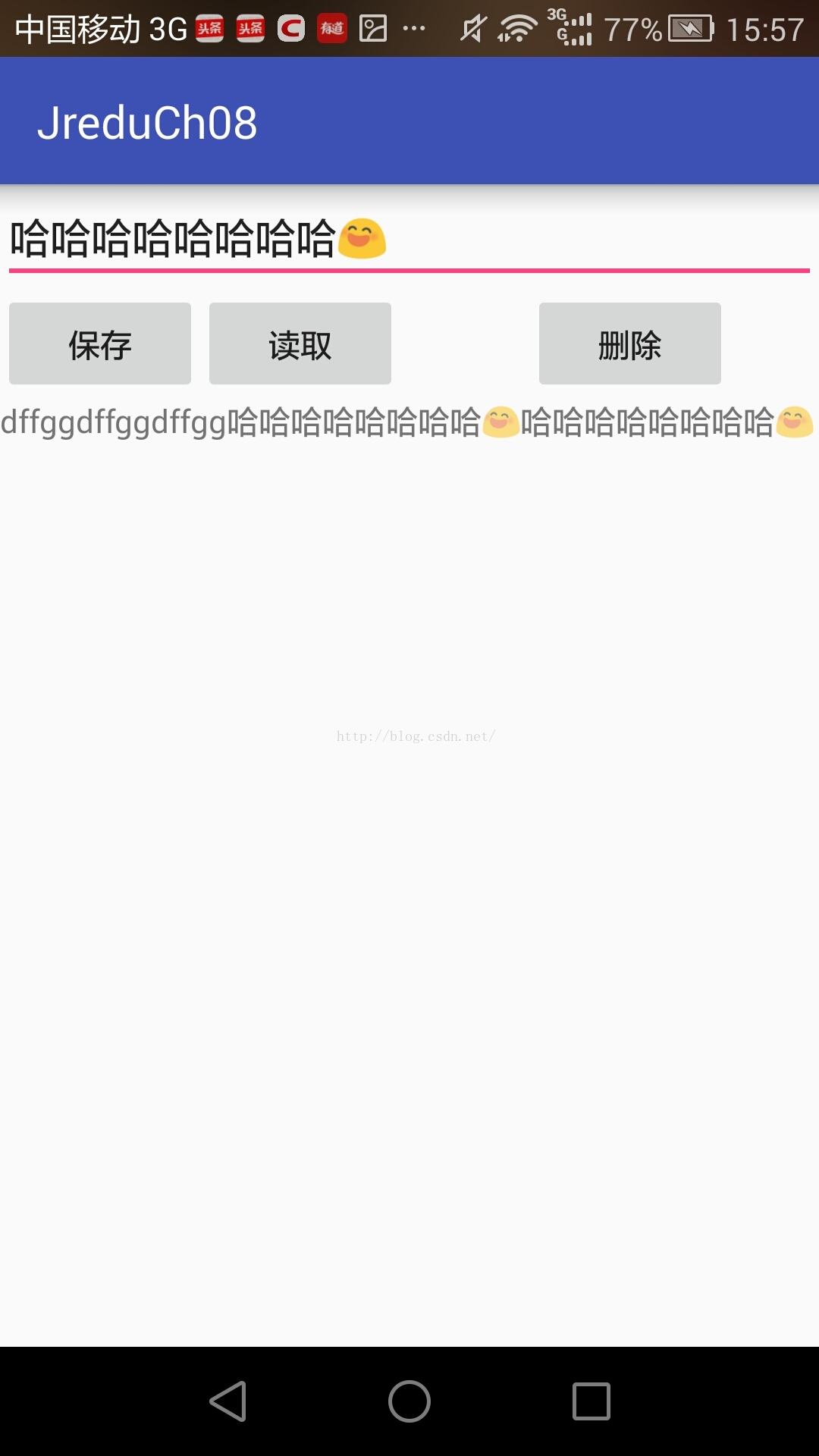
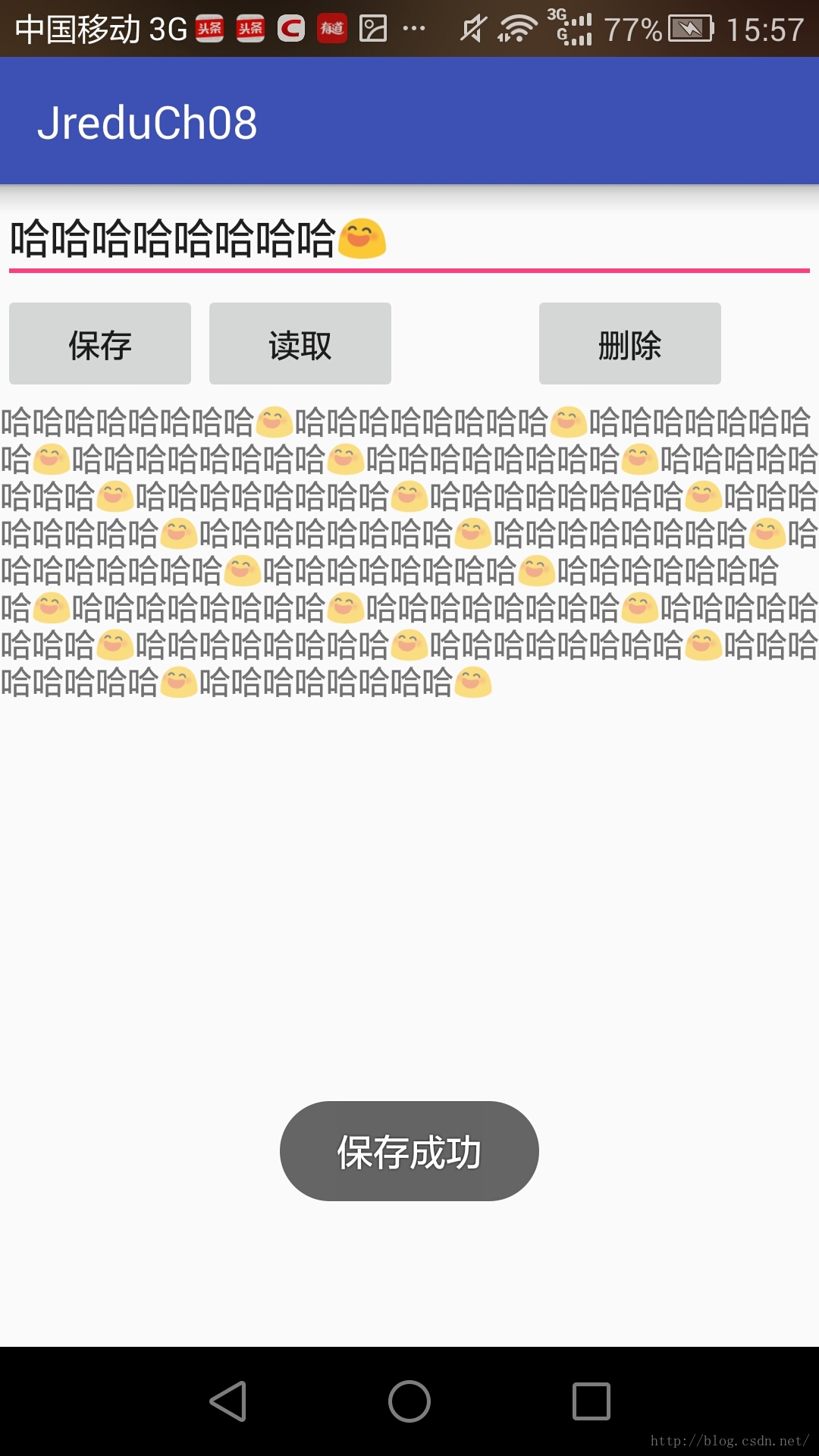
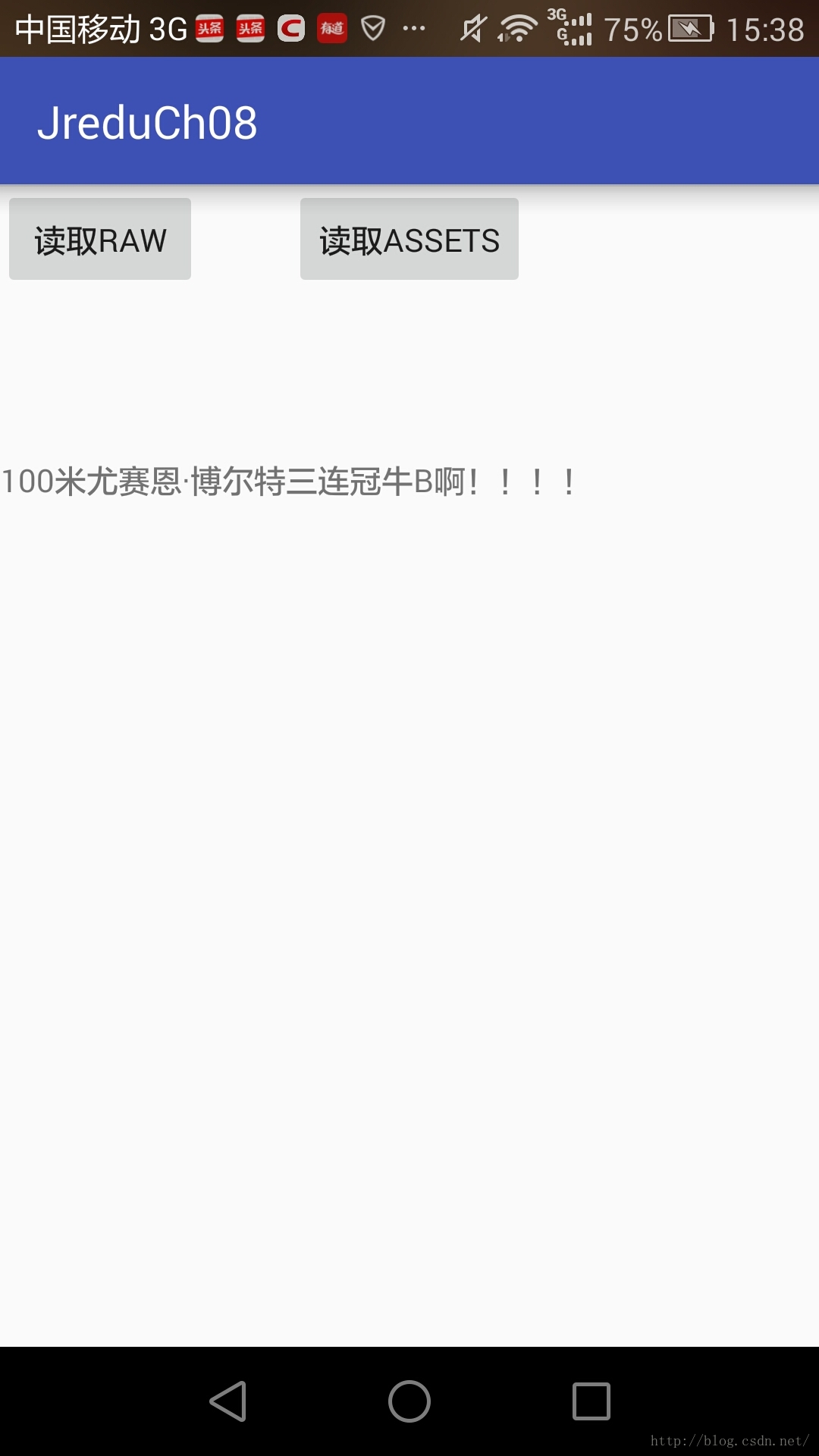
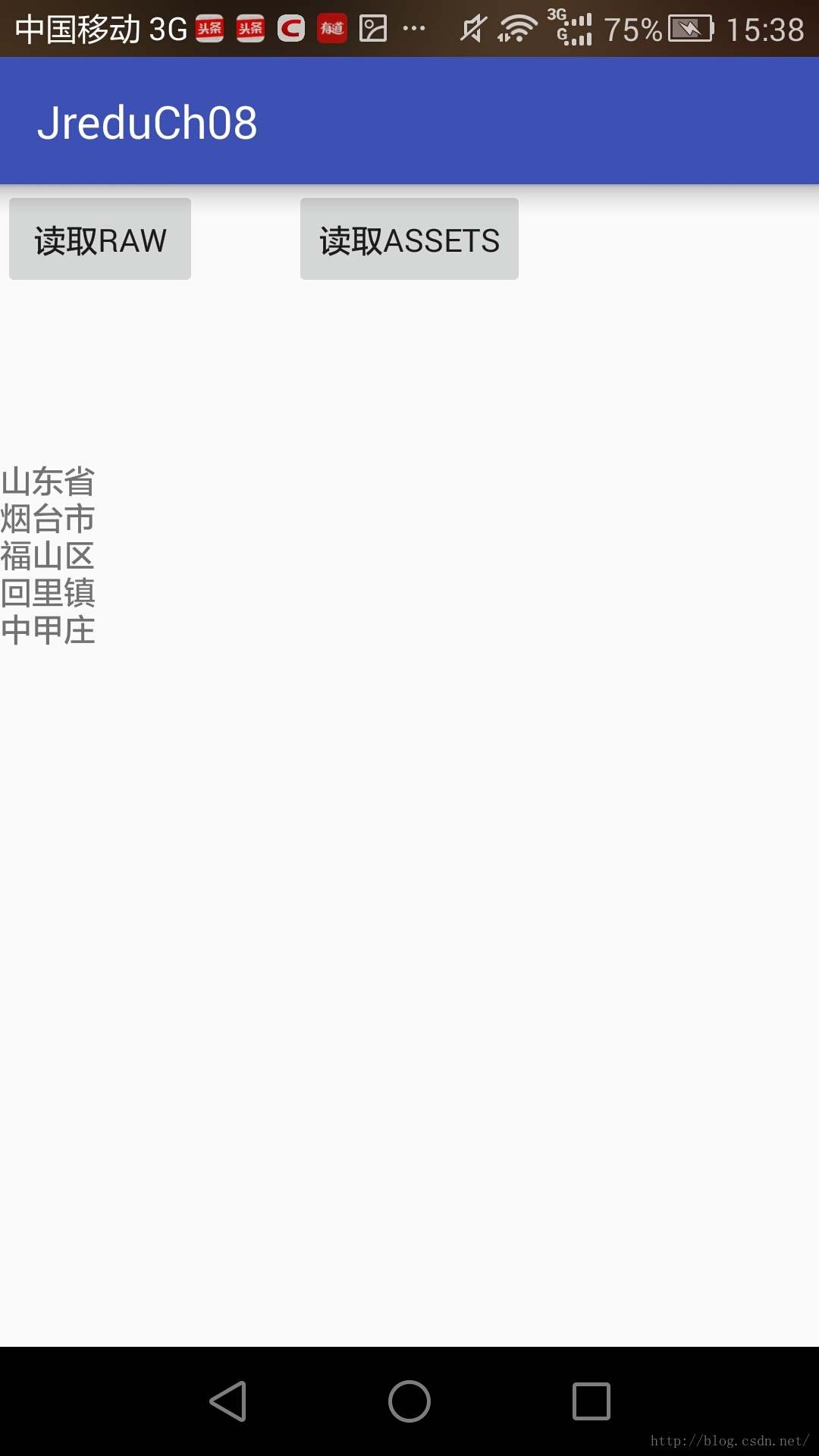
3讀取assets目錄 讀取raw文件夾
package com.example.jreduch08; import android.support.v7.app.AppCompatActivity; import android.os.Bundle; import android.view.View; import android.widget.Button; import android.widget.TextView; import java.io.BufferedReader; import java.io.IOException; import java.io.InputStream; import java.io.InputStreamReader; public class ReadRawAssetsActivity extends AppCompatActivity { private Button raw,assets; private TextView show; @Override protected void onCreate(Bundle savedInstanceState) { super.onCreate(savedInstanceState); setContentView(R.layout.activity_read_raw_assets); raw=(Button)findViewById(R.id.raw); assets= (Button) findViewById(R.id.assets); show= (TextView) findViewById(R.id.show); raw.setOnClickListener(new View.OnClickListener() { @Override public void onClick(View view) { show.setText(readRaw()); } }); assets.setOnClickListener(new View.OnClickListener() { @Override public void onClick(View view) { show.setText(readAssets()); } }); } //讀取assets目錄 public String readAssets(){ StringBuilder sbd=new StringBuilder(); BufferedReader reader=null; InputStream is=null; try { is=getResources().getAssets().open("cityinfo"); reader=new BufferedReader(new InputStreamReader(is)); String row=""; while ((row=reader.readLine())!=null){ sbd.append(row); sbd.append("\n"); } } catch (IOException e) { e.printStackTrace(); }finally { if (reader!=null){ try { reader.close(); } catch (IOException e) { e.printStackTrace(); } } } return sbd.toString(); } //讀取raw文件夾 public String readRaw(){ StringBuilder sbd=new StringBuilder(); BufferedReader reader=null; InputStream is=null; is=getResources().openRawResource(R.raw.settings); reader=new BufferedReader(new InputStreamReader(is)); String row=""; try { while ((row=reader.readLine())!=null){ sbd.append(row); } } catch (IOException e) { e.printStackTrace(); }finally { if (reader!=null){ try { reader.close(); } catch (IOException e) { e.printStackTrace(); } } } return sbd.toString(); } }
4
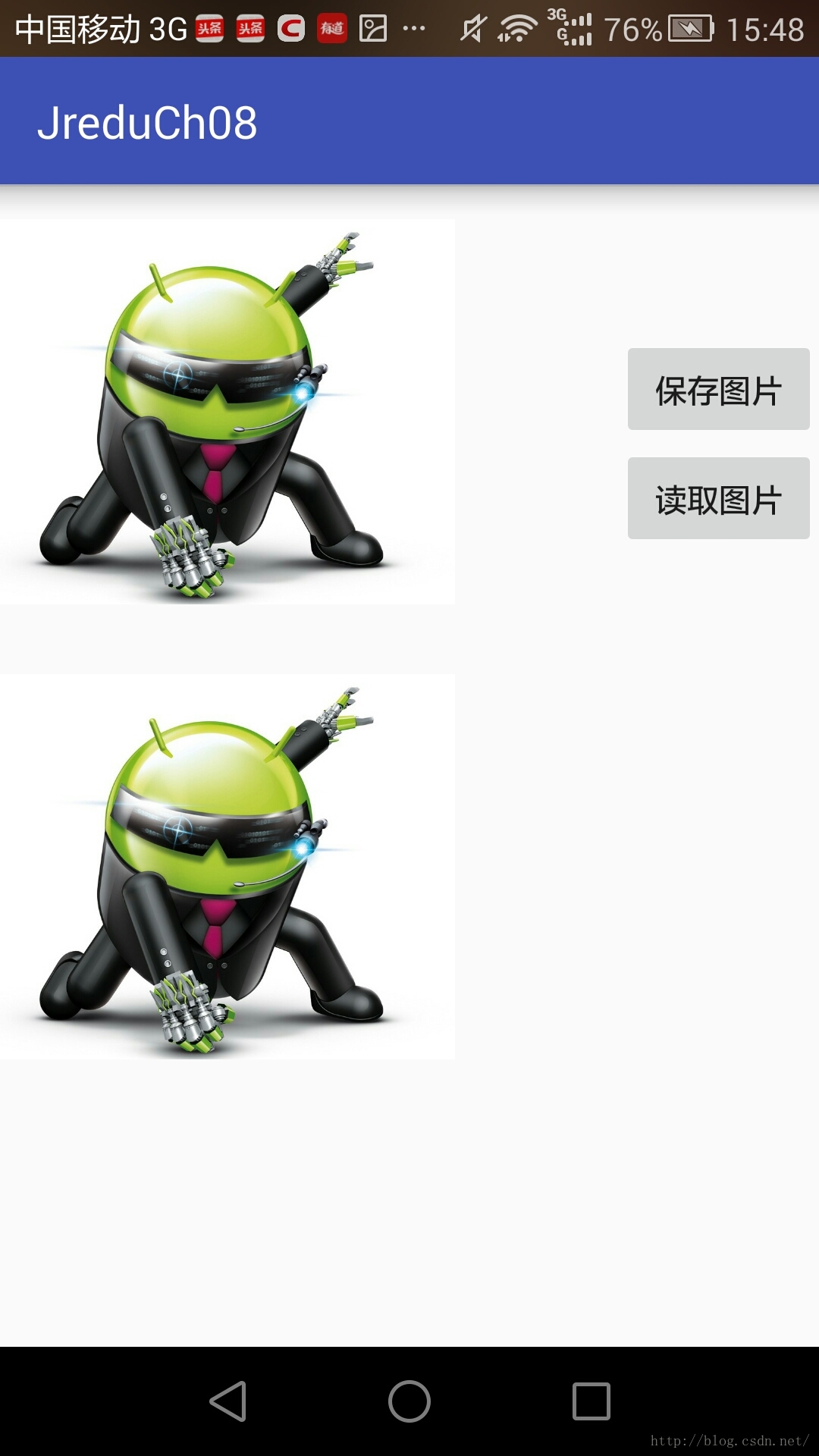
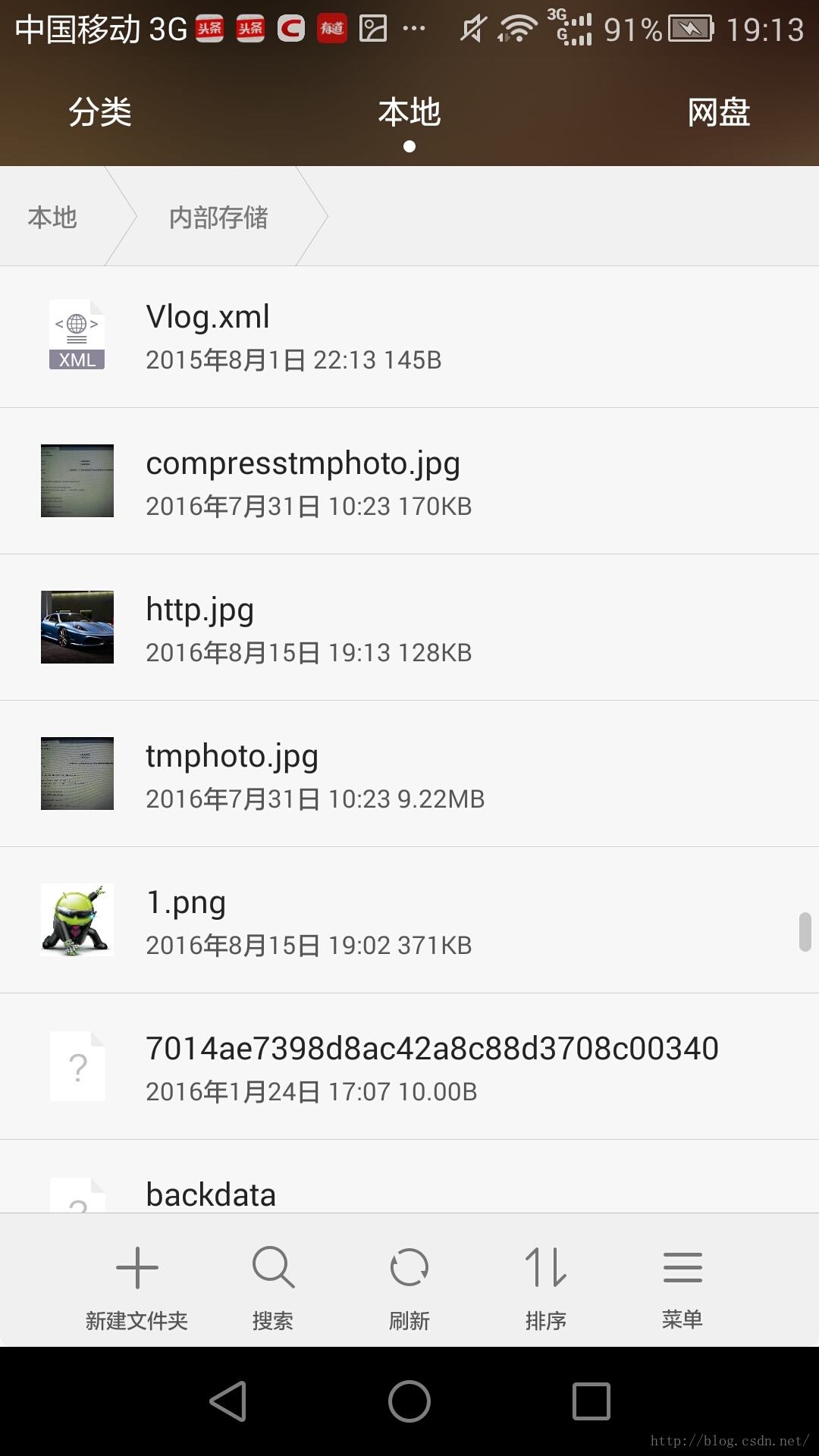
將圖片保存到SD卡
從SD卡讀取圖片
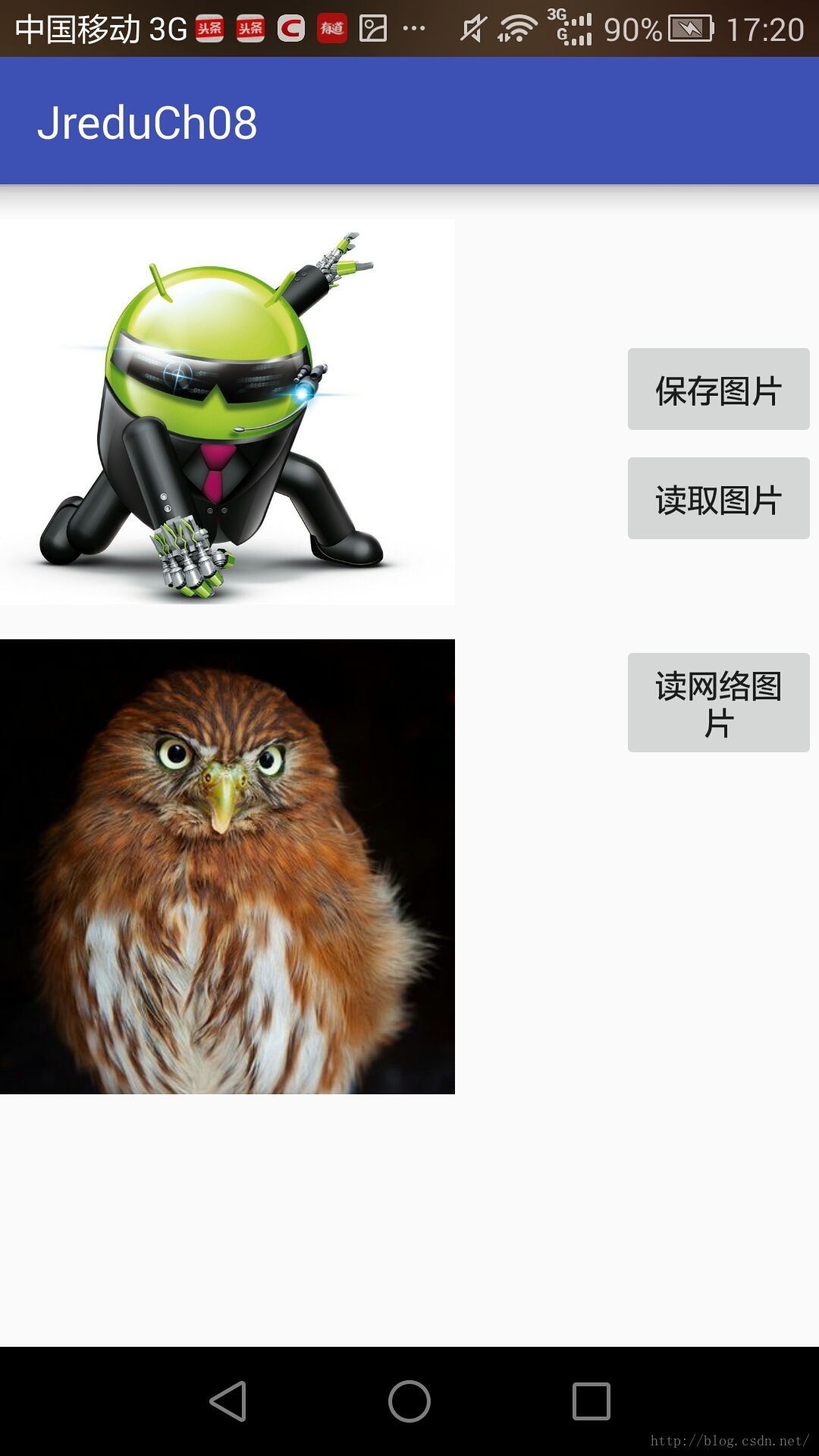
從網絡獲取圖片
從網絡獲取圖片直接保存
package com.example.jreduch08;

import android.graphics.Bitmap;
import android.graphics.BitmapFactory;
import android.graphics.drawable.BitmapDrawable;
import android.os.AsyncTask;
import android.os.Bundle;
import android.os.Environment;
import android.support.v7.app.AppCompatActivity;
import android.view.View;
import android.widget.ImageView;
import android.widget.Toast;

import java.io.File;
import java.io.FileNotFoundException;
import java.io.FileOutputStream;
import java.io.IOException;
import java.io.InputStream;
import java.net.HttpURLConnection;
import java.net.MalformedURLException;
import java.net.URL;

public class ViewPagerSdActivity extends AppCompatActivity {
private ImageView  img1,img2;
    @Override
    protected void onCreate(Bundle savedInstanceState) {
        super.onCreate(savedInstanceState);
        setContentView(R.layout.activity_view_pager_sd);

        img1= (ImageView) findViewById(R.id.img1);
        img2= (ImageView) findViewById(R.id.img2);


    }
    //從網絡獲取圖片直接保存
    public void SaveHttp(View view){

        new SaveHttpImg().execute("http://p2.so.qhmsg.com/t0165453974dc3b9af7.jpg");
    }
//從網絡獲取圖片
    public void GetUrlImg(View view){
new GetImg().execute("http://p1.so.qhmsg.com/dm/365_365_/t01df531d143d2554d7.jpg");
    }

    //保存網絡圖片
    public  void SaveUrlImg(View view){
        new Get2Img().execute("http://p1.so.qhmsg.com/dm/365_365_/t01df531d143d2554d7.jpg");


    }

   //從SD卡讀取圖片
    public void rawImg(View view){
        String  path=Environment.getExternalStorageDirectory()+"/1.png";

        //方法一  根據URI加載數據圖片
//        img2.setImageURI(Uri.parse(path));
//    方法二:通過BitmapFactory的靜態方法decodeFile()
      //  參數圖片路徑
      Bitmap bitmap= BitmapFactory.decodeFile(path);
   img2.setImageBitmap(bitmap);
        /*方法三:通過BitmapFactory的靜態方法 decodeStream()
       // 參數為  輸入流InputStream
        try {
            BitmapFactory.decodeStream(new FileInputStream(path));
        } catch (FileNotFoundException e) {
            e.printStackTrace();
        }
    */


    }


    //將圖片保存到SD卡
    //布局監聽
    public  void saveImg(View view){
        //獲取ImageView中的圖片
        BitmapDrawable bitmapDrawable=(BitmapDrawable)
                img1.getDrawable();
        Bitmap bitmap=bitmapDrawable.getBitmap();

        String statu= Environment.getExternalStorageState();

        if (!statu.equals(Environment.MEDIA_MOUNTED)){
            Toast.makeText(this,"SD卡未就緒",Toast.LENGTH_SHORT).show();
            return;
        }


       /*
        通過 Bitmap(位圖)壓縮的方法(compress)保存圖片到SD卡
        參數1:圖片格式(PNG,JPEG WEBP)
        參數2:圖片質量(0-100)
        參數3:輸出流
         */
        File root=Environment.getExternalStorageDirectory();
        FileOutputStream  fos=null;
        try {
           fos=new FileOutputStream(root+"/1.png");
            bitmap.compress(Bitmap.CompressFormat.PNG,100,fos);
            Toast.makeText(this,"圖片保存成功",Toast.LENGTH_SHORT).show();
        } catch (FileNotFoundException e) {
            e.printStackTrace();
        }finally {
            if (fos!=null){
                try {
                    fos.close();
                } catch (IOException e) {
                    e.printStackTrace();
                }

            }
        }

    }
    //網絡存儲圖片
    public  void save2Img(){
        //獲取ImageView中的圖片
        BitmapDrawable bitmapDrawable=(BitmapDrawable)
                img2.getDrawable();
        Bitmap bitmap=bitmapDrawable.getBitmap();

        String statu= Environment.getExternalStorageState();

        if (!statu.equals(Environment.MEDIA_MOUNTED)){
            Toast.makeText(this,"SD卡未就緒",Toast.LENGTH_SHORT).show();
            return;
        }


       /*
        通過 Bitmap(位圖)壓縮的方法(compress)保存圖片到SD卡
        參數1:圖片格式(PNG,JPEG WEBP)
        參數2:圖片質量(0-100)
        參數3:輸出流
         */
        File root=Environment.getExternalStorageDirectory();
        FileOutputStream  fos=null;
        try {
            fos=new FileOutputStream(root+"/1.png");
            bitmap.compress(Bitmap.CompressFormat.PNG,100,fos);
            Toast.makeText(this,"圖片保存成功",Toast.LENGTH_SHORT).show();
        } catch (FileNotFoundException e) {
            e.printStackTrace();
        }finally {
            if (fos!=null){
                try {
                    fos.close();
                } catch (IOException e) {
                    e.printStackTrace();
                }

            }
        }

    }

public  class GetImg extends AsyncTask {

    //onPreExecute在主線程中執行命令
    //進度條的初始化
    @Override
    protected void onPreExecute() {
        super.onPreExecute();
    }

    //doInBackground在子線程中執行名命令
    @Override
    protected Bitmap doInBackground(String... strings) {
        HttpURLConnection con = null;
        InputStream is = null;
        Bitmap bitmap = null;
        try {
            URL url = new URL(strings[0]);
            con = (HttpURLConnection) url.openConnection();
            con.setConnectTimeout(5 * 1000);
            con.setReadTimeout(5 * 1000);
                /*
                *http相應200:成功
                * 404未找到
                * 500發生錯誤
                 */
            if (con.getResponseCode() == 200) {
                is = con.getInputStream();
                bitmap = BitmapFactory.decodeStream(is);

                return bitmap;
            }


        } catch (MalformedURLException e) {
            e.printStackTrace();
        } catch (IOException e) {
            e.printStackTrace();
        } finally {
            if (is != null) {
                try {
                    is.close();
                } catch (IOException e) {
                    e.printStackTrace();
                }
                if (con != null) {
                    con.disconnect();  //斷開連接
                }
            }
        }

        return null;
    }

    //onPostExecute在UI線程中執行命令  主線程
    @Override
    protected void onPostExecute(Bitmap bitmap) {
        super.onPostExecute(bitmap);
        img2.setImageBitmap(bitmap);


    }

}


    public  class Get2Img extends AsyncTask {

        //onPreExecute在主線程中執行命令
        //進度條的初始化
        @Override
        protected void onPreExecute() {
            super.onPreExecute();
        }

        //doInBackground在子線程中執行名命令
        @Override
        protected Bitmap doInBackground(String... strings) {
            HttpURLConnection con = null;
            InputStream is = null;
            Bitmap bitmap = null;
            try {
                URL url = new URL(strings[0]);
                con = (HttpURLConnection) url.openConnection();
                con.setConnectTimeout(5 * 1000);
                con.setReadTimeout(5 * 1000);
                /*
                *http相應200:成功
                * 404未找到
                * 500發生錯誤
                 */
                if (con.getResponseCode() == 200) {
                    is = con.getInputStream();
                    bitmap = BitmapFactory.decodeStream(is);
                    return bitmap;
                }


            } catch (MalformedURLException e) {
                e.printStackTrace();
            } catch (IOException e) {
                e.printStackTrace();
            } finally {
                if (is != null) {
                    try {
                        is.close();
                    } catch (IOException e) {
                        e.printStackTrace();
                    }
                    if (con != null) {
                        con.disconnect();  //斷開連接
                    }
                }
            }

            return null;
        }

        //onPostExecute在UI線程中執行命令  主線程
        @Override
        protected void onPostExecute(Bitmap bitmap) {
            super.onPostExecute(bitmap);
            img2.setImageBitmap(bitmap);
             save2Img();

        }

    }

    public class SaveHttpImg extends AsyncTask{

        @Override
        protected String doInBackground(String... strings) {
            HttpURLConnection con = null;
            InputStream is = null;
            try {
                URL url = new URL(strings[0]);
                con = (HttpURLConnection) url.openConnection();
                con.setConnectTimeout(5*1000);
                con.setReadTimeout(5*1000);
                File root = Environment.getExternalStorageDirectory();
                FileOutputStream fos = new FileOutputStream(root+"/http.jpg");
                if(con.getResponseCode()==200){
                    is = con.getInputStream();
                    int next=0;
                    byte[] bytes = new byte[1024];
                    while ( (next = is.read(bytes))>0){
                        fos.write(bytes,0,next);
                    }
                    fos.flush();
                    fos.close();
                    return  root+"/http.jpg";
                }
            } catch (MalformedURLException e) {
                e.printStackTrace();
            } catch (IOException e) {
                e.printStackTrace();
            } finally {
                if(is!=null){
                    try {
                        is.close();
                    } catch (IOException e) {
                        e.printStackTrace();
                    }
                }
                if(con!=null){
                    con.disconnect();
                }
            }
            return "";
        }

        @Override
        protected void onPostExecute(String s) {
            super.onPostExecute(s);
            if(!s.equals("")){
                Toast.makeText(ViewPagerSdActivity.this,"保存路徑:"+s,Toast.LENGTH_SHORT).show();
            }else{
                Toast.makeText(ViewPagerSdActivity.this,"保存失敗:",Toast.LENGTH_SHORT).show();
            }
        }
    }
}
 仿淘寶物流信息控件
先看下效果吧public class WuliuView extends View { private int mMaginTop; //物流信息
 紅米pro和小米max哪個好 紅米pro和小米max對比評測
紅米pro和小米max哪個好?下面小編帶來了紅米pro和小米max對比評測,感興趣的朋友一起來看看吧! 紅米pro和小米max對比評測: 紅米pro介紹
 Android Content Provider詳解及示例代碼
Android:Content Provider的使用。1、Content Provider 簡介2、使用現成的Content Provider3、定義自己的Conten
 (Android review)dialog的使用
一、基本知識點常見的dialog基本代碼:AlertDialog.Builder builder = new AlertDialog.Builder(this);Aler