

編輯:Android 程式設計入門
本文彙整了 Android 開發過程中,模擬器(emulator)啟動與使用時經常遭遇的幾類典型問題及對應的解決方案。
無法啟動 android 模擬器,提示 XDM authorization key matches an existing client! SDL init failure, reason is: No available video device
打開電腦的 Terminal 終端,以當前圖形界面用戶的身份執行命令 xhost localhost 即可。若想實現登錄後自動執行該命令,可做如下操作:點開 Applicantions Menu -> Settings -> Session and Startup,在打開的選項中點擊 Application Autostart,然後點擊左下方的 Add 按鈕,設置 Name 為 xhost localhost,設置 Description 為 xhost localhost,設置 Command 為 xhost localhost,點擊 OK,再點擊 Close 即可。
無法啟動 android 模擬器,提示 emulator: ERROR: x86 emulation currently requires hardware acceleration! Please ensure KVM is properly installed and usable. CPU acceleration status: This user doesn't have permissions to use KVM (/dev/kvm). 或者提示 emulator: ERROR: x86 emulation currently requires hardware acceleration! Please ensure KVM is properly installed and usable. CPU acceleration status: Could not open /dev/kvm :Permission denied
使用 root 權限執行以下三條命令,然後注銷當前用戶或直接重啟電腦即可(本例子中當前登錄圖形界面的用戶是 sman): groupadd kvm; usermod -G kvm -a sman; echo 'KERNEL=="kvm",GROUP="kvm",MODE="0660"' >> /etc/udev/rules.d/androidUseKVM.rules 這三條命令的作用分別是:創建用戶組 kvm;將用戶 sman 添加到 kvm 用戶組;開機時自動賦予用戶組 kvm 擁有 0660 的權限。
無法啟動 android 模擬器,提示 Android/Sdk/tools/emulator -netdelay none -netspeed full -avd Nexus_5_API_23 libGL error: failed to load driver: i965 libGL error: Try again with LIBGL_DEBUG=verbose for more details. failed to create drawable getGLES1ExtensionString: Could not create GLES 1.x Pbuffer! Failed to obtain GLES 1.x extensions string! Could not initialize emulated framebuffer
根據提示在 Terminal 中聲明環境變量並在 Terminal 中啟動模擬器:export LIBGL_DEBUG=verbose; Android/Sdk/tools/emulator -netdelay none -netspeed full -avd Nexus_5_API_23 得到提示: libGL: OpenDriver: trying /usr/lib64/xorg/modules/dri/i965_dri.so libGL error: failed to open drm device: Permission denied libGL error: failed to load driver: i965 libGL: OpenDriver: trying /usr/lib64/xorg/modules/dri/swrast_dri.so libGL: OpenDriver: trying /usr/lib64/xorg/modules/dri/i965_dri.so libGL error: failed to open drm device: Permission denied libGL error: failed to load driver: i965 libGL: OpenDriver: trying /usr/lib64/xorg/modules/dri/swrast_dri.so failed to create drawable getGLES1ExtensionString: Could not create GLES 1.x Pbuffer! Failed to obtain GLES 1.x extensions string! Could not initialize emulated framebufferSegmentation fault 先解決第一個錯誤——即沒有權限使用 drm 設備。於是使用 groups 命令檢查當前用戶是否存在於 video 用戶組:[sman@mnxnm:~]$ groups users plugdev vboxusers kvm 可以看到 sman 不屬於 video 用戶組,於是使用 root 權限將當前用戶 sman 添加到 video 用戶組:root@mnxnm:~# usermod -G video -a sman 注銷當前用戶再重新登錄(必須重新登錄,否則用戶組改動不會生效)。登錄後確認 sman 是否成功加入 video 用戶組:[sman@mnxnm:~]$ groups users video plugdev vboxusers kvm 可以看到 sman 已成功加入 video 用戶組。再啟動 Android Studio,通過 Android Virtual Device Manager 啟動模擬器,看看錯誤有沒有消除。如果提示 NAND: could not write file /tmp/android-sman/emulator-7UY28S, File exists,則 rm /tmp/android-sman/emulator-* 後再試。OK,成功啟動模擬器!
android 模擬器中 DNS 解析正常但無法 ping 通外網
這是正常現象。因為模擬器與 PC 之間的網絡通信是通過 TCP 端口轉發來實現的,而 ping 走的是 ICMP 數據包,沒有端口的概念,故模擬器無法將 ping 請求送出。但瀏覽網頁是完全正常的。所以不能用 ping 來測試模擬器是否能聯網,而應改用網頁瀏覽器來驗證。
android 模擬器中安裝調試 apk 時出錯,提示 Application Installation Failed Installation failed with message INSTALL_FAILED_CONTAINER_ERROR. It is possible that this issue is resolved by uninstalling an existing version of the apk if it is present, and then re-installing. WARNING: Uninstalling will remove the application data! Do you want to uninstall the existing application?
方法一:adb root; adb shell rm /mnt/secure/asec/smdl* 方法二:將項目源文件 AndroidManifest.xml 中的 android:installLocation="preferExternal" 修改成 android:installLocation="auto" 即可。
 Android 自訂背景:虛線、圓角與漸層一次搞定
先看效果,再談做法。 點擊效果: 一、設置虛線 在 res/drawable 下建立一個 XML: <?xml version=1.0 encoding=ut
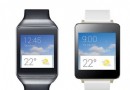 如何開發 Android Wear 穿戴應用程式(完整入門指南)
Android Wear 是連接 Android 手機與穿戴裝置的平台。自今年上半年發表以來,它獲得了大量關注——不只是消費者,開發者也開始思考如何讓自己的應用程式準備好
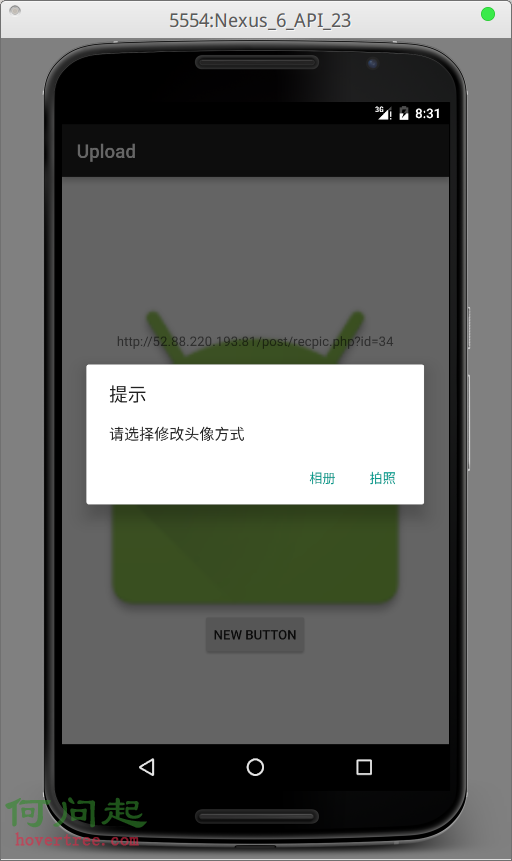 Android 拍照與相冊選圖的完整流程
需求拆解頭像上傳或發帖選圖,通常可透過 AlertDialog 讓使用者選擇拍照或相冊。拍照使用 MediaStore.ACTION_IMAGE_CAPTURE,並以 E
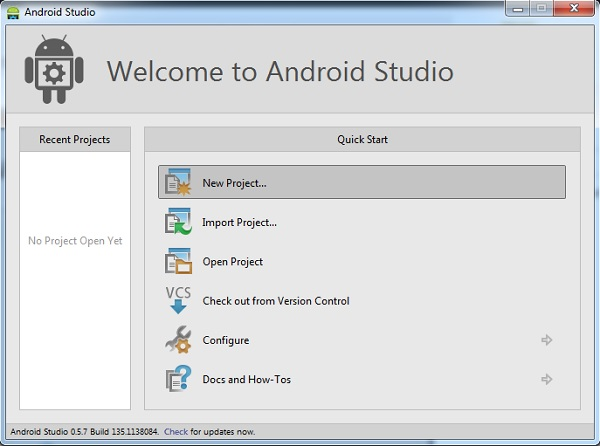 Android Studio 入門指南:從專案建立到模擬器測試
Android Studio 是以 IntelliJ IDEA 為基礎的 Android 整合開發環境,提供專案建立、版面預覽、模擬器、靜態分析與簽章打包等功能。以下整理