

編輯:Android 程式設計入門
給 ImageView 加個 3dp 的灰色邊框,常見做法有兩種「重」方案:自定義 MyImageView 繼承 ImageView 并在 onDraw 里畫 canvas;或者准備一張帶邊框的背景圖。
其實完全不需要這么麻煩——用一個 shape 定義的 XML 背景,配合 padding 就能搞定,既不用建派生類,也不用準備素材。
新建 res/drawable/bg_border.xml:
<?xml version="1.0" encoding="UTF-8"?>
<shape xmlns:android="https://schemas.android.com/apk/res/android">
    <!-- 內部填充色 -->
    <solid android:color="#EEEEEE" />
    <!-- 邊框:寬度 3dp,顏色灰色 -->
    <stroke android:width="3dp" android:color="#EEEEEE" />
    <!-- 圓角半徑,設 0 即直角 -->
    <corners android:radius="0dp" />
    <padding android:left="0dp" android:top="0dp"
        android:right="0dp" android:bottom="0dp" />
</shape>
然后在布局里引用這個背景,關鍵是 android:padding——它決定圖片內容與邊框之間的距離:
<ImageView
    android:id="@+id/iv_thumbnail"
    android:layout_width="63dp"
    android:layout_height="63dp"
    android:background="@drawable/bg_border"
    android:padding="3dp" />
如果希望內部透明、只留邊框(比如做頭像描邊),把 solid 換成透明色即可:
<?xml version="1.0" encoding="utf-8"?>
<shape xmlns:android="https://schemas.android.com/apk/res/android"
    android:shape="rectangle">

    <!-- 設置邊框的大小和顏色 -->
    <stroke android:width="1dp" android:color="@color/black" />

    <!-- 設置圖形內的顏色,此處為透明 -->
    <solid android:color="@android:color/transparent" />

    <!-- 定義圓角弧度;做圓形圖像時把四個半徑設為寬高的一半 -->
    <corners android:radius="0dp" />

    <padding android:left="0dp" android:top="0dp"
        android:right="0dp" android:bottom="0dp" />
</shape>
想要正圓形邊框,把 corners 拆成四角分別設置,半徑取尺寸的一半:
<shape xmlns:android="https://schemas.android.com/apk/res/android"
    android:shape="rectangle">

    <stroke android:width="3.5dip" android:color="@color/white" />
    <solid android:color="@android:color/transparent" />

    <corners
        android:bottomLeftRadius="75dp"
        android:bottomRightRadius="75dp"
        android:topLeftRadius="75dp"
        android:topRightRadius="75dp" />
</shape>
android:padding 必須大於 stroke 的寬度,邊框才不會被圖片內容蓋住。selector 包一層,配合 state_selected 切換不同 shape。getResources().getDrawable(R.drawable.bg_border),便于運行時修改 stroke 顏色。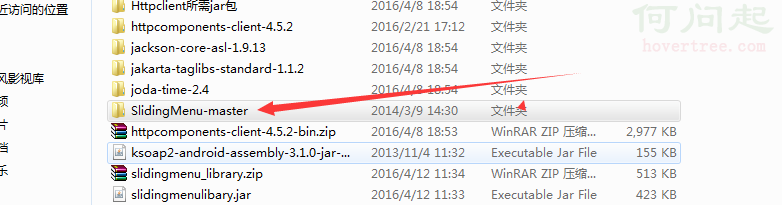 Android Studio 導入第三方庫(SlidingMenu)完整教程
身為 Android 初學者,看著網上各種例子,特此記錄一下導入第三方庫的過程。注意:本教程針對像 SlidingMenu 這樣使用 Android Studio 結構的
 Android 訊息推送的常見方案與實作思考
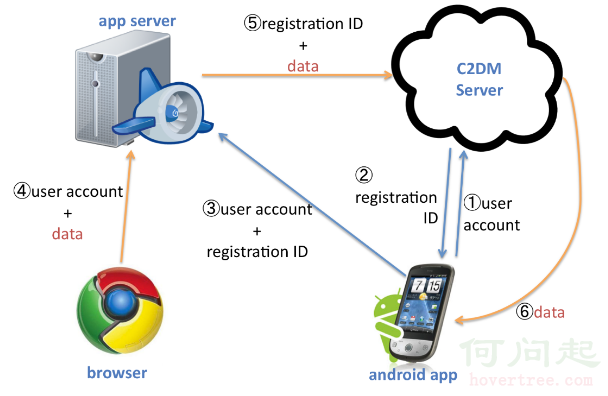
在行動應用中,推送通知是讓使用者即時掌握伺服器變更的重要機制。相較於由客戶端定時拉取資料,推送能降低流量與電力消耗,也能提升即時性。拉取與推送的差異拉取模式由客戶端固定時
 Android 自定義控件實戰:液位指示器
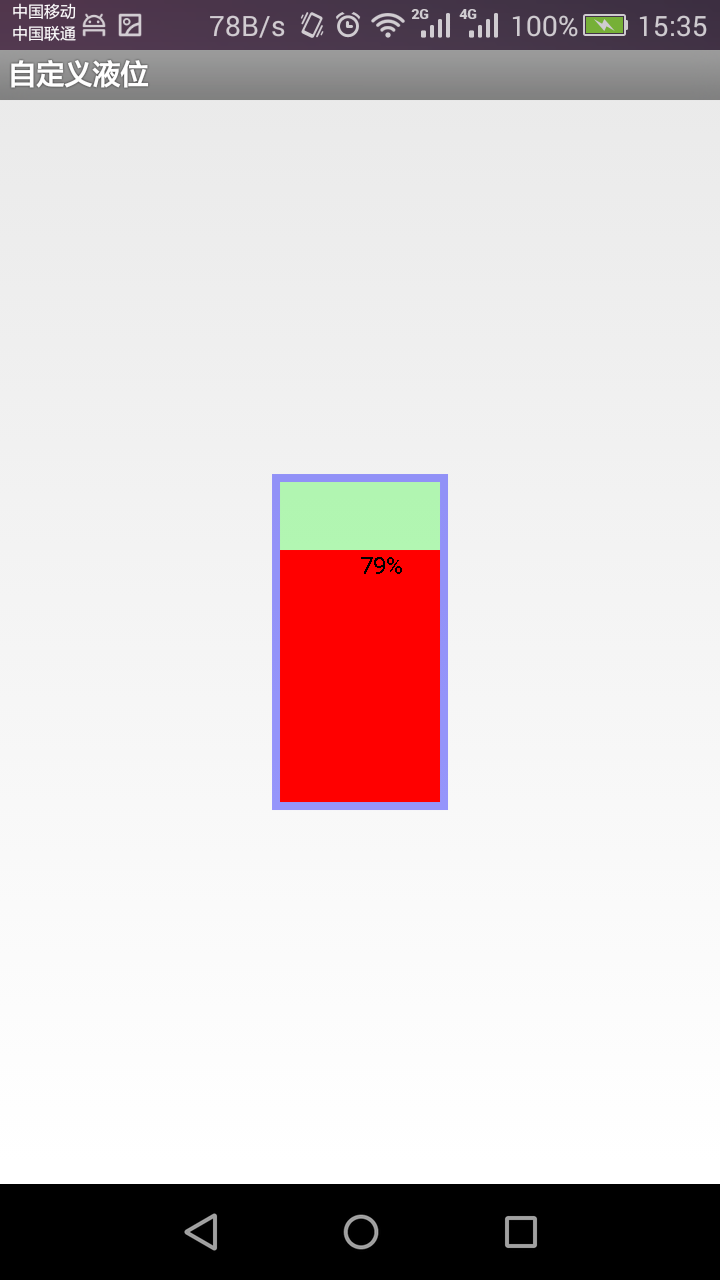
由於 Android 應用十分廣泛,工業領域也常有應用,例如用於工業數據的監測、顯示,甚至做一些自動化控制。本文不談自動化控制,只做一個液位指示控件。它本質上繼承自 Pr
 Android 手機內部與外部存儲操作完整實作
本文以一個完整範例說明 Android 中的資料持久化:從 SharedPreferences 鍵值對存取、內部檔案讀寫,到外部存儲空間的檔案保存與讀取,涵蓋多種常見場景