

編輯:Android 開發實例
本文分析並總結了 Android 中的 MD5 加密算法實現,供大家參考。
好消息是,Android 上的 MD5 加密與 J2SE 平台幾乎一模一樣,因為 Android 同樣支持 java.security.MessageDigest 這個包。基本用法如下:
方法簽名:String getMD5(String val) throws NoSuchAlgorithmException,輸入一個需要加密的字符串,返回加密後的字符串。
package com.tencent.utils; import java.security.MessageDigest; import java.security.NoSuchAlgorithmException; public class MD5 { public static String getMD5(String val) throws NoSuchAlgorithmException{ MessageDigest md5 = MessageDigest.getInstance("MD5"); md5.update(val.getBytes()); byte[] m = md5.digest(); return getString(m); } private static String getString(byte[] b){ StringBuffer sb = new StringBuffer(); for(int i = 0; i < b.length; i ++){ sb.append(b[i]); } return sb.toString(); } }
下面再提供一種更規範的寫法,它能輸出標準的 32 位十六進制 MD5 值:
/* MD5加密 */ private String getMD5Str(String str) { MessageDigest messageDigest = null; try { messageDigest = MessageDigest.getInstance("MD5"); messageDigest.reset(); messageDigest.update(str.getBytes("UTF-8")); } catch (NoSuchAlgorithmException e) { System.out.println("NoSuchAlgorithmException caught!"); System.exit(-1); } catch (UnsupportedEncodingException e) { e.printStackTrace(); } byte[] byteArray = messageDigest.digest(); StringBuffer md5StrBuff = new StringBuffer(); for (int i = 0; i < byteArray.length; i++) { if (Integer.toHexString(0xFF & byteArray[i]).length() == 1) md5StrBuff.append("0").append(Integer.toHexString(0xFF & byteArray[i])); else md5StrBuff.append(Integer.toHexString(0xFF & byteArray[i])); } //16位加密,從第9位到25位 return md5StrBuff.substring(8, 24).toString().toUpperCase(); }
補充一個更簡潔的字符串 MD5 加密示例,返回加密後的報文摘要:
public static String md5(String string) { byte[] hash; try { hash = MessageDigest.getInstance("MD5").digest(string.getBytes("UTF-8")); } catch (NoSuchAlgorithmException e) { throw new RuntimeException("Huh, MD5 should be supported?", e); } catch (UnsupportedEncodingException e) { throw new RuntimeException("Huh, UTF-8 should be supported?", e); } StringBuilder hex = new StringBuilder(hash.length * 2); for (byte b : hash) { if ((b & 0xFF) < 0x10) hex.append("0"); hex.append(Integer.toHexString(b & 0xFF)); } return hex.toString(); }
需要特別提醒的是:MD5 是一種「摘要算法」,具有不可逆的特性,且由於其抗碰撞性已被攻破,並不適合直接用于存儲口令等敏感信息。如果只是做數據校驗尚可,若涉及用戶密碼,強烈建議改用加鹽 + 更強的哈希算法(如 SHA-256、bcrypt 等)。
希望本文所述對大家的 Android 程序設計有所幫助。
 Android 應用程式本地化:讓 App 說不同國家的語言
同一個 App 可能會被義大利、日本、巴西的使用者打開。若希望它在各地都顯得自然,就必須處理語言、數字、日期等在地化的細節。Android 在這件事上提供了相當完整的資源
 Android 計時器實作:用秒數自行換算時分秒格式
需求很簡單:介面預設顯示「00:00:00」,按下開始鍵後先歸零再重新計時,讓數字像 10:28:34 這樣持續遞增,按下停止鍵則暫停計時。然而實作過程卻意外棘手。若採用
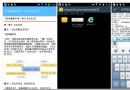 把網頁連同圖片一起保存到本地的實現方案
做離線閱讀功能時,會遇到一個不算難但很瑣碎的需求:把一個帶圖片的網頁下載到本地,並讓它在沒有網絡時也能正常顯示。難點不在保存 HTML,而在於把裡面的圖片鏈路一併改成本地
 Android 系統在靜音模式下關閉相機拍照聲音的實作方法
為了防止偷拍,業界有不成文的規定:手機廠商在製作相機時,點擊拍照與錄影鍵必須有提示音。因此 Google 也將播放拍照聲音的函式放進了 cameraService 中,寫