

編輯:Android 開發實例
本文以實例方式,完整說明如何在 Android 專案中設定並執行單元測試。測試是開發流程中不可或缺的一環,透過 JUnit 框架能有效驗證程式的正確性。
在 manifest 中加入以下兩段設定:
<manifest xmlns:android="https://schemas.android.com/apk/res/android" package="com.pccw" android:versionCode="1" android:versionName="1.0"> <uses-sdk android:minSdkVersion="8" /> <application android:icon="@drawable/icon" android:label="@string/app_name"> <activity android:name=".MainActivity" android:label="@string/app_name"> <intent-filter> <action android:name="android.intent.action.MAIN" /> <category android:name="android.intent.category.LAUNCHER" /> </intent-filter> </activity> <!—添加代碼1--> <uses-library android:name="android.test.runner"/> </application> <!—添加代碼2--> <instrumentation android:name="android.test.InstrumentationTestRunner" android:targetPackage="com.pccw" android:label="aaa"/> </manifest>
說明一下這幾段設定的作用:
1. <uses-library android:name="android.test.runner"/> 代表把單元測試框架所需的一些相依庫引入進來。
2. <instrumentation android:name="android.test.InstrumentationTestRunner" .../> 代表設定測試框架的啟動裝置。啟動器有多種可選,一般情況下使用上面這一個即可。
3. 其中 targetPackage 要與上面的 package 相同,代表測試框架與目前的 App 處於同一個進程中。
public class PersonService { public void save(String name){ String sub = name.substring(6); } public int add(int a, int b){ return a+b; } } public class PersonServiceTest extends AndroidTestCase { public void testSave() throws Exception { PersonService service = new PersonService(); service.save(null); } public void testAdd() throws Exception { PersonService service = new PersonService(); int result = service.add(1, 2); Assert.assertEquals(3, result); } } 開啟 Eclipse 的 Outline 視窗,會列出測試類別的所有方法:
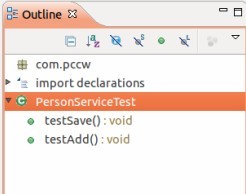
想測試哪個方法,就在該測試方法上按右鍵,選擇 Run As,再選 Android JUnit Test 即可。若有異常或錯誤,會出現類似下圖的情況:
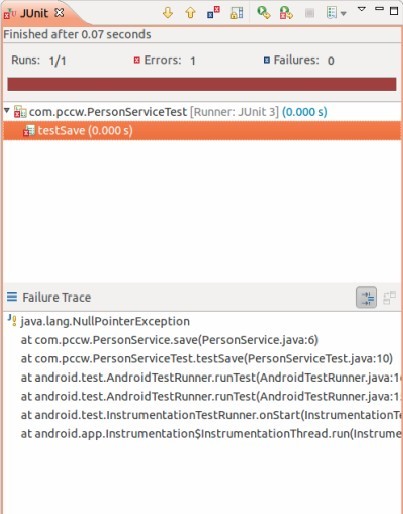
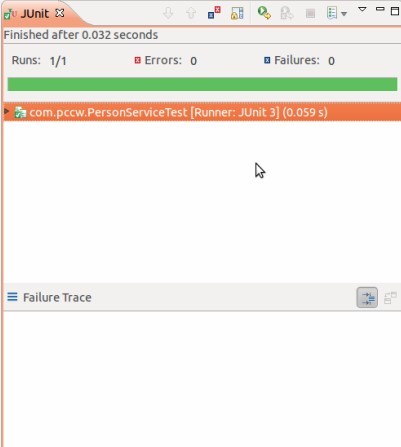
如果一切正常,則會看到類似下圖的結果:
希望本文的說明能對你的 Android 開發有所幫助。
 Android 中的 TCP 與 UDP 傳輸實作
TCP 與 UDP 是 Android 網路開發中常見的傳輸協定。TCP 面向連接、可靠且按序傳輸;UDP 無連接、低延遲,適合理會即時性較高的場景。TCP 通訊概念TC
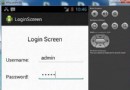 Android 登入畫面實作:密碼遮罩、錯誤提示與三次鎖定
幾乎每個需要使用者帳號的 App,都得面對同一道關卡:登入畫面。它看似簡單,卻同時牽涉到輸入欄位的型別設定、按鈕事件綁定、錯誤訊息回饋,以及最容易被忽略的一環——防止暴力
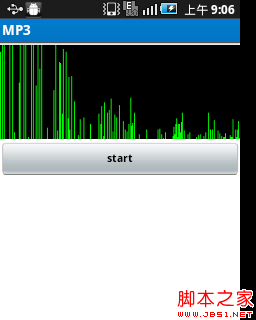 Android 音頻錄製與音頻視覺化開發案例
Android 提供多種音頻處理方式,從呼叫系統內建錄音程式,到自行使用 MediaRecorder、AudioRecord 進行即時聲波分析,都能延伸出不同的應用。本文
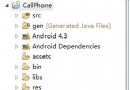 Android 學習筆記(二):手把手實現電話撥號器
如今 Android 已經在智能手機市場佔據了強大的霸主地位,也吸引了越來越多的開發者。本文將以一個電話撥號器為例,帶領大家一步步完成一個簡單實用的 App。 一、新建項