

編輯:Android 開發實例
在日常使用 Android 手機的過程中,「根據電話號碼取得聯絡人頭像」是經常會碰到的問題。本文便以實例形式講述如何在 Android 中根據電話號碼取得聯絡人頭像。分享給大家參考。具體方法如下:
首先,透過 ContentProvider 可以存取 Android 中的聯絡人等資料。常用的 Uri 有:
聯絡人資訊 Uri:content://com.android.contacts/contacts
聯絡人電話 Uri:content://com.android.contacts/data/phones
聯絡人郵件 Uri:content://com.android.contacts/data/emails
並且它提供了根據電話號碼取得 data 表資料的功能,方法為:data/phones/filter/號碼,會返回一個資料集。再透過資料集取得該聯絡人的 contact_id,根據 contact_id 打開頭像圖片的 InputStream,最後用 BitmapFactory.decodeStream() 取得聯絡人的頭像。
具體功能程式碼如下:
// 根據號碼獲得聯系人頭像 public static void get_people_image(String x_number){ // 獲得Uri Uri uriNumber2Contacts = Uri.parse("content://com.android.contacts/" + "data/phones/filter/" + x_number); // 查詢Uri,返回數據集 Cursor cursorCantacts = context.getContentResolver().query( uriNumber2Contacts, null, null, null, null); // 如果該聯系人存在 if (cursorCantacts.getCount() > 0) { // 移動到第一條數據 cursorCantacts.moveToFirst(); // 獲得該聯系人的contact_id Long contactID = cursorCantacts.getLong(cursorCantacts.getColumnIndex("contact_id")); // 獲得contact_id的Uri Uri uri = ContentUris.withAppendedId(ContactsContract.Contacts.CONTENT_URI, contactID); // 打開頭像圖片的InputStream InputStream input = ContactsContract.Contacts.openContactPhotoInputStream(context.getContentResolver(), uri); // 從InputStream獲得bitmap bmp_head = BitmapFactory.decodeStream(input); }<br>}
希望本文所述能對大家的 Android 程式設計有所幫助。
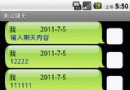 Android 編程實現泡泡聊天界面(附源碼)
本文分享一個實現 Android 泡泡聊天界面的完整例子,供大家參考。 前幾天寫了個界面,實現了類似微信的泡泡聊天效果。點擊發送按鈕後,屏幕就會顯示輸入框中的文字內容,運
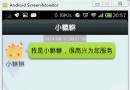 用圖靈機器人 API 做一個安卓聊天機器人
前幾天看到有人用 iOS 寫了個圖靈機器人的客戶端,順手翻了官網的接入文件(https://www.tuling123.com/openapi/),發現簡單得有點意外——
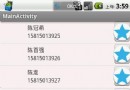 ListView getView 的三種優化寫法對照與說明
本文只做一件事:把 getView() 裡優化視圖的幾種寫法並排比較。就像孔乙己談「茴」字的幾種寫法,高手請勿見笑,寫出來是為了給新手一個參照,有錯也歡迎指正。 先說
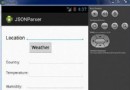 Android JSON 解析入門:用 JSONObject 撈出你要的那幾個欄位
JSON(JavaScript Object Notation)自從被提出之後,因為格式輕量、可讀性高,很快就在 Web API 的世界裡取代了 XML 的位置。不管是瀏