

編輯:Android 開發實例
最近在把 HevSocks5Client 移植到 Android 平台。補上 signalfd 與 timerfd 相關的系統調用支持之後,就可以直接用 NDK 編譯出可執行文件了。不過裸的 native executable 在 Android 上始終不太順手,最终还是包成一個 apk 更省心——暫定只寫一個 Service 並讓它開機自啟,不做 Activity。
Java 調用 native 程序,我選擇 JNI 方式:直接在 JNI_OnLoad 裡用 pthread_create 開一個線程去跑原來的 main 函數,改動最小。
...
#if defined(ANDROID)
#include <jni.h>
#include <pthread.h>
#endif

int
main (int argc, char *argv[])
{
    ...
}

#if defined(ANDROID)
static void *
thread_handler (void *data)
{
    main (0, NULL);
    return NULL;
}

jint
JNI_OnLoad (JavaVM *vm, void *reserved)
{
    pthread_t thread;
    pthread_create (&thread, NULL, thread_handler, NULL);
    return JNI_VERSION_1_4;
}
#endif
Service 的職責很單純:加載 JNI 庫 hev-socks5-client,讓後台邏輯跑起來。
package hev.socks5;

import android.app.Service;
import android.content.Intent;
import android.os.IBinder;
import android.util.Log;

public class MainService extends Service {

                static {
                            System.loadLibrary("hev-socks5-client");
                }

                public IBinder onBind(Intent intent) {
                            return null;
                }
}
ServiceReceiver 的作用就是守著系統的 BOOT_COMPLETED 事件,一旦收到便主動把服務拉起來。
package hev.socks5;

import android.content.BroadcastReceiver;
import android.content.Context;
import android.content.Intent;

public class ServiceReceiver extends BroadcastReceiver {

            @Override
            public void onReceive(Context context, Intent intent) {
                        if (intent.getAction().equals(Intent.ACTION_BOOT_COMPLETED)) {
                                    Intent i = new Intent(context, MainService.class);
                                    context.startService(i);
                        }
            }
}
最後別忘了在 AndroidManifest.xml 裡注册 Service 和 Receiver,並加上訪問網絡與接收開機完成的權限。
<?xml version="1.0" encoding="utf-8"?>
<manifest xmlns:android="https://schemas.android.com/apk/res/android"
            package="hev.socks5"
            android:versionCode="1"
            android:versionName="1.0">
    <application android:label="@string/app_name" >
                <service android:name=".MainService">
                                    <intent-filter>
                                                <action android:name="hev.socks5.MainService" />
                                    </intent-filter>
                </service>
                <receiver android:enabled="true" android:name=".ServiceReceiver">
                                    <intent-filter>
                                                <action android:name="android.intent.action.BOOT_COMPLETED" />
                                    </intent-filter>
                </receiver>
    </application>
    <uses-permission android:name="android.permission.INTERNET" />
    <uses-permission android:name="android.permission.RECEIVE_BOOT_COMPLETED" />
</manifest>
這套方案僅在 Android 2.3.3 及更早版本上完全有效。從更高版本開始,如果應用安裝後從未運行過一次,Broadcast Receiver 將收不到 boot completed 廣播。繞過辦法是先用手動命令把服務啟動一次:
am startservice hev.socks5/.MainService
服務被系統「認識」之後,後續的開機自啟才會正常工作。
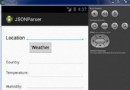 Android JSON 解析入門
JSON 是一種輕量級的資料交換格式,常用於應用程式與伺服器之間傳輸資料。相比 XML,JSON 結構更簡潔,也更容易在 Android 中解析。本文說明 JSON 的基
 搞懂點九圖片的「內容顯示區域」是什麼意思
點九圖(.9.png)的拉伸區域由左上方那一格標記,這個觀念大多數人都懂;但右側那一格所定義的「內容顯示區域」究竟是什麼,就常常讓人卡住。 為什麼需要點九圖 智慧型手機普
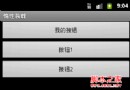 Android 開發技巧:用 ViewStub 實現控制項的惰性載入
前面介紹過 <include> 標籤,它可以在佈局檔中引用另一個佈局檔,並覆蓋被引用佈局根節點所有以 android:layout 開頭的相關屬性。透過 &l
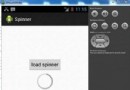 Android 轉圈式進度條(Loading Spinner)實作教學
當 App 要執行一段耗時工作,使用者需要知道「系統還在動」。Android 的進度指示有兩種常見型態:一種是有明確百分比、看得見進度的橫向進度列;另一種是不知道要等多久