

編輯:Android 開發實例
Toast 常用來顯示短暫提示,例如「儲存成功」、「網路連線失敗」。它會在畫面上停留一段時間後自動消失,不會像 Dialog 那樣持續佔用畫面焦點。
最簡單的用法是呼叫 Toast.makeText,再呼叫 show。
Toast.makeText(context, "訊息已送出", Toast.LENGTH_SHORT).show();若需要自訂 Toast 的版面配置,可以透過 getLayoutInflater 載入自訂 View,再使用 setView 設定到 Toast 物件中。
官方文件:Toast。
Notification 用於在系統通知列顯示訊息,適合背景事件、下載完成、新訊息提醒等情境。使用 Notification 時,通常需要準備 NotificationManager、Notification 物件、PendingIntent,以及通知的標題、內容、圖示與點擊行為。
NotificationManager manager = (NotificationManager) getSystemService(NOTIFICATION_SERVICE);
Intent intent = new Intent(this, MainActivity.class);
PendingIntent pendingIntent = PendingIntent.getActivity(this, 0, intent, PendingIntent.FLAG_UPDATE_CURRENT);
NotificationCompat.Builder builder = new NotificationCompat.Builder(this)
        .setSmallIcon(R.drawable.ic_launcher)
        .setContentTitle("新訊息")
        .setContentText("你有一則新的通知")
        .setContentIntent(pendingIntent);
manager.notify(1, builder.build());
若要更新通知,可以保持相同的通知 ID,再次呼叫 notify;若要取消單一通知,可使用 cancel;若要取消全部通知,可使用 cancelAll。若需要震動效果,必須在 AndroidManifest.xml 中加入 android.permission.VIBRATE 權限。
官方文件:Notification。
 Android RSS閱讀器實作(三):把 RSS 清單呈現在介面上
前兩篇說明了 RSS 的概念與 XML 解析,本篇要把解析後的資料真正放進 Android 介面。目標很簡單:抓取下來的新聞標題與時間,顯示在 ListView,點選後再
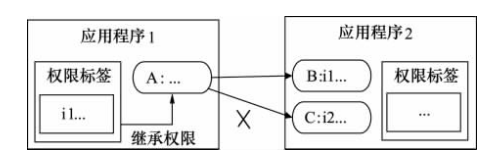 Android Permission 權限級別與組件保護
Android 權限不僅用於安裝宣告,也可用於保護組件間通訊。不同 protectionLevel 會影響授權方式與風險提示。常見權限級別normal 屬於低風險權限,安
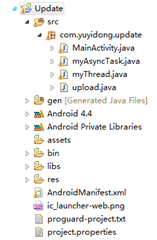 Android 圖片異步上傳到 PHP 伺服器實作
在 Android 應用中,將圖片上傳到伺服器是很常見的需求。本文以 PHP 作為接收端,說明 Android 如何透過 HTTP POST 與 multipart
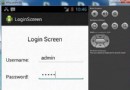 Android 登入頁面教學:從輸入驗證到錯誤鎖定
只要 App 涉及使用者帳號,就少不了登入畫面。它看似簡單,其實要處理的細節不少:密碼要遮蔽、驗證要正確、錯誤要提示,還得防止有人一直試密碼。本章依序把這些環節做完。 建