

編輯:Android 開發實例
預設的 ListView 背景通常是矩形,若希望畫面更柔和,可以透過 shape drawable 自訂圓角背景。這種做法不需要額外繪圖,只要定義 XML 資源即可。
String[] mStrings = { "aaaa", "bbbb", "cccc" };

ListView listView = findViewById(R.id.list);
listView.setAdapter(new ArrayAdapter<String>(
    this,
    android.R.layout.simple_list_item_1,
    mStrings
));<ListView
android:id="@+id/list"
android:layout_width="fill_parent"
android:layout_height="wrap_content"
android:background="@layout/list_corner_1"
android:layout_weight="1.0" />其中 list_corner_1.xml 定義圓角與漸層:
<shape xmlns:android="https://schemas.android.com/apk/res/android"
    android:shape="rectangle">
    <gradient
        android:startColor="#CCCCFF"
        android:endColor="#99CCFF"
        android:angle="90" />
    <corners
        android:bottomRightRadius="10dp"
        android:bottomLeftRadius="10dp"
        android:topLeftRadius="10dp"
        android:topRightRadius="10dp" />
</shape>若 ListView 項目本身有背景色,可能會覆蓋外層圓角效果。此時可將 item 背景設為透明,或改用 CardView、MaterialCardView 等元件實作更現代的卡片式列表。
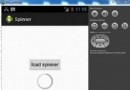 Android 加載 Spinner 實作指南:ProgressBar 樣式、生命週期與解除時機
在 Android 中,任務的執行進展可以透過載入進度條來呈現。進度條有兩種形態:加載欄與加載微調(spinner)。前者用於能算出百分比的场合,後者則是給那些「還要多久
 Android SQLite 快速入門
SQLite 是 Android 常用的輕量級嵌入式資料庫,以單一檔案保存資料,資源占用低,適合本地結構化資料儲存。基本概念SQLite 以檔案為資料庫,一個檔案可包含多
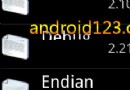 開啟 ListView 側邊快速滾動滑塊:一行屬性搞定 fastScroll
不少開發者不知道 ListView 右側那個快速滾動滑塊(fast scroll thumb)該怎麼啟用,其實只要一行設定。 用 XML 布局的話,在 ListView
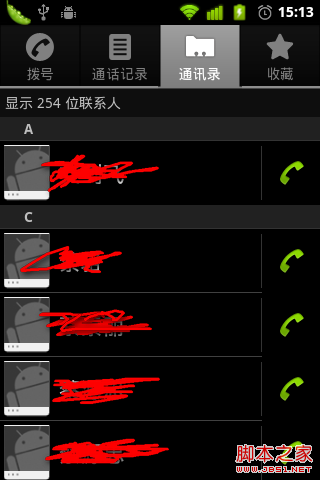 ListView 分組實作:像通訊錄一樣按首字母分類
好的資訊呈現,講究的是「讓使用者一眼看到最有價值的部分」。而當資料量一大,分組就從加分項變成必需品。 分組的應用場合非常廣——只要是集合型資料,幾乎都適合分組。實作形式