

編輯:Android 開發實例
EditText 的繼承關係為:View → TextView → EditText。作為接收用戶輸入的核心控件,它擁有豐富的屬性可以調節。本文將這些屬性系統性地梳理一番,方便日後查閱。
android:hint:設置顯示在控件上的提示信息。android:numeric="integer":限制只能輸入整數(小數則用 decimal)。android:singleLine="true":單行輸入,設為 true 時文字不會自動換行。android:password="true":只能輸入密碼。android:textColor:字體顏色。android:textSize:字體大小。android:capitalize="characters":以大寫字母書寫。android:textColorHighlight:被選中文字的底色,默認為藍色。android:textColorHint:提示信息文字顏色,默認為灰色。android:typeface:字型,可選 normal、sans、serif、monospace。android:background="@null":背景設為透明。android:autoText:自動拼寫幫助。android:digits:設置只接受某些字符。android:phoneNumber:輸入電話號碼。android:editable:是否可編輯。android:autoLink="all":設置文本超鏈接樣式,點擊網址時跳向該網址。android:bufferType:指定 getText() 返回的文本類別。editable 類似 StringBuilder 可追加字符;spannable 則可在給定字符區域使用樣式。android:drawableLeft/Right/Top/Bottom:在文本的左、右、上、下方輸出一個 drawable(如图片),配合 drawablePadding 可設置間距。android:ellipsize:設置文字過長時的顯示方式。可選 start(省略號在開頭)、end(結尾)、middle(中間)、marquee(跑馬燈橫向滾動)。android:gravity:設置文本位置,如 center 使文本居中。android:imeOptions:設置右下角 IME 動作,如 actionDone 會顯示「完成」而非默認的回車符號。android:inputType:設置文本類型,幫助輸入法顯示合適的鍵盤類型。android:maxLines / minLines:設置文本最大/最小顯示行數。android:lineSpacingExtra / lineSpacingMultiplier:設置行間距及其倍數。android:shadowColor / shadowDx / shadowDy / shadowRadius:設置文本陰影的顏色、橫向與縱向偏移及半徑(半徑設為 3.0 效果通常較佳)。android:textAppearance:設置文字外觀,如 ?android:attr/textAppearanceLargeInverse,其中 ? 表示引用系統外觀,若不存在則使用默認外觀。這些屬性看似繁雜,但只要理清「輸入限制」「外觀樣式」「行為交互」這幾條主線,便能快速定位所需配置。熟練掌握它們,是打造精緻表單界面的必修課。
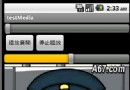 MediaPlayer 音訊與視訊播放:搭配 SurfaceView 與 SeekBar 的完整實作
前面的文章把 Android 介面的入門技術介紹得差不多了,相信讀者對常見的 Layout 與 View 都已經有概念。接下來不再談介面,改針對具體功能逐一深入。 本文
 用ViewPager高仿launcher左右拖動效果
前一篇高仿 launcher 和墨跡天氣的左右拖動效果收穫了不少好評。那一版主要靠自定義 ViewGroup 來實現,寫起來頗為繁瑣。今天改用 ViewPager 這個類
 Gallery 搭配 ImageSwitcher:打造可滑動切換的看圖元件
上一篇談了 Gallery 的基礎用法,這次把它跟 ImageSwitcher 組合起來,做出一個真正好用的看圖畫面。 為什麼要兩個控件一起用?因為 Gallery 的
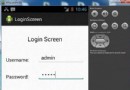 Android 登入畫面與錯誤嘗試管理
登入畫面是幾乎每個需要帳號服務的 App 必備的一環。使用者在此輸入帳號與密碼,系統驗證通過後才允許進入——從 Facebook、微博等社群平台,到各種自製 App 皆然