

編輯:Android 開發實例
CursorTreeAdapter 是一個相當實用的抽象適配器類別。它能讓我們以連續的游標(Cursor)物件存取資料庫,並將查詢結果呈現在可伸縮列表檢視 ExpandableListView 上。
它的運作方式是:建構子中指定的頂層游標負責顯示全部的「群組(groups)」,而每個群組底下對應的子元素游標,則由 getChildrenCursor(Cursor) 方法取得並呈現。這裡有個至關重要的前提——游標所攜帶的結果集中,必須包含一個名為「_id」的欄位,否則這個類別將無法正常運作。
public abstract class CursorTreeAdapter
extends BaseExpandableListAdapter implements Filterable
其繼承階層如下:
java.lang.Object
android.widget.BaseExpandableListAdapter
android.widget.CursorTreeAdapter
直接子類為 ResourceCursorTreeAdapter,而間接子類則是大家耳熟能詳的 SimpleCursorTreeAdapter。
public CursorTreeAdapter (Cursor cursor, Context context)
每當資料庫中的資料發生變動時,適配器會自動呼叫 requery() 重新查詢,以顯示最新的資料。
public CursorTreeAdapter (Cursor cursor, Context context, boolean autoRequery)
requery() 重新查詢以更新顯示。protected abstract void bindChildView (View view, Context context, Cursor cursor, boolean isLastChild)
以游標方式將子元素資料綁定到既有的檢視物件上。
protected abstract void bindGroupView (View view, Context context, Cursor cursor, boolean isExpanded)
以游標方式將群組資料綁定到既有的檢視物件上。
protected abstract Cursor getChildrenCursor (Cursor groupCursor)
取得指定群組中的子元素游標。子類別必須實作此方法以回傳子元素資料。若想以異步查詢避免 UI 阻塞,這個方法可以回傳 null,或稍後再呼叫 setChildrenCursor(int, Cursor)。你有責任在 Activity 生命週期中妥善管理這個游標,一個好做法是使用 managedQuery(...) 來統一管理。某些情況下,適配器本身會讓游標失效,但這並非必然,因此務必確保游標被正確管理。
protected abstract View newChildView (Context context, Cursor cursor, boolean isLastChild, ViewGroup parent)
建立一個新的子元素檢視,並持有指向資料的游標。
protected abstract View newGroupView (Context context, Cursor cursor, boolean isExpanded, ViewGroup parent)
建立一個新的群組檢視,並持有群組中指向資料的游標。
使用時,主要就是實作上述這幾個抽象方法。以下以聯絡人清單為例:
- public class CursorTreeAdapterExample extends CursorTreeAdapter {
- private int mGroupIdColumnIndex;
- private LayoutInflater mInflater;
- //注意這裡的游標是一級項的
- public CursorTreeAdapterExample(Cursor cursor, Context context) {
- super(cursor, context);
- mGroupIdColumnIndex = cursor.getColumnIndexOrThrow(Phone._ID);
- mInflater = (LayoutInflater) context.getSystemService(LAYOUT_INFLATER_SERVICE);
- }
- //注意這裡的游標是二級項的
- @Override
- protected void bindChildView(View view, Context context, Cursor cursor, boolean isExpanded) {
- // Bind the related data with this child view
- ((TextView)view).setText(cursor.getString(cursor.getColumnIndex(Phone.NUMBER)));
- }
- @Override
- protected void bindGroupView(View view, Context context, Cursor cursor, boolean isExpanded) {
- // Bind the related data with this group view
- ((TextView)view).setText(cursor.getString(cursor.getColumnIndex(Phone.DISPLAY_NAME)));
- }
- //注意這裡通過一次數據庫查詢才得到了二級項的數據
- @Override
- protected Cursor getChildrenCursor(Cursor groupCursor) {
- Uri.Builder builder = Phone.CONTENT_URI.buildUpon();
- ContentUris.appendId(builder, groupCursor.getLong(mGroupIdColumnIndex));
- Uri phoneNumbersUri = builder.build();
- // The returned Cursor MUST be managed by us, so we use Activity's helper
- // functionality to manage it for us.
- return managedQuery(phoneNumbersUri, new String[] {Phone._ID, Phone.NUMBER}, null, null, null);
- }
- @Override
- protected View newChildView(Context context, Cursor cursor, boolean isExpanded, ViewGroup parent) {
- Log.d(TAG, "newChildView");
- TextView view = (TextView) mInflater.inflate(android.R.layout.simple_expandable_list_item_1, parent, false);
- view.setText(" (" + cursor.getPosition() + ") " + cursor.getString(cursor.getColumnIndex(Phone.NUMBER)));
- return view;
- }
- @Override
- protected View newGroupView(Context context, Cursor cursor, boolean isExpanded, ViewGroup parent) {
- Log.d(TAG, "newGroupView");
- TextView view = (TextView) mInflater.inflate(android.R.layout.simple_expandable_list_item_1, parent, false);
- view.setText(" (" + cursor.getPosition() + ") " + cursor.getString(cursor.getColumnIndex(Phone.DISPLAY_NAME)));
- return view;
- }
- }
透過這個範例可以清楚看到:getChildrenCursor 會依據點選的群組游標,另行查詢該聯絡人底下的電話號碼作為子元素資料,並用 managedQuery 交由 Activity 統一管理游標生命週期,這正是實務上相當推薦的做法。
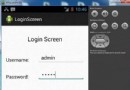 Android 登入畫面設計:三次機會錯誤鎖定
登入畫面需要兼顧可用性與安全性。除了帳密輸入,也應限制連續錯誤次數。 版面設計 使用兩個 EditText 分別接收帳號與密碼,密碼欄設定 inputType 為 tex
 Android 本地化實作演練:從英文預設值到義大利文翻譯
把寫死的中文或英文字串丟進 App,短期很快,長期很痛。Android 早就提供了答案:所有顯示文字都放進資源檔,再依語言準備對應版本,系統會依裝置設定自動挑選。本章從建
 Facebook shimmer 閃光效果庫 Android 使用指南
關於 shimmerShimmer 是 Facebook 開源的一套 Java 函式庫,能讓 Android 上任何 View 元件披上一層流動的高光效果。常見用途是「骨
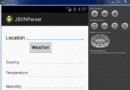 Android JSON 解析:以 JSONObject 擷取網路資料
JSON(JavaScript Object Notation)是一種與語言無關的資料交換格式,也是 XML 廣受歡迎的替代方案。本章說明如何在 Android 中解析