

編輯:Android 開發實例
本篇整理 android.widget.ResourceCursorTreeAdapter,對應版本為 Android 3.1 r1,此 API 自 Android 3.0 r1 起加入。
public abstract class ResourceCursorTreeAdapter extends CursorTreeAdapter
繼承鏈如下:
java.lang.Object
  └─ android.widget.BaseExpandableListAdapter
       └─ android.widget.CursorTreeAdapter
            └─ android.widget.ResourceCursorTreeAdapter
已知的直接子類:SimpleCursorTreeAdapter。
這是一個簡化版的 ExpandableListAdapter。它讓你把每一種 row 的外觀交給 XML 版面配置檔來定義,而不必在程式碼裡用 newView/bindView 手工組出 View。換句話說,它把「資料綁定」這件事簡化成「指定幾個 layout 資源 id」。
public ResourceCursorTreeAdapter(Context context, Cursor cursor,
        int collapsedGroupLayout, int expandedGroupLayout,
        int childLayout, int lastChildLayout)
參數說明:
public ResourceCursorTreeAdapter(Context context, Cursor cursor,
        int collapsedGroupLayout, int expandedGroupLayout, int childLayout)
當你不需要為「最後一個子項」單獨設計樣式(例如不必另外畫分隔線或圓角)時,用這個版本即可,最後一項會沿用 childLayout。
public ResourceCursorTreeAdapter(Context context, Cursor cursor,
        int groupLayout, int childLayout)
只有兩個 layout:一個給所有群組、一個給所有子項,收合與展開共用同一個群組版面配置。參數中 context 一樣是 ListView 的上下文,cursor 是資料庫游標,groupLayout 為群組版面配置資源 id,childLayout 為子項版面配置資源 id。
protected abstract View newChildView(Context context, Cursor cursor,
        boolean isLastChild, ViewGroup parent)
建立一個新的子項 View,並把游標定位在該子項對應的資料列上。
protected abstract View newGroupView(Context context, Cursor cursor,
        boolean isExpanded, ViewGroup parent)
建立一個新的群組 View,並把游標定位在該群組對應的資料列上。
雖然這兩個方法被宣告為 abstract,但如果你只是要「把 XML 指定的 layout 塞進去、再把 cursor 的欄位綁到 View 上」,通常不需要自己實作——直接繼承 SimpleCursorTreeAdapter 並在建構子裡告訴它哪些欄位對應哪些 view id 就好。ResourceCursorTreeAdapter 的價值在於當版面配置需要依狀態(收合/展開、是否為最後一項)而變化時,你有一個可以覆寫的切入點。
 Android MediaPlayer 教學:打造一個能播放、暫停、快轉的音樂播放器
要在 Android 上播放音訊或影片,最直接的工具就是 MediaPlayer 類別。它背後接的是系統內建的播放服務,能處理本機檔案、raw 資源、assets,也能播
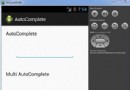 AutoCompleteTextView 自動完成實作:單行與多行建議輸入
當使用者在可編輯文字欄位中打字時,若 App 能即時給出建議清單,輸入效率與正確率都會明顯提升。Android 為此提供了 AutoCompleteTextView:建議
 用 Android 打造漫天飛雪與下雨天的動態效果
前言這套生動的降雪與降雨動畫,最初靈感來自國外一位開發者的巧思。我在他的基礎上反覆調試,為程式碼補上大量註解,並對部分細節做了修改。在此之上,我沿用漫天飛雪的核心思路,進
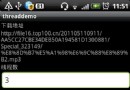 Android 多執行緒下載檔案的實作方法完整解析
本文為大家分享 Android 實現多執行緒下載檔案的方法,值得參考,具體如下:多執行緒下載的大致思路是:透過 Range 屬性把檔案分段,再以 RandomAccess