

編輯:Android 開發實例
希望將 grid.xml 中的 GridView 動態加入 id 為 ContentView 的 LinearLayout,而不是直接寫死在 main.xml 中。這樣做的好處是畫面切換時更靈活,也能依需求動態決定要顯示的內容。
如果把 GridView 的 XML 內容直接複製到 main.xml 的 LinearLayout 容器中,畫面顯示正常。但若透過 LayoutInflater 取得 GridView,再用 addView 動態加入,layout_height 設定為 fill_parent 或固定數值都無法讓 GridView 填滿父容器,畫面只會顯示有資料的區塊。
動態加入子檢視時,XML 中的 layout 屬性不會自動轉成對應父容器的 LayoutParams。若沒有明確指定 LayoutParams,子 View 就可能無法依照預期填滿父容器。
在呼叫 addView 時,明確建立 LinearLayout.LayoutParams,並將寬高都指定為 FILL_PARENT。
ly.addView(gridview, new LinearLayout.LayoutParams(
    LinearLayout.LayoutParams.FILL_PARENT,
LinearLayout.LayoutParams.FILL_PARENT));動態加入 View 時,除了 XML 本身的屬性,也要留意父容器型別與 LayoutParams。補上正確的 LayoutParams 後,GridView 就能正常填滿 LinearLayout。
 Android 音訊播放全攻略:MediaPlayer 方法與實作
要在 App 裡放音樂或播影片,MediaPlayer 是最經典的選擇。它位於 android.media 套件,能播放 SD 卡裡的檔案、res/raw 中的資源,也能
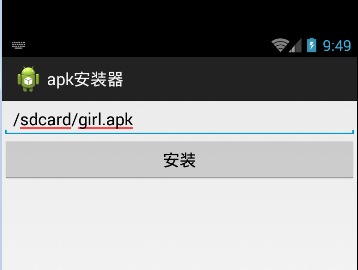 Android APK 的安裝實作完整解析
本文帶大家完整走一遍在 Android 中實現 apk 安裝的流程。首先來看看系統安裝器 PackageInstaller 的清單檔(位於 packages\apps\P
 Android Gallery 與 GridView 圖片展示元件解析
Gallery 概覽 Gallery 是一種水平捲動並通常聚焦中央項目的檢視元件,常用於瀏覽圖片。它可單獨使用,也可與 ImageSwitcher 搭配,做出縮圖選擇與大
 Android 半透明選單效果實作:圓角背景與 GridView 彈出視窗
有些音樂播放器的半透明選單看起來特別有質感:背景半透明、邊框圓潤,圖示整齊排列。本文以一個簡單範例,說明如何在 Android 中做出類似效果。 效果拆解 這種半透明選單