

編輯:初階開發
TextView 本身就自帶跑馬燈(marquee)能力,只要把顯示模式設成跑馬燈、設定滾動次數即可。但問題在於:跑馬燈要真正動起來,這個 TextView 必須先取得焦點。所以我們得想辦法讓它「假裝」永遠有焦點,才能持續滾動。
在自己包裡新增一個類別並繼承 TextView,然後覆寫 isFocused()。這個方法預設在取得焦點時回傳 true、失去焦點回傳 false,而跑馬燈正是靠它來判斷是否要啟動,因此我們讓它永遠回傳 true:
public class AlwaysMarqueeTextView extends TextView {
三個建構子分別是 (Context)、(Context, AttributeSet)、(Context, AttributeSet, int defStyle),各自呼叫 super 即可;接著:
@Overridepublic boolean isFocused() { return true; }
於 layout XML 裡放入這個自訂檢視(寫法就是完整類別名稱):
<com.examples.AlwaysMarqueeTextViewandroid:id="@+id/AMTV1"android:layout_width="fill_parent"android:layout_height="wrap_content"android:lines="1"android:focusable="true"android:focusableInTouchMode="true"android:scrollHorizontally="true"android:marqueeRepeatLimit="marquee_forever"android:ellipsize="marquee"android:background="@android:color/transparent"/>
ellipsize:決定文字過長時的顯示方式。start 把省略號放開頭、end 放結尾、middle 放中間,而 marquee 則是以跑馬燈方式橫向移動顯示。
marqueeRepeatLimit:在 ellipsize 設為 marquee 時,決定重複滾動的次數;設成 marquee_forever 代表無限次。
focusable:顧名思義就是能否取得焦點;而 focusableInTouchMode 則是觸控滑動時能否取得焦點。
把兩個 TextView 放進 LinearLayout 時,若焦點被外層的 LinearLayout 搶走,內層 TextView 就拿不到焦點,跑馬燈自然動不了——即使你也幫 TextView 設了 android:focusable="true" 一樣沒用。這時的解法是替 LinearLayout 加上 android:addStatesFromChildren 屬性,並把 TextView 的 focusable 設為 true 即可。
addStatesFromChildren 的官方說明是:Sets whether this ViewGroup's drawable states also include its children's drawable states(讓這個 ViewGroup 的 drawable 狀態一併納入子元素的狀態)。理解這句話,就能明白為什麼它能解決焦點被搶的問題。
 HTC Hero 玩家自製 ROM:把 Android 2.1 裝進 Hero
HTC Hero 是一款硬體配置相當堅實的智慧型手機,對不同版本的 Android 系統展現出不錯的相容性。先前就曾有用戶把 HTC 新機 Espresso 內建的 An
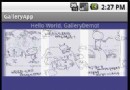 Android Gallery 控件詳解:圖片瀏覽與自定義 ImageAdapter 實作
Gallery 是 Android 裡專門用來做「圖片瀏覽」的控件,用手指滑動就能在頭尾相連的圖片序列中切換。用法和 ListView 同一套路:在版面裡擺好 Galle
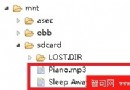 解決 Android 模擬器 PUSH 檔案時出現 Read-only file system 錯誤
在開發 Android 時,經常需要把音樂、圖片或測試資料丟進模擬器的 SD 卡裡,卻時常被一句冷冰冰的錯誤擋住: Failed to push xxx.txt on e
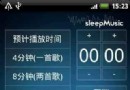 Android 實作:Service、BroadcastReceiver 與 AlarmManager
本文以「定時停止播放音樂」為例,說明如何結合 Service、AlarmManager 與 BroadcastReceiver。當使用者設定時間後啟動 Service,S