

編輯:關於 Android 程式設計
Android 原生的 TextView 對「兩端對齊」(justify)支持得並不友好,行尾不齊在中文正文裡尤其明顯。一個取巧又穩妥的做法是把內容交給 WebView 渲染,用 CSS 的 text-align:justify 來實現。
public class MainActivity extends Activity {

    @Override
    protected void onCreate(Bundle savedInstanceState) {
        super.onCreate(savedInstanceState);
        setContentView(R.layout.activity_main);

        String htmlText = "<html><body><div style=\"text-align:justify\">%s</div></body></html>";
        String myData = "Hello World! This tutorial is to show demo of "
                + "displaying text with justify alignment in WebView.";

        WebView webView = (WebView) findViewById(R.id.webView1);
        webView.loadData(String.format(htmlText, myData), "text/html", "utf-8");
    }
}
activity_main.xml:
<RelativeLayout xmlns:android="https://schemas.android.com/apk/res/android"
    xmlns:tools="https://schemas.android.com/tools"
    android:layout_width="match_parent"
    android:layout_height="match_parent"
    tools:context=".MainActivity" >

    <WebView
        android:id="@+id/webView1"
        android:layout_width="match_parent"
        android:layout_height="match_parent"/>
</RelativeLayout>
要點:loadData 的第二個參數必須寫 "text/html",第三個是編碼,寫 "utf-8" 才能避免中文亂碼。此外 CSS 裡加 text-indent:2em 還能順手實現首行縮排,配合 line-height 調整行距,排版效果會更接近印刷體。
感謝閱讀,希望能幫助到大家。
 AlertDialog 常用方法與自定義對話框實作
日常開發中最常遇到的對話框有五種:確認框、列表框、多選框、單選框,以及完全自定義的對話框。它們都建立在同一組 Builder 方法之上。 Builder 常用方法速查 ·
 Android 高仿華為手機 Tab 頁滑動導航效果實戰
先帶大家看一下實現效果,這裡用了兩種實現方式: 1. 基於 LinearLayout 實現,導航欄不可響應手指滑動; 2. 基於 HorizontalScrollView
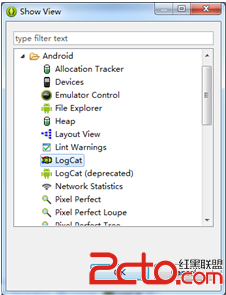 Android 開發中的 LogCat:用法、日誌等級與實用技巧
一、LogCat 是什麼 它是 Android 開發中用來輸出日誌的工具,作用相當於 Java 裡的 System.out,但在 Android 專案中使用 LogCat
 Genymotion 安卓模擬器安裝與使用圖文完整教學
用過 Eclipse 或 Android Studio 自帶的模擬器,大概都體驗過那種「點一下、等三秒」的煎熬,跑個 App 動畫還會掉幀。Genymotion 就是為了