

編輯:關於 Android 程式設計
字體圖標,也常被稱為 iconfont,是把圖示整理成字型檔,例如 .ttf,再透過文字方式顯示。和一般 PNG 圖片相比,字體圖標可以更靈活地調整大小與顏色。
常見的優點包括:
缺點則是:
把下載好的 iconfont 字型檔複製到 assets/iconfont/ 目錄。
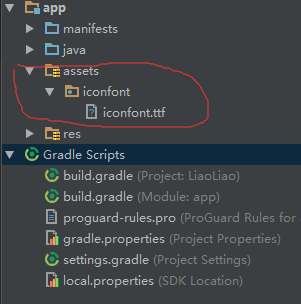
開啟 iconfont 提供的 demo.html,找到要使用的圖示,並記下其 HTML 實體字符碼。
<string name="icons">手機圖示字符碼</string>
<TextView
    android:id="@+id/like"
    android:layout_width="wrap_content"
    android:layout_height="wrap_content"
    android:text="@string/icons" />
Typeface iconfont = Typeface.createFromAsset(
    getAssets(),
    "iconfont/iconfont.ttf"
);

TextView textView = findViewById(R.id.like);
textView.setTypeface(iconfont);
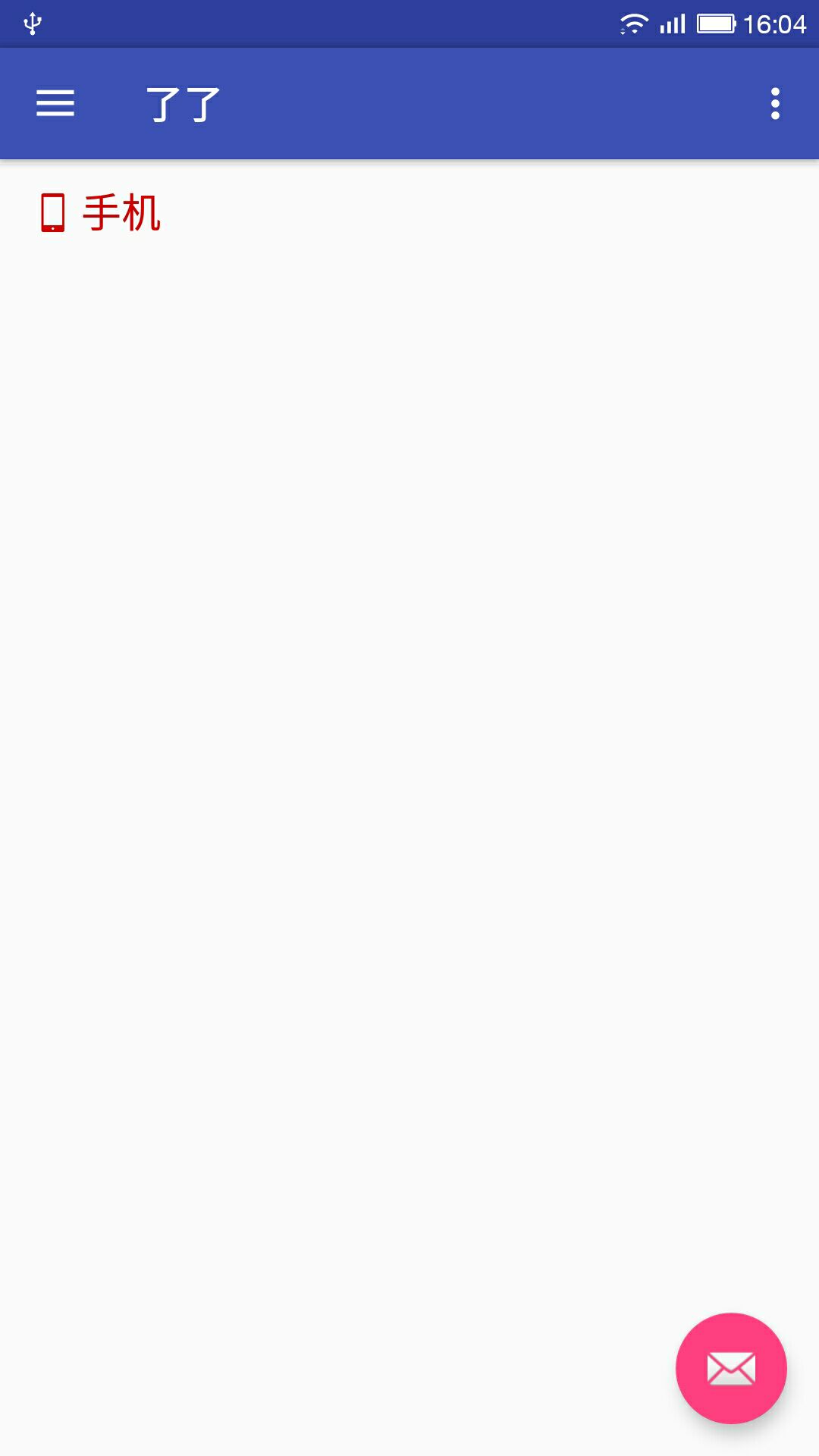
完成後畫面如下:
如果多個頁面都要使用 iconfont,每次都呼叫 setTypeface 會產生不少重複程式碼。更好的做法是建立一個自訂 TextView,在初始化時自動套用字型。
public class IconFontTextview extends TextView {
    public IconFontTextview(Context context) {
        super(context);
        init(context);
    }

    public IconFontTextview(Context context, AttributeSet attrs) {
        super(context, attrs);
        init(context);
    }

    public IconFontTextview(Context context, AttributeSet attrs, int defStyleAttr) {
        super(context, attrs, defStyleAttr);
        init(context);
    }

    private void init(Context context) {
        Typeface iconfont = Typeface.createFromAsset(
            context.getAssets(),
            "iconfont/iconfont.ttf"
        );
        setTypeface(iconfont);
    }
}
之後在布局中直接使用這個自訂元件即可:
<com.example.view.IconFontTextview
    android:layout_width="wrap_content"
    android:layout_height="wrap_content"
    android:textSize="20sp"
    android:textColor="@android:color/holo_red_dark"
    android:text="手機圖示字符碼" />
透過 iconfont,開發者可以用文字方式管理圖示,讓介面中的小圖更靈活,也更容易統一調整風格。
 Volley 源碼全解讀:從請求入隊到回調主線程
Volley 這個名字原意是「齊射」,2013 年的 Google I/O 大會上發布,是 Android 平台的網路通訊庫。它把 AsyncHttpClient 的易用
 Android 多執行緒斷點續傳下載實作全解析
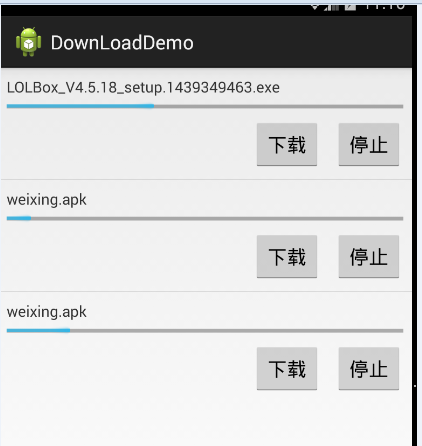
先的成果:GITHUB 上的完整專案為 Android 多執行緒下載斷點續傳。 如圖所示,點擊下載就開始下載,點擊停止會中斷,再次點擊下載則接續上次的進度繼續。 一、
 圓形倒數進度條再進化:還原「2144 手機令牌」的每一個細節
早前曾經幫人做過一個圓形進度條,效果圖也貼出來給大家看過。結果對方並不滿意,提出原應用的三個關鍵行為:倒數的最後 5 秒才開始顯示數字、轉滿一圈的時間應該在 30 秒左右
 Android Studio × OpenGL ES 3.0 增強實境開發(一):建立 NDK 開發環境
一、什麼是 NDK,什麼是 JNI? NDK(Native Development Kit,原生開發工具包)允許開發者以 C / C++ 等原生語言撰寫部分程式。它主要包