

編輯:關於 Android 程式設計
封面圖
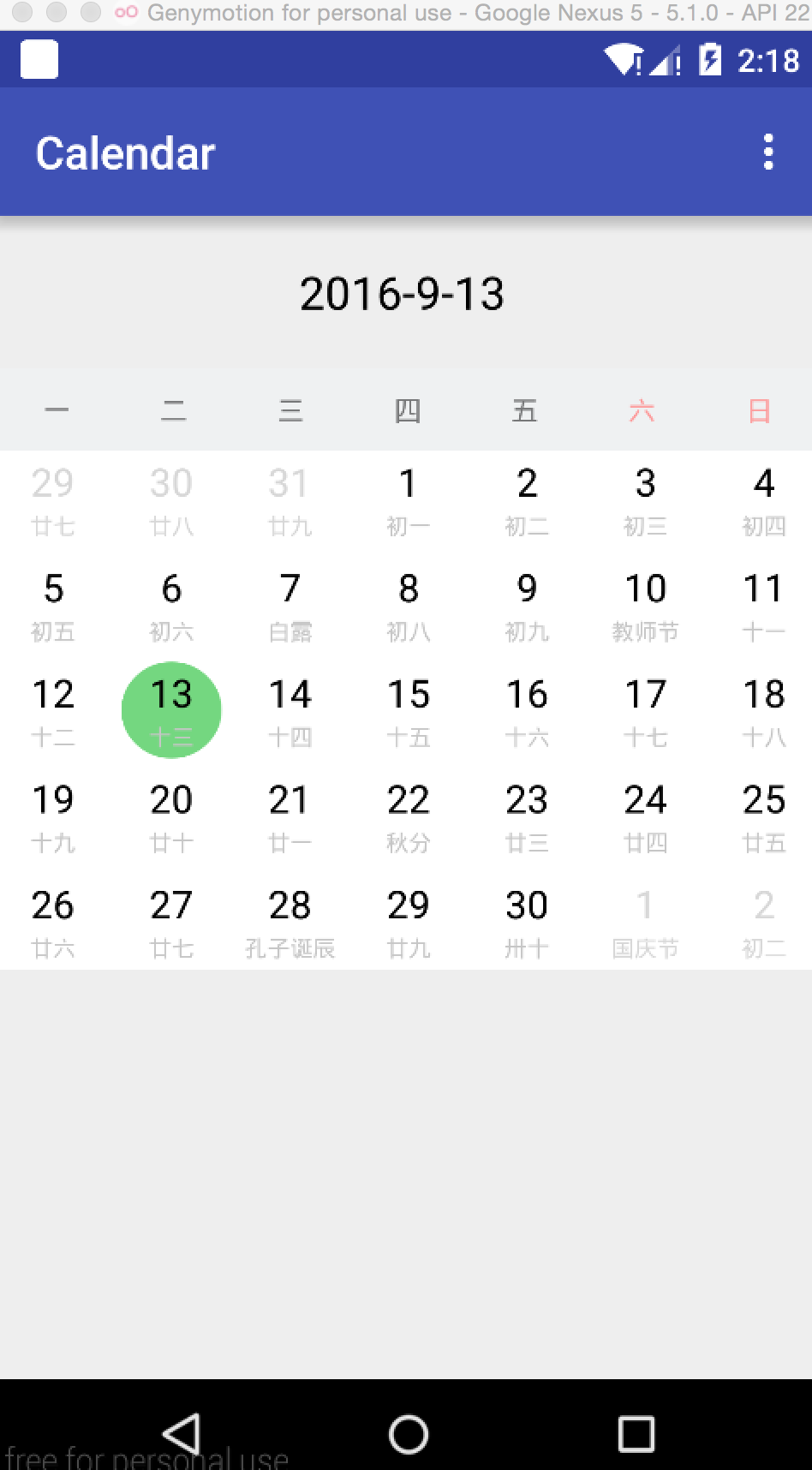
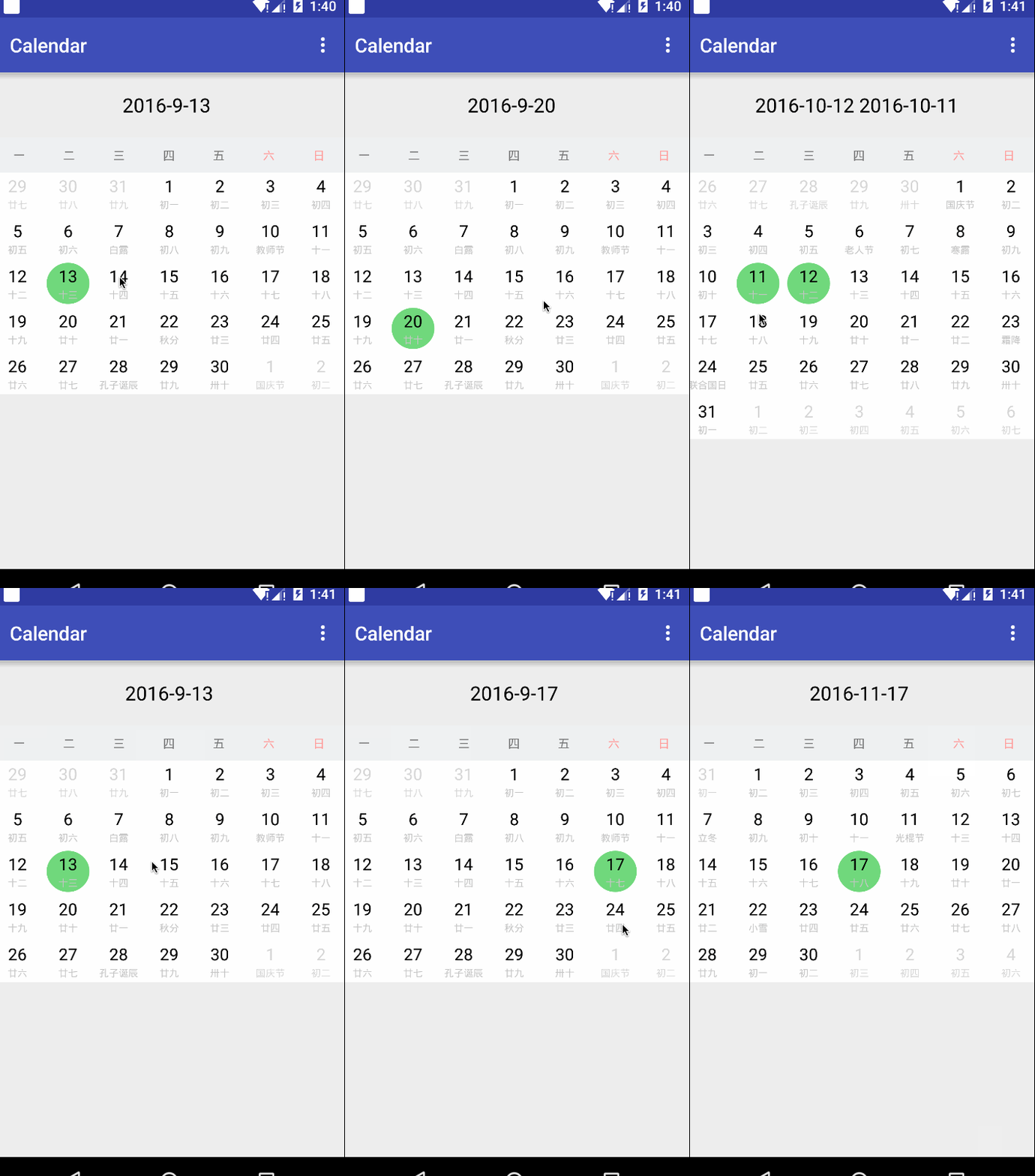
演示效果
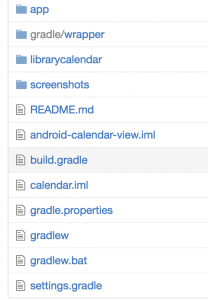
源碼目錄結構
在項目 build.gradle 中加入依賴:
compile 'com.joybar.calendar:librarycalendar:1.0.4'
Activity 需要實現三個接口:OnPageChangeListener(月份翻頁)、OnDateClickListener(點選日期),若要多選還需實現 OnDateCancelListener(取消選中)。
public class MainActivity extends AppCompatActivity
        implements CalendarViewPagerFragment.OnPageChangeListener,
                   CalendarViewFragment.OnDateClickListener,
                   CalendarViewFragment.OnDateCancelListener {

    private TextView tv_date;
    private boolean isChoiceModelSingle = false;
    private List<CalendarDate> mListDate = new ArrayList<>();

    @Override
    protected void onCreate(Bundle savedInstanceState) {
        super.onCreate(savedInstanceState);
        setContentView(R.layout.activity_main);
        tv_date = (TextView) findViewById(R.id.tv_date);
        initFragment();
    }

    private void initFragment() {
        FragmentManager fm = getSupportFragmentManager();
        FragmentTransaction tx = fm.beginTransaction();
        Fragment fragment = CalendarViewPagerFragment.newInstance(isChoiceModelSingle);
        tx.replace(R.id.fl_content, fragment);
        tx.commit();
    }

    @Override
    public boolean onCreateOptionsMenu(Menu menu) {
        getMenuInflater().inflate(R.menu.menu_im, menu);
        return true;
    }

    @Override
    public boolean onOptionsItemSelected(MenuItem item) {
        switch (item.getItemId()) {
            case R.id.menu_single:
                isChoiceModelSingle = true;
                initFragment();
                break;
            case R.id.menu_multi:
                isChoiceModelSingle = false;
                initFragment();
                break;
            default:
                break;
        }
        return true;
    }

    @Override
    public void OnDateClick(CalendarDate calendarDate) {
        int year = calendarDate.getSolar().solarYear;
        int month = calendarDate.getSolar().solarMonth;
        int day = calendarDate.getSolar().solarDay;
        if (isChoiceModelSingle) {
            tv_date.setText(year + "-" + month + "-" + day);
        } else {
            mListDate.add(calendarDate);
            tv_date.setText(listToString(mListDate));
        }
    }

    @Override
    public void OnDateCancel(CalendarDate calendarDate) {
        int count = mListDate.size();
        for (int i = 0; i < count; i++) {
            CalendarDate date = mListDate.get(i);
            if (date.getSolar().solarDay == calendarDate.getSolar().solarDay) {
                mListDate.remove(i);
                break;
            }
        }
        tv_date.setText(listToString(mListDate));
    }

    @Override
    public void OnPageChange(int year, int month) {
        // 翻頁時清空已選,避免跨月選擇造成歧義
        tv_date.setText(year + "-" + month);
        mListDate.clear();
    }

    private static String listToString(List<CalendarDate> list) {
        StringBuffer stringBuffer = new StringBuffer();
        for (CalendarDate date : list) {
            stringBuffer.append(date.getSolar().solarYear + "-"
                    + date.getSolar().solarMonth + "-"
                    + date.getSolar().solarDay).append(" ");
        }
        return stringBuffer.toString();
    }
}
控件內部其實是一個 GridView,透過 setChoiceMode() 切換選擇模式,並在 item 點擊時判斷所點格子是否屬於當月:
if (isChoiceModelSingle) {
    mGridView.setChoiceMode(GridView.CHOICE_MODE_SINGLE);
} else {
    mGridView.setChoiceMode(GridView.CHOICE_MODE_MULTIPLE);
}

mGridView.setOnItemClickListener(new AdapterView.OnItemClickListener() {
    @Override
    public void onItemClick(AdapterView<?> parent, View view,
                            int position, long id) {
        CalendarDate calendarDate = ((CalendarGridViewAdapter) mGridView
                .getAdapter()).getListData().get(position);
        if (isChoiceModelSingle) {
            // 單選:只響應當月格子
            if (finalMListDataCalendar.get(position).isInThisMonth()) {
                onDateClickListener.OnDateClick(calendarDate);
            } else {
                mGridView.setItemChecked(position, false);
            }
        } else {
            // 多選:依當前勾選狀態決定是選還是取消
            if (finalMListDataCalendar.get(position).isInThisMonth()) {
                if (!mGridView.isItemChecked(position)) {
                    onDateCancelListener.OnDateCancel(calendarDate);
                } else {
                    onDateClickListener.OnDateClick(calendarDate);
                }
            } else {
                mGridView.setItemChecked(position, false);
            }
        }
    }
});
這裡有個值得注意的設計:日曆格子通常是「上月補齊 + 本月 + 下月補齊」的結構,因此必須用 isInThisMonth() 過濾掉補位格子,否則使用者會選到看起來不屬於當月的日期。
項目地址:https://github.com/myjoybar/android-calendar-view
整體來說,這個庫把農曆、節氣、節假日這些麻煩的計算封裝得比較徹底,業務層只需要關心 CalendarDate 這一個數據對象。如果你的項目需要日期選擇能力,直接接入比自己造輪子划算得多。
 自製跳動小球動畫:屬性動畫+貝茲曲線+SurfaceView 的組合練習
過去我對複雜動畫與進階 UI 涉入不深,直到前陣子在一個 Android 技術影片裡看到動腦學院的公開課,講的是載入動畫,長達 160 分鐘,我硬是用手機看完了。邊看邊
 Android 手機線刷通用教學:驅動、線刷工具與刷入流程
本教學為通用 Android 線刷概念,適合大多數使用 MTK 平台的安卓手機。請先準備喜歡的線刷包、flash tool 與驅動精靈。 注意:此流程不支援 Window
 Android 開發筆記(一百二十二):循環器視圖 RecyclerView
RecyclerView 是 Android 在 support-v7 函式庫中推出的控制項,中文譯名為「循環器視圖」。它的功能相當強大,一套元件就能分別實現 ListV
 RxAndroid 實戰:結合 Glide 實現多圖片異步加載
開篇 關於 RxJava / RxAndroid 是什麼,我就不多廢話了,理論知識已經有很多前人整理好,肯下功夫看就能理解。這裡直接給個傳送門:https://githu