

編輯:關於 Android 程式設計
我們不該每次載入圖片都讓使用者從網路重新下載,這不但浪費流量,也拖慢體驗。正因如此,Android 引入了圖片緩存機制。
首先,根據圖片的網路位址從網路下載圖片,先把它放進記憶體緩存中的強引用,也就是 LruCache。若強引用空間不足,較早存入的圖片物件就會被驅逐到軟引用(SoftReference)中保存,同時把圖片寫入檔案(內部或外部儲存)。
讀取圖片時則反向查找:先讀記憶體緩存,判斷強引用是否存在該圖片,有則直接讀取;若強引用沒有,再看軟引用是否存在,若存在就把它移回強引用並刪除軟引用中的資料;若軟引用也沒有,才去讀取檔案儲存;檔案仍找不到時,最後才走網路載入。
下載路徑:網路 → 記憶體 → 檔案
讀取路徑:記憶體 → 強引用 → 軟引用 → 檔案 → 網路
接著用一個簡單的 Demo 來演示。此 Demo 只有一個介面:一個 ImageView 顯示圖片,一個按鈕用來觸發載入。佈局如下:
<?xml version="1.0" encoding="utf-8"?> <RelativeLayout xmlns:android="https://schemas.android.com/apk/res/android" android:layout_width="match_parent" android:layout_height="match_parent" > <ImageView android:id="@+id/iv_img" android:layout_width="wrap_content" android:layout_height="wrap_content" android:src="@mipmap/ic_launcher" android:layout_centerInParent="true"/> <Button android:id="@+id/btn_download" android:layout_below="@+id/iv_img" android:layout_centerHorizontal="true" android:layout_width="wrap_content" android:layout_height="wrap_content" android:text="加載圖片"/> </RelativeLayout>
由於要從網路下載資料並存到本機 SD 卡,別忘了為程式加上網路訪問權限、網路狀態權限與外部儲存寫入權限:
<uses-permission android:name="android.permission.INTERNET" /> <uses-permission android:name="android.permission.ACCESS_NETWORK_STATE" /> <uses-permission android:name="android.permission.WRITE_EXTERNAL_STORAGE" />
接著建立一個 HttpUtils 工具類,負責訪問網路:
package com.yztc.lx.cashimg; import android.content.Context; import android.net.ConnectivityManager; import android.net.NetworkInfo; import java.io.ByteArrayOutputStream; import java.io.IOException; import java.io.InputStream; import java.net.HttpURLConnection; import java.net.URL; /**網絡訪問工具類 * Created by Lx on 2016/8/19. */ public class HttpUtils { /** * 判斷網絡連接是否通暢 * @param mContext * @return */ public static boolean isNetConn(Context mContext) { ConnectivityManager manager = (ConnectivityManager) mContext.getSystemService(Context.CONNECTIVITY_SERVICE); NetworkInfo info = manager.getActiveNetworkInfo(); if (info != null) { return info.isConnected(); } else { return false; } } /** * 根據path下載網絡上的數據 * @param path 路徑 * @return 返回下載內容的byte數據形式 */ public static byte[] getDateFromNet(String path) { ByteArrayOutputStream baos = new ByteArrayOutputStream(); try { URL url = new URL(path); HttpURLConnection conn = (HttpURLConnection) url.openConnection(); conn.setRequestMethod("GET"); conn.setConnectTimeout(5000); conn.setDoInput(true); conn.connect(); if (conn.getResponseCode()==200) { InputStream is = conn.getInputStream(); byte b[] = new byte[1024]; int len; while ((len=is.read(b))!=-1) { baos.write(b, 0, len); } return baos.toByteArray(); } } catch (IOException e) { e.printStackTrace(); } return baos.toByteArray(); } }
還有操作外部儲存的工具類:
package com.yztc.lx.cashimg; import android.graphics.Bitmap; import android.graphics.BitmapFactory; import android.os.Environment; import java.io.ByteArrayOutputStream; import java.io.File; import java.io.FileInputStream; import java.io.FileOutputStream; import java.io.IOException; /** * Created by Lx on 2016/8/20. */ public class ExternalStorageUtils { /** * 將傳遞過來的圖片byte數組存儲到sd卡中 * @param imgName 圖片的名字 * @param buff byte數組 * @return 返回是否存儲成功 */ public static boolean storeToSDRoot(String imgName, byte buff[]) { boolean b = false; String basePath = Environment.getExternalStorageDirectory().getAbsolutePath(); File file = new File(basePath, imgName); try { FileOutputStream fos = new FileOutputStream(file); fos.write(buff); fos.close(); b = true; } catch (IOException e) { e.printStackTrace(); } return b; } /** * 從本地內存中根據圖片名字獲取圖片 * @param imgName 圖片名字 * @return 返回圖片的Bitmap格式 */ public static Bitmap getImgFromSDRoot(String imgName) { Bitmap bitmap = null; String basePath = Environment.getExternalStorageDirectory().getAbsolutePath(); File file = new File(basePath, imgName); try { FileInputStream fis = new FileInputStream(file); ByteArrayOutputStream baos = new ByteArrayOutputStream(); byte b[] = new byte[1024]; int len; while ((len = fis.read(b)) != -1) { baos.write(b, 0, len); } byte buff[] = baos.toByteArray(); if (buff != null && buff.length != 0) { bitmap = BitmapFactory.decodeByteArray(buff, 0, buff.length); } } catch (IOException e) { e.printStackTrace(); } return bitmap; } }
本例把圖片預設存在 SD 卡根目錄。接著是最重要的主程式:
package com.yztc.lx.cashimg; import android.graphics.Bitmap; import android.graphics.BitmapFactory; import android.os.Bundle; import android.os.Handler; import android.os.Message; import android.support.v7.app.AppCompatActivity; import android.util.Log; import android.util.LruCache; import android.view.View; import android.widget.Button; import android.widget.ImageView; import android.widget.Toast; import java.lang.ref.SoftReference; import java.util.LinkedHashMap; public class MainActivity extends AppCompatActivity implements View.OnClickListener { private Button btn_download; private ImageView iv_img; private MyLruCache myLruCache; private LinkedHashMap<String, SoftReference<Bitmap>> cashMap = new LinkedHashMap<>(); private static final String TAG = "MainActivity"; private String imgPath = "https://www.3dmgame.com/UploadFiles/201212/Medium_20121217143424221.jpg"; private Handler handler = new Handler() { @Override public void handleMessage(Message msg) { Bitmap bitmap = (Bitmap) msg.obj; iv_img.setImageBitmap(bitmap); Toast.makeText(MainActivity.this, "從網絡上下載圖片", Toast.LENGTH_SHORT).show(); } }; @Override protected void onCreate(Bundle savedInstanceState) { super.onCreate(savedInstanceState); setContentView(R.layout.activity_main); initView(); int totalMemory = (int) Runtime.getRuntime().maxMemory(); int size = totalMemory / 8; myLruCache = new MyLruCache(size); btn_download.setOnClickListener(this); } private void initView() { btn_download = (Button) findViewById(R.id.btn_download); iv_img = (ImageView) findViewById(R.id.iv_img); } @Override public void onClick(View v) { Bitmap b = getImgCache(); if (b != null) { iv_img.setImageBitmap(b); } else { new Thread(new Runnable() { @Override public void run() { if (HttpUtils.isNetConn(MainActivity.this)) { byte b[] = HttpUtils.getDateFromNet(imgPath); if (b != null && b.length != 0) { Bitmap bitmap = BitmapFactory.decodeByteArray(b, 0, b.length); Message msg = Message.obtain(); msg.obj = bitmap; handler.sendMessage(msg); myLruCache.put(imgPath, bitmap); Log.d(TAG, "run: " + "緩存到強引用中成功"); boolean bl = ExternalStorageUtils.storeToSDRoot("haha.jpg", b); if (bl) { Log.d(TAG, "run: " + "緩存到本地內存成功"); } else { Log.d(TAG, "run: " + "緩存到本地內存失敗"); } } else { Toast.makeText(MainActivity.this, "下載失敗!", Toast.LENGTH_SHORT).show(); } } else { Toast.makeText(MainActivity.this, "請檢查你的網絡!", Toast.LENGTH_SHORT).show(); } } }).start(); } } /** * 從緩存中獲取圖片 * * @return 返回獲取到的Bitmap */ public Bitmap getImgCache() { Bitmap bitmap = myLruCache.get(imgPath); if (bitmap != null) { Log.d(TAG, "getImgCache: " + "從LruCache獲取圖片"); } else { SoftReference<Bitmap> sr = cashMap.get(imgPath); if (sr != null) { bitmap = sr.get(); myLruCache.put(imgPath, bitmap); cashMap.remove(imgPath); Log.d(TAG, "getImgCache: " + "從軟引用獲取圖片"); } else { bitmap = ExternalStorageUtils.getImgFromSDRoot("haha.jpg"); Log.d(TAG, "getImgCache: " + "從外部存儲獲取圖片"); } } return bitmap; } /** * 自定義一個方法繼承系統的LruCache方法 */ public class MyLruCache extends LruCache<String, Bitmap> { /** * 必須重寫的構造函數,定義強引用緩存區的大小 * @param maxSize for caches that do not override {@link #sizeOf}, this is * the maximum number of entries in the cache. For all other caches, this * is the maximum sum of the sizes of the entries in this cache. */ public MyLruCache(int maxSize) { super(maxSize); } //返回每個圖片的大小 @Override protected int sizeOf(String key, Bitmap value) { //獲取當前變量每行的字節數和行高度(基本是固定寫法,記不住給我背!) return value.getRowBytes() * value.getHeight(); } /** * 當LruCache中的數據被驅逐或是移除時回調的函數 * * @param evicted 當LruCache中的數據被驅逐用來給新的value倒出空間的時候變化 * @param key 用來標示對象的鍵,一般put的時候傳入圖片的url地址 * @param oldValue 之前存儲的舊的對象 * @param newValue 存儲的新的對象 */ @Override protected void entryRemoved(boolean evicted, String key, Bitmap oldValue, Bitmap newValue) { if (evicted) { /** * 將舊的值存到軟引用中,因為強引用中可能有多個值被驅逐, * 所以創建一個LinkedHashMap<String, SoftReference<Bitmap>>來存儲軟引用 * 基本也是固定寫法 */ SoftReference<Bitmap> softReference = new SoftReference<Bitmap>(oldValue); cashMap.put(key, softReference); } } } }
基本思路都寫在程式碼註釋裡了,關鍵在於自定義一個類去繼承系統的 LruCache,並實作 sizeOf() 與 entryRemoved() 兩個核心方法,同時別忘了重寫它的構造函數。
以上是小編為大家整理的 Android 圖片三級緩存機制,希望對大家有所幫助。若有疑問歡迎留言,小編會盡快回覆,也非常感謝大家對本站的支持!
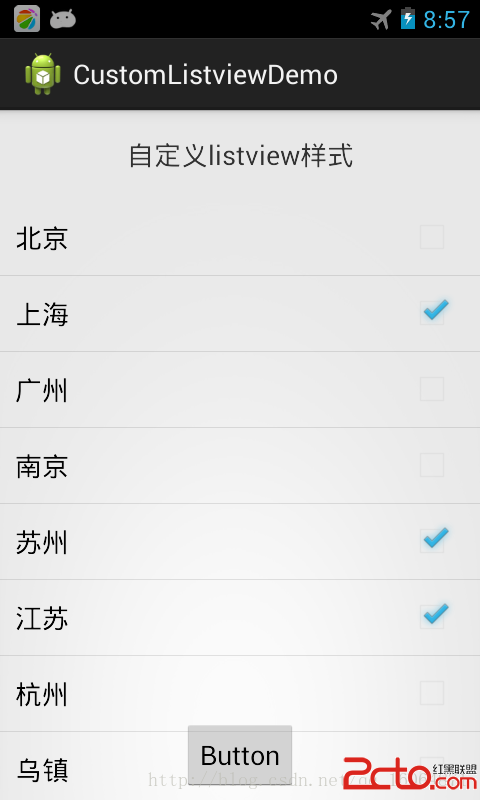 Android ListView 事件捕捉:單擊、長按與自定義項目互動
ListView 常見互動需求在 Android 開發中,ListView 是最常被使用的列表元件之一。除了單純顯示資料,實務上經常需要處理單擊、長按、核取方塊與按鈕等互
 Android Studio 配置大全:從護眼配色到常用插件設置
用 Android Studio 開發 App,從一開始的不適應,到慢慢習慣,再到現在真心喜歡上它,中間頗有點曲折。這篇文章把自己在 Android Studio 上的配
 Android 打造 iOS 風格底部選擇器(時間、日期、自訂選項全支援)
GitHub 專案網址:https://github.com/AndroidMsky/AndoirdIOSPicker先來看實際效果:這是筆者近期專案持續在用的選擇器庫,
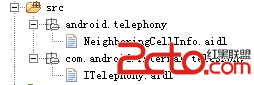 Android 掛斷來電實作:用 AIDL 打造來電黑名單攔截
一、為什麼要繞道 AIDL Android 並沒有對外公開「結束通話」的 API。如果要在程式裡掛斷電話,必須透過 AIDL 與電話管理服務(Telephony)溝通,再