

編輯:關於 Android 程式設計
要做一個「附近店家活動」清單,每一列都得顯示活動圖片、店名、活動說明、地址、電話與距離。資料量一大,圖片非同步載入就成了必經課題。以下把整個流程拆成五個部分:版面配置、資料模型、視圖快取、非同步載入器,以及 Adapter 的串接。
<ListView
    android:id="@id/maplistview"
    android:background="@drawable/bg"
    android:layout_width="fill_parent"
    android:layout_height="fill_parent"
    android:cacheColorHint="#00000000"
    android:divider="@drawable/separator"
    android:dividerHeight="2.0px"
    android:layout_below="@id/mapseparator" />
這裡有個容易被忽略的細節:android:cacheColorHint="#00000000"。ListView 在捲動時會對整列套用一個暫存底色以減少重繪,若不設成透明,自訂背景或圖片會出現奇怪的色塊。
<?xml version="1.0" encoding="utf-8"?>
<RelativeLayout
    android:id="@+id/RelativeLayout01"
    android:layout_width="fill_parent"
    xmlns:android="https://schemas.android.com/apk/res/android"
    android:layout_height="wrap_content"
    android:paddingBottom="2dip"
    android:paddingLeft="2dip"
    android:paddingRight="2dip">
    <ImageView
        android:paddingTop="2dip"
        android:layout_alignParentLeft="true"
        android:layout_width="80px"
        android:layout_height="80px"
        android:id="@+id/maplistviewitemImage"/>
    <TextView
        android:layout_height="wrap_content"
        android:textSize="17dip"
        android:layout_width="fill_parent"
        android:id="@+id/maplistviewitemshopname"
        android:layout_toRightOf="@id/maplistviewitemImage"
        android:textColor="#000000"/>
    <TextView
        android:layout_height="wrap_content"
        android:layout_width="fill_parent"
        android:layout_alignParentLeft="true"
        android:layout_below="@+id/maplistviewitemImage"
        android:id="@+id/maplistviewitemActi"
        android:textColor="#6C6C6C"/>
    <TextView
        android:layout_height="wrap_content"
        android:layout_width="fill_parent"
        android:layout_alignParentLeft="true"
        android:layout_below="@+id/maplistviewitemActi"
        android:id="@+id/maplistviewitemaddr"
        android:textColor="#6C6C6C"
        android:singleLine="true"/>
    <TextView
        android:layout_height="wrap_content"
        android:layout_width="fill_parent"
        android:layout_alignParentLeft="true"
        android:layout_below="@+id/maplistviewitemaddr"
        android:id="@+id/maplistviewitemtelphone"
        android:textColor="#6C6C6C"
        android:singleLine="true"/>
</RelativeLayout>
把一列要顯示的欄位包成一個 POJO,後續 Adapter 就只跟這個物件打交道,不必到處傳一堆字串。
package com.google.zxing.client.android.AsyncLoadImage;

public class MapListImageAndText {
    private String imageUrl;
    private String shopname;
    private String activitynifo;
    private String address;
    private String telephone;
    private String distance;

    public MapListImageAndText(String imageUrl, String shopname, String activitynifo,
                               String address, String telephone, String distance) {
        this.imageUrl = imageUrl;
        this.shopname = shopname;
        this.activitynifo = activitynifo;
        this.address = address;
        this.telephone = telephone;
        this.distance = distance;
    }

    public String getImageUrl() { return imageUrl; }
    public String getShopname() { return shopname; }
    public String getActivitynifo() { return activitynifo; }
    public String getAddress() { return address; }
    public String getTelephone() { return telephone; }
    public String getDistance() { return distance; }
}
getView() 是 ListView 效能的關鍵,每次呼叫都做 findViewById() 是常見的效能殺手。把控制項包成一個 holder 並掛在 setTag() 上,複用 convertView 時就能直接取用,這就是俗稱的 ViewHolder 模式。
package com.google.zxing.client.android.AsyncLoadImage;

import com.google.zxing.client.android.R;
import android.view.View;
import android.widget.ImageView;
import android.widget.TextView;

public class MapListViewCache {
    private View baseView;
    private TextView shopname;
    private TextView activitynifo;
    private TextView address;
    private TextView telephone;
    private TextView distance;
    private ImageView imageView;

    public MapListViewCache(View baseView) {
        this.baseView = baseView;
    }

    public TextView getShopname() {
        if (shopname == null) {
            shopname = (TextView) baseView.findViewById(R.id.maplistviewitemshopname);
        }
        return shopname;
    }

    public TextView getActivitynifo() {
        if (activitynifo == null) {
            activitynifo = (TextView) baseView.findViewById(R.id.maplistviewitemActi);
        }
        return activitynifo;
    }

    public TextView getAddress() {
        if (address == null) {
            address = (TextView) baseView.findViewById(R.id.maplistviewitemaddr);
        }
        return address;
    }

    public TextView getTelephone() {
        if (telephone == null) {
            telephone = (TextView) baseView.findViewById(R.id.maplistviewitemtelphone);
        }
        return telephone;
    }

    public ImageView getImageView() {
        if (imageView == null) {
            imageView = (ImageView) baseView.findViewById(R.id.maplistviewitemImage);
        }
        return imageView;
    }

    public TextView getDistance() {
        if (distance == null) {
            distance = (TextView) baseView.findViewById(R.id.maplistviewitemdistance);
        }
        return distance;
    }
}
這個類別負責開執行緒抓圖,並用 SoftReference 做一層軟快取。軟參考的特色是記憶體吃緊時會被回收,不會直接造成 OutOfMemoryError,適合早期資源受限的環境。
package com.google.zxing.client.android.AsyncLoadImage;

import java.io.IOException;
import java.io.InputStream;
import java.lang.ref.SoftReference;
import java.net.MalformedURLException;
import java.net.URL;
import java.util.HashMap;
import android.graphics.drawable.Drawable;
import android.os.Handler;
import android.os.Message;

public class AsyncImageLoader {

    private HashMap<String, SoftReference<Drawable>> imageCache;

    public AsyncImageLoader() {
        imageCache = new HashMap<String, SoftReference<Drawable>>();
    }

    public Drawable loadDrawable(final String imageUrl, final ImageCallback imageCallback) {
        if (imageCache.containsKey(imageUrl)) {
            SoftReference<Drawable> softReference = imageCache.get(imageUrl);
            Drawable drawable = softReference.get();
            if (drawable != null) {
                return drawable;
            }
        }
        final Handler handler = new Handler() {
            public void handleMessage(Message message) {
                imageCallback.imageLoaded((Drawable) message.obj, imageUrl);
            }
        };
        new Thread() {
            @Override
            public void run() {
                Drawable drawable = loadImageFromUrl(imageUrl);
                imageCache.put(imageUrl, new SoftReference<Drawable>(drawable));
                Message message = handler.obtainMessage(0, drawable);
                handler.sendMessage(message);
            }
        }.start();
        return null;
    }

    public static Drawable loadImageFromUrl(String url) {
        URL m;
        InputStream i = null;
        try {
            m = new URL(url);
            i = (InputStream) m.getContent();
        } catch (MalformedURLException e1) {
            e1.printStackTrace();
        } catch (IOException e) {
            e.printStackTrace();
        }
        Drawable d = Drawable.createFromStream(i, "src");
        return d;
    }

    public interface ImageCallback {
        public void imageLoaded(Drawable imageDrawable, String imageUrl);
    }
}
Adapter 繼承 ArrayAdapter,在 getView() 中同時處理兩件事:把文字資料填進去,以及觸發圖片載入。這裡用圖片網址本身作為 ImageView 的 tag,載入完成後再比對 tag 是否相符,避免快速捲動時圖片跑到別列去。
package com.google.zxing.client.android.AsyncLoadImage;

import java.util.List;
import com.google.zxing.client.android.R;
import com.google.zxing.client.android.AsyncLoadImage.AsyncImageLoader.ImageCallback;
import android.app.Activity;
import android.graphics.drawable.Drawable;
import android.view.LayoutInflater;
import android.view.View;
import android.view.ViewGroup;
import android.widget.ArrayAdapter;
import android.widget.ImageView;
import android.widget.ListView;
import android.widget.TextView;

public class MapListImageAndTextListAdapter extends ArrayAdapter<MapListImageAndText> {

    private ListView listView;
    private AsyncImageLoader asyncImageLoader;

    public MapListImageAndTextListAdapter(Activity activity,
                                          List<MapListImageAndText> imageAndTexts,
                                          ListView listView) {
        super(activity, 0, imageAndTexts);
        this.listView = listView;
        asyncImageLoader = new AsyncImageLoader();
    }

    public View getView(int position, View convertView, ViewGroup parent) {
        Activity activity = (Activity) getContext();
        View rowView = convertView;
        MapListViewCache viewCache;
        if (rowView == null) {
            LayoutInflater inflater = activity.getLayoutInflater();
            rowView = inflater.inflate(R.layout.maplistviewitem, null);
            viewCache = new MapListViewCache(rowView);
            rowView.setTag(viewCache);
        } else {
            viewCache = (MapListViewCache) rowView.getTag();
        }

        MapListImageAndText imageAndText = getItem(position);

        // 載入圖片並設定到 ImageView
        String imageUrl = imageAndText.getImageUrl();
        ImageView imageView = viewCache.getImageView();
        imageView.setTag(imageUrl);
        Drawable cachedImage = asyncImageLoader.loadDrawable(imageUrl, new ImageCallback() {
            public void imageLoaded(Drawable imageDrawable, String imageUrl) {
                ImageView imageViewByTag = (ImageView) listView.findViewWithTag(imageUrl);
                if (imageViewByTag != null) {
                    imageViewByTag.setImageDrawable(imageDrawable);
                }
            }
        });
        if (cachedImage == null) {
            imageView.setImageResource(R.drawable.refresh);
        } else {
            imageView.setImageDrawable(cachedImage);
        }

        // 設定文字內容
        TextView shopname = viewCache.getShopname();
        shopname.setText(imageAndText.getShopname());
        TextView activitynifo = viewCache.getActivitynifo();
        activitynifo.setText(imageAndText.getActivitynifo());
        TextView address = viewCache.getAddress();
        address.setText(imageAndText.getAddress());
        TextView telephone = viewCache.getTelephone();
        telephone.setText(imageAndText.getTelephone());
        TextView distance = viewCache.getDistance();
        distance.setText(imageAndText.getDistance());

        return rowView;
    }
}
後端回傳的字串以分隔符號切開,整理成物件清單後塞進 Adapter,ListView 就會自動渲染。
// tuangoupoints 為後端回傳並解析後的字串
String[] mtuangoupoints = tuangoupoints.split("@");
List<MapListImageAndText> dataArray = new ArrayList<MapListImageAndText>();
for (int i = 0; i < mtuangoupoints.length; i++) {
    String[] tonepoint = mtuangoupoints[i].split("#");
    String shopname = String.valueOf(i + 1) + tonepoint[2];
    String activityinfo = tonepoint[1];
    String address = tonepoint[6];
    String telephone = tonepoint[7];
    String imageurl = tonepoint[8];
    String distance = tonepoint[5];
    MapListImageAndText test =
            new MapListImageAndText(imageurl, shopname, activityinfo, address, telephone, distance);
    dataArray.add(test);
}
MapListImageAndTextListAdapter adapter =
        new MapListImageAndTextListAdapter(this, dataArray, mlistView);
mlistView.setAdapter(adapter);
這份程式碼把非同步載入的骨架示範得很清楚,但仍有幾個可以強化的地方:一是 SoftReference 在後續 Android 版本中已被官方認定不可靠,建議改用 LruCache;二是每張圖開一條執行緒的做法在長清單下會造成大量執行緒切換,改用固定數量的執行緒池更合適;三是應該實作「請求取消」,當一列被捲出視窗時就中止對應下載。另外别忘了在 AndroidManifest.xml 加上 android.permission.INTERNET,並注意 Android 4.0 之後網路操作絕對不能跑在主執行緒,否則會直接拋出 NetworkOnMainThreadException。
 撰寫 BlueStacks 安卓模擬器腳本的一般步驟
寫 BlueStacks 安卓模擬器的按鍵對應腳本其實不難,照著下面的步驟走一遍就能上手。這類腳本大多是同一個模型,學會一個之後,其餘的都只是換名字與座標而已。 撰寫
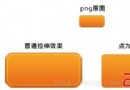 Android .9.png 點九圖製作詳解
什麼是點九圖 「點九」是 Android 平台上一種特殊的圖片格式,文件擴展名為 .9.png。顧名思義,它在普通 PNG 的基礎上,於四邊各增加 1px 的黑線標記,把
 Android 6.0 來電(MT)流程源碼全解析
本文基於對 telephony 模塊的研究,結合網上資料與個人理解,總結了 Android 6.0 中 MT(Mobile Terminated,移動主叫被叫,即來電)的
 Android 學習筆記(三):第一次接觸 Activity
Activity 是 Android 系統中用來承載 UI 元件的容器。若要找個類比的說法,它相當接近 MFC 裡的 CFrame——一個負責裝載控制項、接收訊息並協調畫