

編輯:關於 Android 程式設計
「一個 Activity 裡能不能放兩個以上的 ListView?」答案是能,但前提是你不能用 ListActivity。原因很單純:ListView 的 id 一般寫成 android:id="@id/android:list",這是 ListActivity 約定俗成的專用 id,它會自動去畫面上找這個 id 並綁定,因此只能有一個。想放多個,就得改用普通的 Activity,並自己替每個 ListView 命名,例如 android:id="@+id/mylist",之後像操作一般控制元件那樣各自初始化即可。
Adapter 方面,做法可以很直接:繼承 BaseAdapter,為每個 ListView 各建一個 Adapter 實例,分別 setAdapter() 就完成了。
public class myActivity extends Activity implements OnClickListener {

    private ListView listview_psychologicalstate, listview_weatherstate;
    private ListAdapter listadapter_psychologicalstate, listadapter_weatherstate;
    private ArrayList<String> psychologicalstatearray = new ArrayList<String>(),
            weatherstatearray = new ArrayList<String>();
    private String[] strpsychologicalstate =
            new String[]{"郁悶", "亢奮", "壓力", "失眠", "嗜睡", "易驚恐"};
    private String[] strweatherstate = new String[]{"濕熱", "燥熱", "寒冷"};

    @Override
    public void onCreate(Bundle savedInstanceState) {
        super.onCreate(savedInstanceState);
        setContentView(R.layout.personalizedorderview);
        findView();
    }

    public void findView() {
        listview_psychologicalstate = (ListView) findViewById(R.id.psychologicalstatelistid);
        listview_weatherstate = (ListView) findViewById(R.id.weatherstatelistid);

        for (int i = 0; i < strpsychologicalstate.length; i++) {
            psychologicalstatearray.add(strpsychologicalstate[i]);
        }
        for (int i = 0; i < strweatherstate.length; i++) {
            weatherstatearray.add(strweatherstate[i]);
        }

        listadapter_psychologicalstate =
                new GetinflamedAdapter(this, psychologicalstatearray);
        listview_psychologicalstate.setAdapter(listadapter_psychologicalstate);

        listadapter_weatherstate = new GetinflamedAdapter(this, weatherstatearray);
        listview_weatherstate.setAdapter(listadapter_weatherstate);
    }

    public class GetinflamedAdapter extends BaseAdapter {

        private Context context;
        private LayoutInflater mInflater;
        private ArrayList<String> arraylist;

        public GetinflamedAdapter(Context context, ArrayList<String> arraylist) {
            this.context = context;
            this.arraylist = arraylist;
            mInflater = (LayoutInflater) this.context
                    .getSystemService(Context.LAYOUT_INFLATER_SERVICE);
        }

        @Override
        public int getCount() {
            return arraylist.size();
        }

        @Override
        public Object getItem(int position) {
            return arraylist.get(position);
        }

        @Override
        public long getItemId(int position) {
            return position;
        }

        @Override
        public View getView(int position, View convertView, ViewGroup parent) {
            convertView = mInflater.inflate(R.layout.inflamedchild, null);
            ViewHolder viewHolder = new ViewHolder();
            viewHolder.label = (TextView) convertView.findViewById(R.id.bodystateid1);
            viewHolder.label.setText(arraylist.get(position).toString());
            viewHolder.label.setTextColor(Color.GREEN);
            viewHolder.label.setTextSize(22);
            convertView.setTag(viewHolder);
            return convertView;
        }

        private class ViewHolder {
            TextView label;
        }
    }
}
在 XML 中把兩個 ListView 直向排列時,記得給它們 android:layout_weight,或者在外層包一個 LinearLayout 並指定高度,否則兩個 fill_parent 會互相搶空間,導致其中一個被擠不見。
<LinearLayout xmlns:android="https://schemas.android.com/apk/res/android"
    android:layout_width="match_parent"
    android:layout_height="match_parent"
    android:orientation="vertical">
    <ListView
        android:id="@+id/psychologicalstatelistid"
        android:layout_width="match_parent"
        android:layout_height="0dp"
        android:layout_weight="1" />
    <ListView
        android:id="@+id/weatherstatelistid"
        android:layout_width="match_parent"
        android:layout_height="0dp"
        android:layout_weight="1" />
</LinearLayout>
捲動會互相搶手勢。 兩個 ListView 上下並排時,手指在畫面上滑動,系統難以判斷該給誰處理,會出現「想滾上面卻滾了下面」的怪異手感。若兩段內容都不長,改用 ScrollView 搭配非捲動的版面(例如 LinearLayout 動態產生子 View)會順得多;若內容確實很長,考慮用 ViewPager 加分頁,或合併成單一 ListView 並以不同樣式的列來呈現兩個分區。
getView 沒有複用 convertView。 上面範例每次都重新 inflate,雖然示範用的資料量很小看不出差別,實務上一定要加上 null 判斷來複用,否則資料一多就會明顯掉幀。
總結:多個 ListView 在技術上完全可行,關鍵是別用 ListActivity、給每個 ListView 獨立 id 與獨立 Adapter;但要不要這麼做,則該從使用者操作順手的角度重新想一遍。
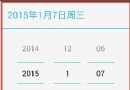 解決 DatePickerDialog 與 TimePickerDialog 缺少取消按鈕的問題
一、問題從何而來 Android 中要設定日期用 DatePicker,設定時間用 TimePicker。基本步驟是:先定義 DatePicker 與 TimePicke
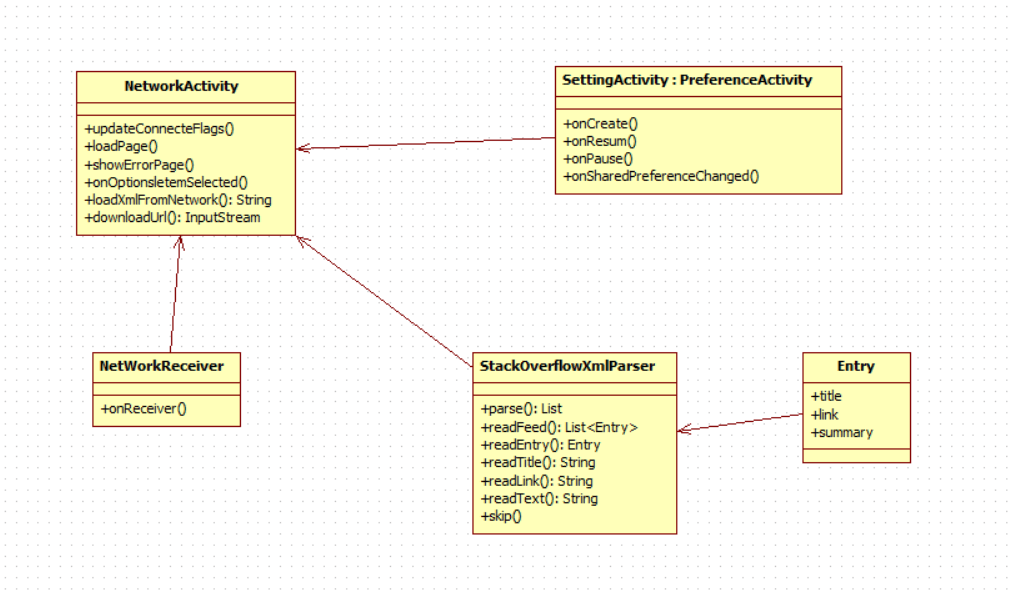 跟 Google 學寫 App:Building Apps with Connectivity & the Cloud(Web App 篇)
本文整理自 Google 官方課程 Building Apps with Connectivity & the Cloud 第二節 Performing Netw
 Android 學習教程之圓形 Menu 菜單製作方法
圓形菜單是一種具有互動趣味的 UI 形式。它通常會將多個圖示排列在圓周上,並可透過旋轉或點擊切換選取項目。以下整理實作時的主要元件與流程。 主要元件 Circle
 Android 6.0 下載檔案路徑怎麼設?權限機制與完整範例
為什麼 6.0 之後不能「寫死」路徑 在 Android 6.0 之前,開發者只要確認外部儲存空間已經掛載,並在清單檔(AndroidManifest.xml)裡聲明對