

編輯:關於 Android 程式設計
編譯時跳出一段警告:
android:editable is deprecated: Use an <EditText> to make it editable意思是說 android:editable 這個屬性已經被反對使用了,要控制能不能編輯,請直接改用 EditText 本身的屬性。
需求是讓某個輸入框變成 read-only:使用者無法透過鍵盤改內容,但仍可以選取部分文字複製。早期 SDK 的 EditText 有 editable 屬性可以辦到,但這個屬性後來被標記為 deprecated,於是就出現了上面那則警告。
et.setKeyListener(null);就這樣,一行搞定。這裡有個非常容易寫錯的地方:是 setKeyListener,不是 setOnKeyListener。前者是 TextView 的成員方法,作用是決定「用哪個鍵盤傾聽器」,傳入 null 就等於禁止使用戶輸入;後者是用來監聽按鍵事件的,兩者完全不同。
這個做法的效果完全符合預期:欄位取得焦點後不會彈出輸入法,文字也無法被修改,但選取與複製照常可用。
Sets the key listener to be used with this TextView. This can be null to disallow user input. Note that this method has significant and subtle interactions with soft keyboards and other input methods: see KeyListener.getContentType() for important details. Calling this method will replace the current content type of the text view with the content type returned by the key listener. Be warned that if you want a TextView with a key listener or movement method not to be focusable, or if you want a TextView without a key listener or movement method to be focusable, you must call setFocusable again after calling this to get the focusability back the way you want it.
最後一句話是實務上最容易忽略的提醒:呼叫 setKeyListener 會連帶改變 focusable 的行為。如果你發現設定完之後焦點狀態不如預期,記得在後面補一次 setFocusable() 把它調回來。
若你比較喜歡在 XML 裡處理,也可以給 EditText 加上 android:focusable="false"、或搭配 android:cursorVisible="false" 與 android:longClickable="false" 來達到類似效果。不過論「保持可選取複製、只是不能編輯」這個精確需求,setKeyListener(null) 仍然是最乾淨的答案。
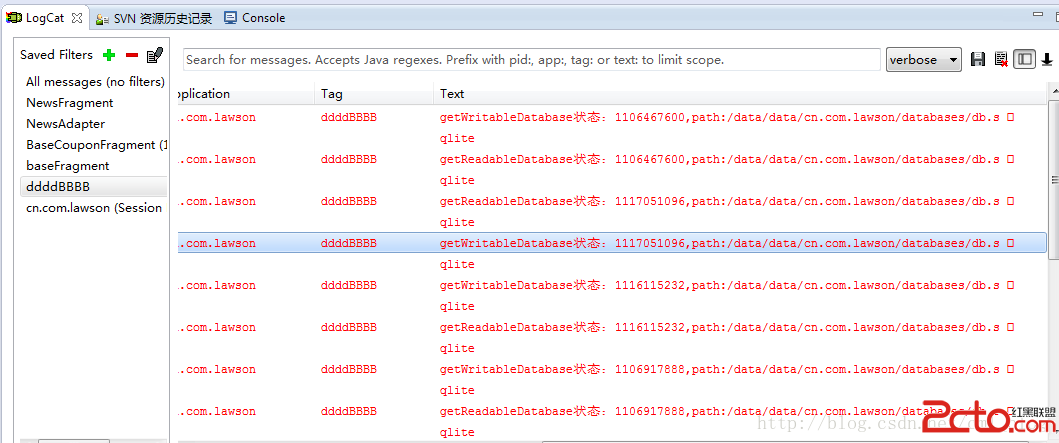 Android SQLite 資料庫到底該不該每次操作後就關閉?
關於 Android 多執行緒的資料庫讀寫,可以另外參考相關探討。本文想釐清的,是一個許多開發者都曾糾結的問題:每次取得 SQLiteDatabase 並操作完畢後,究竟
 打飛機遊戲終章:Android 實戰實現 BOSS 戰與勝負結算
本文是打飛機遊戲系列的最後一篇,重點講 BOSS 的設計與勝負結算界面的處理。一、子彈類的擴展BOSS 需要發射八個方向的子彈,所以子彈類要支持方向屬性。在原有基礎上增加
 Android 非同步任務類 AsyncTask 深入解析
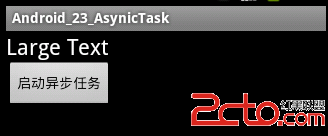
本文以一個計數器範例,說明 AsyncTask 的泛型參數、生命週期方法與呼叫順序,並示範如何用它完成列表的刷新。 一、為什麼需要非同步任務類 傳統的 Handler 模
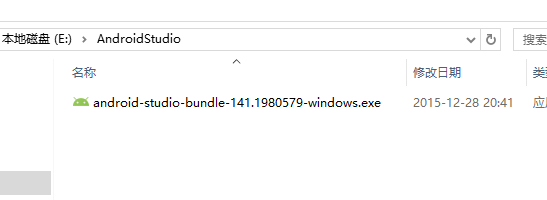 圖解 Windows 環境下 Android Studio 安裝與第一個專案實作
Google 推出 Android Studio 之後,這個開發環境迅速成為 Android 開發者的新寵,筆者自己也是抱著一探究竟的心態實際裝了一遍。這篇文章把整個安裝