

編輯:關於 Android 程式設計
對話框是 Android 中最常見的互動元件之一,常用於確認刪除、提示選擇等操作。本文記錄 AlertDialog 的基本使用步驟,適合入門者參考。
使用 AlertDialog 大致分為四步:
1.取得 AlertDialog 的靜態內部類 Builder 物件,由它來建立對話框
2.透過 Builder 設定標題、按鈕以及按鈕的響應事件
3.呼叫 Builder 的 create() 方法建立對話框
4.呼叫 AlertDialog 的 show() 方法顯示對話框
<?xml version="1.0" encoding="utf-8"?> <LinearLayout xmlns:android="https://schemas.android.com/apk/res/android" android:orientation="vertical" android:layout_width="fill_parent" android:layout_height="fill_parent" > <TextView android:id="@+id/MyTextView" android:layout_width="fill_parent" android:layout_height="wrap_content" android:text="@string/hello" /> <Button android:id="@+id/myButton" android:layout_width="fill_parent" android:layout_height="wrap_content" android:text="創建Alert對話框" /> </LinearLayout>
@Override public void onCreate(Bundle savedInstanceState) { super.onCreate(savedInstanceState); setContentView(R.layout.main); myTextView = (TextView)findViewById(R.id.MyTextView); myButton = (Button)findViewById(R.id.myButton); //添加AlertDialog.Builder對象 final AlertDialog.Builder builder = new AlertDialog.Builder(this); //為activity中按鈕添加按鈕事件 myButton.setOnClickListener(new View.OnClickListener() { @Override public void onClick(View v) { builder.setTitle("您確定要刪除此條信息?"). //設置確定按鈕 setPositiveButton("Yes", new OnClickListener() { @Override public void onClick(DialogInterface dialog, int which) { myTextView.setText("刪除成功"); } }). //設置取消按鈕 setNegativeButton("No", new OnClickListener() { @Override public void onClick(DialogInterface dialog, int which) { myTextView.setText("取消刪除"); } }); //創建對話框 AlertDialog alertDialog = builder.create(); //顯示對話框 alertDialog.show(); } }); } } 這段程式碼示範了最典型的「確認/取消」對話框:透過 setPositiveButton 與 setNegativeButton 分別設定兩顆按鈕及其點擊回呼,點擊後更新 TextView 的文字。掌握了 Builder 的串接寫法,就能輕鬆應付絕大多數對話框需求。
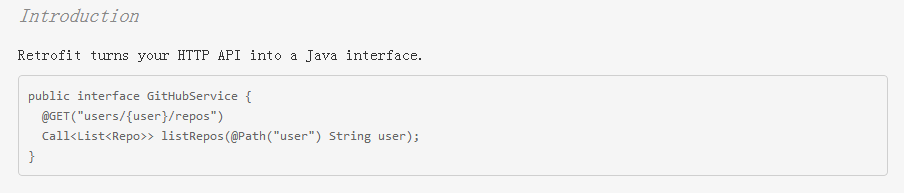 Retrofit 入門到進階:用注解把網路請求寫成介面
先前整理過 OkHttp 與 Volley,這個系列的最後一篇留給 Retrofit。可以把它理解為 OkHttp 的「升級版」——它內部預設就是基於 OkHttp 封裝
 三款炫酷的 Android Loading 動畫組件推薦
最近突然對 Loading 動畫產生了興趣。Loading 這東西說重要也重要,說不重要也不重要——它是提升產品體驗的一個細節。如果 loading 做得好,對於那些耗時
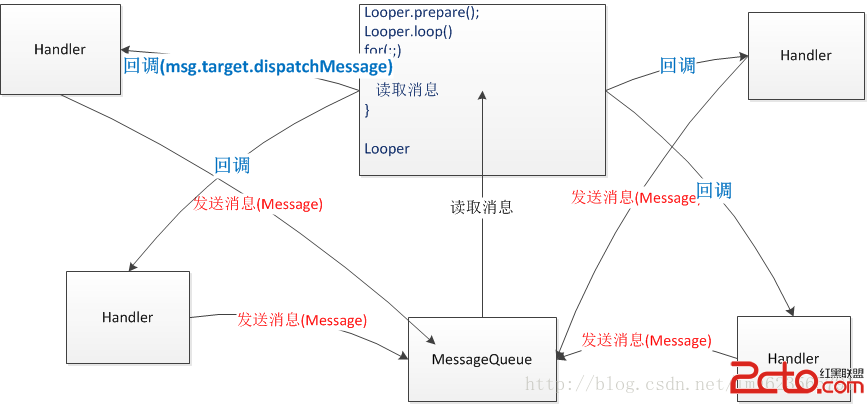 Android 異步消息機制:Looper、Handler、Message 關係解析
Looper、Handler 與 Message 是 Android 異步訊息處理機制的三個核心角色。理解它們的關係,有助於掌握 UI 更新、背景任務與執行緒溝通。異步訊
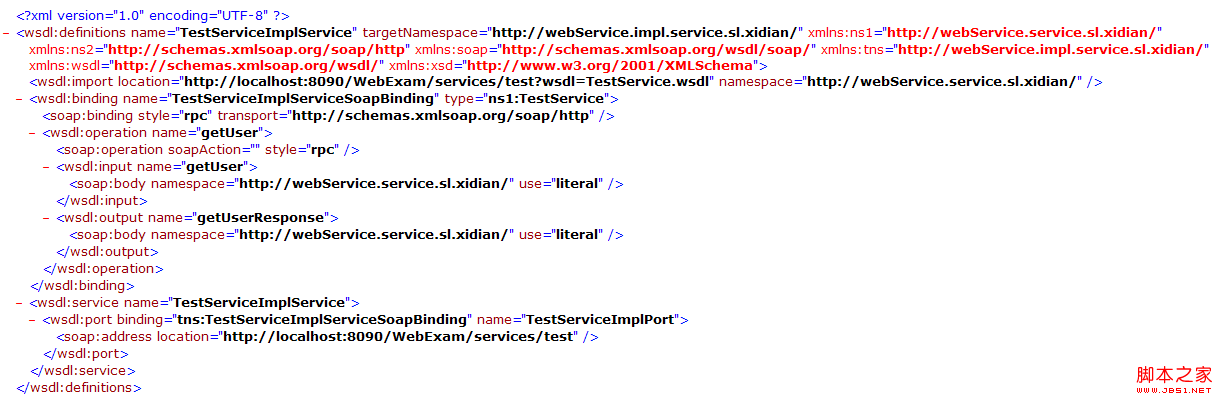 Android 透過 ksoap2 呼叫 CXF Web Service 完整實作教學
前言 Android 要與後端的 Java Web Service 溝通,最常見的組合就是 ksoap2 搭配 Apache CXF。本文以一個可運行的完整範例,示範如何