

編輯:關於 Android 程式設計
把字串、顏色、尺寸抽到資源檔而不是寫死在程式碼或版面裡,是 Android 開發的基本紀律。好處很直接:換語言只要多一份 values-xx,換主題只要改一個顏色值,不必動任何邏輯。本文整理兩種最常見的引用場景。
統一格式如下:
attribute="@[packagename:]resourcetype/resourceidentifier"
拆解一下這串格式:
packagename 可省略。省略時指目前 App 的資源,寫出來則可跨 App 引用別人的資源。resourcetype 是資源種類,常見的有 string、color、dimen、drawable、layout、style。resourceidentifier 就是你在 values 檔案中設定的 name。以下面這段版面為例,同時引用了 strings.xml、color.xml、dimen.xml 三個檔案中的值:
 <?xml version="1.0" encoding="utf-8"?>
<LinearLayout xmlns:android="https://schemas.android.com/apk/res/android"
  android:orientation="vertical"
  android:layout_width="fill_parent"
  android:layout_height="fill_parent"
  android:padding="@dimen/standard_border">

  <EditText
    android:id="@+id/myEditText"
    android:layout_width="fill_parent"
    android:layout_height="wrap_content"
    android:text="@string/stop_message"
    android:textColor="@color/opaque_blue" />
</LinearLayout>
對應的 values 檔案大致長這樣:
 <!-- res/values/strings.xml -->
<resources>
  <string name="stop_message">再按一次就會離開應用程式</string>
</resources>

<!-- res/values/colors.xml -->
<resources>
  <color name="opaque_blue">#3366CC</color>
</resources>

<!-- res/values/dimens.xml -->
<resources>
  <dimen name="standard_border">8dip</dimen>
</resources>
Android 自己也準備了一大批預設的字串、顏色與尺寸,可以直接拿來用,不必重複造輪子。寫法是在型別前加上 android: 前綴:
在程式碼中:
CharSequence httpError = getString(android.R.string.httpErrorBadUrl);
在 XML 中:
 <EditText
  android:id="@+id/myEditText"
  android:layout_width="fill_parent"
  android:layout_height="wrap_content"
  android:text="@android:string/httpErrorBadUrl"
  android:textColor="@android:color/darker_gray" />
關鍵差異就在那個 android 前綴:有它代表向系統要資源,沒它代表向自己的專案要資源。少寫這個前綴是編譯期常見錯誤的來源。
<string name="count_fmt">共有 %1$d 筆資料</string>,取值時用 getString(R.string.count_fmt, 10)。用 %1$d 而非 %d,是因為不同語言的語序可能不同。一句話總結:自己的資源用 @type/name,系統的資源用 @android:type/name。把這個規則記牢,並養成「寫死之前先想能不能抽成資源」的習慣,專案的可維護性會明顯不同。
 滾動列表中的視頻自動播放實戰:從 ListView 到 RecyclerView
滑動信息流時視頻會自動播放——這樣的體驗在 Facebook、Instagram、Magisto 等熱門應用裡隨處可見。本文將完整梳理如何在滾動列表(無論是 ListVi
 透過 ActionProvider 為 Toolbar 自訂帶小紅點的 Menu
今天要達成的幾個目標: 1. 自訂 ActionProvider 2. Toolbar ActionBar 自訂 Menu 3. 為 Toolbar ActionBar
 RecyclerView 完全指南:LayoutManager、分割線、動畫與點擊事件
RecyclerView 問世已經有一段時間,透過 support-v7 即可使用。官方對它的定位是「在有限視窗中呈現大量資料集」,而這件事 ListView、GridV
 Android 如何判斷系統通知是否已開啟
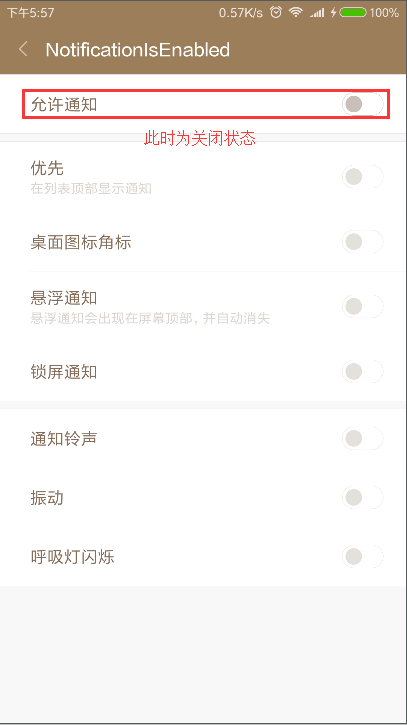
前言 大家應該都有體會,平常在 Android 應用中,有時候需要判斷「系統通知是否已開啟」的狀態,以便決定下一步操作。所以能取得這個狀態其實很有必要。之前一直苦於找不到