

編輯:關於 Android 程式設計
本文以實例講解 Android 如何使用 vCard 檔案,分享給大家參考。
FileOutputStream os = null; try { os = VCardTest.this.openFileOutput("Android.vcf", MODE_PRIVATE); } catch (FileNotFoundException e1) { e1.printStackTrace(); } OutputStreamWriter writer; try { writer = new OutputStreamWriter(os); VCardComposer composer = new VCardComposer(); //create a contact ContactStruct contact1 = new ContactStruct(); contact1.name = "Neo"; contact1.company = "The Company"; contact1.addPhone(Contacts.Phones.TYPE_MOBILE, "+123456789", null, true); //create vCard representation String vcardString; vcardString = composer.createVCard(contact1, VCardComposer.VERSION_VCARD30_INT); //write vCard to the output stream writer.write(vcardString); writer.write("/n"); //add empty lines between contacts // repeat for other contacts writer.close(); } catch (UnsupportedEncodingException e) { e.printStackTrace(); } catch (FileNotFoundException e) { e.printStackTrace(); } catch (VCardException e) { e.printStackTrace(); } catch (IOException e) { e.printStackTrace(); }
上述程式碼的運作流程為:先透過 openFileOutput 建立一個 vcf 檔案的輸出串流,接著建立 VCardComposer 物件,並組裝 ContactStruct 聯絡人資料(包含姓名、公司與電話);然後呼叫 createVCard 產生 vCard 3.0 格式的字串,最後寫入輸出串流。若有多筆聯絡人,只需重複這個流程,並在每筆之間寫入空行作為分隔即可。
vCard 是一種通用的電子名片格式,廣泛應用於聯絡人的匯入與匯出,掌握它對開發通訊錄相關功能相當實用。
希望本文所述對大家 Android 程式設計有所幫助。
 Android Studio 安裝與基本設定教學
Android Studio 是 Google 推出的官方 Android 開發工具,基於 IntelliJ IDEA,並使用 Gradle 進行建置。本文整理安裝與基本
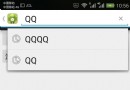 Android 搜索 suggestions 實現搜索聯想:SearchRecentSuggestions 完整實踐
所謂搜索 suggestions(搜索建議、搜索聯想),就是當用戶在搜索框裡輸入某個關鍵詞後,系統自動給出幾條包含相近關鍵詞的候選項,用戶可以直接點擊而不必輸完。 這個功
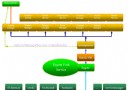 Android 開機啟動流程剖析:從 Init 進程到 Launcher 亮起
Linux 內核完成初始化之後,控制权交給 Android 的 init 進程,接下來一連串的服務與應用才會依次啟動。本文以 Android 4.0 源碼為基礎,把這條啟
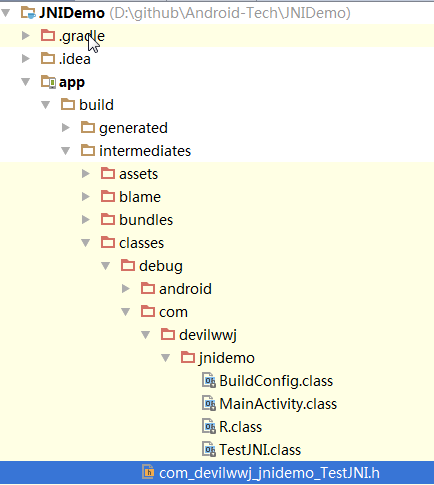 用 Android Studio 打造 .so 函式庫的實戰筆記
前言 由於工作上的需求,有機會得接觸 JNI 開發,於是便有了這篇分享。回想當年用 Eclipse 做 NDK 開發實在是件苦差事,得先手動把 cygwin 的編譯環境折