

編輯:關於 Android 程式設計
在一些設計風格中,圖片並不是簡單的矩形,而是帶有傾斜切角的效果。這種效果可以通過自定義 View,在繪製圖片時擦除相應角落來實現。

核心思路是:
可以在 attrs.xml 中定義傾斜類型:
<resources>
    <declare-styleable name="TiltView">
        <attr name="type" format="integer" />
    </declare-styleable>
</resources>public class TiltView extends ImageView {
private int type;
private Paint paint;
private Path path;
private int imageWidth;
private int imageHeight;
private double angle = 10 * Math.PI / 180;
private int triangleHeight;
public TiltView(Context context, AttributeSet attrs) {
super(context, attrs);
TypedArray array = context.obtainStyledAttributes(attrs, R.styleable.TiltView);
type = array.getInteger(R.styleable.TiltView_type, 1);
array.recycle();
}
@Override
protected void onDraw(Canvas canvas) {
initPaint();
Bitmap mBitmap = Bitmap.createBitmap(imageWidth, imageHeight, Bitmap.Config.ARGB_8888);
Canvas mCanvas = new Canvas(mBitmap);
Bitmap mBackBitmap = ((BitmapDrawable) getDrawable()).getBitmap();
mCanvas.drawBitmap(resizeBitmap(mBackBitmap), 0, 0, null);
setTriangle();
paint.setXfermode(new PorterDuffXfermode(PorterDuff.Mode.DST_OUT));
mCanvas.drawPath(path, paint);
canvas.drawBitmap(mBitmap, 0, 0, null);
}
private void initPaint() {
paint = new Paint();
paint.setDither(true);
paint.setAntiAlias(true);
paint.setStyle(Paint.Style.FILL);
}
}不同 type 對應不同的擦除區域,例如右下角、左上角或右上角。
private void setTriangle() {
    path = new Path();
    switch (type) {
        case 1:
            path.moveTo(0, imageHeight);
            path.lineTo(imageWidth, imageHeight);
            path.lineTo(imageWidth, imageHeight - triangleHeight);
            path.lineTo(0, imageHeight);
            break;
        case 2:
            path.moveTo(0, triangleHeight);
            path.lineTo(imageWidth, 0);
            path.lineTo(0, 0);
            path.lineTo(0, imageHeight);
            path.lineTo(imageWidth, imageHeight);
            path.lineTo(0, imageHeight - triangleHeight);
            break;
    }
}
在布局中使用時,可以通過 layout_marginTop 負值讓多張圖片產生層疊效果。
<com.pengkv.may.widget.TiltView
    android:layout_width="match_parent"
    android:layout_height="100dp"
    android:src="@drawable/sample_0"
    app:type="1" />
這種自定義方式適合製作具有設計感的橫幅、卡片或圖片牆效果。
 Android 在 Dialog 中控制軟鍵盤顯示與隱藏的可行做法
一、寫在前面 本篇要處理的是 Dialog 中的軟鍵盤顯示與隱藏問題。需求很單純:Dialog 裡有一個密碼輸入框,彈出 Dialog 時顯示軟鍵盤,關閉 Dialog
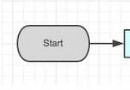 Android 非 RxJava 環境下使用 Handler 實現預加載
下圖說明傳統流程與預加載流程的差異。 傳統做法通常會先完成頁面初始化,再發出網路請求。若初始化很花時間,網路請求就會被延後,整體載入時間也會變長。 預加載的概念 預加
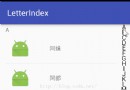 自定義 View 實作:仿通訊錄側邊索引欄,實現 A–Z 字母快速定位
手機通訊錄大概都有這樣的效果: 這個互動幾乎成了 Android 通訊錄的標準配備。今天我們就來看看它是怎麼做出來的。 一、整體規劃 1. 頁面功能拆解 整個畫面可
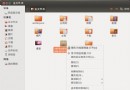 Linux 下用 adt-bundle 快速架設 Android 開發環境並跑起 Hello World
本文是 Windows 版的姊妹篇,這次把操作環境換成 Linux,以 Ubuntu 為例。無論哪個平台,JDK + Eclipse + ADT + SDK 或 JDK