

編輯:關於 Android 程式設計
在一些個人資料頁面中,出生年份的選擇通常採用滑動效果。用戶左右滑動時,中間數字會放大,兩側數字會縮小,最終停留在選中的年份上。這種效果可以通過自定義 View 實現。
<resources>
    <attr name="titleSize" format="dimension" />
    <attr name="titleColor" format="color" />
    <attr name="lineColor" format="color" />

    <declare-styleable name="MyScrollView">
        <attr name="titleSize" />
        <attr name="titleColor" />
        <attr name="lineColor" />
    </declare-styleable>
</resources>@Override
public boolean dispatchTouchEvent(MotionEvent ev) {
int action = ev.getAction();
int x = (int) ev.getX();
int y = (int) ev.getY();
switch (action) {
case MotionEvent.ACTION_DOWN:
xDown = x;
yDown = y;
break;
case MotionEvent.ACTION_MOVE:
xMove = x;
yMove = y;
dx = xMove - xDown;
int dy = yMove - yDown;
if (xMove > xDown && Math.abs(dx) > mTouchSlop * 2 && Math.abs(dy) < mTouchSlop) {
state = 1;
}
if (xMove < xDown && Math.abs(dx) > mTouchSlop * 2 && Math.abs(dy) < mTouchSlop) {
state = 2;
}
break;
}
return super.dispatchTouchEvent(ev);
}@Override
public boolean onTouchEvent(MotionEvent ev) {
switch (ev.getAction()) {
case MotionEvent.ACTION_MOVE:
if (state == 1) {
bigTxtSize = bigTxtSize - 1;
oneSize = oneSize + 1;
postInvalidate();
}
if (state == 2) {
bigTxtSize = bigTxtSize - 1;
thirdSize = thirdSize + 1;
postInvalidate();
}
break;
case MotionEvent.ACTION_UP:
if (state == 1) {
size = size - 1;
listener.OnScroll(size);
}
if (state == 2) {
size = size + 1;
listener.OnScroll(size);
}
state = 0;
break;
}
return true;
}繪製前可以先在草稿上標注起始點。中間文字使用較大字號,兩側文字使用較小字號,並通過循環繪製多個年份。
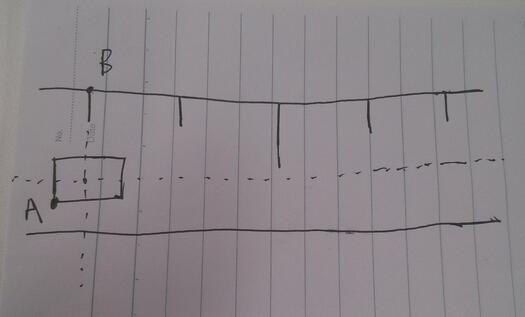
lineX = getWidth() / 10;

for (int i = 0; i < 5; i++) {
    if (i == 2) {
        mPaint.setTextSize(bigTxtSize);
        canvas.drawText(bigText, lineX - mBound.width() / 2, getHeight() / 2, mPaint);
    } else {
        mPaint.setTextSize(textSize - 15);
        canvas.drawText(String.valueOf(txtSize), lineX - mTxtBound.width() / 2, getHeight() / 2, mPaint);
    }
    txtSize++;
    lineX += getWidth() / 5;
}public interface OnScrollListener {
void OnScroll(int size);
}在 Activity 中實現接口,即可同步更新上方顯示的年份文字。這種自定義 View 可以廣泛應用於日期選擇、城市選擇或任何需要滑動選值的場景。
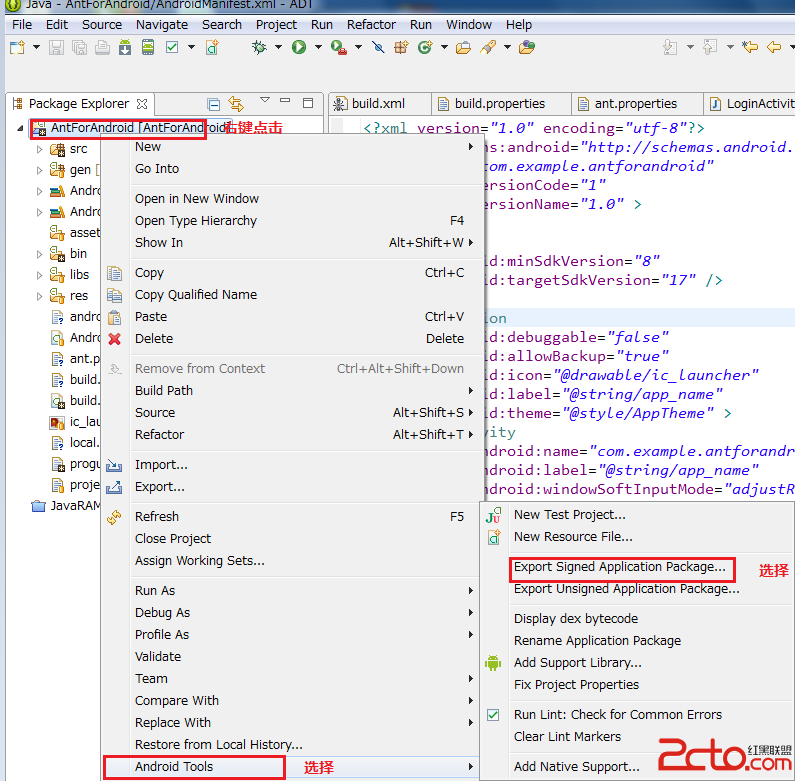 Android 生成 keystore 的兩種方式:Eclipse 圖形化與命令行
發布前必須準備好簽名文件。這裡整理兩條路徑:一條是在 Eclipse 裡用向導點完就好,另一條是用 keytool 命令直接生成。 一、在 Eclipse 中生成 先打開
 GridView 實作九宮格首頁:拆解人人網 Android 客戶端的版面設計
早期的人人網 Android 客戶端首頁給人印象很深:一塊整齊的九宮格,每格上方圖示、下方文字,簡潔又有秩序。在當時多數應用仍把功能一條條堆在列表裡的背景下,這種配置顯得
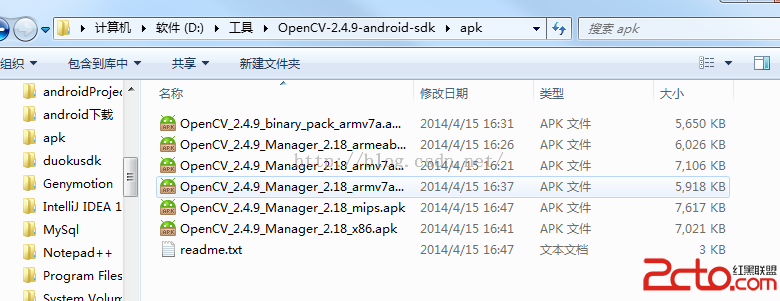 以 JNI 與 OpenCV Android 版進行圖像轉換的實作比較
兩種 OpenCV 使用方式在 Android 中使用 OpenCV,可以透過 Java 層的 OpenCV Android SDK,也可以透過 JNI 直接呼叫原生 O
 自定義 View 實作水波紋動畫:正余弦與圖層混合兩種流派
產品或設計同事偶然看到一個炫效果,興沖沖跑來找你——這種時刻,手上功夫硬不硬立刻見真章。這篇就把水波紋的兩種主流實作一次講透。 今天要分享的是: 標準正余弦水波紋 非標