

編輯:關於 Android 程式設計
在 Android 中,下拉菜單對應 HTML 裡的 <select> 標籤,其關鍵在於呼叫 setDropDownViewResource 方法,以 XML 的方式定義下拉菜單顯示的樣式。本文透過一個簡單的例子演示 Spinner 的用法。
<?xml version="1.0" encoding="utf-8"?> <LinearLayout xmlns:android="https://schemas.android.com/apk/res/android" xmlns:tools="https://schemas.android.com/tools" android:layout_width="match_parent" android:layout_height="match_parent" android:orientation="vertical" tools:context="com.rj141.sb.kongjian.MainActivity"> <LinearLayout android:orientation="horizontal" android:layout_width="match_parent" android:layout_height="wrap_content"> <TextView android:layout_width="wrap_content" android:layout_height="wrap_content" android:textSize="18dp" android:text="請選擇您最喜歡的水果:" /> <Spinner android:layout_width="match_parent" android:layout_height="wrap_content" android:id="@+id/spinner" /> </LinearLayout> <TextView android:layout_width="wrap_content" android:layout_height="wrap_content" android:textSize="18dp" android:id="@+id/tv" /> </LinearLayout>
其中 Spinner 就是下拉列表的核心控制項。
public class MainActivity extends AppCompatActivity { private Spinner s; String[] data=new String[]{"蘋果","雪梨","西瓜","葡萄","橙子","草莓"}; private TextView tv; @Override protected void onCreate(Bundle savedInstanceState) { super.onCreate(savedInstanceState); setContentView(R.layout.activity_main); tv= (TextView) this.findViewById(R.id.tv); s= (Spinner) this.findViewById(R.id.spinner); s.setAdapter(new ArrayAdapter<String>(this,android.R.layout.simple_list_item_1,data)); s.setOnItemSelectedListener(new AdapterView.OnItemSelectedListener() { @Override public void onItemSelected(AdapterView<?> parent, View view, int position, long id) { String str=data[position]; tv.setText("最喜歡的水果是:"+str); } @Override public void onNothingSelected(AdapterView<?> parent) { } }); } } s.setAdapter(new ArrayAdapter<String>(this,android.R.layout.simple_list_item_1,data));android.R.layout.simple_list_item_1是指安卓自帶的下拉列表格式,data是數據源; s.setOnItemSelectedListener(new AdapterView.OnItemSelectedListener()){..};是下拉列表的監聽
說明:setAdapter 中的 android.R.layout.simple_list_item_1 是安卓自帶的下拉列表樣式,data 是數據源;setOnItemSelectedListener 則是下拉列表的選擇監聽,使用者在列表中選中某項時會觸發 onItemSelected 回呼。
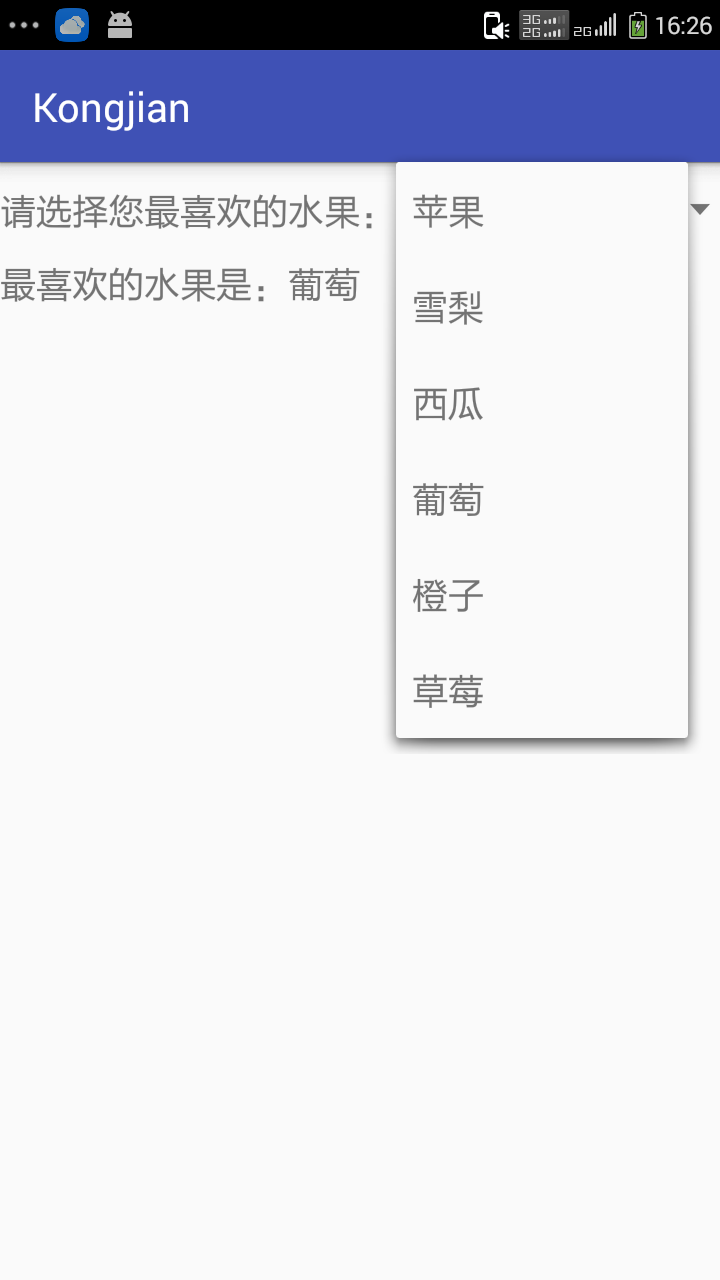
效果圖:
以上就是本文的全部內容,希望對大家學習掌握 Android Spinner 下拉菜單組件有所幫助。
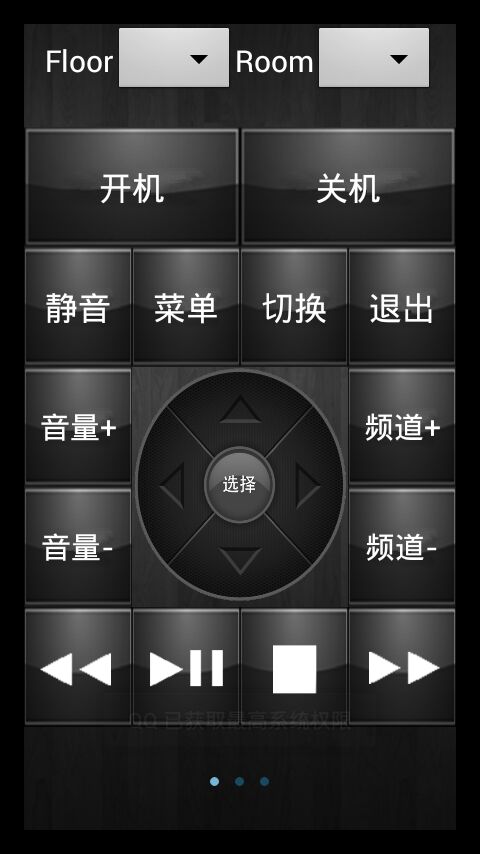 Android ViewPager 使用方法詳解
ViewPager 是實作左右滑動切頁最常見的元件,核心在於三件事:準備好要切換的 View 清單、寫一個 PagerAdapter、然後掛到 ViewPager 上。
 自定義 Android 進度條:水滴形滑塊搭配漸變色的完整實作
先看效果 這個進度條有兩個視覺重點:進度末端的水滴形滑塊,以及進度條本身由綠到藍的漸變填色。下面直接上程式碼並拆解關鍵。 自定義控制項 package com.sus
 在 Ubuntu 上搭建 Android 開發環境(Android Studio)實錄
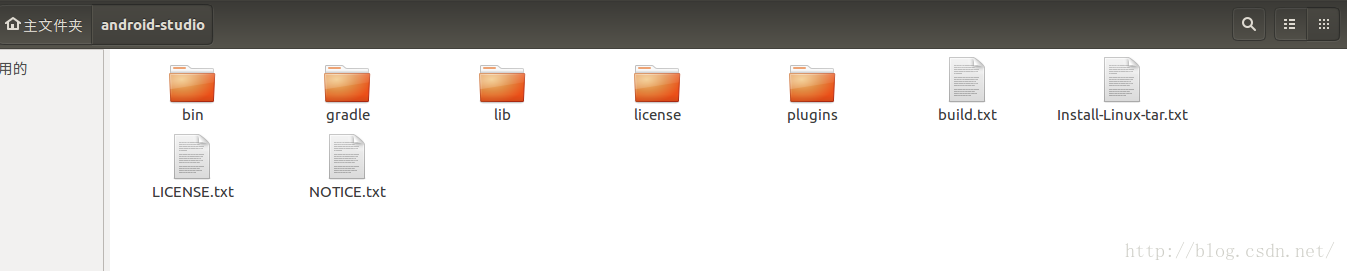
假期沒事,裝了最新的 Ubuntu 16.04,順手把 Android 開發環境也搬過來體驗一下。整個過程不算太順,踩了幾個坑,記錄下來給要走同一條路的人參考。 一、下
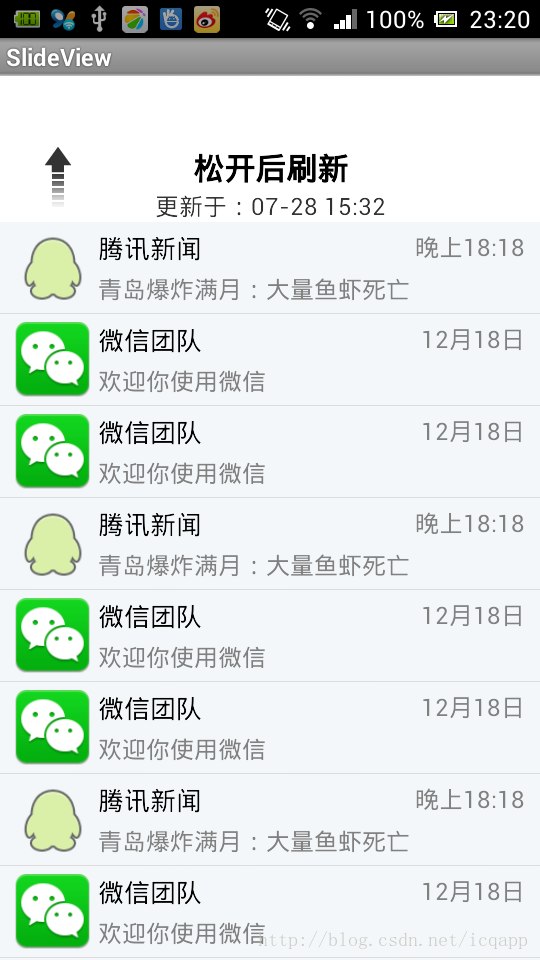 Android 下拉刷新、上拉載入與左滑刪除:SlideView 的 Scroller 實作拆解
一、前言 這個 demo 是把好幾個相關知識點拼起來的結果,對入門者來說確實要花點功夫。以下把最關鍵的部分——SlideView 與 Scroller——完整拆解說明。