

編輯:關於 Android 程式設計
本文將分享Android ScrollView只能添加一個子控件這一常見問題的解決方法,供有需要的朋友參考。
先來看下面這段代碼:
<?xml version="1.0" encoding="utf-8"?> <LinearLayout xmlns:android="https://schemas.android.com/apk/res/android" android:layout_width="fill_parent" android:layout_height="fill_parent" android:orientation="vertical" > <ScrollView android:layout_width="fill_parent" android:layout_height="fill_parent" > <Button android:layout_width="fill_parent" android:layout_height="wrap_content" /> <Button android:layout_width="fill_parent" android:layout_height="wrap_content" /> <Button android:layout_width="fill_parent" android:layout_height="wrap_content" /> </ScrollView> </LinearLayout>
這裡在一個ScrollView裡直接放了三個Button。乍看之下似乎沒什麼問題,但一運行就會拋出異常:

異常信息很明確:ScrollView can host only one direct child(ScrollView只能容納一個直接子控件)。
既然只能有一個直接子控件,那我們就在這些子控件外面再套一層LinearLayout,讓它們成為間接子控件即可:
<?xml version="1.0" encoding="utf-8"?> <LinearLayout xmlns:android="https://schemas.android.com/apk/res/android" android:layout_width="fill_parent" android:layout_height="fill_parent" android:orientation="vertical" > <ScrollView android:layout_width="fill_parent" android:layout_height="fill_parent" > <LinearLayout android:layout_width="fill_parent" android:layout_height="fill_parent" android:orientation="vertical" > <Button android:layout_width="fill_parent" android:layout_height="wrap_content" /> <Button android:layout_width="fill_parent" android:layout_height="wrap_content" /> <Button android:layout_width="fill_parent" android:layout_height="wrap_content" /> </LinearLayout> </ScrollView> </LinearLayout>
更多Android相關內容感興趣的讀者,可查看本站專題:《Android開發入門與進階教程》、《Android多媒體操作技巧匯總(音頻,視頻,錄音等)》、《Android基本組件用法總結》、《Android視圖View技巧總結》、《Android布局layout技巧總結》及《Android控件用法總結》。
希望本文所述對大家的Android程序設計有所幫助。
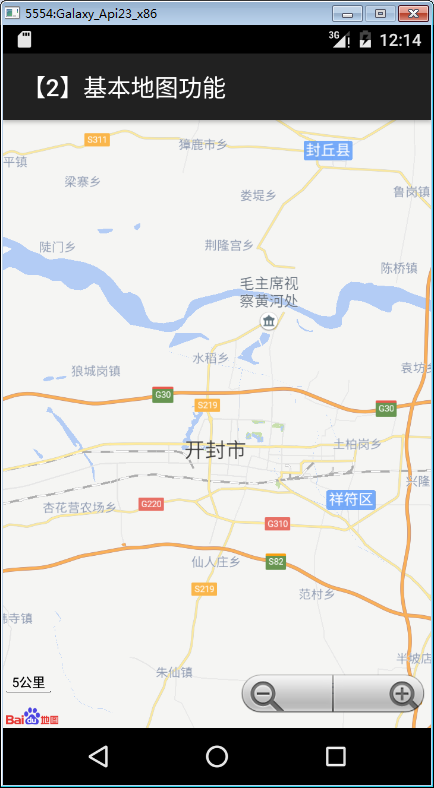 百度地圖應用骨架篇:一次建立 25 個範例的執行環境與專案結構
要一次學會 25 個地圖功能,最有效率的做法就是把它們放進同一個專案裡——這樣只需申請一把密鑰,也不必每個範例都重頭建專案。本文帶你把專案骨架搭好,從資源、SDK 初始化
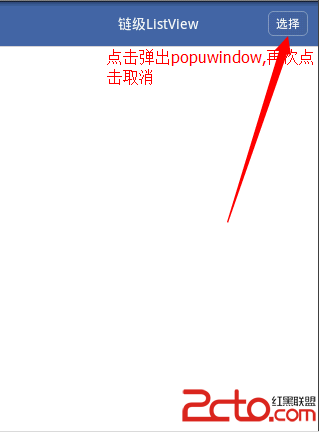 Android PopupWindow 實作:多層級聯動篩選選單
在不少列表頁與搜尋場景裡,我們會看到「一級選單切換、二級選項連動更新」的篩選設計。本文以 PopupWindow 搭配雙 ListView 為基礎,示範如何打造這樣一個層
 仿 QQ 的 Material Design 沉浸式狀態列:4.4 到 5.x 相容實作
新版 QQ 換上了沉浸式狀態列,視覺上確實俐落不少。這篇就來示範怎麼在自己的 App 裡做出來。 先講清楚前提:半透明狀態列需要 4.4 以上才支援,而且 4.4 與
 Android 內建音效均衡器 MusicFx 原始碼分析:預設值從何而來
基於某些需求,作者決定深入研究 Android 內建的音效均衡器 MusicFx,重點在於釐清它那些預設值的由來。網路上討論這個主題的文章並不多,本文以 Android