

編輯:關於 Android 程式設計
在開發Android應用時,經常需要從網路載入圖片。但如果本地已有快取,直接讀取本地顯然更快。本文分享一個同時兼顧URL與本地圖片映射的圖片庫封裝方案:優先從本地讀取,若無快取再從網路下載,並透過鎖與條件變數妥善處理多執行緒的併發問題。
整個設計的核心概念是:將網路圖片URL映射為本地檔案路徑,並利用 ReentrantLock 與 Condition 達到執行緒間的協調,避免多個執行緒重複下載同一張圖片。
public class PictureLibrary { /* * 圖片庫的操作 */ File file; URL url; HttpURLConnection conn; InputStream is; FileOutputStream fos; private Lock lock = new ReentrantLock(); private Condition downFile = lock.newCondition(); // 通過URL將數據下載到本地操作 private String toLocalFile(String strURL) { String fileName = Utils.getFileName(strURL); String path = Environment.getExternalStorageDirectory() + "/" + EcologicalTourism.FILE_PATH + "/images/" + fileName; return path; } // 通過URL將數據下載到本地臨時文件中 private String toLocalFileTemp(String strURL) { String s = Utils.getFileName(strURL); String fileName = s+"temp"; String path_url = Environment.getExternalStorageDirectory() + "/" + EcologicalTourism.FILE_PATH + "/tempimages/" + fileName; return path_url; } /* * 保存圖片到本地,並返回本地url(此函數是阻塞的) * main * @參數:strURL,參數為圖片的URL.返回值:該圖片在本地SD卡暫存的位置 * 函數的工作是負責將圖片從互聯網上取得,存在本地存儲中,並返回本地存儲的文件路徑,供調用者直接使用。如果文件已經存在本地,直接返回 * 如果文件未在本地,則直接從服務器下載,函數阻塞。 */ public String getReadSD(String strURL) { Log.i("test", "拿到網絡的地址是:" + strURL); String strLocalFile = toLocalFile(strURL); //k:把服務器URL轉換為本地URL String strLocalFileTemp = toLocalFileTemp(strURL); //k:把服務器URL轉換為本地臨時URL while (true) { File file = new File(strLocalFile); Log.i("test", "本地文件是:" + strLocalFile); File tfile = new File(strLocalFileTemp); Log.i("test", "臨時文件是:" + strLocalFileTemp); // 1上鎖 lock.lock(); if (file.exists()) { // 2if 本地文件存在 // 解鎖 // 返回本地路徑 lock.unlock(); Log.i("test", "返回本地路徑:" + file); return strLocalFile; } else if (tfile.exists()) { // if 對應的暫存文件存在 // 解鎖 lock.unlock(); try { // 睡眠 downFile.await(); } catch (Exception e) { e.printStackTrace(); Log.i("test", "e 出現了異常1" + e); } } else { try { // 創建對應的暫存文件 tfile.createNewFile(); } catch (IOException e) { Log.i("test", "e 出現了異常2" + e); } // 解鎖 lock.unlock(); // 下載文件內容到暫存文件中 downURL2(strURL, strLocalFile); // 上鎖 lock.lock(); // 修改暫存文件名字為本地文件名 tfile.renameTo(file); // 解鎖 lock.unlock(); } } } private void downURL2(String strURL, String strLocalFileTemp) { // TODO Auto-generated method stub URL url; try { url = new URL(strURL); HttpURLConnection conn = (HttpURLConnection) url.openConnection(); conn.setConnectTimeout(5000); conn.setRequestMethod("GET"); conn.setDoInput(true); if (conn.getResponseCode() == 200) { InputStream is = conn.getInputStream(); FileOutputStream fos = new FileOutputStream(strLocalFileTemp); byte[] buffer = new byte[1024]; int len = 0; while ((len = is.read(buffer)) != -1) { fos.write(buffer, 0, len); } is.close(); fos.close(); // 返回一個URI對象 } } catch (MalformedURLException e) { // TODO Auto-generated catch block e.printStackTrace(); } catch (ProtocolException e) { // TODO Auto-generated catch block e.printStackTrace(); } catch (IOException e) { // TODO Auto-generated catch block e.printStackTrace(); } } /* * 阻塞式下載url到文件 toFile中 */ private boolean downURL(String strURL, String toFile) { URL url; try { url = new URL(strURL); HttpURLConnection httpUrl = (HttpURLConnection) url .openConnection(); httpUrl.setRequestMethod("GET"); int fileSize = httpUrl.getContentLength();// 文件大小 httpUrl.disconnect();// 關閉連接 int threadSize = 6;// 默認設置6個線程 threadSize = fileSize % threadSize == 0 ? threadSize : threadSize + 1; int currentSize = fileSize / threadSize; // 每條線程下載大小 String dowloadir = Environment.getExternalStorageDirectory() + "/" + EcologicalTourism.FILE_PATH + "/images/"; File dir = new File(dowloadir); if (!dir.exists()) { dir.mkdirs(); } File file = new File(dir, toFile); RandomAccessFile randomFile = new RandomAccessFile(file, "rw"); randomFile.setLength(fileSize);// 指定 file 文件的大小 for (int i = 0; i < threadSize; i++) { int startposition = i * currentSize;// 每條線程開始寫入文件的位置 RandomAccessFile threadFile = new RandomAccessFile(file, "rw"); Log.i("syso", "toFile的內容是:" + toFile); threadFile.seek(startposition); new DownLoadThread(i, currentSize, threadFile, startposition, url).start(); } } catch (Exception e) { e.printStackTrace(); Log.i("syso", "download下載失敗" + e); } return true; } /** * 實現線程下載 * */ private static class DownLoadThread extends Thread { @SuppressWarnings("unused") private int threadId;// 線程編號 private int currentSize;// 每條線程的大小 private RandomAccessFile threadFile; // 每條線程 要寫入文件類 private int startposition;// 每條線程開始寫入文件的位置 private URL url; //網絡地址 public DownLoadThread(int threadId, int currentSize, RandomAccessFile threadFile, int startposition, URL url) { this.threadId = threadId; this.currentSize = currentSize; this.threadFile = threadFile; this.startposition = startposition; this.url = url; } public void run() { try { HttpURLConnection httpUrl = (HttpURLConnection) url .openConnection(); httpUrl.setRequestMethod("GET"); httpUrl.setRequestProperty("range", "bytes=" + startposition + "-");// 指定服務器的位置 InputStream is = httpUrl.getInputStream(); byte[] data = new byte[1024]; int len = -1; int threadFileSize = 0; while ((threadFileSize < currentSize) && ((len = is.read(data)) != -1)) { threadFile.write(data, 0, len); threadFileSize += len; } httpUrl.disconnect(); is.close(); } catch (Exception e) { e.printStackTrace(); } } } /** * 從本緩存中獲取圖片 */ public Bitmap getBitmapFromCache(String imageURL) { // String bitmapName = imageURL.substring(imageURL.lastIndexOf("/") + 1); String bitmapName = Utils.getFileName(imageURL); File cacheDir = new File(Environment.getExternalStorageDirectory() + "/" + EcologicalTourism.FILE_PATH + "/images/"); File[] cacheFiles = cacheDir.listFiles(); int i = 0; if(null!=cacheFiles){ for(; i<cacheFiles.length;i++){ if(bitmapName.equals(cacheFiles[i].getName())){ break; } } if(i < cacheFiles.length) { return BitmapFactory.decodeFile(Environment.getExternalStorageDirectory() + "/" + EcologicalTourism.FILE_PATH + "/images/" + bitmapName); } } return null; }
這個封裝的亮點在於 getReadSD 方法:它先檢查本地檔案是否存在,若有則直接回傳路徑;若對應的暫存檔存在(代表有其他執行緒正在下載),則透過 downFile.await() 等待其完成;否則由當前執行緒負責下載,完成後再將暫存檔重新命名為正式檔名。此外還提供了六執行緒分段下載(downURL)與快取值取(getBitmapFromCache)等方法,是一套相當完整的圖片庫解決方案。
 Android 模擬器啟動失敗的排查與解法
一、錯誤訊息 錯誤大意:連線到 adb(Android Debug Bridge)時發生嚴重錯誤,必須重新啟動 adb 與 Eclipse,並確認指定位置的 adb
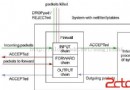 Android 網路流量控制入門:Iptables 防火牆機制解析
Iptables 的核心定位 Iptables 是 Linux 2.6 內核中常見的封包過濾工具,常用於防火牆、流量控制與網路安全策略。當 Android 裝置或伺服器需
 仿開心消消樂:大樹星星無限循環滾動與點擊效果(自訂 View 實作)
先上效果圖這是我專案中的實際效果:下面是我抽取出來的 demo,各項適配基本都已處理好:下面來說說思路。先講原理:我用 Bitmap 建立兩張圖,一開始一張在下方(記為
 用 Android 打造一個簡單計算器
動手做一個計算器,是練習 Android 元件操作與事件處理的經典題目。本文分享的這個計算器雖然結構簡單,卻已能實現加、減、乘、除四則運算與連續運算,並針對小數運算做了優